A smart temperature and humidity sensor can track room conditions, alert you to changes, and help protect food, plants, or belongings. My best overall pick is the GoveeLife 2.0 WiFi Hygrometer Thermometer with Gateway and 3 Mini Sensors, which balances multi-room monitoring with remote access. The YoLink Freezer Thermometer and Hygrometer Kit stands out for freezer monitoring, while the SensorPush HT.w suits buyers who want focused Bluetooth tracking. The main tradeoffs are Wi-Fi versus Bluetooth range, the number of sensors included, and whether you need a hub or remote alerts. Read on for the full breakdown of the 15 options and how to match one to your space.

Get privacy and security gear delivered free with Prime
- Fast, free delivery on millions of items
- Prime Video, Amazon Music and more included
- Member-only deals all year
Key Takeaways
- Gateway bundles lead for multi-room coverage: the GoveeLife 2.0 kits pair a gateway with three or six mini sensors, making them more suited to whole-home tracking than a single-sensor setup.
- Freezer monitoring calls for a purpose-built kit: YoLink’s freezer-focused bundle is a more direct fit for checking cold storage than general indoor sensors.
- Bluetooth and Wi-Fi solve different problems: Bluetooth models such as the SensorPush and Govee H5075 are a better fit for nearby checks, while Wi-Fi-and-gateway options support remote monitoring.
- Sensor count changes the value equation: a three- or six-sensor bundle can cover separate rooms with one system, but a single sensor may be a better match when only one location matters.
- Similar product names hide different setups: Govee’s H5075 appears as both a three-pack and a single unit, so buyers should verify pack size and connectivity before choosing.
| YoLink Freezer Thermometer and Hygrometer Kit, 3 Sensors with Hub | 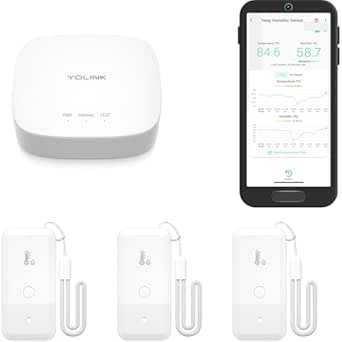 | Best for Long-Range, Multi-Location Monitoring | Included items: 1 hub and 3 sensors | Connectivity: LoRa | Wireless range: Up to 2,034 feet in open air | VIEW ON AMAZON | See Our Full Breakdown |
| SensorPush HT.w Bluetooth Temperature and Humidity Sensor |  | Best for Detailed Environmental Tracking | Connectivity: Bluetooth | Measurements: Temperature, humidity, heat index, dew point, and VPD | Water resistance: Splash- and water-resistant | VIEW ON AMAZON | See Our Full Breakdown |
| GoveeLife 2.0 WiFi Hygrometer Thermometer with Gateway, 3 Mini Sensors | 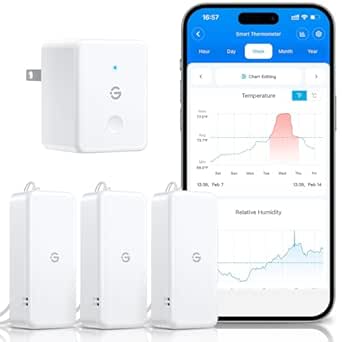 | Best for Remote Monitoring and Data Export | Included components: Wi-Fi gateway, 3 thermo-hygrometers, 6 AAA batteries, 3 lanyards, and user manual | Wi-Fi compatibility: 2.4 GHz only | Data refresh rate: Every 2 seconds | VIEW ON AMAZON | See Our Full Breakdown |
| Govee H5075 Bluetooth Indoor Thermometer and Hygrometer, 3-Pack | 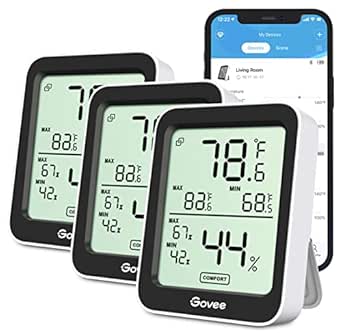 | Best for At-a-Glance Indoor Checks | Pack size: 3 sensors | Connectivity: Bluetooth | Bluetooth range: 196 ft / 60 m | VIEW ON AMAZON | See Our Full Breakdown |
| Govee Smart Bluetooth Thermometer Hygrometer H5074 Mini Humidity Sensor | 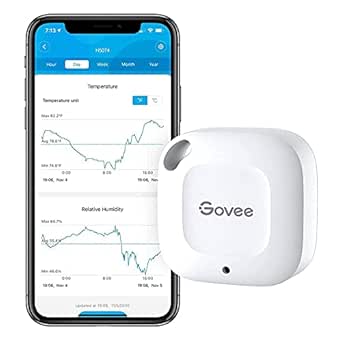 | Best Compact Single-Sensor Pick | Connectivity: Bluetooth | Dimensions: 1.57 in W × 1.57 in H | Temperature accuracy: ±0.54°F (approximately ±0.3°C) | VIEW ON AMAZON | See Our Full Breakdown |
| Aqara Zigbee Temperature and Humidity Sensor, 3-Pack |  | Best for Aqara Home Automation | Pack size: 3 sensors | Measurements: Temperature, humidity, and atmospheric pressure | Connectivity: Zigbee | VIEW ON AMAZON | See Our Full Breakdown |
| Gaoducash TH01 WiFi Temperature and Humidity Sensor |  | Best Hub-Free Wi-Fi Pick | Model: TH01 | Connectivity: 2.4 GHz Wi-Fi | Display: Digital | VIEW ON AMAZON | See Our Full Breakdown |
| GoveeLife Wi-Fi Gateway Thermo-Hygrometer with 3 Outdoor Sensors |  | Best for Indoor and Outdoor Range | Included components: 3 sensors and 1 Wi-Fi gateway | Connectivity: LoRa and Wi-Fi; 5 GHz Wi-Fi not supported | Monitoring range: Up to 1,312 feet | VIEW ON AMAZON | See Our Full Breakdown |
| Govee H5075 Indoor Bluetooth Hygrometer and Thermometer |  | Best Standalone Display | Model: H5075 | Connectivity: Bluetooth, up to 164 feet | Display: 3-inch LCD | VIEW ON AMAZON | See Our Full Breakdown |
| GoveeLife 2.0 WiFi Hygrometer Thermometer with Gateway, 6 Mini Sensors |  | Best Multi-Room Coverage | Sensor count: 6 mini sensors | Gateway compatibility: H5151 or H5042 | Wi-Fi compatibility: 2.4 GHz only | VIEW ON AMAZON | See Our Full Breakdown |
| YoLink Indoor Temperature and Humidity Sensor Kit with Hub, 2-Pack | 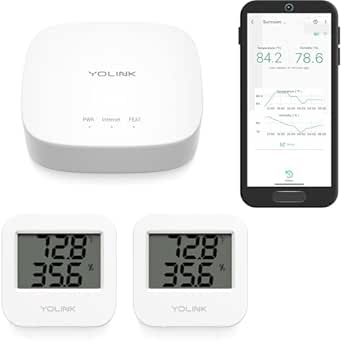 | Best for Long-Range Coverage | Included components: 1 YoLink Hub and 2 temperature and humidity sensors | Connectivity: LoRa; hub connects via Ethernet or 2.4 GHz Wi-Fi | Open-air range: Up to 2,034 ft | VIEW ON AMAZON | See Our Full Breakdown |
| GoveeLife WiFi Thermometer and Hygrometer 5-in-1, 3-Pack with Gateway | 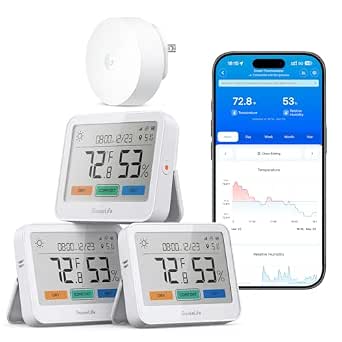 | Best for At-a-Glance Room Monitoring | Included items: 3 monitors and gateway | Display: 3.7-inch digital LCD | Connectivity: Wi-Fi and Bluetooth | VIEW ON AMAZON | See Our Full Breakdown |
| Tapo T310 Smart Temperature and Humidity Sensor | 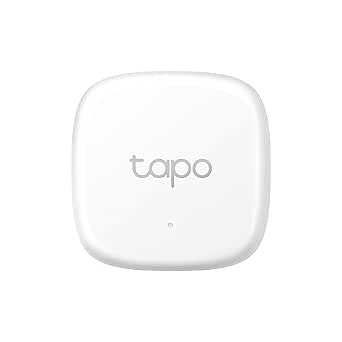 | Best for Tapo Smart-Home Setups | Measurements: Temperature and humidity | Update interval: Every 2 seconds | Temperature accuracy: ±0.54°F | VIEW ON AMAZON | See Our Full Breakdown |
| YoLink Indoor Temperature and Humidity Sensor, 3-Pack (YS8003) |  | Best for Expanding YoLink Coverage | Pack size: 3 sensors | Connectivity: LoRa | Hub requirement: Yes; required for app functionality | VIEW ON AMAZON | See Our Full Breakdown |
| Govee H5179 WiFi Thermometer and Hygrometer |  | Best Single-Sensor App Pick | Connectivity: Wi-Fi and Bluetooth; no 5 GHz Wi-Fi support | Temperature accuracy: ±0.54°F / ±0.3°C | Humidity accuracy: ±3% RH | VIEW ON AMAZON | See Our Full Breakdown |
| smart temperature and humidity sensor | Connectivity | Temperature accuracy | Humidity accuracy |
|---|---|---|---|
| YoLink Freezer Thermometer and | LoRa | ±0.36°F from 0°C to 54°C; ±0.72°F from -20°C to 0°C | — |
| SensorPush HT.w Bluetooth Temp | Bluetooth | ±0.2 (unit not specified in provided product data) | — |
| GoveeLife 2.0 WiFi Hygrometer | — | ±0.54°F / ±0.3°C | ±3% RH |
| Govee H5075 Bluetooth Indoor T | Bluetooth | ±0.54°F | ±3% RH |
| Govee Smart Bluetooth Thermome | Bluetooth | ±0.54°F (approximately ±0.3°C) | ±3% RH |
| Aqara Zigbee Temperature and H | Zigbee | — | — |
| Gaoducash TH01 WiFi Temperatur | 2.4 GHz Wi-Fi | — | — |
| GoveeLife Wi-Fi Gateway Thermo | LoRa and Wi-Fi; 5 GHz Wi-Fi not supported | ±0.54°F | ±3% RH |
| Govee H5075 Indoor Bluetooth H | Bluetooth, up to 164 feet | ±0.54°F | ±3% RH |
| GoveeLife 2.0 WiFi Hygrometer | — | ±0.3°C (±0.54°F) | ±3% RH |
| YoLink Indoor Temperature and | LoRa; hub connects via Ethernet or 2.4 GHz Wi-Fi | — | — |
| GoveeLife WiFi Thermometer and | Wi-Fi and Bluetooth | — | — |
| Tapo T310 Smart Temperature an | Sub-1G wireless to hub; 2.4 GHz Wi-Fi network required | ±0.54°F | ±3% RH |
| YoLink Indoor Temperature and | LoRa | — | — |
| Govee H5179 WiFi Thermometer a | Wi-Fi and Bluetooth; no 5 GHz Wi-Fi support | ±0.54°F / ±0.3°C | ±3% RH |
More Details on Our Top Picks
YoLink Freezer Thermometer and Hygrometer Kit, 3 Sensors with Hub
The YoLink kit is the strongest fit here when sensors need to reach beyond the usual limits of a home Wi-Fi or Bluetooth setup. Its hub and three sensors use LoRa connectivity, with a stated open-air range of up to 2,034 feet, making it more suitable than the Bluetooth-only Govee H5075 3-Pack for detached spaces or widely separated monitoring points. Custom temperature and humidity alerts can arrive by text, email, or push notification, while IFTTT adds options for automations. The tradeoff is that readings are app-based: there is no sensor display, and Alexa can query temperature but not humidity or trigger Alexa routines. Battery life is stated at up to five years, though it depends on conditions, and SMS alerts have usage limits.
Pros:- Includes a hub and three sensors for monitoring multiple locations.
- LoRa is designed for long-range communication beyond typical Bluetooth coverage.
- Custom temperature and humidity alerts can be sent by text, email, or push notification.
- Supports IFTTT and has a stated battery life of up to five years, depending on conditions.
Cons:- Sensors have no display, so readings require the app or a supported integration.
- Alexa supports temperature queries only, not humidity queries or Alexa routines.
- SMS alerts have usage limits.
Best for: People monitoring freezers, outbuildings, or several indoor and outdoor locations where Wi-Fi coverage is unreliable but long-range hub connectivity is useful.
Not ideal for: Buyers who want a visible reading at each sensor or full Alexa humidity queries and routines.
- Included items:1 hub and 3 sensors
- Connectivity:LoRa
- Wireless range:Up to 2,034 feet in open air
- Temperature range:-4°F to 129°F (-20°C to 54°C)
- Temperature accuracy:±0.36°F from 0°C to 54°C; ±0.72°F from -20°C to 0°C
- Humidity range and accuracy:0% to 100%; ±3% from 10% to 90%
- Power and battery life:2 AA batteries per sensor; up to 5 years, depending on usage and conditions
- Alerts and integrations:Custom text, email, and push alerts; IFTTT and Alexa temperature queries
Our verdict“Choose the YoLink kit when long-range monitoring and multiple alert options matter more than an on-sensor display or broad Alexa control.”
SensorPush HT.w Bluetooth Temperature and Humidity Sensor
The SensorPush HT.w is the most measurement-focused pick in this group: alongside temperature and humidity, it tracks heat index, dew point, and VPD. Those extra readings can help plant growers, collectors, and people monitoring damp-prone spaces interpret conditions rather than just watch two numbers. It also keeps 45 days of onboard data, while the Govee H5074 Mini offers up to 20 days of onboard storage according to its product description. The compromise is connectivity: app updates require Bluetooth range, and remote access needs the separately sold G1 WiFi Gateway. Its splash- and water-resistant build suits more varied locations than an indoor-only sensor, but it is still not a direct substitute for a Wi-Fi-connected kit such as the GoveeLife 2.0, which includes a gateway.
Pros:- Tracks heat index, dew point, and VPD as well as temperature and humidity.
- Stores 45 days of readings onboard and offers unlimited in-app storage.
- Splash- and water-resistant construction broadens placement options.
- Bluetooth range is stated at up to 100 m line of sight.
Cons:- Remote access and cloud storage require the G1 WiFi Gateway, sold separately.
- App updates depend on the sensor being within Bluetooth range.
- Battery life is stated as 1–2 years in typical conditions, rather than the longer claim made for the YoLink sensors.
Best for: Plant growers, instrument owners, and property caretakers who want environmental metrics beyond temperature and humidity and can monitor locally by Bluetooth.
Not ideal for: People who need remote monitoring out of the box or want a hub included for cloud access.
- Connectivity:Bluetooth
- Measurements:Temperature, humidity, heat index, dew point, and VPD
- Water resistance:Splash- and water-resistant
- Bluetooth range:Up to 100 m line of sight
- Onboard data logging:45 days
- Temperature accuracy:±0.2 (unit not specified in provided product data)
- Upper temperature range:140°F
- Battery life:1–2 years in typical conditions
- Gateway compatibility:SensorPush G1 WiFi Gateway, sold separately
Our verdict“Pick the HT.w if you value extra environmental metrics and local history more than included remote access.”
GoveeLife 2.0 WiFi Hygrometer Thermometer with Gateway, 3 Mini Sensors
For buyers who want three locations visible remotely without sourcing a separate gateway, the GoveeLife 2.0 kit is the most complete ready-to-connect choice in this set. Its included Wi-Fi gateway supports app and email alerts, and the sensors refresh every two seconds, so changing room conditions appear promptly. The 20-day charts and export of up to two years of data also suit people tracking seasonal patterns or keeping records. Compared with the Bluetooth-only Govee H5075 3-Pack, this kit is better suited to checking readings away from home, but it gives up the H5075’s built-in LCD displays. Setup is limited to 2.4 GHz Wi-Fi, and the stated battery life is up to two years, so it is not a fit for networks that rely on 5 GHz only or for buyers seeking especially long battery intervals.
Pros:- Includes a Wi-Fi gateway and three sensors for remote monitoring at multiple locations.
- Temperature and humidity readings refresh every two seconds.
- App and email alerts help flag conditions when the user is away.
- Provides 20-day charts and data export covering up to two years.
Cons:- Wi-Fi compatibility is limited to 2.4 GHz.
- No sensor display is listed, unlike the Govee H5075 3-Pack.
- Battery life is stated at up to two years.
Best for: Homeowners who want remote app monitoring across three rooms and value alerts plus exportable historical records.
Not ideal for: People whose Wi-Fi network only supports 5 GHz for connected devices, or anyone who wants a visible LCD at each sensor.
- Included components:Wi-Fi gateway, 3 thermo-hygrometers, 6 AAA batteries, 3 lanyards, and user manual
- Wi-Fi compatibility:2.4 GHz only
- Data refresh rate:Every 2 seconds
- Temperature accuracy:±0.54°F / ±0.3°C
- Humidity accuracy:±3% RH
- Data storage:20-day charts; export data from the past 2 years
- Battery life:Up to 2 years
- Compatible gateways:H5151/H5042
Our verdict“Choose this GoveeLife kit for included remote access and longer-term data exports, provided your network supports 2.4 GHz Wi-Fi.”
Govee H5075 Bluetooth Indoor Thermometer and Hygrometer, 3-Pack
The Govee H5075 3-Pack earns its place for buyers who want readings visible in the room, not only in an app. Each sensor has a 3-inch LCD showing temperature and humidity, plus maximum and minimum records, which makes quick checks easier than with the display-free GoveeLife 2.0 sensors. Bluetooth and app alerts add remote convenience within range, while historical graphs and CSV export help users review changing conditions. The three-unit pack makes it practical to compare rooms, but its 196-foot Bluetooth range is a limit rather than a whole-home guarantee; walls can affect connection, and it has no Wi-Fi gateway for dependable access away from home. Online storage lasts 20 days, so buyers wanting longer records should compare it with the GoveeLife kit’s export window.
Pros:- Three sensors allow monitoring in multiple rooms.
- The 3-inch LCD shows readings without opening the app.
- App alerts, historical graphs, and CSV data export are available.
- Readings refresh every two seconds, with maximum and minimum records.
Cons:- Bluetooth range is limited to a stated 196 feet and may be reduced by walls.
- No Wi-Fi gateway or remote-access option is listed.
- Online data storage is limited to 20 days.
Best for: People monitoring several indoor rooms who want to read conditions directly from each sensor and use app alerts nearby.
Not ideal for: Buyers who need remote access outside Bluetooth range, or who want longer online history without exporting data.
- Pack size:3 sensors
- Connectivity:Bluetooth
- Bluetooth range:196 ft / 60 m
- Display:3-inch LCD
- Temperature accuracy:±0.54°F
- Humidity accuracy:±3% RH
- Refresh time:2 seconds
- Data history:20 days of online storage; export up to 2 years in CSV format
- Dimensions:2.5 in W × 3.1 in H
Our verdict“Pick the H5075 3-Pack for visible room-by-room readings, not for monitoring from far outside Bluetooth range.”
Govee Smart Bluetooth Thermometer Hygrometer H5074 Mini Humidity Sensor
The Govee H5074 makes the most sense when a buyer needs one small sensor for a shelf, cabinet, or other tight spot rather than a multi-room kit. Its 1.57-inch square form and stated 262-foot Bluetooth range give it a more discreet placement option than the larger-display Govee H5075 3-Pack, while temperature and humidity accuracy are listed at ±0.54°F and ±3% RH. The app supports custom alerts, and the product description notes 20 days of onboard storage with CSV export, useful for reviewing changes after the fact. The tradeoff is that this remains a Bluetooth-only sensor: it does not offer Wi-Fi remote monitoring, and the supplied data does not specify battery life. It is less suitable than the GoveeLife 2.0 kit for buyers who need several locations connected remotely.
Pros:- Compact 1.57-inch square dimensions suit small or discreet placements.
- Temperature accuracy is listed as ±0.54°F and humidity accuracy as ±3% RH.
- Bluetooth range is stated at up to 262 feet.
- Offers 20-day onboard data storage and CSV export.
Cons:- Bluetooth-only connectivity limits monitoring to nearby app access.
- The product data does not specify battery life.
- A single sensor is less suited to multi-room coverage than the H5075 3-Pack or GoveeLife 2.0 kit.
Best for: People who need a compact Bluetooth sensor for one cabinet, shelf, or small indoor monitoring area and can check it within range.
Not ideal for: Households seeking Wi-Fi access away from home, multiple sensors in one package, or a stated battery-life estimate.
- Connectivity:Bluetooth
- Dimensions:1.57 in W × 1.57 in H
- Temperature accuracy:±0.54°F (approximately ±0.3°C)
- Humidity accuracy:±3% RH
- Bluetooth range:Up to 262 ft
- Data storage:20 days onboard
- Data export:CSV export
- Operating humidity:20%–80%
- Upper temperature range:60°C
Our verdict“Choose the H5074 for compact, local monitoring in one spot, but select a gateway-based kit for remote or multi-room coverage.”
Aqara Zigbee Temperature and Humidity Sensor, 3-Pack
I’d pick this three-pack for an Aqara household that wants more than temperature and humidity readings: each sensor also measures atmospheric pressure, and compatible Aqara automations can act on the readings. Compared with the Gaoducash TH01, which connects directly over Wi-Fi, Aqara requires a separate hub and keeps official support within its own ecosystem. That extra setup is a real limitation, but it gives buyers already using Aqara a way to add three compact sensors to one coordinated system. The stated five-second response time suits room monitoring, while the recommended range of about 10 meters from the hub may constrain placement. I’d skip it if you need a standalone sensor or plan to rely on an unsupported third-party hub.
Pros:- Measures temperature, humidity, and atmospheric pressure
- Three sensors support monitoring in multiple rooms
- Aqara app provides real-time readings and trend tracking
- Alerts and compatible automation can respond to changing conditions
Cons:- Requires a compatible Aqara Hub sold separately
- Third-party hubs and Zigbee USB dongles are not officially supported
- Recommended range is limited to about 10 meters from the hub
Best for: Aqara users who want three sensors for room-by-room monitoring and compatible home automation
Not ideal for: Buyers without an Aqara Hub, or anyone who needs officially supported third-party hub or Zigbee USB dongle compatibility
- Pack size:3 sensors
- Measurements:Temperature, humidity, and atmospheric pressure
- Connectivity:Zigbee
- Hub requirement:Compatible Aqara Hub required; sold separately
- Response time:5 seconds
- Maximum temperature:122 °F
- Dimensions:1.42 × 1.42 × 0.35 inches
- Mounting:Wall mount
Our verdict“Choose this pack if you already use Aqara and want three automation-ready sensors; choose the Gaoducash TH01 instead if you want Wi-Fi monitoring without a hub.”
Gaoducash TH01 WiFi Temperature and Humidity Sensor
The Gaoducash TH01 is the straightforward choice for buyers who want remote temperature and humidity checks without adding a dedicated hub. It connects to 2.4 GHz Wi-Fi and pairs with Tuya Smart or Smart Life for alerts, history graphs, and smart scenes; Alexa voice control is supported as well. That makes setup less tied to a sensor-specific gateway than the GoveeLife Wi-Fi Gateway Thermo-Hygrometer, though the GoveeLife kit brings multiple sensors and a much longer stated wireless range. The TH01’s quick stated response time and included AAA batteries make it ready for a single room, with tabletop or wall placement. Its app dependence is the catch: Alexa shows humidity only, so full readings and history still require the companion app.
Pros:- Connects directly to 2.4 GHz Wi-Fi without a separate hub
- App offers remote alerts, history graphs, and smart scene automation
- Works with Alexa voice control
- Includes two AAA batteries and supports surface or wall placement
Cons:- Requires a 2.4 GHz Wi-Fi network
- Alexa displays humidity only; full readings and history require the companion app
Best for: Renters and smart-home beginners who want one indoor sensor with app alerts and no separate gateway
Not ideal for: Buyers needing outdoor sensors, multi-room coverage in one bundle, or full temperature and history access through Alexa
- Model:TH01
- Connectivity:2.4 GHz Wi-Fi
- Display:Digital
- Power:2 AAA batteries, included
- Response time:500 milliseconds
- Compatibility:Alexa, Tuya Smart, and Smart Life
- Installation:Surface placement or wall mounting
- Upper temperature range:60 °C
Our verdict“Choose the TH01 for simple, hub-free monitoring in one room, but opt for the GoveeLife gateway kit if you need several sensors or broader coverage.”
GoveeLife Wi-Fi Gateway Thermo-Hygrometer with 3 Outdoor Sensors
I’d rank this kit for buyers who need readings beyond the house: its three IP65-rated sensors are designed for indoor or outdoor use, and the stated wireless range reaches up to 1,312 feet. The included Wi-Fi gateway passes data to the app for remote monitoring and customizable alerts. Compared with the GoveeLife 2.0 WiFi Hygrometer Thermometer with Gateway, 6 Mini Sensors, this set gives up half the sensor count but adds explicit outdoor use and a long-range LoRa link. Its stated temperature accuracy of ±0.54°F and humidity accuracy of ±3% RH give buyers clear performance figures, while the expandable gateway can support up to 30 sensors. The tradeoff is gateway dependence, plus no 5 GHz Wi-Fi support; it is a poor match for anyone seeking a single, self-contained room display.
Pros:- Three sensors are rated IP65 for indoor and outdoor use
- Stated wireless monitoring range reaches up to 1,312 feet
- Customizable app alerts support remote monitoring
- Gateway supports up to 30 sensors
Cons:- Requires the included Wi-Fi gateway to access sensor data
- Does not support 5 GHz Wi-Fi
- Not compatible with Gateway 5042
Best for: Homeowners who want app-monitored temperature and humidity across outdoor areas and several indoor locations
Not ideal for: Buyers who need a standalone display, use only 5 GHz Wi-Fi, or want a compact indoor-only multi-sensor bundle
- Included components:3 sensors and 1 Wi-Fi gateway
- Connectivity:LoRa and Wi-Fi; 5 GHz Wi-Fi not supported
- Monitoring range:Up to 1,312 feet
- Temperature accuracy:±0.54°F
- Humidity accuracy:±3% RH
- Water resistance:IP65
- Battery:2 AAA batteries per sensor; up to 1 year
- Maximum sensors per gateway:30
Our verdict“Pick this kit for long-range outdoor monitoring; choose the GoveeLife 2.0 six-sensor kit instead if indoor sensor count matters more than weather resistance.”
Govee H5075 Indoor Bluetooth Hygrometer and Thermometer
The H5075 is the most display-focused option here: its 3-inch LCD gives a quick local read, while Bluetooth app access adds alerts and historical records. I’d choose it over the Gaoducash TH01 when seeing readings on the sensor matters more than checking them remotely over Wi-Fi. The H5075 also stands apart from the gateway-based GoveeLife Wi-Fi Gateway Thermo-Hygrometer by keeping the setup centered on a tabletop sensor and a phone’s Bluetooth connection. Its graphs cover 20 days, and CSV export can preserve data for up to two years—useful for tracking a room’s changing conditions. The tradeoff is reach: Bluetooth is stated to work up to 164 feet, and this model is designed for indoor monitoring, not remote outdoor coverage.
Pros:- Large 3-inch LCD with maximum/minimum records and comfort indicators
- Bluetooth app supports alerts for preset temperature and humidity ranges
- Provides 20-day graphs and CSV data export for up to two years
- Stated accuracy is ±0.54°F for temperature and ±3% RH for humidity
Cons:- Bluetooth range is limited to up to 164 feet
- Designed for indoor monitoring rather than outdoor use
Best for: People who want a clear room-side display plus phone alerts and exportable indoor climate records
Not ideal for: Buyers who need Wi-Fi-based remote access, outdoor monitoring, or sensors placed far from their phone
- Model:H5075
- Connectivity:Bluetooth, up to 164 feet
- Display:3-inch LCD
- Temperature accuracy:±0.54°F
- Humidity accuracy:±3% RH
- Data storage:20-day graphs and up to 2 years of CSV export
- Refresh time:Up to 2 seconds
- Power:2 alkaline batteries
Our verdict“Choose the H5075 if you want readings visible on the device and useful historical records, but select the Gaoducash TH01 for Wi-Fi-based remote checks.”
GoveeLife 2.0 WiFi Hygrometer Thermometer with Gateway, 6 Mini Sensors
Six mini sensors make this the lineup’s clearest choice for monitoring many rooms or separate zones from one app. The included gateway supports up to 10 sensors, so there is room to expand beyond the bundle, and readings refresh every two seconds. Remote app and email alerts, 20-day trend charts, and up to two years of data export make the set more useful for tracking patterns than a basic local-display sensor like the Govee H5075. Compared with the GoveeLife Wi-Fi Gateway Thermo-Hygrometer with 3 Outdoor Sensors, this kit supplies twice as many sensors and lists compatibility with H5151 or H5042 gateways, but its sensors are intended for indoor spaces. The main compromises are the required compatible gateway and 2.4 GHz-only Wi-Fi; it is more system than a one-room buyer needs.
Pros:- Six compact sensors cover multiple indoor areas
- Gateway supports up to 10 sensors
- App and email alerts, trend charts, and data export support ongoing monitoring
- Up to two-year battery life reduces battery replacement frequency
Cons:- Requires a compatible H5151 or H5042 gateway
- Supports only 2.4 GHz Wi-Fi
- Designed for indoor spaces rather than outdoor monitoring
Best for: People monitoring multiple indoor spaces, such as bedrooms, a basement, and a wine cellar, who want remote alerts and long-term records
Not ideal for: Buyers who need outdoor-rated sensors, want a single standalone monitor, or lack a compatible gateway and 2.4 GHz Wi-Fi
- Sensor count:6 mini sensors
- Gateway compatibility:H5151 or H5042
- Wi-Fi compatibility:2.4 GHz only
- Temperature accuracy:±0.3°C (±0.54°F)
- Humidity accuracy:±3% RH
- Data refresh interval:2 seconds
- Data history:20-day trend charts and up to 2 years of data export
- Battery life:Up to 2 years
Our verdict“Choose this bundle for extensive indoor coverage and historical tracking; pick the three-sensor outdoor GoveeLife kit if weather resistance and outdoor range matter more.”
YoLink Indoor Temperature and Humidity Sensor Kit with Hub, 2-Pack
The YoLink two-sensor kit is my pick for monitoring rooms that sit far from a router or hub. Its LoRa connection reaches up to 2,034 feet in open air, and the included hub means you can set it up without buying a separate bridge. Push, email, and SMS alerts add flexibility for spaces such as a nursery or wine storage area, while the stated battery life of up to two years limits maintenance. Compared with the Tapo T310, this kit is ready with its hub and better suited to longer-range coverage, though Tapo offers data storage and export. The tradeoff is that these sensors are indoor-only, and Alexa support covers temperature rather than humidity. Choose it for reach and included components, not deep smart-home control.
Pros:- Includes a hub and two sensors, so the core monitoring setup is included
- LoRa open-air range reaches up to 2,034 feet
- Battery life is rated for up to two years
- Supports push, email, and SMS alerts
Cons:- Designed for indoor use rather than outdoor exposure
- Alexa compatibility is limited to temperature
- Hub connects through Ethernet or 2.4 GHz Wi-Fi, not 5 GHz Wi-Fi
Best for: Households monitoring multiple indoor rooms far from their router, especially nurseries, wine storage, or RV interiors
Not ideal for: Buyers who need outdoor monitoring or Alexa voice access to humidity readings
- Included components:1 YoLink Hub and 2 temperature and humidity sensors
- Connectivity:LoRa; hub connects via Ethernet or 2.4 GHz Wi-Fi
- Open-air range:Up to 2,034 ft
- Battery life:Up to 2 years
- Power and batteries:Battery powered; 4 AAA batteries included
- Temperature range:14°F to 122°F
- Usage:Indoor
- Warranty:2 years
Our verdict“Choose this kit if long-range indoor monitoring and an included hub matter more than outdoor use or broad Alexa controls.”
GoveeLife WiFi Thermometer and Hygrometer 5-in-1, 3-Pack with Gateway
For buyers who want to read conditions at the sensor, the GoveeLife 5-in-1 set pairs three monitors with large 3.7-inch LCDs and a gateway. Each display puts temperature, humidity, comfort level, and local weather in view, so it gives more immediate context than the app-focused YoLink Indoor 2-Pack. The specified two-second refresh rate and configurable alerts suit rooms where conditions change quickly, while the gateway extends open-air range up to 1,640 feet. The extra information and three displays come with a battery tradeoff: stated life falls from up to two years on Bluetooth to up to one year with the gateway. Weather data and extended range also depend on that gateway. I’d choose it for visible, multi-room readings, but skip it if a minimal, long-running sensor is the priority.
Pros:- Three monitors provide large 3.7-inch displays for local readings
- Tracks temperature, humidity, comfort level, and local weather
- Configurable app, push, email, and gateway buzzer alerts
- Gateway supports open-air range up to 1,640 feet
Cons:- Gateway is needed for local weather and extended range
- Stated battery life drops to up to one year with the gateway
- Three displays and a gateway make this a more involved setup than a single sensor
Best for: People who want readable local displays in several rooms, with gateway-based remote monitoring and comfort alerts
Not ideal for: Buyers seeking the longest possible battery life with gateway use, or a simple sensor without weather and comfort features
- Included items:3 monitors and gateway
- Display:3.7-inch digital LCD
- Connectivity:Wi-Fi and Bluetooth
- Temperature range and accuracy:-4°F to 140°F; ±0.36°F
- Humidity range and accuracy:0% to 99% RH; ±2% RH
- Refresh rate:2 seconds
- Open-air range:Up to 1,640 ft via gateway
- Battery life:Up to 2 years on Bluetooth or 1 year with gateway
Our verdict“Pick this set for clear, information-rich readings across several rooms, provided you accept gateway use and shorter battery life.”
Tapo T310 Smart Temperature and Humidity Sensor
The Tapo T310 makes the most sense when it will join an existing Tapo system: it can send custom-range notifications, feed readings into home automation, and store and export data. Readings update every two seconds, giving it a faster stated interval than the Govee H5179’s two-second cadence only in no regard; both share that interval, so the Tapo’s stronger case is its ecosystem and data tools, not speed. Its small wall-mount format suits a fixed monitoring point, while the included CR2450 battery is rated for more than a year under normal use. The central drawback is setup cost and compatibility: a Tapo H100 hub is sold separately, and sensor and hub must share the regional Sub-1G band. Skip it if you want an out-of-box standalone monitor.
Pros:- Readings update every two seconds
- Supports measurement notifications and Tapo smart-device automation
- Includes data storage and export features
- Included CR2450 battery is rated for more than a year under normal use
Cons:- Requires a separately sold Tapo H100 hub
- Hub and sensor must support the same regional Sub-1G frequency band
- Temperature and humidity accuracy are specified at ±0.54°F and ±3% RH
Best for: Tapo users who want threshold alerts, exported readings, and sensor-based automation at a fixed indoor location
Not ideal for: Buyers who do not own a compatible Tapo H100 hub or want a sensor that works independently from a hub
- Measurements:Temperature and humidity
- Update interval:Every 2 seconds
- Temperature accuracy:±0.54°F
- Humidity accuracy:±3% RH
- Connectivity:Sub-1G wireless to hub; 2.4 GHz Wi-Fi network required
- Hub requirement:Tapo H100, sold separately
- Battery:1 CR2450 included; more than 1 year under normal use
- Mounting:Wall mount
Our verdict“Choose the T310 if you already have a compatible Tapo hub and value automation and data export over standalone setup.”
YoLink Indoor Temperature and Humidity Sensor, 3-Pack (YS8003)
This three-sensor YoLink pack is a practical expansion choice for homes that already have the brand’s hub. Its LoRa connectivity and battery life rated up to two years make it suited to spreading monitoring across rooms or indoor locations where ordinary short-range links may struggle. Compared with the YoLink Indoor 2-Pack with Hub, this option adds a third sensor but does not include the hub, so the apparent convenience depends on what is already in your setup. It supports app alerts, IFTTT temperature triggers, and Alexa temperature queries; humidity voice access and routine triggers are not supported. The sensors are also limited to indoor use and have a specified temperature range of 14°F to 122°F. Buy this pack to add locations to YoLink, not to start from scratch.
Pros:- Three sensors cover multiple indoor monitoring locations
- LoRa protocol is designed for long-range, low-power communication
- Batteries are included and rated for up to two years
- Supports app alerts, IFTTT temperature triggers, and Alexa temperature queries
Cons:- Requires a YoLink hub for app functionality
- Alexa support covers temperature only, not humidity queries or routine triggers
- Indoor-only use and a 14°F to 122°F temperature range limit placement
Best for: Existing YoLink users who want to monitor three additional indoor spots, such as bedrooms, barns, or nurseries
Not ideal for: New buyers without a YoLink hub, or anyone needing outdoor sensors or Alexa humidity queries
- Pack size:3 sensors
- Connectivity:LoRa
- Hub requirement:Yes; required for app functionality
- Temperature range:14°F to 122°F
- Resolution:0.1°C or 0.1°F
- Display:Digital
- Battery:Two AAA batteries included
- Battery life and use:Up to 2 years; indoor use
Our verdict“Choose this pack to add long-range indoor monitoring points to an existing YoLink system, but buy the hub-included kit if you are starting fresh.”
Govee H5179 WiFi Thermometer and Hygrometer
The Govee H5179 is a straightforward choice for someone who wants one indoor sensor with remote app access and a record of changing conditions. It connects through Wi-Fi or Bluetooth, sends alerts when readings leave preset ranges, and supports 20 days of online data viewing plus export of up to two years of history. That makes it more data-oriented than the display-led GoveeLife 5-in-1 3-Pack, which gives you three local screens and comfort information instead. The H5179 refreshes every two seconds, but its battery life is stated at only six months, so it needs more frequent battery attention than either YoLink option. It also does not support 5 GHz Wi-Fi, and alerts can only be configured over Bluetooth. Choose it for a single app-connected monitoring point, not for multi-room coverage or low-maintenance operation.
Pros:- Supports app monitoring over Wi-Fi and Bluetooth
- Refreshes readings every two seconds
- Provides preset-range alerts for temperature and humidity
- Allows 20 days of online history viewing and export of up to two years of data
Cons:- Does not support 5 GHz Wi-Fi
- Alerts can only be configured over Bluetooth
- Stated battery life is six months
Best for: People who need remote monitoring and historical temperature and humidity data from one indoor location
Not ideal for: Buyers who need 5 GHz Wi-Fi, alert setup over Wi-Fi, multi-room coverage, or long battery intervals
- Connectivity:Wi-Fi and Bluetooth; no 5 GHz Wi-Fi support
- Temperature accuracy:±0.54°F / ±0.3°C
- Humidity accuracy:±3% RH
- Refresh interval:2 seconds
- Data storage and export:20 days online; export up to 2 years
- Power:3 included AA batteries
- Battery life:6 months
- Usage and temperature limit:Indoor; upper temperature range 140°F
Our verdict“Pick the H5179 for one indoor location where app access and long-term data export matter more than extended battery life.”

How We Picked
I ranked these options by how well their connectivity, sensor count, and intended placement match common monitoring needs. Remote access matters for freezers, second homes, and spaces that need attention while you are away; Bluetooth can make more sense for a nearby room where a hub is unnecessary. I also weighed whether a kit includes a gateway, how many locations it can cover, and whether its stated use is focused or general-purpose.
The order favors useful coverage without needless setup, then gives specialized sensors a place where their purpose is clear. Multi-sensor Wi-Fi bundles rank highly for buyers who want one system across several rooms, while single-unit and Bluetooth options rank better for narrower needs. Product names and bundles can be similar, so pack size and included hub or gateway matter in the comparison. I did not treat more sensors or more connectivity as automatically better: the right choice depends on distance, alert needs, and the number of locations being monitored.
| smart temperature and humidity sensor | Temperature accuracy |
|---|---|
| YoLink Freezer Thermometer and | ±0.36°F from 0°C to 54°C; ±0.72°F from -20°C to 0°C |
| SensorPush HT.w Bluetooth Temp | ±0.2 (unit not specified in provided product data) |
| GoveeLife 2.0 WiFi Hygrometer | ±0.54°F / ±0.3°C |
| Govee H5075 Bluetooth Indoor T | ±0.54°F |
| Govee Smart Bluetooth Thermome | ±0.54°F (approximately ±0.3°C) |
| Aqara Zigbee Temperature and H | — |
| Gaoducash TH01 WiFi Temperatur | — |
| GoveeLife Wi-Fi Gateway Thermo | ±0.54°F |
| Govee H5075 Indoor Bluetooth H | ±0.54°F |
| GoveeLife 2.0 WiFi Hygrometer | ±0.3°C (±0.54°F) |
| YoLink Indoor Temperature and | — |
| GoveeLife WiFi Thermometer and | — |
| Tapo T310 Smart Temperature an | ±0.54°F |
| YoLink Indoor Temperature and | — |
| Govee H5179 WiFi Thermometer a | ±0.54°F / ±0.3°C |
Factors to Consider When Choosing Smart Temperature And Humidity Sensor
Before choosing a sensor, start with the job it needs to do: monitor one room, keep tabs on a freezer, or follow conditions across several areas. The right setup depends less on a long feature list than on where the sensor will sit, how far away you will be, and what you want to happen when conditions change.
Choose Connectivity Around Where You Will Check Readings
Bluetooth is usually a nearby-monitoring choice: it can suit a bedroom or office when you check readings while close to the sensor. Wi-Fi or a gateway-based system is more useful when you want to check conditions from outside the home, but it adds setup and another component to manage. A common mistake is buying a Bluetooth sensor for a remote freezer and expecting dependable away-from-home alerts. The reverse can also happen: a gateway bundle may add complexity when you only need local readings from one room. Map the distance between your sensor, phone, and network before paying for capabilities you may not use. If the sensor must report through walls, across floors, or from an outbuilding, confirm the system’s supported range rather than assuming every wireless model behaves alike.
Match Sensor Count to Locations, Not Just Bundle Size
Count the spaces you want to monitor before comparing one-, three-, or six-sensor packages. A multi-sensor kit can make it easier to compare a nursery, basement, and pantry in one app, while one sensor avoids unused hardware if you have a single target room. Buyers sometimes overlook that a larger bundle may also mean more batteries to check and more devices to place and label. Think about whether readings from multiple locations need to be compared at the same time or whether you can move one sensor between spaces. For a home with separate heating zones, sensors in different rooms can reveal variation that one central reading misses. If your monitoring needs may grow, check whether the system can add sensors later instead of buying a large bundle upfront.
Treat Alerts as Part of the Monitoring Plan
A sensor is only useful for urgent changes if its alert path fits your routine. Decide whether you need a notification while away, a local check, or a record of conditions over time. Remote alerts generally rely on a connected hub or network, so a sensor that displays readings nearby may not provide the same warning when you are elsewhere. Set thresholds around the actual risk: a freezer, plant area, and living room do not share the same acceptable range. A common pitfall is leaving default alert limits in place, which can create unnecessary notifications or miss a meaningful change. Also check whether alerts depend on an app, internet connection, or additional hardware, and plan for what happens during a network outage.
Consider Placement, Probe Design, and the Space Being Monitored
Where a sensor sits affects what its readings represent. A unit placed beside a sunny window, vent, appliance, or exterior wall may report a local pocket rather than the room’s usual conditions. For a freezer or other confined space, check whether the design suits that placement and whether the sensor or probe can be positioned where you need it. Outdoor monitoring adds exposure to moisture and temperature swings, so confirm the product is intended for that environment instead of assuming every thermometer can be left outside. Avoid placing sensors directly against cold or warm surfaces unless that is the condition you intend to measure. For useful comparisons, keep sensors in representative locations and allow readings to settle after moving them.
Decide Whether History and App Features Matter
Historical readings help explain patterns that a live number cannot, such as overnight humidity changes or recurring temperature drops. If you are troubleshooting a damp room or checking storage conditions, review whether the app retains the history you need and how easily you can inspect it. For simple spot checks, extensive charts may add little value and can distract from a straightforward setup. Buyers may also assume that every feature works without an account, hub, or internet access; check the product’s requirements before choosing. Think about who will use the information: a quick glance may suit a household, while longer records can help someone track recurring changes. Prioritize readable data and a manageable notification setup over app features that will go unused.
Weigh Ongoing Upkeep Against the Cost of Coverage
A larger system trades fewer blind spots for more devices to maintain. Every additional sensor may need batteries, occasional placement checks, and clear labels so you know which reading belongs to which room. A gateway can simplify remote access across several sensors, but it is another device that needs a suitable location and reliable power or network access. Before choosing a bundle, consider whether you can reach sensors easily when they need attention, especially in a freezer or storage area. Do not pay for broad coverage if a single sensor will answer your question; do not underbuy if missed conditions across multiple rooms could matter. The best balance is the smallest system that covers all locations where a change would affect your decision.
Frequently Asked Questions
Should I choose a Bluetooth sensor or a Wi-Fi sensor for a freezer?
Choose based on whether you need to know about a temperature change while you are away. A Bluetooth model can suit checks made nearby, but it may not send a remote warning without a compatible connected setup. A Wi-Fi or gateway-based kit is a stronger match when you want to check conditions from elsewhere, though it adds network and setup dependencies. For a freezer, also confirm that the sensor is intended for cold-storage monitoring and can be positioned appropriately. If uninterrupted alerts matter, consider how you would learn about a power or internet outage as well as a temperature rise.
Is a multi-sensor bundle better than buying one sensor at a time?
A bundle makes sense when you already know you need readings from several distinct locations, such as multiple rooms or storage areas. It can also simplify using one app or gateway across those spaces. A single sensor is a better starting point when you have one clear monitoring task or are unsure whether more locations need tracking. Check whether the system supports adding compatible sensors later, since expandability can avoid buying units you may not use. Also count the upkeep: more sensors mean more batteries and more devices to identify and maintain.
Can I use an indoor temperature and humidity sensor outside?
Do not assume an indoor sensor is suitable for outdoor exposure. Outdoor placement can involve moisture, direct sun, and wider temperature swings, which may affect a device not designed for those conditions. Choose a model specifically presented for outdoor use and follow its placement guidance. Even a suitable outdoor sensor needs thoughtful positioning: shade and airflow can produce more representative readings than a sunlit wall or enclosed area. If you only need to track a sheltered porch or greenhouse, check the intended environment and protection details before purchasing.
Do I need a hub or gateway to get readings on my phone?
That depends on the sensor’s connection method and the features you expect. Some Bluetooth sensors can share nearby readings with a phone, while gateway-based systems use an additional device to connect sensors to the network for remote access. A hub can be worthwhile when you want to check several locations while away, but it adds setup and a point of dependence. Read the product’s connection requirements carefully, since a bundle may include a gateway while a similar-looking single sensor may not. Decide whether local viewing is enough before choosing a system built around remote monitoring.
How many sensors do I need to monitor a home effectively?
There is no fixed number; it depends on how different the spaces are and what decisions the readings will support. One sensor can answer a focused question about a single room, but it cannot show whether a basement, nursery, and upper floor have different conditions. Start with locations that have distinct heating, cooling, moisture, or storage concerns rather than placing sensors in every room. If you are diagnosing a problem, a few well-placed sensors may reveal a pattern before you expand the system. Keep placement consistent enough that comparisons between rooms remain meaningful.
Conclusion
For most buyers, I recommend the GoveeLife 2.0 WiFi Hygrometer Thermometer with Gateway and 3 Mini Sensors as the best overall balance of remote access and multi-room coverage. The Govee H5075 Bluetooth three-pack is a value-minded choice for several nearby locations, while the SensorPush HT.w is a focused pick for buyers who prefer a Bluetooth setup and do not need a gateway bundle. Beginners should start with a clear one-room use case and choose a sensor whose connectivity matches how they plan to check readings, rather than buying extra hardware for features they will not use. For freezer monitoring, I would choose the YoLink Freezer Thermometer and Hygrometer Kit; for broad coverage, consider the six-sensor GoveeLife bundle. My best premium-style recommendation is a multi-sensor gateway system when remote access across several locations is genuinely useful. Match the sensor count and connection type to your spaces, and the choice becomes much clearer.