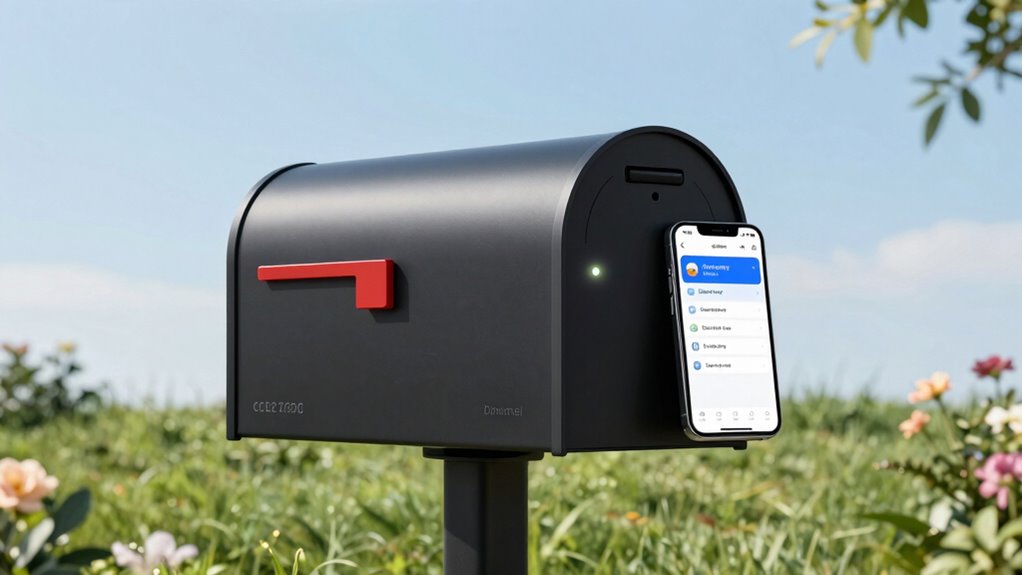

For a smart mailbox sensor for delivery alerts, my best overall pick is the Briidea WiFi Mailbox Alert with LoRa, which pairs app notifications with an indoor chime. The X-Sense Smart Mailbox Alarm with App Alerts and Base Station is a strong alternative if you want a dedicated hub-based setup, while the Ring Mailbox Sensor suits households already using Ring devices. The main tradeoff is between remote phone alerts and simpler systems that notify you inside the home without relying on an app or network. Mailbox distance, Wi-Fi reach, power needs, and sensor fit can change which option works best. Read on for the full breakdown and guidance on matching an alert style to your setup.

Get privacy and security gear delivered free with Prime
- Fast, free delivery on millions of items
- Prime Video, Amazon Music and more included
- Member-only deals all year
Key Takeaways
- Alert method separates the field: Briidea and the X-Sense app-enabled options focus on phone notifications, while many Mail Chime, SABRE, and Satisure systems center on an indoor receiver or chime.
- A hub can be a feature or a hurdle: X-Sense’s SBS50-required model needs a compatible base station, while the separately listed X-Sense bundle includes one, so buyers should check what is in the box.
- Long-distance claims matter only for the route between sensor and receiver: the Mail Chime 350-Foot Range model is aimed at homes where a basic chime needs to reach farther, but walls and placement still affect reception.
- Not every alert needs an app: the orange-ball and yellow Feekoon indicators, along with the mechanical Mailbox Maide, favor visible, low-complexity notification over remote phone access.
- Shared product families do not mean identical setups: Ring’s black and white sensors offer color choice, while the two X-Sense listings differ in whether the SBS50 base station is required or included.
| X-Sense Smart Mailbox Alarm (SBS50 Base Station Required) |  | Best for Long Battery Life | Model: SMA51 | Sensor technology: Infrared | Power: 1 included AAA lithium battery | VIEW ON AMAZON | See Our Full Breakdown |
| Briidea WiFi Mailbox Alert with LoRa, App Notifications, and Indoor Chime |  | Best for Long-Range Chime Alerts | Model: BR-220 | Wireless technology: LoRa | Maximum wireless range: Up to 1,200 feet in open spaces | VIEW ON AMAZON | See Our Full Breakdown |
| Ring Mailbox Sensor, Black |  | Best for Ring and Alexa Households | Generation: 1st Generation, 2024 release | Connectivity: Amazon Sidewalk | Power: 3 included AAA batteries | VIEW ON AMAZON | See Our Full Breakdown |
| X-Sense Smart Mailbox Alarm with App Alerts and Base Station |  | Best Complete X-Sense Kit | Model: SMA11 | Included components: Mailbox alarm, SBS50 base station, and user manual | Power: 1 included CR2 lithium battery, 3 V | VIEW ON AMAZON | See Our Full Breakdown |
| Ring Mailbox Sensor, White |  | Best White Finish for Alexa Integration | Generation: 1st Generation, 2024 release | Connectivity: Amazon Sidewalk; compatible with Alexa-enabled devices | Power: 3 included AAA batteries | VIEW ON AMAZON | See Our Full Breakdown |
| WiFi Mailbox Sensor and Alert System |  | Best Flexible Setup | Connectivity: 2.4 GHz WiFi | Sensor technology: Tilt sensor | Maximum range: 500 feet in unobstructed areas | VIEW ON AMAZON | See Our Full Breakdown |
| SABRE Wireless Mailbox Alert System |  | Best Loud Local Alert | Brand: SABRE | Model: HS-MBA | Sensor technology: Contact sensor | VIEW ON AMAZON | See Our Full Breakdown |
| Mail Chime Wireless Mailbox Alarm with 350-Foot Range |  | Best for Compatible Mailboxes | Brand: Mail Chime | Model: MAIL-1200 | Wireless range: Up to 350 feet | VIEW ON AMAZON | See Our Full Breakdown |
| Wireless Wi-Fi Mailbox Alarm Sensor with Indoor Chime |  | Best Feature-Rich WiFi Pick | Brand and model: Irrespek MA100 | Connectivity: 2.4 GHz WiFi | Sensor technology: Contact sensor | VIEW ON AMAZON | See Our Full Breakdown |
| Mail Chime MAIL-1200 Wireless Mailbox Notification System |  | Best Compact Local Indicator | Brand and model: Mail Chime MAIL-1200 | Wireless range: Up to 350 feet | Alert: Four beeps and red LED when mailbox door opens | VIEW ON AMAZON | See Our Full Breakdown |
| Mailbox Notification Device with Orange Ball |  | Best Battery-Free Visual Alert | Color: Orange and black | Power: Mechanical; no batteries or electronics | Mounting: 3 mm outdoor adhesive tape; optional screws not included | VIEW ON AMAZON | See Our Full Breakdown |
| Feekoon Mailbox Notification Device, Yellow |  | Best for Long-Driveway Visibility | Color: Yellow | Sensor technology: Mechanical | Maximum visibility range: About 200 feet | VIEW ON AMAZON | See Our Full Breakdown |
| WiFi Mailbox Chime with Wireless Sensor |  | Best for Smartphone Delivery Alerts | Manufacturer and model: BITIWEND MA100 | Connectivity: 2.4 GHz WiFi | Alerts: App notification, indoor chime, and flashing blue LED | VIEW ON AMAZON | See Our Full Breakdown |
| Mailbox Maide Mechanical Mailbox Alert Indicator |  | Best No-Drill Mechanical Install | Mechanism: Mechanical spring indicator | Installation: 3M industrial double-sided tape; no mailbox modifications required | Visibility: Bright ball visible from over 150 feet | VIEW ON AMAZON | See Our Full Breakdown |
| Satisure Wireless Mailbox Alarm and Chime Notification System |  | Best for Long-Range Indoor Alerts | Power source: Battery-powered | Sensor technology: Contact sensor | Wireless range: Up to 600 feet in unobstructed areas | VIEW ON AMAZON | See Our Full Breakdown |
| smart mailbox sensor for delivery alert | Power |
|---|---|
| X-Sense Smart Mailbox Alarm | 1 included AAA lithium battery |
| Briidea WiFi Mailbox Alert wit | 2 AAA batteries, not included |
| Ring Mailbox Sensor | 3 included AAA batteries |
| X-Sense Smart Mailbox Alarm wi | 1 included CR2 lithium battery, 3 V |
| Ring Mailbox Sensor | 3 included AAA batteries |
| WiFi Mailbox Sensor and Alert | — |
| SABRE Wireless Mailbox Alert S | — |
| Mail Chime Wireless Mailbox Al | Battery-operated transmitter; plug-in receiver |
| Wireless Wi-Fi Mailbox Alarm S | — |
| Mail Chime MAIL-1200 Wireless | Battery-operated transmitter; receiver includes AC adapter |
| Mailbox Notification Device wi | Mechanical; no batteries or electronics |
| Feekoon Mailbox Notification D | — |
| WiFi Mailbox Chime with Wirele | Battery-powered |
| Mailbox Maide Mechanical Mailb | — |
| Satisure Wireless Mailbox Alar | — |
More Details on Our Top Picks
X-Sense Smart Mailbox Alarm (SBS50 Base Station Required)
I’d choose this X-Sense model when low-maintenance app alerts matter more than getting everything in one box. Its replaceable AAA lithium battery is rated for up to four years under the stated usage conditions, and the IP65 housing suits outdoor mailbox placement. Shared access and reminders make it practical for households that want more than one person notified. Compared with the X-Sense Smart Mailbox Alarm with App Alerts and Base Station, this version has a similar alert feature set but leaves the SBS50 base station out, so it makes more sense if you already own a compatible one. The tradeoff is a separate hub requirement and 2.4 GHz Wi-Fi only; it also won’t fit mail slots without lids. I’d skip it if you need a complete, hub-included setup.
Pros:- Battery rated for up to four years at five daily triggers
- IP65-rated housing for outdoor use
- Supports shared app access and customizable reminders
- Adhesive mounting allows wire-free installation
Cons:- SBS50 base station is required and not included
- Works with 2.4 GHz Wi-Fi only
- Not suitable for mail slots without lids
Best for: Households that already own an SBS50 base station and want shared app alerts with infrequent battery changes.
Not ideal for: Buyers starting from scratch who want the base station included, or anyone with a mail slot that has no lid.
- Model:SMA51
- Sensor technology:Infrared
- Power:1 included AAA lithium battery
- Claimed battery life:Up to 4 years at 5 daily triggers
- Connectivity:2.4 GHz Wi-Fi; SBS50 base station required, not included
- Maximum volume:100 dB
- Weather resistance:IP65
- Dimensions:3.91 × 1.06 × 1.02 in
- Mounting and fit:Double-sided tape or wall mount; curbside, wall, slot, and cluster mailboxes with lids
Our verdict“Choose this model if you already have the SBS50 and want long-life battery-powered alerts without buying another complete kit.”
Briidea WiFi Mailbox Alert with LoRa, App Notifications, and Indoor Chime
The Briidea is the strongest fit here for people who want an indoor signal as well as phone alerts. Its LoRa link is rated for up to 1,200 feet in open spaces, while the indoor chime and red LED give household members a notification even when they aren’t watching an app. That makes it a different proposition from the Ring Mailbox Sensor, which focuses on Ring app and compatible Alexa notifications rather than an included chime. Briidea also lists both 2.4 GHz and 5 GHz Wi-Fi compatibility and an IP67 housing. The tradeoffs are that its two AAA batteries are not included, and optional SMS or call alerts may carry fees. Range is specified for open spaces, so buildings and obstructions can reduce the practical distance. I’d choose it for a distant mailbox, not for someone seeking a minimal app-only sensor.
Pros:- LoRa connection rated for up to 1,200 feet in open spaces
- Combines app notifications with an indoor chime and red LED
- IP67 waterproof housing
- Adjustable volume and silent night mode
Cons:- Two AAA batteries are not included
- Optional SMS and call alerts may incur fees
- Listed maximum range applies to open spaces and may be reduced by obstructions
Best for: Households with a mailbox far from the home that want both app notifications and a local chime or LED alert.
Not ideal for: Buyers who want a simple app-only device, need a guaranteed 1,200-foot range through obstructions, or prefer batteries included.
- Model:BR-220
- Wireless technology:LoRa
- Maximum wireless range:Up to 1,200 feet in open spaces
- Wi-Fi compatibility:2.4 GHz and 5 GHz
- Power:2 AAA batteries, not included
- Maximum audible volume:110 dB
- Weather resistance:IP67
- Mailbox compatibility:Most metal and plastic mailboxes
- App compatibility:iOS and Android
Our verdict“Pick Briidea if you need a long-range mailbox link and an indoor chime, and can accept buying batteries separately.”
Ring Mailbox Sensor, Black
For a home already using Ring or Alexa, this sensor offers a straightforward route to mailbox-opening alerts in a familiar app. It uses Amazon Sidewalk rather than requiring a Ring hub, and adjustable motion sensitivity lets buyers tune detection for their installation. Compared with the Briidea WiFi Mailbox Alert, Ring is more compelling for existing smart-home users, while Briidea supplies an indoor chime and lists a much longer open-space connection range. Ring’s stated detection reach is only 3 feet, so placement and mailbox geometry matter more than with a long-range LoRa design. It includes three AAA batteries and is rated for up to three years under normal use, though settings and activity affect that figure. I’d favor it for app-led Ring households, but skip it if Amazon Sidewalk is unavailable where you live or you need a chime-based alert independent of the app.
Pros:- Sends real-time alerts through the Ring app
- Connects through Amazon Sidewalk without a Ring hub
- Compatible with Alexa and compatible Ring devices
- Includes three AAA batteries and mounting hardware
Cons:- Requires Amazon Sidewalk connectivity
- Detection range is limited to 3 feet
- Battery life varies with settings and use
Best for: Ring and Alexa users who want mailbox-opening notifications integrated with devices and services they already use.
Not ideal for: People without Amazon Sidewalk connectivity, or households needing a long-range sensor link or included indoor chime.
- Generation:1st Generation, 2024 release
- Connectivity:Amazon Sidewalk
- Power:3 included AAA batteries
- Claimed battery life:Up to 3 years under normal use
- Motion detection:Adjustable; up to 120° field of view and 3 ft range
- Weather resistance:Weather resistant
- Operating temperature:-4°F to 122°F (-20°C to 50°C)
- Sensor dimensions:2.56 × 2.44 × 1.47 in
- Warranty:1-year limited warranty
Our verdict“Choose this Ring sensor if your home already relies on Ring or Alexa and a short-range mailbox installation suits the layout.”
X-Sense Smart Mailbox Alarm with App Alerts and Base Station
This X-Sense package is the more convenient choice for buyers who want the sensor and SBS50 base station together. It provides real-time app alerts, shared access, reminders, selectable ringtones, and adjustable volume up to 100 dB. Its replaceable CR2 battery is rated for up to four years at five triggers per day, and the IP65 design is suited to outdoor mounting. Compared with the X-Sense Smart Mailbox Alarm (SBS50 Base Station Required), this kit costs less setup effort because the required base station is included; the other model is a better fit only for owners who already have that hub. This package still depends on 2.4 GHz Wi-Fi, and the stated range is 50 meters. It also does not suit mail slots without lids, so check the mailbox style before choosing it.
Pros:- Includes the required SBS50 base station
- Battery rated for up to four years at five daily triggers
- Supports shared access, reminders, and customizable ringtones
- IP65-rated housing and compatibility with several mailbox styles
Cons:- Requires 2.4 GHz Wi-Fi
- Not suitable for mail slots without lids
- Base station is still required for operation
Best for: Buyers who want X-Sense app alerts and need the compatible SBS50 base station included in the box.
Not ideal for: Owners who already have an SBS50 and want only an additional sensor, or people with uncovered mail slots.
- Model:SMA11
- Included components:Mailbox alarm, SBS50 base station, and user manual
- Power:1 included CR2 lithium battery, 3 V
- Claimed battery life:Up to 4 years at 5 triggers per day
- Connectivity:2.4 GHz Wi-Fi; included SBS50 base station required
- Maximum range:50 meters
- Maximum volume:100 dB
- Mailbox compatibility:Curbside/post mount, wall mount, slot, and cluster types; not suitable for mail slots without lids
Our verdict“Choose this bundle if you want a ready-to-set-up X-Sense system with the required base station included.”
Ring Mailbox Sensor, White
This white Ring version makes the most sense when a buyer wants Ring app alerts with Alexa-compatible notifications and prefers a light-colored sensor to blend with a white mailbox. Like the black Ring model, it uses Amazon Sidewalk and does not need a Ring hub, so the choice between the two Ring listings is largely about finish rather than alert capability. Compared with the X-Sense Smart Mailbox Alarm with App Alerts and Base Station, Ring avoids a separate base station but relies on Sidewalk and has a shorter, specified 3-foot detection range. It includes three AAA batteries and is rated for up to three years under normal use. The tradeoffs are the limited detection distance and battery life that varies with use; installation may also call for a power drill, which is not included. I’d choose it for an Alexa-linked setup, not as a long-range chime replacement.
Pros:- Sends real-time Ring app alerts when the mailbox opens
- Uses Amazon Sidewalk without requiring a Ring hub
- Can notify through compatible Alexa-enabled devices
- Includes three AAA batteries and mounting accessories
Cons:- Detection range is limited to 3 feet
- Battery life varies with settings and use
- Power drill is not included
Best for: Alexa and Ring households with a white mailbox that want app and compatible-device notifications without a Ring hub.
Not ideal for: Buyers who need a long detection range, an included indoor chime, or a mailbox location without Amazon Sidewalk connectivity.
- Generation:1st Generation, 2024 release
- Connectivity:Amazon Sidewalk; compatible with Alexa-enabled devices
- Power:3 included AAA batteries
- Claimed battery life:Up to 3 years under normal use
- Motion detection:Adjustable; up to 120° field of view and 3 ft range
- Weather resistance:Weather resistant
- Operating temperature:-4°F to 122°F (-20°C to 50°C)
- Dimensions:Sensor: 2.56 × 2.44 × 1.47 in; antenna: 2.56 × 2.56 × 0.25 in
- Warranty:1-year limited warranty
Our verdict“Pick the white Ring sensor for an Alexa-linked mailbox setup where its 3-foot detection range fits the installation.”
WiFi Mailbox Sensor and Alert System
The WiFi Mailbox Sensor and Alert System suits buyers who want both a nearby receiver and alerts on a smartphone, rather than relying only on an indoor alarm like the SABRE Wireless Mailbox Alert System. Its 2.4 GHz WiFi app connection adds remote awareness, while the included receiver gives people at home an audible alert. A stated 500-foot range applies to unobstructed conditions, so walls or other barriers can shorten the link. The tilt sensor and buckle mounting design allow sticker or screw installation, which offers more mounting flexibility than the tape-based Mail Chime MAIL-1200. Adjustable volume, mute, and three tones help tailor the receiver to the household. The tradeoff is WiFi-band dependence, and optional SMS or call alerts may carry fees; buyers seeking a simpler, phone-free system may prefer SABRE.
Pros:- Combines smartphone app alerts with an included receiver.
- Offers a stated 500-foot range in unobstructed areas.
- Buckle mounting supports sticker or screw installation.
- Receiver has four volume settings including mute, plus three tones.
Cons:- Connects to 2.4 GHz WiFi only.
- Optional SMS and call alerts may incur fees.
- Obstacles can reduce the stated wireless range.
Best for: Households that want smartphone alerts plus a local receiver and need flexible sensor mounting.
Not ideal for: People whose home WiFi uses only 5 GHz, or buyers who want phone alerts without possible fees for SMS or calls.
- Connectivity:2.4 GHz WiFi
- Sensor technology:Tilt sensor
- Maximum range:500 feet in unobstructed areas
- Control method:App
- Volume settings:4, including mute
- Alarm tones:3 selectable
- Battery:1 included lithium-ion battery
- Package includes:Mailbox sensor, receiver, 6 screws, screwdriver, and user manual
Our verdict“Choose this system if you want app alerts and a local receiver, and can accommodate its 2.4 GHz WiFi requirement.”
SABRE Wireless Mailbox Alert System
The SABRE Wireless Mailbox Alert System is the most direct choice here for a household that needs a hard-to-miss alert indoors, not a phone notification. Its 100 dB alarm and flashing LED make it more attention-grabbing than the Mail Chime MAIL-1200’s four beeps and red indicator. A contact sensor signals the receiver when the mailbox door opens, with a stated range of up to 500 feet; that reach is useful for a detached or distant mailbox, though real conditions can limit it. The IP44 sensor is designed for outdoor use and the wireless installation avoids running cable to the mailbox. Compared with the WiFi Mailbox Sensor and Alert System, SABRE is simpler but does not list app alerts. It also needs sensor batteries, and the indoor receiver must stay plugged into an AC outlet.
Pros:- 100 dB alarm provides a strong audible alert.
- Receiver also flashes an LED.
- Wireless range is stated up to 500 feet.
- IP44-rated sensor is designed for outdoor use.
Cons:- Does not list smartphone or remote alerts.
- Sensor requires batteries.
- Indoor receiver needs an AC outlet.
Best for: People who want a loud in-home mailbox alert and do not need remote smartphone notifications.
Not ideal for: Frequent travelers or anyone who needs to know about deliveries while away from home.
- Brand:SABRE
- Model:HS-MBA
- Sensor technology:Contact sensor
- Maximum range:500 feet (153 meters)
- Alarm volume:100 dB
- Weather resistance:IP44
- Receiver power:AC adapter
- Warranty:1 year
Our verdict“Pick SABRE for a loud, uncomplicated alert at home, but choose a WiFi model if you need notifications away from the house.”
Mail Chime Wireless Mailbox Alarm with 350-Foot Range
This Mail Chime MAIL-1200 is a straightforward local alert for buyers whose mailbox suits its compatibility limits. When the door opens, the system gives an audible chime and flashing red LED; the receiver’s adjustable volume lets households set a more suitable listening level. It avoids the WiFi setup required by the WiFi Mailbox Sensor and Alert System, but that simplicity comes with a clear limit: it does not send phone notifications. Its stated range reaches 350 feet, shorter than the 500-foot claims for the WiFi system and SABRE, so it fits best when the mailbox and receiver are relatively close. The transmitter runs on a battery and the receiver plugs in. Large, heavy-walled, aluminum, and locking mailboxes are listed as incompatible, making mailbox fit the deciding factor before choosing this over broader-use options.
Pros:- Provides both an audible chime and red LED alert.
- Receiver volume is adjustable.
- Transmitter range is stated up to 350 feet.
- Includes mounting tape and an installation guide.
Cons:- Does not provide app or remote phone notifications.
- Not suitable for several mailbox types, including aluminum and locking models.
- Receiver requires a plug-in power connection.
Best for: Owners of compatible, standard-style mailboxes who want an adjustable local chime and visual alert without WiFi.
Not ideal for: People with large, heavy-walled, aluminum, or locking mailboxes, or anyone who needs delivery alerts on a phone.
- Brand:Mail Chime
- Model:MAIL-1200
- Wireless range:Up to 350 feet
- Alerts:Audible chime and red LED
- Volume:Adjustable
- Power:Battery-operated transmitter; plug-in receiver
- Included components:Transmitter, receiver, AC adapter, mounting tape, and installation guide
- Compatibility limits:Not for large, heavy-walled, aluminum, or locking mailboxes
Our verdict“Choose this for a compatible mailbox and nearby receiver when local sound and light alerts matter more than app access.”
Wireless Wi-Fi Mailbox Alarm Sensor with Indoor Chime
For buyers who want a phone alert alongside a strong indoor chime, the Irrespek MA100 offers the broadest alert customization among these five options. It pairs 2.4 GHz WiFi app notifications with a chime rated up to 110 dB and 32 ringtone choices, giving households more sound options than the WiFi Mailbox Sensor and Alert System, which lists three tones. Its IP65 housing and tape or wall-mount options also give it a more weather-resistant specification than SABRE’s IP44 sensor. The replaceable battery is rated for up to five years of standby, based on five daily triggers; that qualification matters for households with frequent mailbox activity. It remains dependent on 2.4 GHz WiFi, and a high sound rating may be excessive for homes where a quieter alert is preferred. This is the richer feature set, not the simplest setup.
Pros:- Sends smartphone notifications when the mailbox opens.
- Offers 32 ringtone options and adjustable volume up to 110 dB.
- IP65-rated, UV-resistant housing is designed for outdoor exposure.
- Replaceable battery has a stated standby life of up to five years under specified usage.
Cons:- Requires a 2.4 GHz WiFi network.
- The five-year standby estimate is based on five triggers per day.
- A chime rated up to 110 dB may be louder than some households need.
Best for: WiFi-connected households that want remote app alerts, a configurable indoor chime, and an outdoor-rated sensor.
Not ideal for: Buyers without 2.4 GHz WiFi, or those who want a basic, phone-free alarm with fewer setup requirements.
- Brand and model:Irrespek MA100
- Connectivity:2.4 GHz WiFi
- Sensor technology:Contact sensor
- Sound level:Up to 110 dB
- Ringtones:32
- Battery life:Up to 5 years standby, based on 5 daily triggers
- Weather resistance:IP65; UV-resistant housing
- Operating temperature:14°F to 140°F
- Mounting:Double-sided tape or wall mount
Our verdict“Choose the MA100 if you want customizable sound and app alerts, and its WiFi and battery-use conditions fit your setup.”
Mail Chime MAIL-1200 Wireless Mailbox Notification System
The Mail Chime MAIL-1200 is a compact, no-app option for buyers who want a basic signal at home when the mailbox opens. Its transmitter sends an alert up to 350 feet away, while the receiver uses four beeps and a red LED rather than a phone notification. Compared with the WiFi-equipped Irrespek MA100, it gives up remote access, sound customization, and the MA100’s stated IP65 rating in favor of a simpler local setup. The included mounting tape and AC adapter reduce the number of parts a buyer needs to source, although the receiver still needs an outlet. This model is not a universal fit: large, heavy-walled, aluminum, and locking mailboxes are not recommended. The listing mentions adjustable settings for several mailbox types, but that does not override those stated compatibility limits.
Pros:- Signals mailbox opening with four beeps and a red LED.
- Transmitter range is stated up to 350 feet.
- Includes receiver, AC adapter, and mounting tape.
- Compact receiver measures 4.25 × 1.25 × 1.25 inches.
Cons:- Does not provide app or phone notifications.
- Not recommended for large, heavy-walled, aluminum, or locking mailboxes.
- Receiver needs an AC adapter and nearby outlet.
Best for: Buyers with a compatible standard mailbox who want a small, basic indoor beep-and-light alert without app features.
Not ideal for: People who need remote delivery alerts, have one of the listed incompatible mailbox types, or cannot place a receiver near an outlet.
- Brand and model:Mail Chime MAIL-1200
- Wireless range:Up to 350 feet
- Alert:Four beeps and red LED when mailbox door opens
- Power:Battery-operated transmitter; receiver includes AC adapter
- Included components:Transmitter, receiver, AC adapter, and mounting tape
- Dimensions:4.25 × 1.25 × 1.25 inches
- Weight:8 ounces
- Compatibility limits:Not recommended for large, heavy-walled, aluminum, or locking mailboxes
Our verdict“Pick this compact Mail Chime for simple local alerts on a compatible mailbox, but choose the Irrespek MA100 if phone notifications are a priority.”
Mailbox Notification Device with Orange Ball
The orange ball gives this mechanical indicator a simple job: show from outside whether the mailbox door has opened. Because it uses no batteries or electronics, there is no app setup, receiver to place indoors, or battery upkeep. Compared with the Feekoon Yellow model, the basic approach is nearly identical; the choice is mainly the ball color, since the yellow version specifies visibility up to about 200 feet and this listing does not state a range. Mounting tape is included, with optional screws for a more secure attachment if you supply them. The tradeoff is that tape needs a flat, smooth surface, and you must reset the spring latch after collecting mail. Pick it for a visible, low-maintenance cue, not a phone alert.
Pros:- Bright raised ball makes an opened mailbox easier to spot from a distance
- Mechanical operation needs no batteries or electronics
- Includes 3 mm outdoor adhesive tape
- Can also be mounted with screws if supplied separately
Cons:- Does not send smartphone notifications or sound an indoor chime
- Adhesive mounting requires a flat, smooth mailbox surface
- Optional mounting screws are not included
Best for: Households that can see their mailbox and want a battery-free visual signal instead of phone notifications
Not ideal for: Buyers who need alerts while away from home or have a curved, textured mailbox surface unsuitable for adhesive
- Color:Orange and black
- Power:Mechanical; no batteries or electronics
- Mounting:3 mm outdoor adhesive tape; optional screws not included
- Weight:3.84 ounces
- Dimensions:4.72 x 3.94 x 1.97 inches
- Package quantity:1
- Model:DC-Feekoon-1206
Our verdict“Choose this orange-ball indicator if you want a straightforward outdoor visual cue and do not need remote delivery alerts.”
Feekoon Mailbox Notification Device, Yellow
For a mailbox that is hard to see from the house, the bright yellow ball is the clearest reason to choose this Feekoon model: the product specifies visibility up to about 200 feet. It works mechanically, so unlike the BITIWEND WiFi Mailbox Chime, it does not depend on WiFi, batteries, or an indoor receiver. That simplicity also limits what it can do: the signal is visual, not a smartphone notification, and you need to be able to see the mailbox. Included outdoor tape avoids drilling, while optional screws are available if you provide them. The tape needs a flat, smooth surface, and positioning matters so the ball rises when the door opens. Compared with the orange Feekoon indicator, this listing provides a stated visibility distance, making it the better fit when spotting the alert from farther away is the priority.
Pros:- Yellow ball is specified as visible from up to about 200 feet
- Mechanical design avoids batteries and electronics
- Includes 3 mm thick outdoor adhesive
- Can be attached with screws if supplied separately
Cons:- Provides no phone notification, chime, or other indoor alert
- Requires careful positioning for the ball to rise as the door opens
- Tape mounting needs a flat, smooth surface; screws are not included
Best for: Homeowners with a long driveway who can see the mailbox and want a prominent, battery-free delivery signal
Not ideal for: People who need alerts while indoors out of sight or away from home, or whose mailbox surface is not smooth and flat
- Color:Yellow
- Sensor technology:Mechanical
- Maximum visibility range:About 200 feet
- Mounting type:Door mount; outdoor adhesive tape or optional screws
- Power source:Mechanical
- Weight:3.84 ounces
- Included:Mailbox notification device with 3 mm thick adhesive
- Model:DC-Feekoon-1032
Our verdict“Choose this model over the orange Feekoon if a stated long-distance visual signal matters more than app or indoor alerts.”
WiFi Mailbox Chime with Wireless Sensor
The BITIWEND MA100 is the most direct fit here for buyers who want an alert beyond the mailbox itself: opening the box can trigger a smartphone notification, plus an indoor receiver with a chime and flashing blue LED. That gives it a different role from the mechanical Feekoon indicators, which are simpler and need no power but only provide an outdoor visual cue. Three selectable melodies add some flexibility to the receiver alert, and the sensor’s IP65 rating and stated operating range of -4°F to 140°F address outdoor exposure. The tradeoff is reliance on 2.4 GHz WiFi for app notifications, along with battery power and no specified battery life. Compared with the Satisure Wireless Mailbox Alarm, this option adds smartphone alerts, while Satisure offers a stated wireless range and multiple-transmitter support.
Pros:- Sends smartphone notifications when the mailbox opens
- Indoor receiver combines a chime with a flashing blue LED
- IP65-rated sensor is designed for outdoor use
- Three selectable melodies provide alert choice
Cons:- Smartphone notifications require 2.4 GHz WiFi
- Battery life is not specified
- Requires battery power, unlike the mechanical Feekoon indicators
Best for: People who want mailbox-open notifications on a phone as well as an audible and visual alert inside the home
Not ideal for: Buyers without reliable 2.4 GHz WiFi or those who prefer a battery-free, mechanical indicator
- Manufacturer and model:BITIWEND MA100
- Connectivity:2.4 GHz WiFi
- Alerts:App notification, indoor chime, and flashing blue LED
- Selectable melodies:3
- Water resistance:IP65
- Operating temperature:-4°F to 140°F
- Power:Battery-powered
- Dimensions:2.36 x 3.66 x 3.74 inches
Our verdict“Choose the BITIWEND MA100 if phone alerts matter more than avoiding WiFi and battery upkeep.”
Mailbox Maide Mechanical Mailbox Alert Indicator
Mailbox Maide suits buyers who want a mechanical outside indicator without modifying the mailbox: its included double-sided tape holds an L bracket, spring, and bright ball that rises when the door opens. The ball is specified as visible from over 150 feet, giving it a useful visual role without batteries or a receiver. Compared with the Feekoon Yellow indicator, Mailbox Maide also states a broad operating temperature range, but its installation has a specific catch: the mailbox surface must be at least 60°F when the tape is applied. The ball must also contact the mailbox door for the mechanism to work, so fit depends on the door and bracket position. It is a better match for buyers seeking a no-drill install than for anyone needing smartphone alerts or a signal from inside the house.
Pros:- Mechanical spring indicator requires no batteries or electronics
- Included industrial double-sided tape avoids mailbox modifications
- Bright ball is specified as visible from over 150 feet
- Listed operating temperature range is -20°F to +190°F
Cons:- Installation surface must be at least 60°F when applying the tape
- The ball must contact the mailbox door for the mechanism to work
- Visual signal does not provide an app notification or indoor chime
Best for: Homeowners who want a no-drill, battery-free visual indicator and can install it on a warm mailbox surface
Not ideal for: People who need remote or indoor notifications, or whose mailbox door cannot contact the indicator ball
- Mechanism:Mechanical spring indicator
- Installation:3M industrial double-sided tape; no mailbox modifications required
- Visibility:Bright ball visible from over 150 feet
- Operating temperature:-20°F to +190°F
- Minimum installation temperature:60°F
- Weight:5.9 ounces
- Dimensions:5 x 4 x 8 inches
- Included components:L bracket, ping-pong ball, spring
Our verdict“Choose Mailbox Maide for a no-drill visual alert if your mailbox geometry fits and you can install it above 60°F.”
Satisure Wireless Mailbox Alarm and Chime Notification System
Satisure is aimed at buyers who need to hear or see an alert inside the home, especially when the mailbox is some distance away. Its receiver offers sound and a flashing blue LED, with three tones and a stated wireless range of up to 600 feet in unobstructed areas. Unlike the Feekoon mechanical indicators, it does not depend on someone noticing a raised ball outside; unlike the BITIWEND WiFi Mailbox Chime, the listed alert features focus on the wireless receiver rather than smartphone notifications. Support for multiple transmitters can help households monitor more than one mailbox or sensor location. The main tradeoff is battery power, and the range is not a guarantee through walls or other obstacles. Choose Satisure for an indoor receiver alert, not app-based monitoring.
Pros:- Wireless range is specified up to 600 feet in unobstructed areas
- Receiver alerts with both sound and a flashing blue LED
- Offers three alert tones
- Supports multiple transmitters and wire-free installation
Cons:- Requires batteries
- Specified range applies to unobstructed areas and may not reflect a home with walls or other barriers
- No smartphone notification feature is listed
Best for: Households with a distant mailbox that want an indoor sound-and-light alert and may connect multiple transmitters
Not ideal for: Buyers who need smartphone notifications, want to avoid batteries, or have obstacles that make the stated range unreliable
- Power source:Battery-powered
- Sensor technology:Contact sensor
- Wireless range:Up to 600 feet in unobstructed areas
- Alert types:Sound and flashing blue LED
- Alert tones:3
- Audible noise:115 dB
- Mounting type:Wall mount
- Dimensions:3.74 x 2.36 x 3.66 inches
Our verdict“Choose Satisure over the mechanical indicators if you need a wireless indoor alert and do not require phone notifications.”

How We Picked
I ranked these options by how well they answer the core need: knowing when mail arrives, with an alert suited to the buyer’s home and routine. I compared notification reach (phone, indoor chime, or visual indicator), setup dependencies such as hubs or Wi-Fi, the stated sensor-to-receiver range, and the practical fit for different mailbox and household layouts. I also weighed ease of use, ongoing maintenance, and whether a product’s design offers a clear advantage over simpler alternatives.
The order favors systems with a useful balance of remote and at-home alerts, then options that serve a narrower but credible need, such as long-range chimes, simple wireless notification, or a no-app indicator. The X-Sense model requiring an SBS50 base station ranks below its bundled counterpart for buyers who do not already own that hub. Ring’s two color versions are treated as one feature family, while the remaining picks are separated by alert style and intended use. Since specifications and compatibility can vary by setup, I recommend checking the product details against your mailbox material, home network, and desired alert location before buying.
Factors to Consider When Choosing Smart Mailbox Sensor For Delivery Alerts
Choosing a mailbox alert is less about finding the most connected device and more about matching the alert to the distance, network, and habits of your household. These factors can prevent a sensor that looks suitable on paper from becoming an unreliable or inconvenient addition.
Decide Whether You Need an App or an Indoor Alert
Start with where you need to hear or see the notification. A phone alert can help when you are away from home, but it depends on the product’s network setup and your phone permissions. An indoor chime can be easier for a household that mainly wants to know when mail arrives during the day. Some systems combine both, while visual indicators avoid app setup but cannot notify you remotely. A common mistake is choosing connectivity for its own sake when a chime would cover the actual routine. If more than one person needs alerts, check how notifications can be shared before deciding.
Measure the Route Between Mailbox and Receiver
Wireless range is affected by more than the straight-line distance printed in a product description. Walls, metal surfaces, mailbox placement, and the location of the indoor receiver can all weaken a signal. A sensor across a yard may work well in an open path but struggle through a garage or several interior walls. Before buying, estimate the route from the mailbox to the place where you want the chime, rather than measuring only the distance between buildings. Choose a longer-range system when the layout demands it, but avoid assuming a range figure guarantees reception in every home. If possible, place the receiver near a window or closer to the mailbox path.
Check Hub, Wi-Fi, and Ecosystem Dependencies
Connected sensors may need a base station, a compatible app, a stable home network, or an existing smart-home system. Those dependencies affect setup and what happens if a router or hub goes offline. Compare a hub-required listing with a package that includes the hub; the lower-complexity choice may be the bundle if you do not already own compatible equipment. Ring users may prefer keeping alerts within a familiar ecosystem, while a standalone chime may suit a home without smart devices. Check whether the sensor needs a particular Wi-Fi band or additional components before ordering. This small compatibility check can prevent buying a sensor that cannot deliver the alert you expected.
Match the Sensor to the Mailbox and Its Contents
Mailbox shape and material can affect where a sensor fits and how it detects opening or movement. A narrow mailbox, a shared box, or a door that moves with wind may call for a different mounting position than a standard curbside box. Consider whether the sensor will interfere with letters, packages, or the door’s normal movement. Also check how the product attaches and whether its components are exposed to weather or require protection. Buyers sometimes focus on app features and overlook the physical installation, which is the part that determines whether the alert triggers consistently. If your mailbox is unusual, prioritize a clear mounting plan over extra connectivity.
Account for Power and Ongoing Upkeep
Wireless convenience still involves maintenance, commonly battery checks or replacement, and connected devices may also depend on a powered hub or receiver. Think about how easy it will be to access the sensor once mounted, especially if the mailbox is outside or difficult to reach. A basic indicator or mechanical alert has fewer connected components, but it may offer less information or reach. App-based systems can provide more flexibility while adding network and device upkeep. Check the manufacturer’s stated power type and any battery-life guidance rather than assuming all wireless sensors have the same maintenance needs. For a low-touch setup, favor a simple alert path and an accessible mounting position.
Choose for Household Habits, Not Feature Count
For someone who is often away, remote notifications may matter more than a loud indoor chime. For a household where phones are silenced or shared, a receiver everyone can hear may be more dependable. A visible flag can work for someone who regularly passes the mailbox, but it is a poor fit if the mailbox is out of sight. Paying for connected features makes sense when you will use them, not simply because they are available. Before choosing, ask who needs the alert, where they will be, and what action they will take after receiving it. That answer often narrows the options faster than comparing every feature on a specification sheet.
Frequently Asked Questions
Can a mailbox sensor send alerts to my phone when I am away?
Some models in this roundup are designed for app notifications, including the Briidea WiFi and X-Sense app-alert options, but a phone alert depends on the required network and any hub or base station. A chime-only system generally notifies people within range of its receiver rather than sending a remote message. Before choosing, confirm that the app works with your phone and check whether the sensor needs a separate hub. Also consider what happens during a Wi-Fi or power interruption. If remote alerts are your main reason for buying, treat connectivity requirements as a must-match specification.
Do I need to buy a separate base station for the X-Sense mailbox alarm?
The two X-Sense listings in this roundup are not identical: one specifies that an SBS50 base station is required, while the other is listed with a base station. If you already own a compatible SBS50, the sensor-only path may fit your setup. If you do not, check the package contents carefully before choosing between the listings. A hub can support connected alerts, but it adds another device to power and configure. Verify compatibility with the exact model name rather than relying on the shared X-Sense branding.
Will a wireless mailbox alert work through my walls or at a long distance?
It may, but stated range is a guide rather than a guarantee for every property. Walls, metal mailboxes, building materials, and the receiver’s position can reduce signal strength. The Mail Chime model that lists a 350-foot range may suit a longer route, but placement still matters. If the mailbox is far from the house, identify the receiver location and barriers along the path before buying. A system with a useful return policy or clear support information can reduce the risk of a poor fit.
Is a smart sensor worth choosing over a basic chime or visual mailbox indicator?
Choose a smart sensor when you need remote awareness, app-based alerts, or integration with an existing connected setup. A basic chime can be a better match if someone is usually home and simply needs an audible prompt. The orange-ball, yellow Feekoon, and mechanical Mailbox Maide options favor simple visual notification, with fewer connected setup steps but no equivalent remote phone alert. The right choice depends on whether you need to know about delivery while away or only when you are at home. Avoid paying for app functions that do not fit your daily routine.
What should I check before mounting a mailbox sensor?
Check that the sensor can attach securely without blocking the door, reducing space for mail, or interfering with normal opening. Confirm whether your mailbox material and shape suit the mounting method, and keep the sensor’s signal path in mind. If the system uses a separate receiver, identify a practical indoor location that can receive the signal and alert the people who need it. Review power access and how often the sensor may need maintenance. A quick fit check before installation can prevent false alerts or missed notifications caused by poor placement.
Conclusion
For the broadest balance of app notifications and an indoor chime, I’d choose the Briidea WiFi Mailbox Alert with LoRa as best overall. The best value depends on what you already own: a simple wireless chime can avoid paying for app features you will not use, while the bundled X-Sense Smart Mailbox Alarm with App Alerts and Base Station may suit a buyer who wants a hub-based setup without sourcing the base separately. For a premium connected setup, choose between the X-Sense bundle and Ring based on which ecosystem and compatibility requirements fit your home; neither should be treated as a universal fit. For beginners, a straightforward chime or visual indicator offers less network setup, while the Mail Chime 350-Foot Range is a better match for a longer sensor-to-receiver route. If you want a low-tech visual cue, consider the orange-ball, Feekoon, or Mailbox Maide options. Match the alert type and installation needs to your mailbox before choosing.