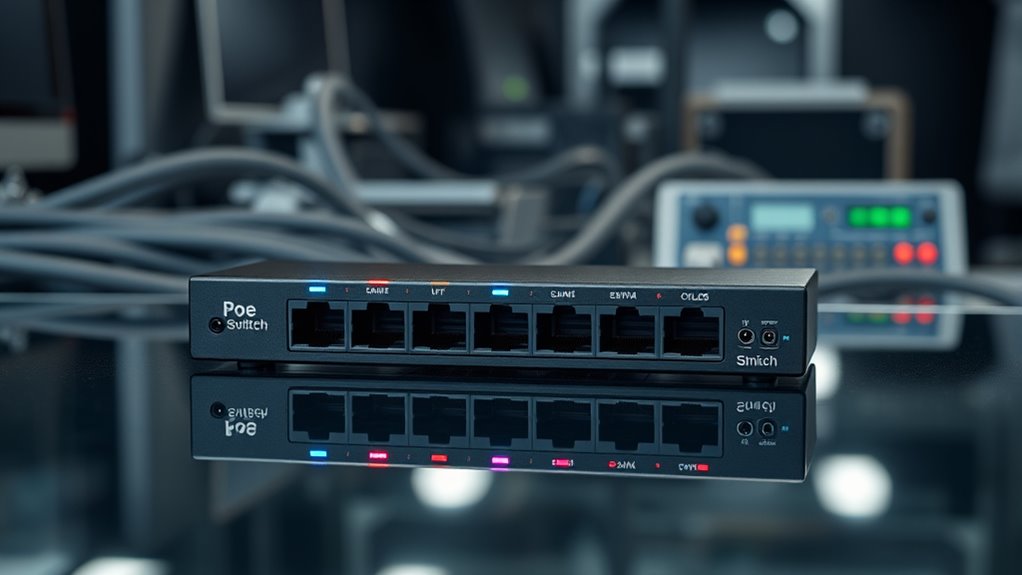
A PoE switch with 8 ports can power cameras, access points, and phones over Ethernet, but the right choice depends on how many devices need power and how much control you want. My best overall pick is the NETGEAR GS308PP for a straightforward gigabit setup, while the TP-Link TL-SG1008MP suits buyers needing eight PoE+ ports and a larger power budget. For VLAN and QoS controls, the NETGEAR GS308EP offers a more configurable alternative. The main tradeoffs are PoE budget, management features, uplink capacity, and port count; some listed switches have fewer than eight PoE ports or add uplinks beyond the eight powered ports. Read on for the full breakdown and a guide to matching a switch to your devices.

Get privacy and security gear delivered free with Prime
- Fast, free delivery on millions of items
- Prime Video, Amazon Music and more included
- Member-only deals all year
Key Takeaways
- The NETGEAR GS308PP is my best overall fit for buyers who want eight gigabit PoE ports without managed-network setup.
- The TP-Link TL-SG1008MP stands apart with eight PoE+ ports and a stated 126W budget, useful when several powered devices may run together.
- The NETGEAR GS308EP and the smart-managed Tenveo model offer network controls that basic unmanaged switches do not; choose them when VLAN or QoS settings matter.
- The TP-Link TL-SG108S-M2 is the only listed 2.5GbE switch, but it is not a PoE switch, so it does not meet the needs of buyers seeking powered ports.
- Several products have eight PoE ports plus separate uplinks, while others in the list have only four, five, or six powered ports; count powered ports, not just the product title’s total.


| poe switch with 8 port | Ports | Switch type | Data rate |
|---|---|---|---|
| NETGEAR 8-Port PoE Gigabit Eth | 8 | Unmanaged | 1000 Mbps |
| TP-Link LS108GP 8-Port PoE Gig | 8 | Unmanaged | — |
| TP-Link TL-SG1005P 5-Port Giga | — | Unmanaged | — |
| TP-Link TL-SG1008MP 8-Port Gig | 8 | Unmanaged | — |
| TP-Link TL-SG1210PP 8-Port Gig | — | PoE switch | 1000 Mbps |
| YuanLey 8 Port Gigabit PoE Swi | 11 total: 8 PoE+ ports, 2 Gigabit uplink ports, and 1 SFP port | Unmanaged | Gigabit Ethernet |
| 8 Port Gigabit PoE Switch with | 8 Gigabit ports | — | Gigabit Ethernet |
| NETGEAR 8 Port PoE Gigabit Eth | 8 Gigabit Ethernet ports | — | — |
| TP-Link TL-SG108S-M2 8-Port Mu | 8 RJ45 ports | Unmanaged | — |
| Reolink PoE Switch with 8 PoE | 10 total | — | 1000 Mbps |
| Tenveo 8 Port Full Gigabit PoE | 10 total: 8 PoE+ and 2 Gigabit uplinks | Managed; VLAN support listed | 10/100/1000 Mbps per port |
| UGREEN Ethernet Switch | 10 total: 8 PoE+ and 2 Gigabit uplinks | Listed as unmanaged | 1000 Mbps |
| NETGEAR 5-Port PoE Gigabit Eth | — | Unmanaged | 1000 Mbps |
| 10 Port Full Gigabit PoE+ Swit | 10 total: 8 PoE and 2 uplinks | — | — |
| LINOVISION 8 Port Gigabit PoE+ | — | Unmanaged | 1000 Mbps |
More Details on Our Top Picks
NETGEAR 8-Port PoE Gigabit Ethernet Unmanaged Network Switch (GS308PP)
I’d choose the NETGEAR GS308PP for a simple eight-device setup where predictable gigabit links and easy installation matter more than network controls. All eight ports support PoE+, and its 83W power budget gives it more capacity than the TP-Link LS108GP’s 65W for a collection of cameras, phones, or access points. It is still well below the TP-Link TL-SG1008MP’s listed 126W budget, so I would not make it my first choice for a larger group of power-hungry devices. Plug-and-play operation and desktop or wall mounting keep setup uncomplicated, while silent, energy-efficient operation suits shared rooms. The tradeoff is its unmanaged design: there are no advanced configuration options, and PoE requires an external power adapter.
Pros:- All eight ports provide PoE+ for powering compatible devices over Ethernet.
- 83W total PoE budget exceeds the TP-Link LS108GP’s 65W.
- Gigabit data connections suit typical access points, cameras, and VoIP phones.
- Silent operation and desktop or wall mounting offer flexible placement.
Cons:- Unmanaged operation lacks advanced configuration options.
- The 83W budget is lower than the TP-Link TL-SG1008MP’s listed 126W budget.
- PoE operation requires an external power adapter.
Best for: Home-office owners or small-business users connecting up to eight gigabit PoE devices who want quiet, low-complexity installation.
Not ideal for: Installers powering many high-draw devices or users who need VLANs and other managed network controls; the 83W budget and unmanaged design may not fit.
- Ports:8
- PoE+ ports:8
- Total PoE budget:83W
- Data rate:1000 Mbps
- Switch type:Unmanaged
- Mounting:Desktop or wall mount
- Dimensions:9.3 × 4 × 1.1 inches
- Warranty:3-year limited hardware warranty
Our verdict“Pick the GS308PP for a quiet, plug-and-play eight-port PoE+ setup, but choose a higher-budget model if your devices draw more power.”
TP-Link LS108GP 8-Port PoE Gigabit Ethernet Switch
The TP-Link LS108GP stands out among these eight-port picks for extended PoE transmission and automatic recovery of PoE devices. Those functions can help in camera or access-point installations where cabling runs are long or a connected device needs its power cycled, though the supplied details do not specify the extended-mode distance or its resulting data rate. Its 65W total budget is the lowest among the full eight-PoE-port options here: the NETGEAR GS308PP provides 83W, while the TP-Link TL-SG1008MP lists a higher budget. That makes the LS108GP a better match for modest power needs than a dense set of high-draw devices. The metal case and fanless design suit quiet spaces, but this remains an unmanaged switch with no stated advanced management tools.
Pros:- Extended PoE transmission supports installations with longer cable runs.
- Auto-recovery can restore power to compatible PoE devices.
- Fanless operation avoids switch noise in quiet rooms.
- Metal case offers a durable enclosure.
Cons:- 65W total PoE budget is lower than the NETGEAR GS308PP’s 83W.
- Unmanaged switch provides no stated advanced configuration options.
- The provided specifications do not clarify extended-mode distance or performance.
Best for: Small-site installers connecting PoE cameras or access points over longer cable runs who value device auto-recovery and silent operation.
Not ideal for: Buyers running several high-power PoE devices or needing configurable network management; its 65W budget and unmanaged operation are limiting.
- Ports:8
- PoE+ ports:8
- Maximum PoE per port:30W
- Total PoE budget:65W
- Data transfer capacity:16 Gbps
- Switch type:Unmanaged
- Case:Metal
- Weight:1.5 pounds
Our verdict“Choose the LS108GP when extended PoE functions and silent operation matter more than maximum power capacity or network controls.”
TP-Link TL-SG1005P 5-Port Gigabit PoE Switch with 4 PoE+ Ports
This is the outlier in an eight-port roundup: the TP-Link TL-SG1005P has five network ports, only four of them PoE+. I’d include it for buyers whose actual need is smaller than the title suggests—say, a few cameras plus one non-PoE connection—and who want to avoid installing an eight-port switch they will not fill. Its 65W PoE budget is substantial for four powered devices, and the listed QoS and IGMP Snooping features offer some traffic-handling tools absent from the unmanaged eight-port NETGEAR GS308PP. But it cannot serve eight wired devices, and its small enclosure does not change that port-count limit. For a true eight-device buildout, the GS308PP or TP-Link LS108GP is the more direct fit.
Pros:- 65W total PoE budget supports compatible devices across four PoE+ ports.
- Listed QoS and IGMP Snooping add traffic-handling features.
- Fanless design supports quiet placement.
- Metal construction and shielded ports suit a compact wired installation.
Cons:- Only five total ports, making it a poor match for an eight-port requirement.
- Only four ports provide PoE+.
- Maximum PoE output is 30W per port.
Best for: Users with no more than four PoE devices and one additional wired device who prioritize a compact, fanless switch.
Not ideal for: Anyone specifically needing eight Ethernet ports or eight PoE connections; this model has five ports total and four PoE+ ports.
- Total ports:5
- PoE+ ports:4
- Total PoE budget:65W
- Maximum PoE per port:30W
- Port speed:10/100/1000 Mbps
- Switch type:Unmanaged
- Construction:Metal
- Warranty:3 years
Our verdict“Buy the TL-SG1005P only if four PoE ports and five total connections are enough; otherwise choose an actual eight-port model such as the NETGEAR GS308PP.”
TP-Link TL-SG1008MP 8-Port Gigabit PoE Switch
For an eight-port switch expected to power a fuller device load, the TP-Link TL-SG1008MP is the strongest fit in this group on stated PoE capacity. Its description gives a 126W total budget and up to 30W per port, compared with 83W for the NETGEAR GS308PP and 65W for the TP-Link LS108GP. The source listing also contains a conflicting 153W figure, so I would verify the exact hardware specification before planning a build close to the limit. All eight gigabit ports support PoE+, and desktop or rackmount placement offers more installation flexibility than a desktop-only setup. The tradeoff is an unmanaged feature set: port-priority power behavior helps handle overload, but it is not a replacement for configurable network management.
Pros:- Eight gigabit ports support PoE+ with up to 30W per port.
- The product description states a 126W total PoE budget, above the NETGEAR GS308PP’s 83W.
- Desktop or rackmount installation accommodates different network setups.
- Port-priority behavior can disable lower-priority ports during a power overload.
Cons:- Listing gives conflicting total power figures: 126W in the description and 153W elsewhere.
- Unmanaged operation does not provide advanced network configuration.
- A larger listed power capacity may be unnecessary for low-draw devices.
Best for: Small businesses or camera-system installers powering several PoE+ devices who want eight gigabit ports and rackmount flexibility.
Not ideal for: Buyers who need managed network features or who cannot verify the conflicting listed power-budget figures before designing a near-capacity installation.
- Ports:8
- PoE+ ports:8
- Total PoE budget:126W stated in product description; listing also states 153W
- Maximum PoE per port:30W
- Port speed:10/100/1000 Mbps
- Switch type:Unmanaged
- Mounting:Desktop or rackmount
- Case material:Metal
Our verdict“Choose the TL-SG1008MP for a higher-capacity eight-port PoE+ setup, but confirm the applicable power-budget figure before relying on its maximum output.”
TP-Link TL-SG1210PP 8-Port Gigabit PoE Switch with 6 PoE+ and 2 PoE++ Ports, 123W
The TL-SG1210PP suits deployments where eight PoE connections need different power levels: it combines six PoE+ ports with two PoE++ ports and a 123W total budget. That mix gives it an advantage over the all-PoE+ NETGEAR GS308PP when particular devices need the higher-output ports. It also adds two gigabit uplinks and a combo SFP connection, giving a small surveillance or network installation more connection options than the simpler GS308PP. The stated feature set includes priority, extend, and isolation modes, while plug-and-play setup keeps initial deployment straightforward. The tradeoff is that this is a 10-port switch, not an eight-port-only model, and the supplied data does not specify per-port PoE++ wattage. Extended mode is also reported to reduce speed to 10 Mbps.
Pros:- Six PoE+ and two PoE++ ports accommodate different device power requirements.
- 123W total PoE budget supports a substantial group of powered endpoints.
- Two gigabit uplinks and one combo SFP connection add network expansion options.
- Priority, extend, and isolation modes offer more deployment flexibility than the unmanaged GS308PP.
Cons:- Ten total ports exceed an exact eight-port requirement.
- Provided specs do not state the per-port PoE++ wattage.
- Extend mode reduces speed to 10 Mbps.
Best for: Surveillance installers or small networks mixing standard PoE+ endpoints with devices that need PoE++ ports and dedicated uplinks.
Not ideal for: Buyers seeking exactly eight total ports, or anyone who needs a documented per-port PoE++ output before selecting equipment.
- Total ports:10
- PoE ports:6 PoE+ and 2 PoE++
- Total PoE budget:123W
- Data rate:1000 Mbps
- Uplink ports:2 gigabit and 1 combo SFP
- Operating modes:Priority, extend, and isolation
- Switch type:PoE switch
- Case material:Metal
Our verdict“Pick the TL-SG1210PP when your eight powered devices include PoE++ equipment and extra uplinks are useful, but skip it if you need exactly eight total ports.”
YuanLey 8 Port Gigabit PoE Switch with 2 Gigabit Uplink, 8 PoE+ Ports, 1 SFP Port, 120W, Metal, Unmanaged, Plug and Play
The YuanLey stands out among these 8-port PoE choices for its connection flexibility: alongside eight PoE+ ports, it adds two Gigabit uplinks and a 1G SFP port. That layout can help separate camera or phone traffic from the connection back to a recorder or network, while SFP gives buyers an option for a compatible fiber link. Its 120W budget supports multiple powered devices, and the metal housing and plug-and-play setup keep installation straightforward. Compared with the Reolink RLA-PS1, which also has two uplinks and targets camera systems, YuanLey adds SFP; Reolink instead emphasizes automatic PoE device detection. The tradeoff is no advanced management, and 120W may constrain a set of high-draw devices. It also does not support 24V passive PoE.
Pros:- Eight PoE+ ports provide power and data to compatible cameras or IP phones.
- Two Gigabit uplinks plus a 1G SFP port offer more connection options than the Reolink RLA-PS1.
- 120W total power budget supports a multi-device setup.
- Plug-and-play operation and AI watchdog recovery reduce setup and device-recovery work.
Cons:- Unmanaged operation does not provide VLAN or other advanced network controls.
- Does not support 24V passive PoE devices.
- The 120W total budget can limit simultaneous use with several high-draw devices.
Best for: Small offices or camera installations that need eight PoE+ ports, multiple uplink choices, and a compatible SFP connection without switch configuration.
Not ideal for: Buyers who need VLAN controls, detailed traffic management, or 24V passive PoE compatibility.
- Ports:11 total: 8 PoE+ ports, 2 Gigabit uplink ports, and 1 SFP port
- PoE power budget:120W
- PoE per port:Up to 30W
- Data rate:Gigabit Ethernet
- Switch type:Unmanaged
- Features:QoS and AI watchdog detection
- Case:Metal, blue
- Dimensions:7.9 x 4.7 x 1.7 inches
Our verdict“Choose the YuanLey if you need eight PoE+ ports with SFP and extra uplink flexibility, but not advanced management.”
8 Port Gigabit PoE Switch with 2 Gigabit Uplink, 120W Built-in Power, Managed PoE+ Switch Support VLAN, QoS, Fanless Metal, Plug and Play (Desktop/Wall Mount)
This model’s appeal is the combination of a 120W PoE+ budget and advertised VLAN, QoS, and remote-management tools in a fanless metal enclosure. Those controls can help a small office separate device groups or prioritize traffic without adding a louder, more complex switch. It also supports desktop or wall mounting, giving it more placement flexibility than a fixed-format option. Compared with the NETGEAR GS308EP, it advertises a larger power budget, while NETGEAR lists a 62W budget and clearly specifies eight PoE+ ports. There is a significant specification mismatch here: the supplied data labels this switch unmanaged despite the managed-feature claims. I would verify the actual management functions before buying. Its eight-port layout also leaves less headroom for non-PoE connections than switches with dedicated uplinks.
Pros:- Stated 120W power budget suits a broader PoE+ load than the NETGEAR GS308EP’s listed 62W budget.
- Fanless metal design supports quiet operation in work areas.
- Desktop and wall-mount options offer flexible placement.
- Advertises VLAN, QoS, and remote-management features.
Cons:- The product data conflicts: it advertises managed features but lists the switch type as unmanaged.
- The listed eight-port total does not identify separate uplink ports.
- No power supply or network cables are listed as included.
Best for: Small-office buyers seeking a quiet metal PoE+ switch with a high stated power budget and willing to confirm management capabilities before purchase.
Not ideal for: Buyers who need guaranteed VLAN or remote-management functionality based solely on the listed specifications, or need separate uplink ports.
- Ports:8 Gigabit ports
- PoE power budget:120W
- Advertised management:VLAN, QoS, and web, software, or app-based remote control
- Listed switch type:Unmanaged
- Data rate:Gigabit Ethernet
- Cooling and case:Fanless metal
- Mounting:Desktop or wall mount
- Dimensions:7.5 x 5.5 x 1.7 inches
Our verdict“Consider this model for a quiet small-office installation only after confirming that its advertised management features match the hardware you will receive.”
NETGEAR 8 Port PoE Gigabit Ethernet Smart Managed Switch (GS308EP)
The GS308EP makes the most sense when network controls matter more than maximum PoE capacity. Its eight PoE+ ports share a 62W budget, while VLAN, QoS, port monitoring, and security features give small-business users more visibility and control than an unmanaged switch such as the YuanLey. That can be useful for organizing cameras, phones, and access points, though buyers will need some network familiarity to get the full benefit. The fanless design and desktop or wall mounting suit an office where noise and placement matter. Its main limitation is the power ceiling: compared with the YuanLey and Reolink RLA-PS1, both listed at 120W, the NETGEAR offers substantially less total PoE capacity. It is a better match for modest device loads than for a growing installation with several power-hungry endpoints.
Pros:- Eight PoE+ ports combine device connectivity and power in one switch.
- VLAN, QoS, port monitoring, and security features support more control than the unmanaged YuanLey.
- Fanless operation is suited to quiet offices.
- Desktop or wall mounting allows flexible placement.
Cons:- The 62W total PoE budget is lower than the 120W listed for the YuanLey and Reolink RLA-PS1.
- Managed features may take network knowledge to configure effectively.
- Eight ports limit expansion without adding another switch.
Best for: Small-business owners or network administrators who want VLAN, QoS, and monitoring for a modest load of PoE cameras, phones, or access points.
Not ideal for: Installations powering many high-draw PoE devices, or buyers who want simple unmanaged setup and do not need network controls.
- Ports:8 Gigabit Ethernet ports
- PoE ports:8 PoE+ ports
- PoE power budget:62W
- Management:Smart managed; VLAN, QoS, port monitoring, and security features
- Data capacity:16 Gbps
- Cooling:Fanless
- Mounting:Desktop or wall mount
- Warranty:3-year limited hardware warranty
Our verdict“Pick the GS308EP when you need managed network controls for a modest PoE load, not a 120W-class power budget.”
TP-Link TL-SG108S-M2 8-Port Multi-Gigabit 2.5G Unmanaged Ethernet Switch
The TL-SG108S-M2 is the outlier in this roundup: it has eight ports and faster-than-Gigabit connectivity, but no PoE support. I include it as a useful boundary case for buyers who may have searched for an 8-port PoE switch but actually need faster wired networking for computers, storage, or a multi-gigabit access point powered separately. Its 2.5G ports can serve compatible devices without requiring a managed setup, and the fanless, plug-and-play design keeps operation simple. By contrast, the NETGEAR GS308EP supplies power and management for PoE devices, but its listed link rate is Gigabit. Choose TP-Link for multi-gigabit data connections; choose a PoE model if cameras or phones need power over Ethernet. The plastic enclosure and unmanaged design keep features basic.
Pros:- Eight 2.5G ports support faster links than the Gigabit PoE switches in this roundup.
- Unmanaged plug-and-play setup avoids configuration work.
- Fanless design suits quiet desks and home offices.
- Compact footprint supports desktop placement.
Cons:- Provides no PoE, unlike the NETGEAR GS308EP, YuanLey, or Reolink options.
- Unmanaged operation lacks VLAN and traffic-control features.
- Plastic case offers a different enclosure feel from the metal PoE models.
Best for: Home-office or desktop users with 2.5G-capable computers or storage who power connected devices separately and do not need PoE.
Not ideal for: Anyone who needs an 8-port PoE switch to power cameras, access points, or IP phones over Ethernet.
- Ports:8 RJ45 ports
- Port speed:2.5 Gigabit Ethernet
- PoE:Not supported
- Switch type:Unmanaged
- Cooling:Fanless
- Case:Plastic, white
- Dimensions:6.2 x 4 x 1 inches
- Warranty:3 years
Our verdict“Choose the TP-Link only if faster 2.5G data links matter more than PoE power for your eight connected devices.”
Reolink PoE Switch with 8 PoE and 2 Gigabit Uplink Ports RLA-PS1
The RLA-PS1 is a straightforward fit for a camera network: it pairs eight PoE ports with two Gigabit uplinks, making it easier to connect powered devices while keeping an uplink available for an NVR or main network. Its listed 120W power budget and automatic PoE-device detection suit installations where simple, compatible connections matter more than fine-grained network controls. Compared with the YuanLey, it offers the same basic eight-device PoE-plus-uplink layout but does not list an SFP port or AI watchdog. YuanLey is the more flexible pick if fiber connectivity is useful; Reolink’s focus is a clean camera-oriented setup. The tradeoff is limited information about management features, so buyers should not expect VLAN controls or detailed monitoring. It also requires compatible PoE devices and tops out at eight powered endpoints.
Pros:- Eight PoE ports support a camera-focused installation.
- Two Gigabit uplinks provide connections for an NVR and the wider network.
- Listed 120W maximum power supports multiple powered endpoints.
- Plug-and-play setup and automatic PoE detection simplify connection of compatible devices.
Cons:- Advanced management features are not specified.
- Does not list an SFP port, unlike the YuanLey switch.
- Supports a maximum of eight PoE-connected devices.
Best for: Home and small-business surveillance installers connecting up to eight compatible PoE cameras with an NVR or network uplink.
Not ideal for: Buyers needing SFP or advanced switch management, or anyone planning to power more than eight PoE devices from one switch.
- Ports:10 total
- PoE ports:8
- Uplink ports:2 Gigabit
- Maximum power:120W
- Per-port power:Up to 30W
- Data rate:1000 Mbps
- Case and mounting:Metal; desktop or wall mount
- Setup:Plug and play with automatic PoE-device detection
Our verdict“Choose the Reolink RLA-PS1 for a simple eight-camera setup with two uplinks, but look elsewhere for SFP or detailed network management.”
Tenveo 8 Port Full Gigabit PoE Switch, 8 PoE+ Ports @120W, 2*Uplink Port, Plug & Play, Support VLAN, Metal Case, High Stability, Easy Smart Managed Ethernet Switch, Ideal for Various Live Streaming
For an eight-device PoE setup that needs both a healthy power reserve and quiet operation, the Tenveo combines eight Gigabit PoE+ ports with a 120W total budget and two separate Gigabit uplinks. That budget gives it more headroom than the UGREEN switch’s listed 60W, making Tenveo a stronger fit for several cameras or access points drawing power at once. Its fanless metal case also suits studios and offices where switch noise would be distracting. Basic connections are plug-and-play, while VLAN support offers a way to separate devices such as cameras from other network traffic. The tradeoff is that the product details do not explain the VLAN controls or identify the uplinks as anything faster than Gigabit. I’d pick it over the rack-mount 120W model when silence matters; skip it if you need detailed management documentation.
Pros:- Eight Gigabit PoE+ ports and a 120W total power budget
- Two dedicated Gigabit uplink ports
- Fanless metal enclosure for quiet operation
- Plug-and-play basics with VLAN support for device separation
Cons:- VLAN configuration details are not specified
- No uplink speeds above Gigabit are listed
Best for: Streamers, small offices, and camera-system owners who need eight PoE+ connections, a 120W budget, and silent operation.
Not ideal for: Network administrators who need clearly documented advanced management controls or uplinks faster than Gigabit.
- Ports:10 total: 8 PoE+ and 2 Gigabit uplinks
- PoE budget:120W total
- Maximum PoE output:30W per port
- Data rate:10/100/1000 Mbps per port
- Switch type:Managed; VLAN support listed
- Enclosure:Metal, fanless
- Dimensions:7.95 × 5.5 × 1.77 in
- Warranty:3 years standard parts and labor
Our verdict“Choose the Tenveo for a quiet, eight-device PoE+ network with more power headroom than the UGREEN 60W option.”
UGREEN Ethernet Switch, 10-Port PoE Switch, 8 PoE+@60W + 2 Gigabit Uplink
The UGREEN gives buyers eight PoE+ ports and two Gigabit uplinks, but its 60W total budget makes it a better match for modest-power endpoints than a fully loaded set of demanding devices. Compared with the Tenveo’s 120W budget, it offers less power reserve; its appeal is the choice of standard, VLAN/isolation, and extend modes, plus PoE auto-recovery. Those modes can help tailor a basic camera or access-point network without requiring a larger managed-switch setup, though the listing calls the unit unmanaged while also describing these selectable functions. It is a practical option for a small installation where flexibility matters more than powering high-draw equipment. I’d favor Tenveo or the rack-mount 120W switch for greater power capacity, and verify the included power-supply details before planning an installation.
Pros:- Eight PoE+ ports plus two Gigabit uplinks
- Selectable standard, VLAN/isolation, and extend modes
- PoE auto-recovery is listed
- Metal enclosure and plug-and-play operation
Cons:- 60W total PoE budget is lower than the Tenveo and 120W rack-mount alternatives
- Product information describes it as both unmanaged and mode-configurable, leaving management behavior unclear
- Power-supply inclusion is not stated in the supplied details
Best for: Home and small-office users connecting several low-to-moderate-draw cameras or access points who want selectable operating modes.
Not ideal for: Installers powering multiple high-consumption PoE devices or anyone who needs a clearly specified, higher total PoE budget.
- Ports:10 total: 8 PoE+ and 2 Gigabit uplinks
- PoE budget:60W total
- Data rate:1000 Mbps
- Modes:Standard, port isolation/VLAN, and extend
- PoE feature:PoE auto-recovery
- Switch type:Listed as unmanaged
- Interface:RJ45
- Case material:Metal
Our verdict“Pick the UGREEN for a modest-power network that benefits from selectable modes, but choose a 120W alternative for heavier PoE loads.”
NETGEAR 5-Port PoE Gigabit Ethernet Unmanaged Switch (GS305P)
The NETGEAR GS305P is not an eight-port switch, so it belongs here as the lineup’s compact alternative for buyers who have fewer devices to connect. It provides four PoE+ ports and a 63W budget in a fanless, metal-bodied design, with straightforward plug-and-play setup. That smaller port count can reduce unused hardware in a compact home or office, but it cannot match the eight powered ports on the Tenveo or UGREEN when a camera system grows. Its 63W budget is also far below Tenveo’s 120W, even though it serves a smaller number of endpoints. I’d choose the GS305P for a few cameras or access points where quiet operation and simple setup matter more than expansion. Skip it if the eight-port requirement is firm or you expect to add several PoE devices soon.
Pros:- Four PoE+ ports with a 63W total budget
- Fanless operation for noise-sensitive spaces
- Gigabit connectivity and plug-and-play setup
- Metal case supports desktop or wall mounting
Cons:- Only five total ports, with four providing PoE
- No advanced configuration features
- Less PoE capacity than the eight-port Tenveo
Best for: Home-office owners or small camera installations needing up to four PoE+ connections in a quiet, simple switch.
Not ideal for: Buyers specifically seeking eight PoE-powered ports, or anyone planning to connect a larger camera or access-point system.
- Total ports:5
- PoE ports:4 PoE+
- PoE budget:63W
- Data rate:1000 Mbps
- Switch type:Unmanaged
- Operation:Fanless
- Case material:Metal
- Mounting:Desktop or wall mount
Our verdict“Choose the GS305P only if four PoE connections are enough; it is a smaller-network alternative, not a substitute for an eight-port switch.”
10 Port Full Gigabit PoE+ Switch with Rack Mount Ears, 8 PoE Ports, 2 Uplink Ports, 120W Power Budget, 48V 802.3af/at Compliant, Suitable for IP Cameras and VoIP Phones
This switch suits buyers who want eight PoE ports, two uplinks, and rack-mount ears in a straightforward 120W setup. Its 48V IEEE 802.3af/at support covers common PoE cameras and VoIP phones, with up to 30W per PoE port. Compared with the NETGEAR GS305P, it offers twice as many powered connections and far more total PoE capacity; compared with the Tenveo, its product details give clearer standard and voltage information but list a 100 Mbps data rate. That figure is a major limitation for bandwidth-heavy cameras or other Gigabit-dependent devices, so I would verify the exact port-speed specification before buying. Plug-and-play setup and a metal case keep installation simple, but there are no advanced management features listed.
Pros:- Eight PoE ports and two uplink ports
- 120W total budget with up to 30W per PoE port
- IEEE 802.3af/at compatibility at 48V
- Metal enclosure and rack-mount ears
Cons:- Listed data rate is 100 Mbps, below the Gigabit rate of the Tenveo and UGREEN
- No advanced management features are listed
- Does not support passive 24V PoE devices
Best for: Installers seeking eight standard 802.3af/at PoE connections and rack-mount ears for a basic camera or VoIP setup.
Not ideal for: Users who require Gigabit throughput, advanced network management, or compatibility with passive 24V PoE devices.
- Ports:10 total: 8 PoE and 2 uplinks
- Maximum power:120W total
- Per-port PoE output:Up to 30W
- PoE standard:IEEE 802.3af/at
- Voltage:48V
- Listed data rate:100 Mbps
- Enclosure:Metal
- Warranty:1-year limited
Our verdict“Choose this model for rack mounting and standard PoE+ capacity only if its listed 100 Mbps rate fits your network.”
LINOVISION 8 Port Gigabit PoE++ Switch, 4 BT 90W + 4 AT 30W, 120W Total
The LINOVISION stands apart from the standard PoE+ choices by assigning four ports up to 90W PoE++ and four more up to 30W PoE+, while keeping the total budget at 120W. That mix is useful when a setup combines higher-power equipment with ordinary cameras or access points. The Tenveo offers eight PoE+ ports and the same overall budget, so it may be the simpler fit when every endpoint uses standard PoE+; LINOVISION is more specialized, not automatically more powerful across all eight ports. It also offers Gigabit speeds, a fanless metal enclosure, and an extend mode listed for runs up to 820 feet. The tradeoffs are an unmanaged design and potential PoE++ compatibility differences; extend mode also reduces bandwidth to 10 Mbps.
Pros:- Four PoE++ ports rated up to 90W and four PoE+ ports rated up to 30W
- 120W total PoE budget
- Gigabit data rate with plug-and-play setup
- Fanless metal enclosure
Cons:- PoE++ compatibility may vary across devices
- Extend mode reduces bandwidth to 10 Mbps
- Unmanaged design lacks advanced configuration options
Best for: Installers combining a few high-power PoE++ endpoints with standard PoE+ cameras or access points.
Not ideal for: Buyers whose devices all use standard PoE+, who need advanced management, or who require full bandwidth over extended cable runs.
- Listed ports:10
- PoE port mix:4 PoE++ BT ports and 4 PoE+ AT ports
- Maximum listed output:90W per BT port; 30W per AT port
- Total PoE budget:120W
- Data rate:1000 Mbps
- Switch type:Unmanaged
- Enclosure:Fanless metal
- Extend mode:Up to 820 ft; bandwidth listed as 10 Mbps
- Model number:POE-SW308G-4BT
Our verdict“Choose LINOVISION when your eight-port setup includes high-power PoE++ equipment; choose the Tenveo for a more uniform standard PoE+ deployment.”

How We Picked
I compared each option against the needs behind the search for a PoE switch with eight ports: the number of ports that supply power, Ethernet speed, PoE standards, and the total power budget. I also looked at whether the switch is unmanaged or offers features such as VLAN and QoS, along with practical details such as metal construction, fanless operation, mounting options, and separate uplinks. Those details affect device capacity, setup effort, and where a switch can be installed.
The ranking favors products that clearly provide eight powered gigabit ports and make their power or management capabilities useful to a defined buyer. A higher power budget or extra controls can justify a higher place for the right network, but neither is an automatic win: a novice may prefer plug-and-play simplicity, while a growing camera network may need more power headroom. I rank models with fewer than eight PoE ports as alternatives for smaller deployments, and the non-PoE 2.5GbE switch as a speed-focused option rather than a direct match.
| poe switch with 8 port | Switch type |
|---|---|
| NETGEAR 8-Port PoE Gigabit Eth | Unmanaged |
| TP-Link LS108GP 8-Port PoE Gig | Unmanaged |
| TP-Link TL-SG1005P 5-Port Giga | Unmanaged |
| TP-Link TL-SG1008MP 8-Port Gig | Unmanaged |
| TP-Link TL-SG1210PP 8-Port Gig | PoE switch |
| YuanLey 8 Port Gigabit PoE Swi | Unmanaged |
| 8 Port Gigabit PoE Switch with | — |
| NETGEAR 8 Port PoE Gigabit Eth | — |
| TP-Link TL-SG108S-M2 8-Port Mu | Unmanaged |
| Reolink PoE Switch with 8 PoE | — |
| Tenveo 8 Port Full Gigabit PoE | Managed; VLAN support listed |
| UGREEN Ethernet Switch | Listed as unmanaged |
| NETGEAR 5-Port PoE Gigabit Eth | Unmanaged |
| 10 Port Full Gigabit PoE+ Swit | — |
| LINOVISION 8 Port Gigabit PoE+ | Unmanaged |
Factors to Consider When Choosing Poe Switch With 8 Ports
Before choosing a model, I would map the devices you plan to connect and separate powered ports from total ports. Then check the power demands, network speed, and controls your setup actually needs. These checks help avoid paying for unused features—or buying a switch that cannot power the full installation.
Count PoE Ports, Not Just Ethernet Ports
An eight-port label does not always mean eight devices can receive power. Some switches in this lineup provide eight PoE ports plus separate uplinks; others have fewer PoE ports, and the TP-Link TL-SG108S-M2 has no PoE at all. Make a list of devices that need power, then reserve ports for any camera, access point, or phone you may add soon. An uplink port may connect the switch to a router or another switch, but it can reduce the number of ports available to end devices if it is part of the stated total. Check the port diagram and specifications rather than relying on the product title alone. This is the simplest way to avoid running short after installation.
Match the Power Budget to the Whole Network
PoE power is shared across connected devices, so the advertised budget is not the per-port allowance. Add the maximum power draw listed for each device and leave some headroom for startup demand or future additions. A switch can have enough PoE ports but still be unable to power every device at its peak draw at once. Also check whether your equipment requires standard PoE, PoE+, or PoE++; a higher-capability switch may support demanding devices, but it does not make every endpoint consume more power. Avoid choosing solely by the largest wattage number when your devices use modest power. The budget matters most when several cameras, wireless access points, or other higher-draw endpoints share the switch.
Choose Managed Features for a Reason
Unmanaged models are suited to networks that need simple wired connections and little configuration. Managed or smart-managed features such as VLANs can separate cameras from computers, while QoS can help prioritize selected traffic. Those controls can improve organization, but they add setup steps and may be unnecessary for a small home network. Before paying for management, decide whether you will use network segmentation, traffic prioritization, or troubleshooting controls. A switch that lists these features is only useful if its interface exposes the settings you need and you are prepared to configure them. When the network is straightforward, plug-and-play operation can be the more practical choice.
Check Speed Across the Entire Connection
Gigabit ports suit many cameras, phones, and access points, but a faster switch only helps when the connected devices and the rest of the network can use that speed. The 2.5GbE TP-Link in this roundup is a non-PoE model, so it is a speed option rather than a powered replacement for the other switches. If faster links matter, check the speeds of the router, server, computer, and cabling as well as the switch. A single slower link can limit traffic along that route. For camera installations, PoE capacity and reliable device connections may matter more than multigigabit speeds. Prioritize the bottleneck you actually expect to encounter.
Plan for Uplinks, Expansion, and Placement
Separate uplinks can connect the switch to a router while preserving powered ports for endpoints, but verify whether they are included in or additional to the advertised port count. An SFP port can offer a fiber connection option when the network layout calls for one, though it adds no PoE power for end devices. Think about whether the switch will sit on a desk, mount on a wall, or go in a rack; mounting support and enclosure design can affect installation more than a headline feature. Fanless operation may suit a quiet office, while ventilation still matters in a warm cabinet. Leave room for growth if adding cameras or access points is likely. Buying to the exact device count can force a second switch sooner than expected.
Treat PoE Standards and Compatibility as a Pair
Check the PoE standard required by each powered device instead of assuming every Ethernet-powered product works with every switch. Many devices use 802.3af or 802.3at, while more demanding equipment may call for 802.3bt or a specific PoE++ capability. A switch with higher-power ports can be useful for compatible endpoints, but confirm the stated per-port support and total budget before connecting them. Also check whether a camera system’s manufacturer recommends a particular switch or configuration. Matching standards helps avoid a setup where the cable and port fit but power delivery does not meet the device’s requirements. When specifications are unclear, consult the device documentation before buying.
Frequently Asked Questions
Does an 8-port PoE switch always have eight ports that supply power?
No. Product titles may count uplink or non-PoE ports in the total, and this roundup includes models with fewer than eight powered ports. The Reolink RLA-PS1, for example, is described as having eight PoE ports and two gigabit uplinks, while some other options list six or fewer PoE ports. Check the detailed port specification and confirm how many ports deliver PoE. If all eight connected devices need power, select a model that explicitly states eight PoE ports.
How do I know whether the switch has enough wattage for my cameras and access points?
Find the maximum power draw for each device in its specification, add those figures, and compare the sum with the switch’s total PoE budget. Leave headroom rather than planning to use the budget down to its limit, especially if devices may draw more during startup or under certain conditions. Check the per-port limit as well as the total, since a large combined budget does not mean one port can supply all of it. Match the required PoE standard for each endpoint. If device power details are missing, ask the manufacturer before buying.
Should I choose an unmanaged or smart-managed PoE switch?
Choose unmanaged if you need powered Ethernet connections and do not expect to configure network behavior. A smart-managed model is more suitable when you need functions such as VLANs to separate cameras from other devices or QoS to prioritize selected traffic. Those features can help with a more organized network, but they require configuration and may add little value to a simple setup. The NETGEAR GS308EP and smart-managed Tenveo model are relevant options in this roundup. Decide based on the controls you will use, not the assumption that more settings always make a better switch.
Can I connect a PoE switch to a router and still use every PoE port?
Usually, the router connection uses one Ethernet connection from the switch, but whether it occupies a PoE-capable port depends on the model’s layout. Some switches provide separate uplink ports in addition to their PoE ports, while others may not. A port used for the router can still be a PoE port physically, but the router link does not usually need PoE. Check the port map and the total count before planning a full set of powered devices. Separate uplinks are useful when you want to preserve all powered ports for endpoints.
Is a 2.5GbE switch a better choice than a gigabit PoE switch?
Only when faster Ethernet links solve a real need in your network. The TP-Link TL-SG108S-M2 in this roundup provides 2.5GbE but does not supply PoE, so it cannot replace a powered switch for cameras or access points. A faster switch also needs compatible devices, an appropriate router or server connection, and suitable cabling to deliver a speed benefit. For many PoE deployments, the number of powered ports and the power budget matter more than multigigabit throughput. If you need both PoE and faster links, verify that a specific model supports both rather than assuming one feature implies the other.
Conclusion
For most buyers who want a straightforward eight-port gigabit PoE setup, I recommend the NETGEAR GS308PP as best overall. The TP-Link LS108GP is my best value pick for a basic PoE+ network, while the TP-Link TL-SG1008MP is the stronger choice for buyers prioritizing eight PoE+ ports and a 126W budget. Beginners should favor an unmanaged plug-and-play option and confirm its powered-port count before purchase; buyers who need VLAN or QoS controls should look at the NETGEAR GS308EP or smart-managed Tenveo. For compatible high-draw devices, the LINOVISION PoE++ model has a distinct role, and for fiber uplink needs the YuanLey option lists an SFP port. The 2.5GbE TP-Link is for speed-focused networks that do not require PoE. Match your device count, standards, and combined power needs first, then choose the switch whose extra features you will actually use.