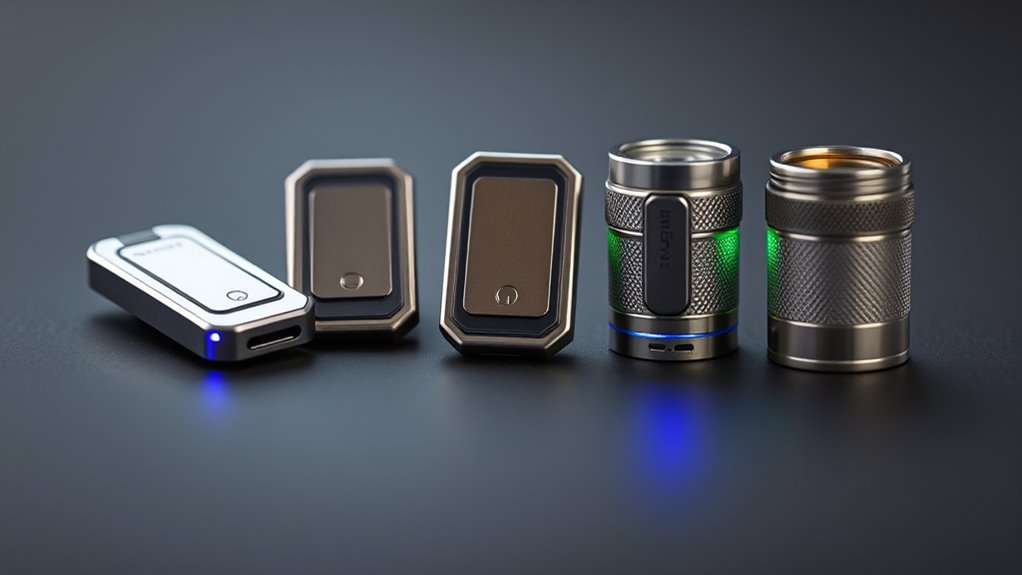
A password manager hardware token can mean either a physical key that proves your identity or a device that stores and supplies passwords. Those jobs are not interchangeable, so I rank these picks by how clearly they support secure password-manager access, how broadly they work, and what compromises they impose. The Yubico YubiKey 5C NFC is my leading all-rounder for its broad protocol support and USB-C/NFC access; the Kensington VeriMark NFC+ USB-C is a simpler fit for buyers focused on modern passkeys; and the OnlyKey Duo stands out for people who want a PIN-protected device that also handles password-related functions.

Get privacy and security gear delivered free — and shop member deals
- Fast, free delivery on millions of items
- Access to Prime Big Deal Days deals on October 6–7
- Prime Video, Amazon Music and more included
The central tradeoff is between account authentication and password storage. Security keys such as YubiKey and Kensington authenticate supported accounts but do not hold a vault of your existing passwords. PasswordPocket claims offline storage and Bluetooth autofill, while Symantec VIP generates rotating codes for a specific service ecosystem. I explain where each category fits, what compatibility to check, and why backup planning matters before relying on a single small device.
Key Takeaways
- The YubiKey 5C NFC ranks first for password-manager sign-in because it pairs broad protocol support with USB-C and NFC, though buyers need a separate backup key.
- Kensington VeriMark NFC+ is the simpler FIDO2/passkey-focused alternative; it has less protocol breadth than YubiKey and still depends on compatible USB-C or NFC devices.
- OnlyKey Duo is the lineup’s password-management-oriented security device, with PIN protection and USB-A/USB-C support, but it lacks NFC and may be fiddly to handle.
- PasswordPocket is a different kind of product: it claims encrypted offline password storage and Bluetooth autofill, but its backup and synchronization story is unclear.
- Symantec VIP is useful only where Symantec VIP Access is supported; its rotating codes are not a general-purpose replacement for a password manager security key.
| Yubico YubiKey 5C NFC Multi-Factor Authentication Security Key |  | Best Overall for Broad Password-Manager Authentication | Interface: USB-C, NFC | Protocols: FIDO2/WebAuthn, U2F, Yubico OTP, OATH-TOTP/HOTP, PIV, OpenPGP | Compatibility: Listed for 1,000+ accounts, including Google, Microsoft, and Apple | VIEW ON AMAZON | See Our Full Breakdown |
| Kensington VeriMark NFC+ USB-C Security Key, K64739WW |  | Best for Straightforward FIDO2 and Passkey Use | Model: K64739WW | Authentication: FIDO2/WebAuthn and passkeys | Connections: USB-C, NFC | VIEW ON AMAZON | See Our Full Breakdown |
| OnlyKey Duo – Protection for USB-C and USB-A Devices |  | Best for PIN-Protected Password and Authentication Functions | Connections: USB-C, USB-A | Protocols: FIDO2/U2F, Yubico OTP, TOTP, challenge-response | Protection: PIN protection; stated erasure after ten failed attempts | VIEW ON AMAZON | See Our Full Breakdown |
| PasswordPocket Offline Hardware Password Keeper with Bluetooth Auto-Fill |  | Best for Buyers Seeking Offline Credential Storage | Claimed capacity: Up to 1,000 logins | Encryption: AES-256 | Storage: 8 MB | VIEW ON AMAZON | See Our Full Breakdown |
| Symantec VIP Hardware Authenticator OTP One-Time Password Display Token |  | Best for Symantec VIP Users Who Need Displayed Codes | Code type: OATH-compliant six-digit TOTP | Code interval: 30 seconds | Display: LCD with countdown bar | VIEW ON AMAZON | See Our Full Breakdown |
| password manager hardware token | Dimensions | Weight |
|---|---|---|
| Yubico YubiKey 5C NFC Multi-Fa | 0.15 × 0.7 × 1.77 inches | — |
| Kensington VeriMark NFC+ USB-C | 2.01 × 0.63 × 0.2 inches | 0.176 ounces |
| OnlyKey Duo | 1 × 0.29 × 0.58 inches | 0.01 kg |
| PasswordPocket Offline Hardwar | — | 0.12 kg |
| Symantec VIP Hardware Authenti | 2.4 × 1.2 × 0.3 inches | 14.4 g |
More Details on Our Top Picks
Yubico YubiKey 5C NFC Multi-Factor Authentication Security Key
The YubiKey 5C NFC is my first choice for buyers who mean a physical key to protect password-manager sign-in, rather than a device that stores the vault itself. It supports FIDO2/WebAuthn and U2F alongside OTP, OATH codes, PIV smart card, and OpenPGP. That range gives it more room to serve different account setups than the Kensington key, whose listed focus is FIDO2/WebAuthn and passkeys. For a password manager that supports security keys, FIDO2/WebAuthn is the feature most directly relevant to phishing-resistant login.
Its combination of USB-C and NFC gives it a practical advantage across compatible computers and mobile devices: use the connector where available, or tap a device that supports NFC authentication. It needs no battery or internet connection, so there is no charging routine to manage. Compared with OnlyKey Duo, the YubiKey is the clearer choice for someone prioritizing authentication protocol variety and mobile-friendly NFC rather than built-in password-management functions.
The meaningful drawback is redundancy. The package contains one physical key, and a key that is lost, damaged, or left at home can become a problem if the account has no other recovery route. I would register a second key or another recovery method before making it the only way into a password manager. It also cannot connect to a device lacking both USB-C and NFC, and its broad protocol list does not guarantee support from every password manager. I would check the manager’s own security-key instructions first.
Pros:- FIDO2/WebAuthn and U2F support suit compatible security-key login.
- USB-C and NFC provide two connection routes on supported devices.
- Broad protocol support can serve accounts beyond a password manager.
- No battery or internet connection is needed for key operation.
Cons:- Only one physical key is included, so buyers must plan for loss or failure.
- Requires a compatible USB-C port or NFC-capable device.
- Does not store the user’s password vault or autofill credentials.
Best for: People who want one versatile, phishing-resistant hardware key for a password manager and other compatible accounts, especially across USB-C computers and NFC-capable phones.
Not ideal for: Anyone who needs the token itself to store and autofill a password vault, or who cannot set up a spare key or recovery method.
- Interface:USB-C, NFC
- Protocols:FIDO2/WebAuthn, U2F, Yubico OTP, OATH-TOTP/HOTP, PIV, OpenPGP
- Compatibility:Listed for 1,000+ accounts, including Google, Microsoft, and Apple
- Dimensions:0.15 × 0.7 × 1.77 inches
- Durability:Crush resistant and water resistant
- Power:No battery required
- Firmware:Version 5.7
Our verdict“I recommend the YubiKey 5C NFC as the most versatile authentication key here, provided the buyer checks password-manager support and registers a backup.”
Kensington VeriMark NFC+ USB-C Security Key, K64739WW
Kensington’s VeriMark NFC+ is a strong alternative if the goal is uncomplicated FIDO2/WebAuthn and passkey authentication. Like the YubiKey, it offers USB-C and NFC, so it can work with compatible computers and mobile devices without a driver installation. The difference is breadth: the YubiKey lists a much wider range of protocols, while Kensington’s supplied description centers on WebAuthn and passkeys. That makes this a more focused pick, not a better choice for every account setup.
The stated IP68 rating and keychain-ready shape suit someone who expects to carry a key regularly. Compatibility is listed across Windows, macOS, iOS, Android, and Chrome OS, although actual sign-in depends on the device, browser, service, and password manager supporting the relevant method. Compared with OnlyKey Duo, Kensington offers NFC as well as USB-C; compared with YubiKey, it provides a simpler feature set for buyers who do not need OTP, PIV, or OpenPGP protocols.
Its main limitation is that it remains an authenticator rather than a password-storage device. It will not hold a collection of logins or autofill a vault. It also relies on a USB-C connection or NFC, so older devices without either path are out. The supplied information does not list a wider set of OTP or smart-card modes, making the YubiKey the more adaptable choice when account requirements vary. I would pick Kensington when passkeys are the priority and a focused key is preferable to a more protocol-heavy one.
Pros:- Supports FIDO2/WebAuthn and passkey authentication.
- USB-C and NFC offer flexible access on compatible devices.
- Listed for Windows, macOS, iOS, Android, and Chrome OS.
- IP68-rated, compact design is suited to keychain carry.
Cons:- Its listed protocol set is narrower than the YubiKey 5C NFC’s.
- Does not store or autofill password-manager vault credentials.
- Requires compatible USB-C or NFC hardware.
Best for: Buyers who primarily want a compact FIDO2/WebAuthn or passkey key and use compatible USB-C or NFC devices.
Not ideal for: People needing a device that stores passwords, supports a broader range of listed authentication protocols, or connects to legacy USB-A-only hardware.
- Model:K64739WW
- Authentication:FIDO2/WebAuthn and passkeys
- Connections:USB-C, NFC
- Listed platforms:Windows, macOS, iOS, Android, Chrome OS
- Driver requirement:No drivers required
- Durability:IP68-rated
- Dimensions:2.01 × 0.63 × 0.2 inches
- Weight:0.176 ounces
Our verdict“I would choose Kensington for focused passkey and FIDO2 use, but the YubiKey is a better fit when protocol variety is the priority.”
OnlyKey Duo – Protection for USB-C and USB-A Devices
OnlyKey Duo takes a more combined approach than the two security keys ranked above it. Its description presents it as a password-management and authentication device, with FIDO2/U2F, Yubico OTP, TOTP, and challenge-response support. It also offers PIN protection and says data is erased after ten failed attempts. That makes it a distinctive choice for people who want more than a basic security key, though buyers should verify how its password functions fit their chosen manager and operating system before relying on them.
Its biggest practical advantage over YubiKey and Kensington is USB-A plus USB-C support. That can help households using a mix of older and newer computers, while Kensington and this YubiKey model rely on USB-C or NFC. The tradeoff is that OnlyKey has no NFC or Bluetooth, so mobile use and contactless sign-in are less flexible. Its waterproof, tamper-resistant enclosure and PIN protection also emphasize physical protection, while the other two leading keys are more straightforward plug-in or tap authenticators.
The small form factor is not ideal for every hand, and the supplied description warns that it can be difficult to handle for people with larger fingers. It also has a narrower connection story than an NFC-capable key. The provided specifications list its material as papier, which is unusual alongside the heavy-duty enclosure description; I would confirm construction details with the manufacturer rather than infer more from that field. I rank it below YubiKey and Kensington because it involves more functional complexity and lacks NFC, but it makes sense for a buyer specifically seeking PIN-protected password-related features.
Pros:- Supports FIDO2/U2F, Yubico OTP, TOTP, and challenge-response.
- PIN protection is designed to erase data after ten failed attempts.
- USB-A and USB-C suit a mix of older and newer computers.
- Waterproof and tamper-resistant construction is described.
Cons:- No NFC or Bluetooth connection is listed.
- Small controls may be difficult for some users to handle.
- Password-manager compatibility and the precise password workflow should be checked before purchase.
Best for: People who want a compact, PIN-protected device combining password-related functions with several authentication methods, and who need both USB-A and USB-C.
Not ideal for: Buyers who prioritize NFC, easy handling, or a simple FIDO2 key, or who need a clearly documented fit with a particular password manager.
- Connections:USB-C, USB-A
- Protocols:FIDO2/U2F, Yubico OTP, TOTP, challenge-response
- Protection:PIN protection; stated erasure after ten failed attempts
- Construction:Waterproof, tamper-resistant hard enclosure
- Operating systems:Windows, macOS, Linux, Chrome OS
- Dimensions:1 × 0.29 × 0.58 inches
- Weight:0.01 kg
Our verdict“I would pick OnlyKey Duo when its PIN-protected, combined feature set matters more than NFC convenience or the simpler operation of a dedicated security key.”
PasswordPocket Offline Hardware Password Keeper with Bluetooth Auto-Fill
PasswordPocket is the clearest match for someone who means a hardware password keeper, rather than a security key used to authenticate a login. It claims offline storage for up to 1,000 logins, AES-256 encryption, and Bluetooth autofill on iPhone and Android. Those features describe a different job from the YubiKey or Kensington: this device is presented as a place for credentials and a way to supply them, not primarily as a FIDO2 key for proving account identity.
That difference may appeal to people who want passwords kept apart from a cloud-synced vault. But it also changes the questions I would ask. Buyers should check how initial setup works, which apps accept autofill, how the device is unlocked, and what happens if it is lost or fails. The supplied description does not explain backup, recovery, or synchronization. That omission matters more for a device holding many logins than for a security key that can often be registered alongside another key or recovery method.
The product lists Bluetooth compatibility for iOS and Android, with laptops also listed as compatible devices, but the provided details do not spell out supported computer workflows. Bluetooth dependency can be less predictable than plugging in the YubiKey or Kensington, and no FIDO2/WebAuthn support is listed. I rank it below those keys for password-manager authentication, while recognizing that its claimed offline vault function may suit a separate storage preference. I would not treat it as a substitute for a well-documented password-manager recovery plan without confirming how credential export and recovery work.
Pros:- Claims offline storage for up to 1,000 logins.
- AES-256 encryption is listed for stored credentials.
- Bluetooth autofill is intended for iPhone and Android use.
- Does not depend on cloud synchronization according to the description.
Cons:- Backup, recovery, and synchronization details are not provided.
- Bluetooth reliance may create compatibility or setup friction.
- No FIDO2/WebAuthn authentication support is listed.
Best for: People specifically seeking a separate offline password-storage device with Bluetooth autofill for supported iPhone or Android workflows.
Not ideal for: Buyers looking for a standard FIDO2 security key, a clearly stated recovery path, or a broadly documented computer autofill workflow.
- Claimed capacity:Up to 1,000 logins
- Encryption:AES-256
- Storage:8 MB
- Connectivity:Bluetooth wireless
- Listed devices:Laptop, iOS, Android
- Weight:0.12 kg
- Warranty:1 year
Our verdict“I would consider PasswordPocket only when offline credential storage is the goal and its recovery and autofill behavior have been confirmed for the buyer’s devices.”
Symantec VIP Hardware Authenticator OTP One-Time Password Display Token
The Symantec VIP token is a focused one-time-password generator. It displays a six-digit TOTP code that changes every 30 seconds, so a user enters the current code as a second factor when a supported service requests one. This differs from the phishing-resistant FIDO2 login offered by YubiKey and Kensington: a displayed code is manually entered and can be more exposed to phishing if a user is tricked into submitting it to a fake site.
Its strength is simplicity within its intended environment. The LCD and countdown bar show when a code is about to change, and the token needs no software installation for code display. Compared with the OnlyKey Duo, it does not present a broader set of authentication or password-management functions; compared with PasswordPocket, it does not store a password vault. The product description says it works exclusively with Symantec VIP Access, which sharply limits its usefulness outside that ecosystem.
A battery powers the device, so eventual battery life and replacement are part of ownership, unlike the battery-free YubiKey and Kensington keys. Compatibility also deserves attention: the specifications list desktop and laptop use, but the described workflow depends on services configured for VIP Access. I would rank it fifth for a general password-manager hardware token because it is provider-specific and code-based. It can still be a sensible fit for an organization or account that requires VIP codes, but I would not buy it as a universal security key.
Pros:- Displays rotating six-digit TOTP codes with a 30-second interval.
- No software installation is needed to display codes.
- Compact keychain format includes an LCD countdown indicator.
- Battery-powered operation does not require a phone app for code display.
Cons:- Works exclusively with Symantec VIP Access according to the description.
- TOTP entry is not the same as phishing-resistant FIDO2 authentication.
- Requires a battery, unlike the battery-free USB security keys.
Best for: Users whose organization or supported account specifically requires Symantec VIP Access codes and who prefer a standalone display token.
Not ideal for: Anyone wanting a general-purpose FIDO2 security key, password-vault storage, or an authenticator that works across multiple MFA providers.
- Code type:OATH-compliant six-digit TOTP
- Code interval:30 seconds
- Display:LCD with countdown bar
- Power:One lithium metal battery
- Listed devices:Desktop, laptop
- Dimensions:2.4 × 1.2 × 0.3 inches
- Weight:14.4 g
- Compatibility:Symantec VIP Access only, per description
Our verdict“I would choose this token only when Symantec VIP is specifically required; for broader password-manager protection, I would favor a FIDO2 key.”

How We Picked
I ranked these five devices around one practical question: how well does each help protect access to a password manager? That means I distinguish a hardware authenticator, which confirms a login to a supported service, from a password keeper, which stores credentials and may fill them into apps. Calling both a “hardware token” does not make their functions equivalent. A buyer should confirm the password manager’s supported authentication methods before choosing.
My ranking gives weight to protocol and device compatibility, clarity of the stated use, and the consequences of losing or being unable to connect the device. The YubiKey leads because it supports a wide set of authentication protocols and offers USB-C plus NFC. Kensington follows as a focused FIDO2/WebAuthn and passkey key with similar connection flexibility but fewer listed protocols. OnlyKey Duo earns a distinct place for combining authentication and password-related features, though its USB-only connections narrow convenience. PasswordPocket and Symantec VIP are included because they address adjacent needs, but their stated limitations matter: the former’s backup details are unclear, while the latter is tied to VIP Access.
I do not treat a claimed encryption standard or broad compatibility statement as proof that every password manager supports a device. Service policies, account configuration, operating-system behavior, and available ports can all affect setup. I also favor buyers who can maintain a recovery method or spare; a small token is useful only if a lost key does not lock its owner out. Product details below reflect the supplied descriptions and specifications, with particular care not to equate password storage, one-time codes, and phishing-resistant security-key authentication.
Factors to Consider When Choosing Password Manager Hardware Token
Before choosing, I would separate three jobs that product listings can blur together: authenticating a login, generating a one-time code, and storing or autofilling passwords. Match the device to the job your password manager actually supports.
Security key or password vault?
A FIDO2/WebAuthn key such as the YubiKey or Kensington confirms your identity to a supported service. It does not contain your saved usernames and passwords. PasswordPocket, by contrast, is described as an offline credential keeper with autofill, while OnlyKey describes a combination of password-related and authentication functions. Symantec VIP generates rotating codes rather than acting as a password vault. I would first check the password manager’s help pages for its supported sign-in and second-factor methods; a device cannot add a login method the service does not accept.
Prefer phishing-resistant authentication when available
FIDO2/WebAuthn authentication is the strongest fit in this lineup for a password-manager sign-in key because it is designed to bind authentication to the legitimate site or service. TOTP codes, such as those displayed by Symantec VIP, can still add a second step, but a user can be tricked into typing a live code into a fraudulent page. I would use the method supported by the manager and account, and avoid assuming that every account offers the same protections. The YubiKey has the broadest listed protocol set; Kensington focuses on FIDO2/WebAuthn and passkeys.
Check ports, phones, and operating systems
Connection options shape daily convenience. The YubiKey and Kensington pair USB-C with NFC, which helps across compatible computers and phones. OnlyKey Duo uses USB-A and USB-C but has no NFC, so it can suit mixed-generation computers while being less flexible for tap-based mobile use. PasswordPocket relies on Bluetooth for autofill, and the VIP token displays a code for manual entry. Confirm that your devices support the stated connection and that your password manager allows the desired workflow on each platform.
Plan for loss and recovery before setup
A hardware device can be misplaced, damaged, or left behind. Registering a spare security key or saving the service’s recovery codes can keep a lost key from becoming a lockout. This matters especially for the single-key YubiKey package and any device used as the only route to a vault. PasswordPocket’s supplied details do not explain backup or recovery, so I would resolve that question before placing a large set of credentials on it. Recovery should be part of the purchase decision, not an afterthought.
Check what the compatibility claim means
Broad lists of platforms or online services do not mean every password manager, browser, phone, and account will work identically. Account administrators may disable a method, and some services support security keys only for certain account types. Symantec VIP is the narrowest example here, with its stated dependence on VIP Access. I would verify the exact manager and account requirements, then test enrollment and recovery on the devices I use most before relying on the token for daily access.
Frequently Asked Questions
What is a password manager hardware token?
The phrase can refer to more than one device type. A security key, such as the YubiKey or Kensington, proves identity during a supported login but does not store the password vault. A hardware password keeper, such as PasswordPocket’s described use, stores credentials and may autofill them. A TOTP token such as Symantec VIP displays a temporary code. I would identify which function is needed before comparing products.
Does a YubiKey store my password-manager passwords?
No. The YubiKey 5C NFC is an authenticator, not a password database. A compatible password manager may let you register it as a security key or use one of its supported authentication methods, but your vault credentials remain in the password manager. If you need local password storage or autofill, compare that separate requirement with a product that explicitly offers those features, and check its recovery process.
Which option is best for passkeys?
The YubiKey 5C NFC and Kensington VeriMark NFC+ both list FIDO2/WebAuthn support, and Kensington explicitly lists passkeys. I would choose between them based on protocol needs: YubiKey lists more authentication protocols, while Kensington is a focused passkey and WebAuthn option. In either case, confirm that the particular service and device support the key’s use as a passkey or security key.
Should I buy a backup hardware key?
For a security key used to protect a password manager, a backup is a sensible safeguard. Register a second key in advance where the service allows it, or keep recovery codes in a secure place. Otherwise, loss or damage to the only key could complicate access. This is especially relevant to the YubiKey listing, which includes one physical key, but the same recovery planning applies to any device relied on for account access.
Can I use the Symantec VIP token with any password manager?
No general compatibility should be assumed. The supplied description says this token works exclusively with Symantec VIP Access, and it generates TOTP codes rather than providing FIDO2/WebAuthn authentication. A password manager or associated account must support that specific code method for the token to be useful. If broad service compatibility is the goal, I would check the manager’s supported security-key methods before considering this specialized option.
Conclusion
For most buyers seeking a password-manager sign-in key, I recommend the YubiKey 5C NFC because its USB-C/NFC options and broad protocol support make it the most adaptable pick here; pair it with a spare or recovery method. Choose the Kensington VeriMark NFC+ if your main goal is a focused FIDO2/passkey key. Pick OnlyKey Duo when its PIN-protected combination of password-related features and authentication fits your setup, and USB-A support matters more than NFC. PasswordPocket is the candidate for offline password storage, but I would first get clear answers about backup and recovery. The Symantec VIP token belongs on the shortlist only when a service or organization specifically requires VIP Access codes. The right choice depends less on the word “hardware” than on whether you need vault storage, a phishing-resistant login key, or a one-time-code display.
Halloween Picks
halloween
As an affiliate, we earn on qualifying purchases.