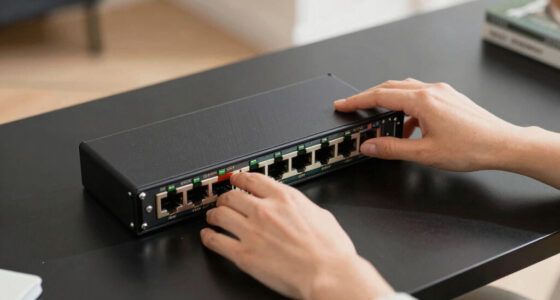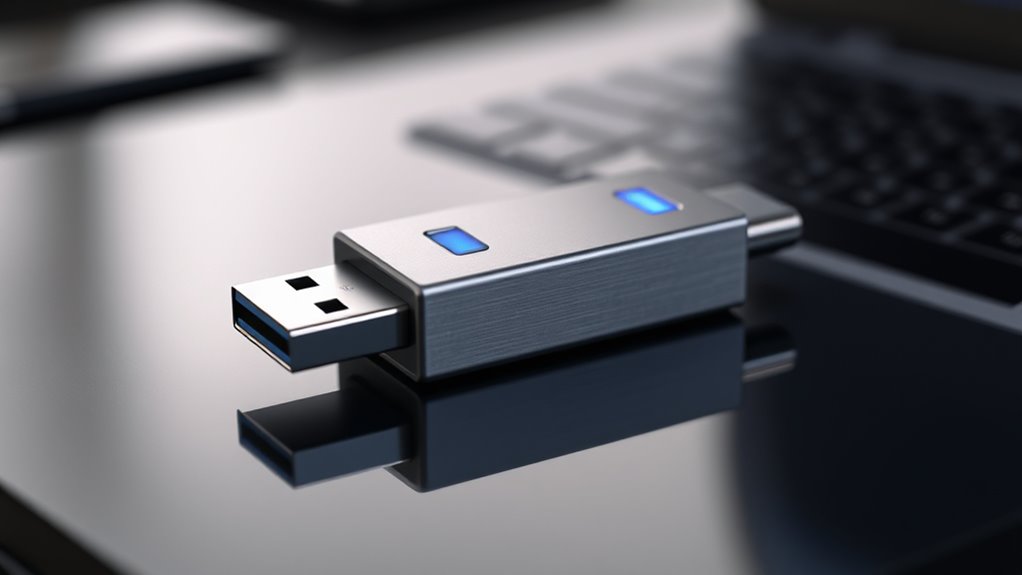

Searching for an antivirus USB firewall stick? These products need one important distinction: none of the four is a network firewall, and two are recovery drives rather than antivirus tools. For offline malware cleanup, I rank FixMeStick Gold for Windows first because it targets several malware types and supports up to five PCs for two years. FixMeStick for Mac is the more focused choice for older Apple computers, while the Windows 10 recovery drive is a practical option for repair and reinstall tasks rather than virus scanning.

Get privacy and security gear delivered free with Prime
- Fast, free delivery on millions of items
- Prime Video, Amazon Music and more included
- Member-only deals all year
The main tradeoff is between malware removal and system recovery. A bootable cleanup tool may help when ordinary security software cannot run, but it does not replace ongoing antivirus protection or a firewall. Recovery media can help restore Windows, yet it is not designed to detect malware. I’ve ranked these picks by how directly they meet a buyer’s likely security need, then by operating-system coverage, stated use limits, and the practical constraints that may rule one out.
Key Takeaways
- FixMeStick Gold is the closest match for Windows malware cleanup, but it is limited to Windows and needs at least 512 MB of RAM.
- FixMeStick for Mac supports up to five devices for two years, but its stated compatibility is limited to Macs from 2006 through 2017.
- The Windows 10 and Windows 11 USB drives are recovery and reinstall tools, not antivirus scanners or firewall devices.
- The Windows 10 recovery drive has 16 GB capacity and 32-bit and 64-bit support; the Windows 11 drive is for 64-bit systems and uses USB 2.0.
- None of these products provides a network firewall, and reinstalling Windows with either recovery drive requires the buyer’s own license key.
| FixMeStick Gold Computer Virus Removal Stick for Windows PCs – Unlimited Use on Up to 5 Laptops or Desktops for 2 Years |  | Best Overall for Windows Malware Cleanup | Compatibility: Windows XP, Vista, 7, 8, 8.1, 10, and 11 | Memory requirement: 512 MB RAM | Device type: Virus removal USB stick | VIEW ON AMAZON | See Our Full Breakdown |
| FixMeStick Computer Virus Removal Stick for Apple Macs – Unlimited Use on Up to 5 Apple Laptops or Desktops for 2 Years |  | Best for Older Apple Macs | Compatible Macs: Apple Macs from 2006 to 2017 | Memory storage capacity: 512 MB | Device type: USB virus removal tool | VIEW ON AMAZON | See Our Full Breakdown |
| USB Windows 10 Recovery and Repair Boot USB Drive, 16 GB, Blue |  | Best Windows 10 Recovery Drive | Intended system: Windows 10 | Memory storage capacity: 16 GB | System architecture: 32-bit and 64-bit | VIEW ON AMAZON | See Our Full Breakdown |
| Rpanle Tech-Shop-pro USB Windows 11 Install & Recovery Boot Drive, 8GB, Blue |  | Best for Windows 11 Recovery | Intended system: Windows 11, 64-bit | Memory storage capacity: 8 GB | Hardware interface: USB 2.0 | VIEW ON AMAZON | See Our Full Breakdown |
| antivirus usb firewall stick | Device type | Color | Memory storage capacity | Intended system |
|---|---|---|---|---|
| FixMeStick Gold Computer Virus | Virus removal USB stick | Gold | — | — |
| FixMeStick Computer Virus Remo | USB virus removal tool | — | 512 MB | — |
| USB Windows 10 Recovery and Re | USB recovery and repair drive | Blue | 16 GB | Windows 10 |
| Rpanle Tech-Shop-pro USB Windo | — | Blue | 8 GB | Windows 11, 64-bit |
More Details on Our Top Picks
FixMeStick Gold Computer Virus Removal Stick for Windows PCs – Unlimited Use on Up to 5 Laptops or Desktops for 2 Years
For a buyer who wants a USB tool specifically for malware removal, FixMeStick Gold is the strongest match in this group. It is described as targeting viruses, spyware, Trojans, rootkits, and other malware, and works alongside existing antivirus software. That makes it a supplementary cleanup option rather than a replacement for the protection that runs during everyday browsing. Its two-year use across up to five devices also makes it a better fit for a household with several supported Windows computers than a single-purpose recovery drive.
Compared with the Mac FixMeStick, Gold covers Windows rather than older Apple hardware, but its listed compatibility reaches Windows 11 as well as earlier Windows versions. The recovery drives may help repair or reinstall Windows, but they do not claim to scan for or remove malware; that difference is why I rank Gold first for this search. It still is not a firewall stick: there is no stated network-filtering function, and the product is limited to Windows PCs. A minimum of 512 MB RAM is listed, so buyers should check system fit before relying on it. The support materials and getting-started guide may help, but they do not erase compatibility limits or the need to keep regular security software in place.
Pros:- Targets viruses, spyware, Trojans, rootkits, and other malware
- Supports unlimited use on up to five devices for two years
- Works alongside existing antivirus software
- Includes a getting-started guide and support
Cons:- Limited to Windows operating systems
- Requires at least 512 MB of RAM
- Does not provide a stated network firewall function
Best for: Windows users seeking a supplementary USB-based malware cleanup tool for up to five compatible PCs over two years.
Not ideal for: Mac users, anyone seeking a network firewall, or buyers who want a standalone replacement for ongoing antivirus protection.
- Compatibility:Windows XP, Vista, 7, 8, 8.1, 10, and 11
- Memory requirement:512 MB RAM
- Device type:Virus removal USB stick
- Usage limit:Unlimited use on up to five devices for two years
- Threats addressed:Viruses, spyware, Trojans, rootkits, and malware
- Works with:Existing antivirus software
- Color:Gold
Our verdict“I’d choose FixMeStick Gold for Windows malware cleanup, while keeping separate everyday antivirus and firewall protection in place.”
FixMeStick Computer Virus Removal Stick for Apple Macs – Unlimited Use on Up to 5 Apple Laptops or Desktops for 2 Years
For the right older Mac, this FixMeStick is the only product in the lineup aimed at Apple malware cleanup. Its simple plug-in, reboot, and run approach may suit someone who does not want to manage a conventional scan from within macOS, and its stated coverage includes viruses, Trojans, ransomware, and malware. It also works alongside existing antivirus software and supports up to five devices for two years, giving it broader household use than a single-computer recovery drive.
Its compatibility window is the deciding factor. The description specifies Macs from 2006 to 2017, so I would not choose it for a newer Mac; the Windows Gold model has a more current listed operating-system range for PC owners. There are also storage and encryption caveats: it is not compatible with Fusion Drive or RAID storage, and FileVault users need special instructions. Those constraints make this a more specialized pick than Gold, even though the cleanup purpose is similar. Like the Windows FixMeStick, it is not a network firewall and should not be mistaken for always-on security. Buyers should confirm their Mac’s model and storage setup before choosing it.
Pros:- Designed to remove viruses, Trojans, ransomware, and malware
- Uses a straightforward plug-in and reboot workflow
- Supports up to five devices for two years
- Can work alongside existing antivirus software
Cons:- Compatibility is limited to Macs from 2006 through 2017
- Not compatible with Fusion Drive or RAID storage
- FileVault requires special instructions
Best for: Owners of supported 2006–2017 Macs who want a bootable malware-removal option that can serve several computers.
Not ideal for: Owners of 2018-or-newer Macs, Macs with Fusion Drive or RAID storage, or buyers who need network firewall protection.
- Compatible Macs:Apple Macs from 2006 to 2017
- Memory storage capacity:512 MB
- Device type:USB virus removal tool
- Supported devices:Up to five Apple laptops or desktops
- Usage period:Two years
- Media speed:40 MB/s
- Storage exclusions:Not compatible with Fusion Drive or RAID
- Warranty:Two years
Our verdict“I’d pick this over the Windows models only for a compatible older Mac, after checking storage and FileVault requirements.”
USB Windows 10 Recovery and Repair Boot USB Drive, 16 GB, Blue
This 16 GB USB is a sensible match when the real problem is a Windows 10 PC that needs recovery, repair, or reinstallation. It supports both 32-bit and 64-bit systems, which gives it broader architecture coverage than the Windows 11 recovery drive, listed for 64-bit systems only. Its compact format and stated read and write speeds are useful for a portable repair tool, though the key distinction is what it does: the product description does not present it as an antivirus scanner or firewall.
That distinction places it behind both FixMeStick tools for a buyer searching specifically for malware removal. Compared with the Windows 11 drive, this one offers more storage and broader bit-version support, but it is aimed at Windows 10 rather than Windows 11 recovery. It also does not include a Windows license key, so reinstalling depends on having the right key already. Recovery media cannot fix failing components, and it should not be treated as a cure for every boot or performance issue. I’d choose it when system restoration is the priority, not when the aim is active threat detection or network protection.
Pros:- Provides Windows 10 recovery, repair, and reinstall tools
- Compatible with 32-bit and 64-bit systems
- Offers 16 GB of storage
- Compact and lightweight for storage or travel
Cons:- Does not include a Windows license key
- Reinstallation requires the buyer’s own Windows key
- Does not repair hardware problems or provide antivirus scanning
Best for: Windows 10 owners who want portable repair and reinstall media with support for both 32-bit and 64-bit systems.
Not ideal for: Buyers seeking malware scanning, firewall protection, Windows 11 recovery, or a solution to hardware faults.
- Intended system:Windows 10
- Memory storage capacity:16 GB
- System architecture:32-bit and 64-bit
- Read speed:100 MB/s
- Write speed:60 MB/s
- Device type:USB recovery and repair drive
- License key:Not included
- Color:Blue
Our verdict“I’d choose this over the Windows 11 drive for Windows 10 recovery or mixed 32-bit and 64-bit systems, not for malware protection.”
Rpanle Tech-Shop-pro USB Windows 11 Install & Recovery Boot Drive, 8GB, Blue
Rpanle’s 8 GB drive is the pick here for buyers whose main need is a Windows 11 64-bit recovery or reinstall. It is intended for repair and restoration, not malware cleanup, so it sits below the two FixMeStick products for anyone seeking an antivirus USB. Against the Windows 10 recovery drive, this one matches the newer operating system but has half the stated capacity and is restricted to 64-bit systems. That makes operating-system fit more important than the color or compact form when comparing the two.
The listed USB 2.0 interface is an older connection standard than buyers may expect from newer flash drives, and the supplied read-speed figure is unusual as listed, so I would not rely on it as evidence of especially quick recovery. More important, reinstalling requires the buyer’s own Windows key; the drive does not include a license. Its durable, dust-proof design may appeal as stored emergency media, but the product description does not promise network filtering or a malware scan. Choose this when Windows 11 repair media is the specific goal. If the computer runs Windows 10 or is 32-bit, the other recovery drive is the closer fit; for virus removal, neither recovery drive substitutes for FixMeStick.
Pros:- Designed for Windows 11 64-bit recovery and reinstallation
- Works with desktops, laptops, and PCs
- Durable, dust-proof design
- Provides repair and recovery media in a portable USB format
Cons:- Does not include a Windows license or product key
- Limited to 64-bit Windows 11 systems
- Uses a USB 2.0 interface and is not an antivirus tool
Best for: Windows 11 64-bit users who want a dedicated USB recovery, repair, or reinstallation drive.
Not ideal for: Mac users, 32-bit Windows users, buyers seeking antivirus or firewall functions, or anyone without a Windows license key for reinstalling.
- Intended system:Windows 11, 64-bit
- Memory storage capacity:8 GB
- Hardware interface:USB 2.0
- Connector:USB Type-A
- Compatible devices:Windows 11 desktops, laptops, and PCs
- Design:Durable, dust-proof
- License key:Not included
- Color:Blue
Our verdict“I’d select this over the Windows 10 drive only for Windows 11 64-bit recovery, while treating it as repair media rather than security software.”

How We Picked
I ranked these products by how closely each one matches the phrase antivirus USB firewall stick, while separating security cleanup from general Windows repair. The two FixMeStick products explicitly target malware removal: the Windows version names viruses, spyware, Trojans, rootkits, and other malware, while the Mac version is presented as a virus and malware removal tool. The Windows boot drives, by contrast, are meant for recovery, repair, and reinstallation, so I placed them below dedicated cleanup products for a reader seeking antivirus functionality.
I also weighed device and operating-system compatibility, the stated duration and number of supported devices, and limitations that affect setup. That includes the Mac product’s 2006–2017 range and storage exclusions, the Windows products’ separate operating-system requirements, and the need for a Windows key to reinstall. I did not treat a USB connector, recovery environment, or portable form as proof of firewall protection. None of the supplied product information describes network traffic filtering. My order reflects the best fit for malware cleanup first, then the usefulness of recovery tools for buyers whose main problem is system repair.
| antivirus usb firewall stick | Device type | Color | Intended system |
|---|---|---|---|
| FixMeStick Gold Computer Virus | Virus removal USB stick | Gold | — |
| FixMeStick Computer Virus Remo | USB virus removal tool | — | — |
| USB Windows 10 Recovery and Re | USB recovery and repair drive | Blue | Windows 10 |
| Rpanle Tech-Shop-pro USB Windo | — | Blue | Windows 11, 64-bit |
Factors to Consider When Choosing Antivirus Usb Firewall Stick
Before choosing a USB security or repair product, I’d match the tool to the job rather than relying on the word “boot” or “recovery.” The four options split into two distinct categories: malware-removal tools and Windows recovery media. Neither category, based on the supplied descriptions, provides a network firewall.
Decide whether you need cleanup or recovery
If malware is the concern, the two FixMeStick products are the only options here described for identifying or removing threats. They are supplementary tools that work alongside existing antivirus, not substitutes for everyday protection. The Rpanle Windows 11 drive and the Windows 10 recovery drive are intended for repair, recovery, or reinstall tasks. They may help with a damaged operating system, but their descriptions do not claim to scan for malware. I would not buy either recovery drive expecting antivirus or firewall features.
Match the USB to the computer
Compatibility is a hard filter. The Mac FixMeStick is specified for Apple computers from 2006 through 2017 and excludes Fusion Drive and RAID setups; FileVault users need special instructions. FixMeStick Gold lists Windows XP through Windows 11. For recovery media, the blue 16 GB drive targets Windows 10 and supports 32-bit and 64-bit systems, while the 8 GB Rpanle drive targets Windows 11 64-bit. I’d check the exact operating system, system architecture, and storage configuration before choosing.
Know what a firewall does
A USB device can provide bootable software without filtering network connections. A firewall monitors or controls network traffic; none of these product descriptions states that function. FixMeStick is described as a malware-removal utility, while the two Windows drives are recovery media. If network traffic control is your goal, treat that as a separate buying decision involving the computer’s operating-system firewall, a router, or dedicated security software.
Check licensing and recovery limits
Both Windows recovery drives say that a license key is not included and that reinstalling requires the buyer’s own Windows key. A boot drive also cannot fix a failed drive, memory problem, or other hardware fault. The Windows 10 option gives 16 GB of capacity and broader architecture support; the Windows 11 option is narrower and uses USB 2.0. Those differences matter more than choosing by appearance: pick the drive whose operating system matches the computer, and keep valid recovery details available.
Treat offline tools as one part of protection
Even the malware-focused FixMeStick products are not described as always-on antivirus. They are designed for cleanup and can work alongside existing security software. For routine protection, I’d keep current antivirus and firewall settings active, install operating-system updates, and maintain backups. A USB cleanup tool may offer another recovery path when a computer is difficult to use, but compatibility and setup requirements still apply. Do not assume that carrying a security USB alone protects a computer’s network connections.
Frequently Asked Questions
Is any product here a USB firewall?
No. The listed FixMeStick products are described as malware-removal tools, and the Windows 10 and Windows 11 drives are described as recovery, repair, or reinstallation media. None of the supplied descriptions says that a product filters network traffic. I would treat firewall protection as a separate feature of the computer’s security setup or network equipment.
Which option is intended for virus removal?
FixMeStick Gold is the Windows malware-removal option, and the Apple Mac FixMeStick is intended for compatible older Macs. Both are described as working alongside existing antivirus software. The Windows recovery drives are not presented as antivirus scanners, so they are a different tool for operating-system repair rather than threat cleanup.
Will the Mac FixMeStick work with a newer Mac?
The supplied compatibility information specifies Macs from 2006 to 2017 and states that 2018-and-later Macs are not supported. It also excludes Fusion Drive and RAID storage and calls for special instructions when FileVault is enabled. I would verify the model and storage configuration before buying rather than assume compatibility based on the USB connection alone.
Do the Windows recovery drives include a Windows license?
No. Both Windows recovery products state that a license key is not included, and reinstallation requires the buyer’s own Windows key. The Windows 10 drive is intended for Windows 10 and supports both 32-bit and 64-bit systems; the Rpanle drive is for Windows 11 64-bit systems. A recovery drive does not grant a Windows license.
Can a recovery USB fix malware or hardware problems?
The Windows drives are described for recovery, repair, and reinstallation, not dedicated malware scanning. They also do not fix hardware faults, so a failing drive or other component may need separate diagnosis or replacement. For malware cleanup, the FixMeStick tools are the products in this group specifically described for that purpose, subject to their operating-system limits.
Conclusion
For a Windows owner focused on malware cleanup, I’d choose FixMeStick Gold, provided the computer meets its requirements and regular antivirus remains active. For a supported older Mac, the Mac FixMeStick is the clear specialized choice, but its model-year and storage limits deserve a careful check. If your actual need is restoring a computer rather than scanning for threats, choose the 16 GB Windows 10 drive for Windows 10 or 32-bit support, and the Rpanle drive for Windows 11 64-bit recovery. None of these is a firewall: buyers seeking network filtering should look for that function separately.