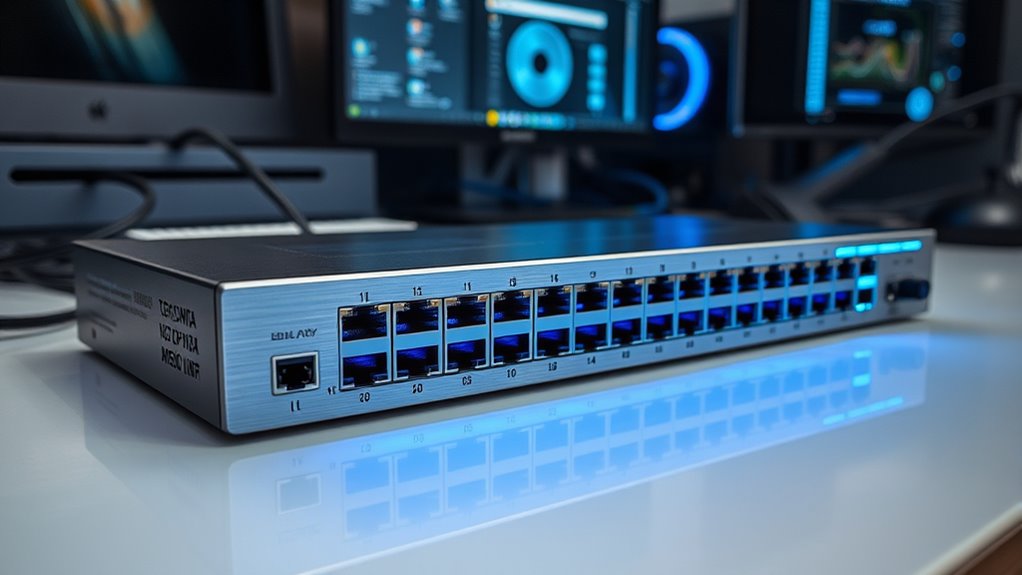

A 10-gigabit SFP+ home lab switch can connect servers, storage, and a fast backbone, but the right choice depends on port mix, management features, and noise tolerance. My best overall pick is the SODOLA 8-Port 10GbE SFP+ Managed Switch, which pairs Layer 3 features with a fanless, wall-mountable design. For a mix of copper and fiber connections, the SODOLA 12-Port Managed Switch adds four 10G RJ-45 ports, while the MokerLink 8-Port Unmanaged Switch keeps setup simple. The key tradeoff is whether you need configuration control and flexible port types or prefer a quieter, simpler switch. Read on for the full comparison and help matching a model to your lab.

Get privacy and security gear delivered free with Prime
- Fast, free delivery on millions of items
- Prime Video, Amazon Music and more included
- Member-only deals all year
Key Takeaways
- The SODOLA 8-Port Managed Switch stands out as the best overall fit here because it combines Layer 3 management, fanless operation, and wall mounting—useful traits for a home lab that shares space with living areas.
- The SODOLA 12-Port model is the clearest choice when a lab needs both SFP+ and copper: its eight 10G SFP+ ports and four 10G RJ-45 ports reduce the need for separate adapters or switches.
- Managed and unmanaged 8-port switches serve different jobs. The managed options suit VLANs and network experiments, while the MokerLink unmanaged model favors straightforward link expansion.
- Several compact picks pair 2.5G RJ-45 ports with two 10G SFP+ uplinks. These are better for mixed-speed edge devices than for labs that need many direct 10G connections.
- Noise and network ecosystem can change the shortlist. Fanless metal designs suit quiet rooms, while the UniFi Pro Aggregation Switch makes more sense for buyers already building around UniFi.


| 10gigabit sfp home lab switch | Switch type | Ports | Data transfer rate | Mounting |
|---|---|---|---|---|
| 8 Port 10Gb SFP+ Managed Netwo | Managed | 8 | 10,000 megabits per second | — |
| SODOLA 12 Port 10Gb Managed Sw | Managed | 12 total: 8 SFP+ and 4 RJ-45 | 10 gigabits per second | 1U rack-mountable |
| 8 Port 10GbE Ethernet Switch | Layer 3 managed | 8 | 10 gigabits per second | Desktop or wall-mount |
| MokerLink 8 Port 10G SFP+ Unma | Unmanaged | 8 | — | Desktop or wall-mount |
| 8-Port 10G SFP+ Layer 3 Manage | Layer 3 | 8 | 10 gigabits per second | — |
| SODOLA 6 Port 2.5Gb Web Manage | — | — | — | Magnetic mounting |
| 8 Port 10Gb SFP+ Web Managed F | — | 8 x 10G SFP+ | — | — |
| SODOLA 8 Port 10GbE SFP+ Manag | Managed, Layer 3 | 8 | — | Wall-mountable |
| Ubiquiti UniFi Pro Aggregation | — | — | — | — |
| MokerLink 8 Port 10Gbps SFP+ M | Managed | 8 | 10Gbps | — |
| TRENDnet 20-Port 2.5G/Multi-Gi | Managed | — | 160 Gbps | Rackmountable |
| 6-Port 2.5Gb Managed Switch: 4 | Managed | — | — | Desk or wall |
| TP-Link TL-SX105 5-Port 10G Mu | Unmanaged | — | 100 Gbps | — |
More Details on Our Top Picks
8 Port 10Gb SFP+ Managed Network Switch for Home and Lab
I’d put this fanless 8-port managed switch near the top of a home lab shortlist when silence matters as much as 10Gb links. Its VLAN, QoS, and link aggregation controls give me room to separate lab traffic or combine links without adding the fan noise and rack-focused design of the SODOLA 12 Port 10Gb Managed Switch. The tradeoff is fewer connection options: all eight ports are SFP+, so copper devices need compatible modules or another switch. It also lacks an unmanaged mode, making it less suited to someone who wants only plug-and-play operation. Compared with the MokerLink 8 Port 10G SFP+ Unmanaged Fiber Switch, this model offers configuration tools but gives up that switch’s simpler setup. I’d choose it for a quiet, small SFP+ network, not for mixed copper connectivity.
Pros:- Eight 10Gb SFP+ ports provide a consistent high-speed interface for NAS, servers, and compatible network gear.
- Fanless metal housing supports quiet placement in a home office or lab.
- Web-managed VLAN, QoS, and link aggregation support useful network segmentation and traffic handling.
- Compact, mountable design gives flexibility for desktop or lab placement.
Cons:- SFP+ modules or DAC cables are needed for connections, and module compatibility requires attention.
- No unmanaged mode means configuration is part of setup rather than an optional step.
- Power-supply inclusion details are not provided.
Best for: Home lab owners building a quiet 10Gb SFP+ network who want VLAN, QoS, or link aggregation controls.
Not ideal for: Buyers who need native RJ-45 ports, unmanaged plug-and-play simplicity, or a clearly specified included power supply.
- Ports:8
- Interface:SFP+
- Data transfer rate:10,000 megabits per second
- Switch type:Managed
- Management features:VLAN, QoS, link aggregation, DHCP client
- Maximum power:18 watts
- Housing:Fanless metal
- Voltage:12 volts
Our verdict“Choose this model for a quiet, managed SFP+ lab where eight ports are enough and native copper ports are not required.”
SODOLA 12 Port 10Gb Managed Switch, 8x10G SFP+ & 4x10G RJ-45
The SODOLA’s main advantage over the all-SFP+ 8 Port 10Gb SFP+ Managed Network Switch is its mix of eight SFP+ ports and four 10Gb RJ-45 ports. That makes it easier to connect copper-equipped desktops or routers directly while keeping fiber or DAC links for servers and storage. The 12-port total also gives a growing lab more room than the eight-port models here. Web management includes LACP, QoS, VLAN, and SNMP, but this flexibility comes with a fan-cooled, rack-mountable 1U chassis and a listed maximum power of 96W. It is a better fit for a rack or utility space than a quiet desk. Compared with the fanless 8-port options, I’d favor it for port variety and capacity, while buyers with a small, silent setup should look elsewhere.
Pros:- Combines eight 10Gb SFP+ ports with four 10Gb RJ-45 ports for mixed-media networks.
- Twelve total ports leave more capacity for lab expansion than the eight-port choices.
- Web management provides LACP, QoS, VLAN, and SNMP features.
- 1U rack-mountable metal chassis suits a dedicated equipment rack.
Cons:- Built-in fan cooling is less suitable for quiet rooms than the fanless switches in this group.
- Listed maximum power is 96W, substantially above the low-power fanless alternatives.
- Rack accessories and transceivers are not included according to the product description.
Best for: Home lab builders with both 10Gb RJ-45 devices and SFP+ servers who want one managed, rack-mountable switch.
Not ideal for: Noise-sensitive desktop setups, small labs needing only a few links, or buyers who do not want to source transceivers and rack hardware separately.
- Ports:12 total: 8 SFP+ and 4 RJ-45
- Data transfer rate:10 gigabits per second
- Switch type:Managed
- Management features:LACP, QoS, VLAN, SNMP
- Maximum power:96 watts
- Cooling:Built-in fan
- Mounting:1U rack-mountable
- Housing:Metal
Our verdict“Pick the SODOLA when a lab needs both native 10Gb copper and SFP+ connections, and fan noise is acceptable.”
8 Port 10GbE Ethernet Switch, Layer 3 Managed SFP+ Enterprise Level
This model earns its place for buyers who want more than VLAN switching: its listed Layer 3 routing and security tools include IP/MAC/port binding, anti-ARP protections, SSHv2, and SNMP v3. Those capabilities give a technically confident home lab owner more control over network separation and management access than the basic feature set on the 8 Port 10Gb SFP+ Managed Network Switch for Home and Lab. Its 160Gbps backplane bandwidth and jumbo-frame support also suit traffic between fast storage and servers. The tradeoff is setup complexity, plus the familiar eight-port limit and no included SFP modules. Compared with the MokerLink 8 Port 10G SFP+ Unmanaged Fiber Switch, it is far more configurable but not as straightforward to install. I’d select it for a security-conscious lab, not for a simple fiber-only link expansion.
Pros:- Layer 3 routing capabilities extend it beyond basic managed switching.
- Security features include IP/MAC/port binding, anti-ARP protections, SSHv2, and SNMP v3.
- 160Gbps backplane bandwidth and jumbo frames suit high-throughput lab traffic.
- Desktop and wall-mount options offer flexible placement.
Cons:- Advanced configuration may take more networking knowledge than simpler managed or unmanaged alternatives.
- SFP+ modules are not included, adding a separate compatibility and sourcing step.
- Eight ports may constrain a lab with many servers, storage devices, and uplinks.
Best for: Network administrators and advanced home lab builders who want Layer 3 functions, management security controls, and SFP+ connectivity.
Not ideal for: Beginners seeking a simple plug-and-play switch, or users who need more than eight ports or native RJ-45 connections.
- Ports:8
- Interface:SFP+
- Data transfer rate:10 gigabits per second
- Backplane bandwidth:160Gbps
- Switch type:Layer 3 managed
- Jumbo frame support:Up to 12KB
- Security features:IP/MAC/port binding, anti-ARP spoofing and flooding, SSHv2, SNMP v3
- Mounting:Desktop or wall-mount
- Maximum power:20 watts
Our verdict“Choose this switch when Layer 3 and security controls matter more than beginner-friendly setup or extra port count.”
MokerLink 8 Port 10G SFP+ Unmanaged Fiber Switch, 1G/10G SFP Slot, 160Gbps Bandwidth
If the goal is simply to connect SFP+ equipment at 10Gb without configuring VLANs or routing, this MokerLink is the most straightforward fit in this batch. Its unmanaged, plug-and-play design removes the setup burden found on the managed 8-port models, including the 8 Port 10GbE Layer 3 Managed SFP+ Enterprise Level. Eight slots accept 1G or 10G SFP modules, giving some flexibility when adding older links to a faster lab. The cost of that simplicity is a lack of management features: there is no listed VLAN, QoS, or link aggregation control. Buyers also need to supply compatible modules, and the product data does not specify fanless operation. I’d choose it for a basic fiber backbone; for segmentation or a quiet managed desktop setup, the other eight-port options make a stronger case.
Pros:- Unmanaged operation keeps installation simple and avoids a management interface setup.
- Eight SFP+ ports support 1G or 10G modules for mixed-speed fiber links.
- 160Gbps listed bandwidth supports high-throughput switching across the ports.
- Metal housing supports desktop or wall-mounted placement.
Cons:- No listed management controls for VLANs, QoS, link aggregation, or routing.
- SFP modules are required and are not included.
- Fanless operation and included power accessories are not specified in the supplied product data.
Best for: Home lab owners who want a simple eight-port SFP+ fiber switch for compatible servers, NAS devices, or network uplinks.
Not ideal for: Users who need VLANs, QoS, link aggregation, Layer 3 routing, or confirmed fanless operation.
- Ports:8
- Interface:SFP+
- Supported module speeds:1G and 10G
- Listed bandwidth:160Gbps
- Switch type:Unmanaged
- Housing:Metal
- Mounting:Desktop or wall-mount
- Warranty:1 year
Our verdict“Pick this MokerLink for uncomplicated SFP+ switching, but choose a managed alternative if you need traffic controls.”
8-Port 10G SFP+ Layer 3 Managed Switch for Enterprise Networks
This is the specialist choice for a compact home lab that needs Layer 3 routing without a fan-cooled rack chassis. Its listed 13.8W maximum power and fanless metal enclosure make it a quieter, lower-power alternative to the SODOLA 12 Port 10Gb Managed Switch, though the SODOLA offers four native RJ-45 ports and four more total connections. The product data names OSPF and RIP support, which can suit labs built around routing experiments rather than simple access switching. That capability may be unnecessary for a NAS-and-server setup, and the eight SFP+ ports still require compatible modules or cabling. The listing also flags module matching for mode switching as a possible complication. Compared with the 8 Port 10Gb SFP+ Managed Network Switch for Home and Lab, this one emphasizes routing features, while the other has a simpler stated feature set.
Pros:- Layer 3 feature set includes OSPF and RIP routing protocols.
- Fanless design suits quiet home offices and small labs.
- Listed maximum power of 13.8W is lower than the other powered managed models in this batch.
- Compact metal enclosure measures 8.66 by 4.96 by 1.1 inches.
Cons:- Eight SFP+ ports do not provide native RJ-45 or PoE connectivity.
- Matching modules for mode switching may complicate setup.
- Layer 3 functions can be unnecessary complexity for buyers who only need basic switching.
Best for: Advanced home lab users who want fanless 10Gb SFP+ switching with Layer 3 routing protocols and low listed power consumption.
Not ideal for: Buyers who need native 10Gb RJ-45 ports, PoE, Wi-Fi, more than eight connections, or an uncomplicated basic switch.
- Ports:8
- Interface:SFP+ and console
- Data transfer rate:10 gigabits per second
- Switch type:Layer 3
- Routing protocols:OSPF and RIP
- Maximum power:13.8 watts
- Cooling and housing:Fanless metal
- Dimensions:8.66 x 4.96 x 1.1 inches
- Warranty:1 year
Our verdict“Choose this model for a quiet, low-power lab that will use its Layer 3 routing features and can work within eight SFP+ ports.”
SODOLA 6 Port 2.5Gb Web Managed Switch, 4×2.5G RJ-45, 2x10G SFP+
I’d pick this SODOLA when a home lab needs faster-than-gigabit connections for nearby devices as well as two 10G SFP+ uplinks. Its four 2.5Gb RJ-45 ports connect computers, consoles, or access points without requiring copper transceivers, while VLAN, QoS, LACP, and IGMP give a growing lab room to segment and shape traffic. Compared with the MokerLink 8 Port 10Gbps SFP+ Managed Switch, this trades port count and all-SFP+ density for more direct copper connectivity and a smaller setup. The fanless aluminum case and magnetic mounting suit a quiet desk or compact rack area. The tradeoff is clear: six total ports can fill quickly, and its 2.5Gb copper ports are not 10Gb ports. I’d also plan for some configuration work and check the power and mounting needs before installation.
Pros:- Four 2.5Gb RJ-45 ports connect multi-gig devices without copper SFP+ modules.
- Two 10G SFP+ ports provide high-speed links to a server or network backbone.
- Web management includes VLAN, QoS, LACP, and IGMP features.
- Fanless aluminum construction and magnetic mounting suit quiet, space-conscious setups.
Cons:- Six ports may be insufficient as a lab adds hosts and network equipment.
- Copper ports top out at 2.5Gb, limiting direct connections to 10Gb devices.
- Advanced configuration takes networking knowledge, and the product data notes no included power cord or mounting accessories.
Best for: Home-lab owners who need several 2.5Gb copper device connections plus a pair of 10G SFP+ links for a server or faster switch.
Not ideal for: Labs that need eight or more 10G fiber links, or buyers who want a switch that requires no network configuration.
- Total ports:6
- Copper ports:4 x 2.5Gb RJ-45
- SFP+ ports:2 x 10G SFP+
- Management:Web managed
- Supported features:LACP, QoS, VLAN, IGMP
- Cooling and case:Fanless aluminum
- Mounting:Magnetic mounting
Our verdict“Choose this SODOLA for a compact lab that mixes 2.5Gb copper clients with a couple of 10G SFP+ connections, but skip it if you need dense 10Gb port capacity.”
8 Port 10Gb SFP+ Web Managed Fiber Switch | Multi-Gig 10G-2.5G Adaptive | Fanless | 160G Bandwidth | VLAN/QoS
This switch is a strong fit when the lab’s priority is eight SFP+ ports in a fanless managed unit, rather than a mix of built-in copper and fiber. Its listed 160Gbps bandwidth and web controls for VLAN, QoS, and Jumbo Frames suit several fast hosts sharing storage or a backbone link. Compared with the SODOLA 6 Port 2.5Gb Web Managed Switch, it offers twice as many SFP+ ports but gives up built-in RJ-45 connections, so each endpoint needs a compatible module or fiber setup. The stated support for 10G LC and 1.25/2.5G copper SFP modules adds flexibility, though the product data specifically excludes 10Gb SFP-to-RJ-45 transceivers. That compatibility boundary matters for labs built around 10Gb copper NICs. Fanless operation favors quiet rooms, but module selection and manual setup can make this less approachable than a simple copper switch.
Pros:- Eight SFP+ ports provide a concentrated set of high-speed fiber connections.
- Listed 160Gbps bandwidth supports multiple simultaneous links.
- Web management includes VLAN, QoS, and Jumbo Frames.
- Fanless metal construction suits quiet home-lab locations.
Cons:- No built-in RJ-45 ports are listed, so endpoint connections depend on compatible SFP modules or fiber.
- The product data says 10Gb SFP-to-RJ-45 transceivers are not supported.
- Manual configuration and module compatibility checks add setup work.
Best for: Home-lab builders connecting multiple SFP+-equipped servers, NAS devices, or switches who want fanless operation and web-managed VLAN and QoS controls.
Not ideal for: Buyers whose endpoints use built-in 10Gb RJ-45 ports or who want native copper ports and minimal module planning.
- Ports:8 x 10G SFP+
- Bandwidth:160Gbps
- Port rates:10G/2.5G adaptive
- Management features:Web management, VLAN, QoS, Jumbo Frames
- Module compatibility:10G LC and 1.25/2.5G copper SFP modules; 10Gb SFP-to-RJ-45 transceivers not supported
- Cooling:Fanless
- Operating temperature:-20 to 50°C
- Lightning protection:6KV
Our verdict“Choose this model for a quiet, SFP+-focused lab with several fiber-ready devices, but avoid it if your 10Gb endpoints rely on RJ-45 transceivers.”
SODOLA 8 Port 10GbE SFP+ Managed Switch, Layer 3, Fanless, Wall Mountable
I’d shortlist this SODOLA when the home lab needs eight 10GbE SFP+ ports and Layer 3 management, but the switch must stay quiet or mount on a wall. VLAN, QoS, link aggregation, and IGMP give it a broader management role than a basic fiber aggregator. Compared with the 8 Port 10Gb SFP+ Web Managed Fiber Switch, this model is specifically described as Layer 3 and wall-mountable; the other listing supplies clearer bandwidth and module-compatibility details. That makes the SODOLA appealing for a tidy permanent installation, but buyers should confirm which routing functions and transceiver types fit their design because the supplied data leaves those specifics open. Modules are not included, and eight fiber slots do not translate into convenient RJ-45 connectivity by themselves. Setup may also be a stretch for first-time switch administrators.
Pros:- Eight 10GbE SFP+ ports support a high-density fiber lab.
- Layer 3 management is suited to more advanced network control.
- Fanless design avoids switch-fan noise in a home workspace.
- Metal casing and wall-mount capability allow flexible installation.
Cons:- Transceivers are not included, adding module selection and compatibility work.
- Setup may be complex for users new to managed switches.
- The supplied product data does not specify bandwidth capacity or detailed Layer 3 functions.
Best for: Experienced home-lab users who want eight 10Gb SFP+ connections, Layer 3 management features, and a fanless switch that can be wall-mounted.
Not ideal for: Beginners seeking an uncomplicated plug-in switch, or buyers who need included transceivers or built-in RJ-45 ports.
- Ports:8
- Port type and rate:10GbE SFP+
- Switch type:Managed, Layer 3
- Supported features:Link aggregation, QoS, VLAN, IGMP
- Cooling:Fanless
- Case material:Metal
- Mounting:Wall-mountable
- Transceivers:Not included
- Weight:0.91 kg
Our verdict“Pick this SODOLA if Layer 3 management, silent operation, and wall mounting matter more than included modules or clearly documented throughput details.”
Ubiquiti UniFi Pro Aggregation Switch
The UniFi Pro Aggregation Switch belongs in a different scale of home lab from the compact eight-port options: it has 28 10G SFP+ ports, four 25G uplinks, and Layer 3 functions including VLAN and static routing. That capacity makes it a potential core for a large rack with many servers, storage systems, and downstream switches. Compared with the MokerLink 8 Port 10Gbps SFP+ Managed Switch, it offers far more port density and faster uplinks, but brings a rack-size footprint and a more involved UniFi-centered management approach. Control through the UniFi Network Application and mobile app will appeal most to users already building around that ecosystem. Redundant power supply support adds a resilience option, though the listed maximum power is 100 watts. This is difficult to justify for a small lab with only a few 10G links.
Pros:- Twenty-eight 10G SFP+ ports support a much larger lab than eight-port alternatives.
- Four 25G uplinks provide headroom for fast aggregation connections.
- Layer 3 features include VLAN routing and static routing.
- UniFi Network Application and mobile app provide centralized management, with redundant power supply support listed.
Cons:- Its 17.4-inch-wide rack-oriented chassis is excessive for many small home setups.
- The large port count and Layer 3 configuration create more management overhead than compact alternatives.
- The listed maximum power is 100 watts, a relevant consideration for a continuously running home rack.
Best for: Home-lab operators with a full rack, many 10G SFP+ endpoints, and an existing or planned UniFi Network setup who need Layer 3 routing and 25G uplinks.
Not ideal for: Small labs with only a handful of 10G devices, limited rack space, or no interest in managing the network through UniFi software.
- 10G ports:28 x SFP+
- Uplinks:4 x 25G
- Uplink data transfer rate:280Gbps
- Switch layer:Layer 3
- Routing features:VLAN routing, static routing
- Management:UniFi Network Application and mobile app
- Maximum power:100 watts
- Dimensions:12.8 x 17.4 x 1.7 inches
- Weight:10.1 pounds
Our verdict“Choose the UniFi Pro Aggregation Switch for a large UniFi-managed rack that can use its 28 10G ports and 25G uplinks, not for a small starter lab.”
MokerLink 8 Port 10Gbps SFP+ Managed Switch, Support 1G/2.5G/10G SFP Modules, 160Gbps Bandwidth, Fanless Metal Design
The MokerLink is a practical choice for a home lab that needs eight managed SFP+ ports and may mix link speeds across fiber modules. Support for 1G, 2.5G, and 10G SFP modules helps when older gear shares a switch with newer servers, while web-based Layer 2 configuration offers more control than an unmanaged fiber switch. Its fanless metal case is also a straightforward fit for a quiet workspace. Compared with the 8 Port 10Gb SFP+ Web Managed Fiber Switch, MokerLink explicitly lists 1G module support, while both offer eight-port SFP+ layouts and fanless operation. The key limitation is that no modules are included, so buyers must plan each connection before setup; the supplied data also does not enumerate the Layer 2 features. For a lab needing built-in copper ports, the SODOLA 6-port hybrid is a better match.
Pros:- Supports 1G, 2.5G, and 10G SFP modules for mixed-speed fiber connections.
- Eight SFP+ slots give the lab multiple high-speed link options.
- Web-based management supports network configuration.
- Fanless metal construction suits quiet home and office environments.
Cons:- SFP modules are not included, so every link requires separate compatibility planning.
- No built-in RJ-45 ports are listed for direct copper-device connections.
- The supplied product data does not identify specific Layer 2 management features.
Best for: Home-lab users connecting a mix of 1G, 2.5G, and 10G SFP-equipped devices who want web management and quiet operation.
Not ideal for: Buyers who need built-in RJ-45 ports, included transceivers, or a detailed feature list before choosing a managed switch.
- Ports:8
- Interface:SFP
- Supported module rates:1G, 2.5G, 10G
- Data transfer rate:10Gbps
- Bandwidth:160Gbps
- Switch type:Managed
- Case material and cooling:Metal, fanless
- Power input:12V DC
- Warranty:1 year
Our verdict“Choose the MokerLink for a quiet, managed SFP+ lab that mixes 1G, 2.5G, and 10G modules, but look elsewhere for native copper ports or included optics.”
TRENDnet 20-Port 2.5G/Multi-Gig Switch with 10G SFP+ Ports, TEG-S50204
I’d choose the TRENDnet TEG-S50204 when a home lab needs many copper connections as well as 10G uplinks. Its 16 2.5G RJ45 ports can serve multi-gig desktops, access points, and storage endpoints, while four SFP+ slots provide room for faster fiber or DAC links. That broader mix makes it a more flexible access switch than the TP-Link TL-SX105, which offers five 10G copper ports but no SFP+ slots.
The tradeoff is that this is not a bank of 10G SFP+ ports: the four slots may limit expansion if most lab devices use fiber. Its fanless design suits a quiet rack or office, and rackmount compatibility helps with tidy installation. The managed feature set also brings configuration work, and the supplied details list no PoE, so I would not choose it to power access points or cameras.
Pros:- Sixteen 2.5G RJ45 ports connect multiple multi-gig clients over copper.
- Four 10G SFP+ slots support high-speed uplinks and fiber or DAC connections.
- Fanless design avoids switch-fan noise in a home workspace.
- Rackmountable chassis suits a structured home-lab installation.
Cons:- Only four ports are 10G SFP+, which can constrain a fiber-heavy lab.
- No PoE is listed, so powered devices need separate power sources.
- Managed configuration may take more setup than a plug-and-play switch.
Best for: Home-lab owners building a rack with numerous 2.5G copper devices and a few 10G SFP+ uplinks.
Not ideal for: Labs whose servers and storage mostly need 10G SFP+ connections, or buyers who need PoE for access points and cameras.
- Total ports:20
- RJ45 ports:16 x 2.5G
- SFP+ ports:4 x 10G
- Switch type:Managed
- Data transfer rate:160 Gbps
- Design:Fanless
- Mounting:Rackmountable
- Weight:6.4 lb
- Compliance:NDAA and TAA compliant
Our verdict“Choose this rackmount switch when your lab needs many 2.5G copper ports and a smaller number of 10G SFP+ links.”
6-Port 2.5Gb Managed Switch: 4 x 2.5G RJ45 + 2 x 10G SFP+ Ports, Metal Housing
This compact managed switch fits a small home lab where a handful of 2.5G devices need a fast connection to a server or core network. I like its practical split of four 2.5G RJ45 ports and two 10G SFP+ slots: copper clients can connect directly, while the SFP+ ports can handle high-speed uplinks. Compared with the larger TRENDnet TEG-S50204, it takes up less space and offers flexible desk or wall mounting, but gives up most of the port capacity.
The fanless metal housing and listed 12W power consumption make it a sensible fit near a desk or in a quiet room. The main compromise is scale: six ports leave little room for growth, and the web interface requires initial IP configuration. I would also avoid assuming every optical module works; the supplied details specifically say it does not support GPON/XGSPON modules.
Pros:- Combines four 2.5G RJ45 connections with two 10G SFP+ slots.
- Fanless metal housing suits quiet work areas.
- Desk and wall mounting options help fit tight spaces.
- Listed power consumption is 12W.
Cons:- Six total ports provide limited room for expansion.
- Initial IP configuration through the web interface adds setup work.
- Does not support GPON/XGSPON modules.
Best for: Small home-lab owners with up to four 2.5G copper clients and a need for two 10G SFP+ links in a quiet, mountable enclosure.
Not ideal for: Growing labs with many wired endpoints, or buyers looking for GPON/XGSPON support or a switch that needs no initial configuration.
- Total ports:6
- RJ45 ports:4 x 2.5G
- SFP+ ports:2 x 10G
- Switch type:Managed
- Power consumption:12W
- Housing:Metal, fanless
- Mounting:Desk or wall
- Temperature range:0–40°C
Our verdict“Pick this small managed switch for a quiet, compact setup that needs a few multi-gig copper ports and two 10G SFP+ links.”
TP-Link TL-SX105 5-Port 10G Multi-Gig Unmanaged Ethernet Switch
The TP-Link TL-SX105 is the straightforward choice when the goal is to connect several 10G-capable devices over copper without configuring a managed switch. Its five RJ45 10G ports and plug-and-play operation make it a simpler desktop option than the managed TRENDnet TEG-S50204, which adds many 2.5G ports and SFP+ uplinks but also asks the buyer to manage a larger, more involved network.
This model is not a direct fit for a roundup centered on SFP+: it has no SFP+ slots, so fiber and DAC connections are off the table unless separate conversion hardware is added. Its fanless metal casing keeps it quiet, and the compact dimensions suit desktop use, but the unmanaged design provides no listed VLAN or other configuration controls. I’d choose it for a small copper-based 10G segment, not as the main switch for a fiber-heavy lab.
Pros:- Five RJ45 ports support 10G multi-gig copper connections.
- Unmanaged plug-and-play setup avoids web-interface configuration.
- Fanless design and metal casing suit a quiet desktop setup.
- Wall-mount option adds placement flexibility.
Cons:- No SFP+ ports, making it a poor match for fiber- or DAC-based links.
- Unmanaged operation limits network segmentation and other configuration options.
- Five ports may be restrictive as a home lab grows.
Best for: Home-lab users who need a simple, quiet switch for up to five 10G-capable RJ45 devices and do not need managed controls.
Not ideal for: Buyers specifically seeking 10G SFP+ connectivity, VLAN configuration, or a switch with room for a larger lab.
- Total ports:5
- Interface:RJ45
- Switch type:Unmanaged
- Data transfer rate:100 Gbps
- Case material:Metal
- Design:Fanless
- Dimensions:8.9 x 5.2 x 0.98 in
- Weight:1.15 kg
- Warranty:3 years
Our verdict“Choose the TL-SX105 for uncomplicated 10G copper networking, but skip it if SFP+ connectivity is a requirement.”

How We Picked
I ranked these switches around the jobs a home lab actually asks them to do: connect 10G servers and storage, carry traffic between network segments, and coexist with home equipment. I weighed SFP+ port count and port mix, management depth, multi-gig compatibility, and practical details such as fanless construction and mounting. I also separated switches designed for a 10G backbone from models that use only two 10G SFP+ ports as uplinks for 2.5G copper clients.
The order reflects fit across common home-lab needs, not a claim that one design suits every network. Models with useful management and a more adaptable port layout rank ahead of simpler choices for the overall slot; unmanaged switches remain strong picks for buyers who value easy setup. A product with a distinct ecosystem role, like the UniFi Pro Aggregation Switch, is judged on that role rather than treated as a direct substitute for a basic standalone switch. Product titles and listed features define the comparison; I do not assume unlisted details such as acoustics, switching latency, or support quality.
| 10gigabit sfp home lab switch | Switch type |
|---|---|
| 8 Port 10Gb SFP+ Managed Netwo | Managed |
| SODOLA 12 Port 10Gb Managed Sw | Managed |
| 8 Port 10GbE Ethernet Switch | Layer 3 managed |
| MokerLink 8 Port 10G SFP+ Unma | Unmanaged |
| 8-Port 10G SFP+ Layer 3 Manage | Layer 3 |
| SODOLA 6 Port 2.5Gb Web Manage | — |
| 8 Port 10Gb SFP+ Web Managed F | — |
| SODOLA 8 Port 10GbE SFP+ Manag | Managed, Layer 3 |
| Ubiquiti UniFi Pro Aggregation | — |
| MokerLink 8 Port 10Gbps SFP+ M | Managed |
| TRENDnet 20-Port 2.5G/Multi-Gi | Managed |
| 6-Port 2.5Gb Managed Switch: 4 | Managed |
| TP-Link TL-SX105 5-Port 10G Mu | Unmanaged |
Factors to Consider When Choosing 10gigabit Sfp Home Lab Switch
Before choosing, map the switch to the traffic and devices in your lab—not just the biggest speed number on the listing. These factors can help you avoid paying for unused ports, buying the wrong optics, or discovering that a quiet-room setup is too loud.
Count 10G Devices Separately From Uplinks
List every device that needs a 10G connection, then mark which ones can connect over copper and which need SFP+. An SFP+ port is not a copper RJ-45 port; using an RJ-45 SFP+ transceiver may add cost, heat, or compatibility questions. A switch with two SFP+ ports and four 2.5G copper ports can work well as an edge switch, but it is not equivalent to an eight-port 10G core. Leave room for growth if you expect to add a NAS, virtualization host, or a second server. Matching the port count to actual endpoints is more useful than choosing by the highest aggregate bandwidth figure.
Check Transceiver, Cable, and Distance Needs
SFP+ describes the interface, not a single cable type or reach. Short links within a rack may use direct-attach copper, while fiber modules and fiber runs suit longer distances or links between rooms. Confirm module compatibility on both ends, including the switch, host network card, and any patch cable. Mixing module types without checking can leave a link down even when the port and nominal speed appear right. For a home lab, plan the physical route first; buying transceivers before measuring can lead to a mismatched reach or an awkward cable run. Also check whether your planned SFP+ modules fit the switch’s supported module list.
Choose Management for the Network You Want to Build
Unmanaged hardware can be a sensible choice for a simple point-to-point network or a dedicated storage segment. Managed switches add tools such as VLANs, QoS, and traffic controls, which help separate lab servers from household devices and test network changes safely. Layer 3 labeling alone does not tell you which routing features are available, so check the actual feature set before designing around inter-VLAN routing. Consider how you will configure and recover the switch if you change settings or lose access. If you do not plan to use management features, a simpler model may be easier to maintain; if you want to learn networking, those controls can be part of the value.
Plan for Noise, Heat, and Placement
A switch in a bedroom or office has different requirements from one in a ventilated rack or utility space. Fanless models can avoid fan noise, but fanless does not mean heat-free; leave airflow around the chassis and avoid enclosing it in a tight cabinet. A compact desktop unit is easy to place but may not offer the mounting options or port density of a larger design. Higher-speed optics and copper transceivers can also add heat, so account for the modules you plan to use. Decide where the switch will live before buying, then check its size, mounting method, and cooling approach against that space.
Treat 2.5G and 10G as Different Network Layers
Many home devices do not need a 10G connection, even when the lab backbone does. A switch with 2.5G RJ-45 access ports and 10G SFP+ uplinks can connect desktops, access points, or other multi-gig devices while sending aggregated traffic to a faster core. Do not count an uplink as a client port when comparing layouts. If most endpoints use 2.5G, a mixed-speed model may make better use of its ports than an all-SFP+ switch. If several servers need individual 10G links, a higher SFP+ port count is the more relevant measure.
Pay for Features You Can Use and Maintain
More ports and management options can add flexibility, but they also create more settings, hardware, and possible points of confusion. Before choosing a premium or ecosystem-specific model, ask whether you need centralized management, expansion capacity, or a particular network workflow. Buy headroom for a plausible next step, such as one additional server or a faster NAS, rather than a hypothetical full-rack build. For a first 10G link, a compact unmanaged switch may be enough; for VLAN practice or a growing lab, managed controls can justify the added complexity. Check the vendor’s configuration documentation and module guidance so the device remains practical after installation.
Frequently Asked Questions
Do I need an SFP+ switch if my devices use RJ-45 Ethernet?
Not necessarily. If your endpoints use copper Ethernet, a switch with 10G RJ-45 ports may connect them directly, while an SFP+ switch may require compatible RJ-45 transceivers. Those modules add another compatibility check and can produce more heat than a direct SFP+ connection. A mixed-port model can bridge copper devices and an SFP+ backbone, but confirm how many ports are available for each use. Choose SFP+ when you need fiber or direct-attach links, or when your network cards already use that interface.
Can I connect a 1G or 2.5G device to a 10G SFP+ switch?
It depends on the switch port and the module or cable you use. Some listed models specifically support 1G or 2.5G SFP modules, but that capability should not be assumed for every SFP+ switch. Check the device specifications and the transceiver compatibility information at both ends of the link. A switch with adaptive multi-gig ports or dedicated 2.5G RJ-45 ports may be a more direct fit for slower copper clients. Remember that the slowest link component sets the connection speed.
Is an unmanaged switch enough for a home lab?
It can be enough when your goal is simply to connect a few 10G devices on one network. An unmanaged switch reduces configuration work, but it will not provide the same VLAN and traffic-control options as a managed model. If you plan to isolate lab services, practice network administration, or control traffic between segments, managed features are more useful. You can also keep an unmanaged switch for a dedicated storage link while using a managed switch elsewhere. Decide based on the network tasks you intend to perform, not on the assumption that every lab needs advanced controls.
Will a fanless 10G switch be suitable for a quiet room?
A fanless design avoids fan noise, which can make it more suitable for a desk or shared room than a switch with active cooling. It still produces heat, and transceiver choice and room ventilation affect how warm the unit runs. Keep it in an open location rather than placing it in a sealed cabinet, and check the manufacturer’s operating guidance. If the switch will carry heavy traffic continuously or sit in a warm enclosure, cooling and placement deserve more attention. Fanless construction is a useful feature, not a substitute for airflow.
Should I choose a managed switch or a model with more 10G ports?
Start with the number of devices that need direct 10G links, then decide whether the network needs segmentation or other management controls. A managed switch with fewer ports can be a better lab tool if you plan to create VLANs or learn configuration. A switch with more 10G ports is a better fit when several servers and storage devices need simultaneous high-speed connections. Do not count 2.5G access ports as 10G ports, even when the switch has a 10G uplink. If both needs matter, look for a port mix that supports the current endpoints and your likely next addition.
Conclusion
For most home labs that need a quiet, configurable 10G core, I would start with the SODOLA 8-Port 10GbE SFP+ Managed Switch as the best overall pick. The best value for a simple 10G link is the MokerLink 8-Port Unmanaged Fiber Switch, while buyers who need copper and SFP+ in one chassis should look at the SODOLA 12-Port model. For a premium setup already built around UniFi, the UniFi Pro Aggregation Switch is the ecosystem-focused choice; beginners who want fewer settings may prefer an unmanaged option such as the TP-Link TL-SX105, though it offers five multi-gig ports rather than an SFP+ layout. For specific needs, choose one of the compact 2.5G-plus-10G models for mixed-speed edge devices, or a fanless managed SFP+ model when quiet placement and VLAN controls matter. Match the final choice to the ports, modules, and management features your lab will actually use.