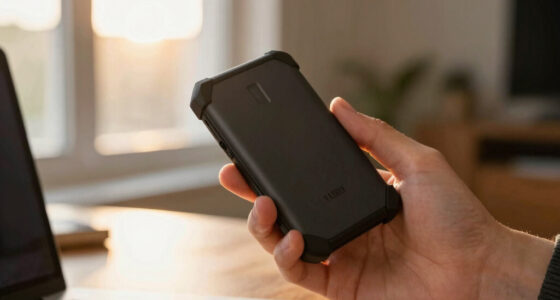
When it comes to personal encrypted flash drives, security and ease of use are the top priorities. The Kingston IronKey Keypad 200 stands out as the best overall thanks to its robust keypad security, while the Apricorn Aegis Secure Key 3 NX offers impressive versatility for different storage needs. These drives face a common tradeoff: higher security often means more complex setups or higher costs. If you’re looking to safeguard sensitive files without sacrificing convenience or budget, continue reading for a detailed breakdown of the best options in 2026.

Get privacy and security gear delivered free with Prime
- Fast, free delivery on millions of items
- Prime Video, Amazon Music and more included
- Member-only deals all year
Key Takeaways
- Top picks balance security features with user-friendly design, making encryption accessible without complexity.
- Capacity varies significantly; choosing the right size depends on your data volume and portability needs.
- Build quality and durability are crucial for long-term reliability, especially for portable use.
- Price ranges reflect different levels of security sophistication—higher cost often correlates with more advanced protection.
- Compatibility with different devices and operating systems can influence ease of use and setup complexity.
| Kingston IronKey Keypad 200 128GB Encrypted USB Flash Drive (IKKP200/128GB) |  | Best for Flexible PIN Control | Capacity: 128GB | Encryption: XTS-AES 256-bit hardware encryption | Certification: FIPS 140-3 Level 3 (pending) | VIEW LATEST PRICE | See Our Full Breakdown |
| Apricorn Aegis Secure Key 3 NX 128GB Encrypted USB 3.0 Flash Drive (ASK3-NX-128GB, Black) |  | Best for Managed Access | Capacity: 128GB | Encryption: 256-bit AES hardware encryption | Validation: FIPS 140-2 Level 3 | VIEW LATEST PRICE | See Our Full Breakdown |
| Kingston Digital 8GB DataTraveler Vault Privacy 3.0 USB Flash Drive (DTVP30/8GB) |  | Best for Lightweight Corporate Deployment | Capacity: 8GB | Encryption: 256-bit AES hardware-based | Interface: USB 3.0 SuperSpeed | VIEW LATEST PRICE | See Our Full Breakdown |
| Apricorn Aegis Secure Key 3NX 8GB Encrypted USB 3.0 Flash Drive (ASK3-NX-8GB), Black | | Best Small-Capacity Pick for Access Controls | Capacity: 8GB | Encryption: 256-bit AES hardware encryption | Validation: FIPS 140-2 Level 3 | VIEW LATEST PRICE | See Our Full Breakdown |
| iStorage datAshur PRO 8 GB Encrypted USB Flash Drive |  | Best Rugged Compact Option | Capacity: 8GB | Encryption: AES-XTS 256-bit hardware encryption | Authentication: 7–15 digit PIN | VIEW LATEST PRICE | See Our Full Breakdown |
| Kingston IronKey Vault Privacy 50 256GB Encrypted USB Drive |  | Best for High-Capacity Security | Storage capacity: 256GB | Encryption: FIPS 197-certified AES 256-bit hardware encryption in XTS mode | Interface: USB 3.2 Gen 1 | VIEW LATEST PRICE | See Our Full Breakdown |
| Apricorn Aegis Secure Key 3 NX 64GB 256-bit Encrypted FIPS 140-2 Level 3 Secure USB 3.0 Flash Drive (ASK3-NX-64GB, Black) | | Best for Managed Access Controls | Capacity: 64GB | Encryption: 256-bit AES hardware encryption | Validation: FIPS 140-2 Level 3; listing states validation was pending at the time | VIEW LATEST PRICE | See Our Full Breakdown |
| Integral Secure 360 32GB Encrypted USB 3.0 Flash Drive |  | Best for Separating Everyday and Sensitive Files | Storage capacity: 32GB | Interface: USB 3.0 (USB 3.2 Gen 1) | Encryption: 256-bit AES | VIEW LATEST PRICE | See Our Full Breakdown |
| Integral Crypto-197 4GB Encrypted USB 3.0 Flash Drive |  | Best for a Small Set of Sensitive Files | Storage capacity: 4GB | Interface: USB 3.0 | Encryption: FIPS 197-certified AES 256-bit hardware encryption | VIEW LATEST PRICE | See Our Full Breakdown |
| INNÔPLUS 64GB Encrypted USB Flash Drive |  | Best for Cross-Platform Speed | Storage capacity: 64GB | Encryption: 256-bit AES XTS hardware encryption | Interface: USB 3.0 | VIEW LATEST PRICE | See Our Full Breakdown |
| Apricorn 128GB Aegis Secure Key 3 NXC 256-Bit Hardware-Encrypted USB 3.2 Type-C Flash Drive (ASK3-NXC-128GB) |  | Best for USB-C Devices | Capacity: 128 GB | Encryption: 256-bit AES-XTS hardware encryption | Validation: FIPS 140-2 Level 3 | VIEW LATEST PRICE | See Our Full Breakdown |
| personal encrypted flash drife | Encryption | Interface | Capacity |
|---|---|---|---|
| Kingston IronKey Keypad 200 12 | XTS-AES 256-bit hardware encryption | — | 128GB |
| Apricorn Aegis Secure Key 3 NX | 256-bit AES hardware encryption | USB 3.0 | 128GB |
| Kingston Digital 8GB DataTrave | 256-bit AES hardware-based | USB 3.0 SuperSpeed | 8GB |
| Apricorn Aegis Secure Key 3NX | 256-bit AES hardware encryption | USB 3.0 | 8GB |
| iStorage datAshur PRO 8 GB Enc | AES-XTS 256-bit hardware encryption | USB 3.2, backwards compatible | 8GB |
| Kingston IronKey Vault Privacy | FIPS 197-certified AES 256-bit hardware encryption in XTS mode | USB 3.2 Gen 1 | — |
| Apricorn Aegis Secure Key 3 NX | 256-bit AES hardware encryption | USB 3.0 | 64GB |
| Integral Secure 360 32GB Encry | 256-bit AES | USB 3.0 (USB 3.2 Gen 1) | — |
| Integral Crypto-197 4GB Encryp | FIPS 197-certified AES 256-bit hardware encryption | USB 3.0 | — |
| INNÔPLUS 64GB Encrypted USB Fl | 256-bit AES XTS hardware encryption | USB 3.0 | — |
| Apricorn 128GB Aegis Secure Ke | 256-bit AES-XTS hardware encryption | — | 128 GB |
More Details on Our Top Picks
Kingston IronKey Keypad 200 128GB Encrypted USB Flash Drive (IKKP200/128GB)
The IronKey Keypad 200 pairs 128GB of storage with an onboard keypad, so PIN entry does not depend on the computer you plug it into. Its admin and user PINs suit someone who needs to grant access while retaining a separate administrator credential, and its brute-force and BadUSB protections add layers aimed at deliberate attacks. Compared with the Apricorn Aegis Secure Key 3 NX 128GB, this Kingston is the more compelling fit when OS and device independence are central; the Apricorn offers read-only modes and recovery PINs that may matter more for managed workflows. The tradeoff is physical: the keypad makes the drive bulkier than a conventional stick. Its listed FIPS 140-3 Level 3 status is pending, so buyers who require completed validation should look to a validated alternative such as the Apricorn.
Pros:- 128GB capacity for a broad mix of personal and work files
- Onboard keypad supports admin and user PIN access without host software
- XTS-AES 256-bit hardware encryption with brute-force and BadUSB protections
- OS and device independent operation
Cons:- FIPS 140-3 Level 3 certification is pending
- Keypad adds bulk compared with standard flash drives
Best for: People carrying sensitive files between different operating systems who want separate administrator and user PIN access.
Not ideal for: Buyers who need completed FIPS 140-3 Level 3 certification or a slim drive that stays unobtrusive on a crowded USB port.
- Capacity:128GB
- Encryption:XTS-AES 256-bit hardware encryption
- Certification:FIPS 140-3 Level 3 (pending)
- Access:Alphanumeric keypad; admin and user PINs
- Security features:Brute-force protection and BadUSB protection
- Compatibility:OS and device independent
- Model:IKKP200/128GB
- Color:Blue
Our verdict“Choose this Kingston if you need roomy, device-independent encrypted storage with separate PIN roles and can accept pending certification.”
Apricorn Aegis Secure Key 3 NX 128GB Encrypted USB 3.0 Flash Drive (ASK3-NX-128GB, Black)
The Aegis Secure Key 3 NX is a strong match for people who need encrypted storage with practical controls for sharing and recovery. Its onboard keypad keeps PIN entry off the host computer, while separate Admin and User modes, data recovery PINs, and two read-only modes give an owner several ways to manage access and reduce unwanted writes. That makes it more suited to controlled handoffs than the Kingston IronKey Keypad 200, whose supplied details emphasize device independence and brute-force and BadUSB protection. The Apricorn’s FIPS 140-2 Level 3 validation is a completed credential in the supplied data, unlike the Kingston’s pending FIPS 140-3 status. In exchange, this drive uses USB 3.0, and its layered modes may be more than a personal user needs for occasional file transfers.
Pros:- FIPS 140-2 Level 3 validated hardware encryption
- Separate administrator and user access modes
- Two read-only modes can help limit unwanted data changes
- Data recovery PINs provide an added path to regain access
Cons:- USB 3.0 is an older interface than the USB 3.2 listed for the iStorage datAshur PRO
- Multiple PIN and read-only modes add setup and management complexity
Best for: Consultants or small teams who pass sensitive files between users and want read-only controls, recovery PINs, and validated hardware encryption.
Not ideal for: People who want the newest listed interface or a simple, low-friction drive without multiple access modes to manage.
- Capacity:128GB
- Encryption:256-bit AES hardware encryption
- Validation:FIPS 140-2 Level 3
- Interface:USB 3.0
- Access modes:Separate Admin and User modes
- Read-only modes:Two
- Recovery:Data recovery PINs
- Model:ASK3-NX-128GB
Our verdict“Pick the Apricorn if managed sharing and recovery controls matter more to you than a newer interface or simple operation.”
Kingston Digital 8GB DataTraveler Vault Privacy 3.0 USB Flash Drive (DTVP30/8GB)
The DataTraveler Vault Privacy 3.0 brings 256-bit AES hardware encryption to a modest 8GB drive, with customization options for organizations that need storage aligned to internal IT requirements. Its USB 3.0 support and TAA compliance give it a workplace-oriented profile, while optional ESET anti-virus protection may suit deployments that want that added layer. Compared with the Apricorn Aegis Secure Key 3 NX 8GB, the Kingston’s supplied feature set highlights corporate customization and optional antivirus rather than PIN roles, recovery credentials, and read-only modes. That distinction makes the Apricorn more attractive for hands-on access control. The Kingston’s main limit is capacity: 8GB works for a defined set of documents, but leaves far less room than the 128GB options for larger personal archives or mixed media.
Pros:- 256-bit AES hardware-based encryption
- Customizable for internal corporate IT requirements
- USB 3.0 SuperSpeed interface
- TAA compliant
Cons:- 8GB capacity is restrictive for larger files and ongoing personal backups
- ESET anti-virus protection is optional and may require additional cost
Best for: Organizations issuing encrypted sticks for a small, specified set of work documents and requiring TAA-compliant hardware.
Not ideal for: Individuals backing up large folders, photos, or video, or buyers who want detailed keypad access controls listed up front.
- Capacity:8GB
- Encryption:256-bit AES hardware-based
- Interface:USB 3.0 SuperSpeed
- Customization:Configurable for internal corporate IT requirements
- Anti-virus:Optional ESET protection
- Compliance:TAA compliant
- Model:DTVP30/8GB
Our verdict“Choose this Kingston for policy-driven deployments of small document sets, but skip it for broad personal storage.”
Apricorn Aegis Secure Key 3NX 8GB Encrypted USB 3.0 Flash Drive (ASK3-NX-8GB), Black
The 8GB Aegis Secure Key 3NX keeps the same managed-access focus as its larger 128GB sibling: hardware AES encryption, separate admin and user modes, recovery PINs, and two read-only modes. Those controls are useful when the drive carries a narrow set of files and the owner wants to limit who can change them. Compared with the Kingston DataTraveler Vault Privacy 3.0 8GB, the Apricorn provides a more explicit set of keypad and write-protection controls, while the Kingston emphasizes corporate customization and optional ESET protection. The Apricorn’s FIPS 140-2 Level 3 validation is another clear fit for security-conscious deployments. Capacity is the defining compromise: 8GB is suitable for documents or a small transfer batch, but it falls well short of the 128GB encrypted options for carrying a broader library.
Pros:- FIPS 140-2 Level 3 validated hardware encryption
- Separate admin and user modes
- Two read-only modes help restrict writes
- Data recovery PINs can help prevent lockout
Cons:- 8GB capacity sharply limits larger files and long-term storage
- USB 3.0 interface is older than the USB 3.2 interface listed for the iStorage datAshur PRO
Best for: People who need a small, controlled handoff of sensitive documents with separate PIN roles and read-only options.
Not ideal for: Photographers, travelers with large media libraries, or anyone using one drive for broad backups.
- Capacity:8GB
- Encryption:256-bit AES hardware encryption
- Validation:FIPS 140-2 Level 3
- Interface:USB 3.0
- Access control:Separate Admin and User modes
- Read-only modes:Two
- Data recovery:Recovery PINs
- Model:ASK3-NX-8GB
Our verdict“This Apricorn suits PIN-managed transfers of a small document set, provided 8GB is enough for your files.”
iStorage datAshur PRO 8 GB Encrypted USB Flash Drive
The iStorage datAshur PRO is the compact pick for someone who values protection from physical conditions as much as encrypted access. Its IP57 dust and water resistance gives it an advantage over the listed Apricorn Aegis Secure Key 3NX 8GB, whose supplied specifications focus on PIN roles, read-only modes, and recovery rather than ingress protection. AES-XTS 256-bit encryption, a 7–15 digit PIN, and broad operating-system compatibility make this a versatile choice for carrying a small set of files between devices. The USB 3.2 interface and listed transfer speeds also distinguish it from the USB 3.0 Apricorn. The compromise is the 8GB capacity, which limits its usefulness for large backups, and the keypad requires PIN entry each time it is used.
Pros:- AES-XTS 256-bit hardware encryption without software
- IP57 dust and water resistance
- FIPS 140-2 Level 3 certification
- USB 3.2 interface with listed read speeds up to 169MB/s and write speeds up to 135MB/s
Cons:- 8GB capacity is limited for large files and broad backups
- Onboard keypad requires PIN entry for use
Best for: People who carry a small set of sensitive files outdoors or between varied devices and want dust and water resistance.
Not ideal for: Users who need room for large backups, or who prefer not to enter a PIN on the drive for each use.
- Capacity:8GB
- Encryption:AES-XTS 256-bit hardware encryption
- Authentication:7–15 digit PIN
- Certification:FIPS 140-2 Level 3
- Ingress protection:IP57 dust and water resistance
- Interface:USB 3.2, backwards compatible
- Read speed:Up to 169MB/s
- Write speed:Up to 135MB/s
- Compatibility:Windows, macOS, Linux, Chrome, Android, and listed thin/zero clients, embedded systems, Citrix, and VMware
Our verdict“Choose the datAshur PRO if ruggedness and cross-device use matter more than capacity.”
Kingston IronKey Vault Privacy 50 256GB Encrypted USB Drive
The 256GB capacity makes the Kingston IronKey Vault Privacy 50 a strong fit for carrying large work files alongside personal records. Its FIPS 197-certified AES 256-bit hardware encryption, brute-force protection, and digitally signed firmware address risks that ordinary flash storage does not. Compared with the Apricorn Aegis Secure Key 3 NX 64GB, it offers four times the listed capacity and specified read and write speeds of 230 MB/s, while both focus on hardware encryption and access control. The tradeoff is a USB Type-A connector, which may call for an adapter with newer laptops, and the supplied dimensions look unusually large for a flash drive. Its write-protect settings add useful control, but buyers should check the physical size before choosing it for pocket carry.
Pros:- 256GB capacity suits larger file collections
- FIPS 197-certified hardware AES 256-bit encryption in XTS mode
- Brute-force protection and digitally signed firmware
- Write-protect settings and flexible password modes
Cons:- USB Type-A connector may require an adapter on newer devices
- Listed dimensions are unusually large for a flash drive
Best for: People carrying sizable confidential work archives who have a USB Type-A port and want hardware encryption with write-protect controls.
Not ideal for: Laptop users who need a native USB Type-C drive or buyers prioritizing a small pocket-sized device.
- Storage capacity:256GB
- Encryption:FIPS 197-certified AES 256-bit hardware encryption in XTS mode
- Interface:USB 3.2 Gen 1
- Connector:USB Type-A
- Read speed:230 MB/s
- Write speed:230 MB/s
- Compliance:TAA compliant
- Dimensions:7.09 × 5.12 × 0.39 in
Our verdict“Choose the Vault Privacy 50 if you need substantial encrypted storage and can accommodate its Type-A connector and listed size.”
Apricorn Aegis Secure Key 3 NX 64GB 256-bit Encrypted FIPS 140-2 Level 3 Secure USB 3.0 Flash Drive (ASK3-NX-64GB, Black)
The Aegis Secure Key 3 NX stands out for its access controls: separate admin and user modes, two read-only modes, and recovery PINs give teams more ways to manage a drive than the simpler password-and-erase setup of the Integral Secure 360. Its 256-bit AES hardware encryption and stated FIPS 140-2 Level 3 validation suit buyers who need a security-focused device, while Aegis Configurator support can help with bulk deployment. At 64GB, it holds less than the Kingston IronKey Vault Privacy 50 256GB, so it makes more sense for controlled document sets than large archives. The listing also says validation was pending at the time it was written, a point buyers with formal compliance requirements should verify. USB 3.0 is specified, but no transfer speeds are provided.
Pros:- Hardware-based 256-bit AES encryption
- Separate admin and user modes
- Two read-only modes can prevent writes to the drive
- Recovery PINs and Aegis Configurator support
Cons:- 64GB capacity is modest beside the Kingston IronKey Vault Privacy 50
- Listing notes FIPS validation was pending at the time
- No read or write speed figures are supplied
Best for: Small IT teams or security-conscious professionals who need admin and user access modes, recovery PINs, and read-only options.
Not ideal for: Buyers needing a large archive drive, published transfer speeds, or independently confirmed current compliance status.
- Capacity:64GB
- Encryption:256-bit AES hardware encryption
- Validation:FIPS 140-2 Level 3; listing states validation was pending at the time
- Interface:USB 3.0
- Access features:Admin and user modes; two read-only modes; recovery PINs
- Management:Compatible with Aegis Configurator for bulk deployment
- Model:ASK3-NX-64GB
- Color:Black
Our verdict“Pick the Aegis Secure Key 3 NX for configurable access management in a smaller encrypted drive, after checking its current validation status.”
Integral Secure 360 32GB Encrypted USB 3.0 Flash Drive
The dual-partition setup gives the Integral Secure 360 a practical role: keep ordinary files in a public area and reserve an encrypted partition for private documents. That separation is more straightforward for mixed personal use than the admin, user, and recovery controls on the Apricorn Aegis Secure Key 3 NX. Its capless rotating housing also avoids a loose cap, and it works with Windows and macOS without software installation or a subscription. Capacity is limited to 32GB, however, and its “up to 5Gbps” transfer claim is an interface figure rather than a clear real-world read or write speed. After ten failed access attempts, the drive erases its data. Compared with the Integral Crypto-197 4GB, it gives buyers substantially more room, though that smaller model lists FIPS 197 certification.
Pros:- Separate public and encrypted partitions
- Encrypted space can use up to the full capacity
- Capless rotating housing avoids a detached cap
- Works with Windows and macOS without extra software
Cons:- 32GB capacity may be restrictive for large files
- Transfer speed is stated only as up to 5Gbps
- Ten failed access attempts trigger data erasure
Best for: Windows or Mac users who want a modest-capacity drive with a separate encrypted area for personal documents and routine files.
Not ideal for: People storing large collections or anyone who cannot risk losing data after repeated failed access attempts.
- Storage capacity:32GB
- Interface:USB 3.0 (USB 3.2 Gen 1)
- Encryption:256-bit AES
- Maximum transfer speed:Up to 5Gbps
- Partitioning:Dual partition; up to the full capacity can be encrypted
- Failed access protection:Data erased after 10 failed attempts; drive can be reset and reused
- Compatibility:Windows and macOS
- Warranty:2 years
Our verdict“Choose the Secure 360 if partition separation and a capless design matter more than high capacity or clearly stated transfer speeds.”
Integral Crypto-197 4GB Encrypted USB 3.0 Flash Drive
The Crypto-197’s 4GB capacity is its defining limit and its clearest use case: it can carry a compact set of sensitive documents without inviting buyers to treat it as a general-purpose archive. It pairs FIPS 197-certified AES 256-bit hardware encryption with automatic locking when disconnected, plus a dual-layer waterproof casing. Like the larger Integral Secure 360, it needs no software installation or subscription, but the Crypto-197 lists a stricter six-attempt erase trigger, compared with ten attempts on that model. That may appeal to someone worried about unauthorized access, but it raises the cost of forgetting a password. The required 8–16 character alphanumeric password adds a clear access rule, while the small capacity leaves little room for photos, backups, or growing work files.
Pros:- FIPS 197-certified AES 256-bit hardware encryption
- Automatically locks when disconnected
- Dual-layer waterproof casing
- No software installation or subscription required
Cons:- 4GB capacity is too limited for many modern file collections
- Data erases after six unsuccessful access attempts
- Requires an 8–16 character alphanumeric password
Best for: People carrying a small, fixed set of confidential documents who value FIPS 197 certification and a waterproof casing.
Not ideal for: Users who need room for media libraries or who may struggle to remember a longer password under pressure.
- Storage capacity:4GB
- Interface:USB 3.0
- Encryption:FIPS 197-certified AES 256-bit hardware encryption
- Password:8–16 character alphanumeric password
- Failed access protection:Erases data after 6 unsuccessful attempts
- Compatibility:PC and Mac
- Design:Dual-layer waterproof casing
- Software:No installation or subscription required
Our verdict“The Crypto-197 fits buyers carrying only a few sensitive files who accept tight capacity and a low failed-attempt limit.”
INNÔPLUS 64GB Encrypted USB Flash Drive
The INNÔPLUS combines 64GB capacity with broad stated compatibility across Windows, Mac, Linux, and embedded systems, making it a flexible pick for people moving files between different machines. Its listed read speed of up to 480 MB/s is higher than the Kingston IronKey Vault Privacy 50’s 230 MB/s figure, though the INNÔPLUS write speed is up to 160 MB/s and the Kingston lists 230 MB/s for both. Both use hardware encryption, but the INNÔPLUS specifies AES XTS and a zinc alloy casing, while Kingston adds digitally signed firmware and write-protect settings. The INNÔPLUS erases data after ten incorrect password attempts, which can protect against guessing but makes password recovery important. Buyers should also weigh the supplied product data, which gives no certification claim.
Pros:- 64GB capacity with AES XTS hardware encryption
- Listed compatibility includes Windows, Mac, Linux, and embedded systems
- Stated read speed up to 480 MB/s
- Zinc alloy casing
Cons:- Data erases after 10 incorrect password attempts
- Write speed is listed as up to 160 MB/s, below its stated read speed
- Supplied product data does not state a security certification
Best for: People who move encrypted files among Windows, Mac, Linux, or embedded systems and want stated read-speed figures.
Not ideal for: Buyers whose procurement requires a stated FIPS certification or who need high sustained write speeds.
- Storage capacity:64GB
- Encryption:256-bit AES XTS hardware encryption
- Interface:USB 3.0
- Connector:USB Type-A
- Read speed:Up to 480 MB/s
- Write speed:Up to 160 MB/s
- Compatible systems:Windows, Mac, Linux, embedded systems
- Security feature:Factory reset and data erasure after 10 incorrect password attempts
Our verdict“Choose the INNÔPLUS for cross-platform use and a high stated read speed if its erase-on-failure policy suits your backup habits.”
Apricorn 128GB Aegis Secure Key 3 NXC 256-Bit Hardware-Encrypted USB 3.2 Type-C Flash Drive (ASK3-NXC-128GB)
The Aegis Secure Key 3 NXC is a strong fit for buyers who want hardware encryption and a USB-C connection for newer laptops, tablets, or OTG-capable phones. Its keypad-based, software-free authentication lets you unlock the drive without installing an app, while separate admin and user modes offer more control than a basic single-user setup. Like the USB-A Aegis Secure Key 3 NX, it pairs 256-bit AES-XTS encryption with FIPS 140-2 Level 3 validation; the NXC’s main distinction is its Type-C connector. That convenience comes with compatibility limits: older computers without USB-C may need an adapter, and the internal battery can require charging. Its listed transfer speeds also vary by direction, so buyers handling large files should check which speed matters for their workflow.
Pros:- FIPS 140-2 Level 3 validation with 256-bit AES-XTS hardware encryption
- Software-free keypad authentication with separate admin and user modes
- USB 3.2 Type-C connector supports compatible computers, tablets, and OTG smartphones
- Compact dimensions make it easy to carry
Cons:- USB-C connector may require an adapter for older USB-A devices
- Internal battery adds a charging consideration
- Listed read and write speeds are uneven, so performance expectations depend on the transfer direction
Best for: USB-C laptop and tablet owners who want keypad authentication and encrypted storage they can also connect to compatible OTG smartphones.
Not ideal for: People using mostly older USB-A devices or seeking a simple, low-maintenance drive, since an adapter or battery charging may complicate use.
- Capacity:128 GB
- Encryption:256-bit AES-XTS hardware encryption
- Validation:FIPS 140-2 Level 3
- Connector:USB 3.2 Type-C
- Read speed:171 MB/s
- Write speed:625 MB/s
- Power:USB port or internal battery
- Dimensions:3.25 × 0.75 × 0.25 in
- Warranty:2 years
Our verdict“Choose the Aegis Secure Key 3 NXC if your devices are USB-C and you want keypad-controlled, validated hardware encryption in a compact drive.”

How We Picked
The products in this roundup were evaluated based on security features, ease of use, build quality, compatibility, and value. We prioritized drives that offer strong encryption standards, such as FIPS 140-2 or AES 256-bit, ensuring data remains protected from unauthorized access. Usability was also key: drives with intuitive interfaces, reliable hardware, and straightforward setup made the cut. We excluded options that lacked proven security certifications or had compatibility issues. The ranking reflects a balance between security sophistication and practical usability, aiming to serve a range of user needs from beginners to security experts.| personal encrypted flash drife | Interface |
|---|---|
| Kingston IronKey Keypad 200 12 | — |
| Apricorn Aegis Secure Key 3 NX | USB 3.0 |
| Kingston Digital 8GB DataTrave | USB 3.0 SuperSpeed |
| Apricorn Aegis Secure Key 3NX | USB 3.0 |
| iStorage datAshur PRO 8 GB Enc | USB 3.2, backwards compatible |
| Kingston IronKey Vault Privacy | USB 3.2 Gen 1 |
| Apricorn Aegis Secure Key 3 NX | USB 3.0 |
| Integral Secure 360 32GB Encry | USB 3.0 (USB 3.2 Gen 1) |
| Integral Crypto-197 4GB Encryp | USB 3.0 |
| INNÔPLUS 64GB Encrypted USB Fl | USB 3.0 |
| Apricorn 128GB Aegis Secure Ke | — |
Factors to Consider When Choosing Personal Encrypted Flash Drives
Choosing a personal encrypted flash drive requires understanding several factors beyond basic security features. The right drive depends on your specific needs, whether it’s maximum portability, ease of access, or robust protection for sensitive data. Consider these key aspects to make an informed decision that balances security, convenience, and cost.Security Standards and Encryption Level
Look for drives that meet recognized security certifications such as FIPS 140-2 or FIPS 140-3, which indicate compliance with high security standards. Encryption strength, typically AES 256-bit, determines how effectively data is protected. Remember, higher encryption levels often mean more complex management and sometimes slower data transfer speeds, so weigh your security needs against practical use cases.
Ease of Use and Setup
Some drives feature hardware keypads or biometric authentication that simplify access without relying solely on software. Others might require dedicated apps or software, which can be a hurdle for less tech-savvy users. Be cautious of overly complex setups that could frustrate daily use or limit quick access when needed. A user-friendly interface can significantly improve your overall experience, especially if you plan to use the drive regularly.
Build Quality and Durability
Since portable encrypted drives are often carried around, durability matters. Look for metal casings, water or dust resistance, and shockproof designs if you expect rough handling. A resilient drive reduces the risk of physical damage that could compromise security or data integrity over time. Cheaper plastics or flimsy designs might save money upfront but could lead to costly replacements or data loss.
Capacity and Compatibility
Data volume dictates the capacity you need; drives range from 4GB to several terabytes. Think about your typical data size and future growth. Compatibility with your devices—Windows, macOS, Linux, or mobile platforms—is equally important. Some drives support USB-C, others USB-A, and a few offer both, so ensure your choice aligns with your devices for seamless use.
Price and Value
Security features, capacity, and build quality influence the cost of encrypted drives. While it might be tempting to choose the cheapest option, investing in a reputable brand with proven security features usually offers better long-term protection. Consider what level of encryption and durability you need, and balance this against your budget to avoid overspending on unnecessary features or risking security with cheaper, less reliable options.
Frequently Asked Questions
How do encrypted flash drives protect my data from unauthorized access?
Encrypted flash drives use hardware or software-based encryption to scramble your data, making it unreadable without the correct authentication method such as a PIN, password, or biometric verification. This encryption process happens in real-time, so even if the drive is lost or stolen, your data remains protected against unauthorized access. Many drives also include tamper-resistant features that erase data if physical tampering is detected, adding an extra layer of security.
Can I use encrypted drives across different operating systems?
Most encrypted drives are compatible with multiple operating systems, but the level of support varies. Drives with USB-C or USB-A connectors tend to be more versatile. However, some require specific software or drivers, which might not be available on all platforms. For cross-platform use, look for drives explicitly stating compatibility with Windows, macOS, and Linux, or consider those with hardware-based encryption that doesn’t rely heavily on proprietary software.
Will encryption slow down my data transfer speeds?
Encryption does introduce some overhead, potentially reducing transfer speeds compared to non-encrypted drives. The impact varies depending on the encryption standard, hardware quality, and interface type (USB 3.0, USB 3.2, USB-C). Higher security levels often lead to slightly slower speeds, but many modern drives are optimized to minimize this impact, ensuring that security doesn’t come at the expense of usability.
Are there risks of losing access if I forget my password or PIN?
Yes, most encrypted drives rely on the user’s ability to remember their password, PIN, or biometric data. Losing this information can mean losing access to all stored data, especially if the drive doesn’t have a backdoor or recovery option. Some models offer optional recovery keys or cloud backup features, but these can introduce additional security considerations. It’s essential to choose a secure but memorable authentication method and keep backup copies of recovery info if available.
Is physical durability important for encrypted drives?
Absolutely. Since encrypted drives are portable, their physical resilience is critical. A rugged, shockproof, or water-resistant design can prevent damage from drops, spills, or environmental exposure. Physical durability ensures that your data remains protected not just from cyber threats but also from accidental damage, which could otherwise expose sensitive information if the drive becomes unusable or is compromised physically.
Conclusion
For general users seeking reliable security, the Kingston IronKey Keypad 200 makes the most sense thanks to its balanced combination of strong encryption and ease of use. Those prioritizing value will find the Apricorn Aegis Secure Key 3 NX offers excellent features at a more accessible price point. Power users or professionals handling highly sensitive data should consider premium options like the iStorage datAshur PRO for maximum security. Beginners should focus on drives with straightforward interfaces, while those with specific device needs should verify compatibility before purchasing. This roundup aims to help you find the right encrypted drive tailored to your security level, budget, and usability preferences.