
The 11 best encrypted USB drives balance strong protection with a login method and capacity that fit your routine. My best overall pick is the Kingston IronKey Vault Privacy 50, a capable hardware-encrypted flash drive for buyers who want a practical everyday option. The Apricorn Aegis Secure Key 3 NXC stands out for USB-C use, while the Apricorn Aegis Padlock 1TB suits buyers who need far more space than a typical flash drive offers. The main tradeoffs are capacity, connection type, keypad convenience, and whether the device is a flash drive or an external hard drive. Read on for the full breakdown and help matching a drive to your devices and security needs.

Get privacy and security gear delivered free with Prime
- Fast, free delivery on millions of items
- Prime Video, Amazon Music and more included
- Member-only deals all year
Key Takeaways
- The Kingston IronKey Vault Privacy 50 is the strongest all-rounder in this lineup: it offers 128GB capacity, while the larger 1TB Aegis Padlock is a different class of storage, not a pocket-sized flash drive.
- USB-C compatibility narrows the field: the Apricorn Aegis Secure Key 3 NXC is the clearest fit here for buyers prioritizing a USB-C connection.
- Physical keypad models trade simplicity for independent access: Apricorn, Kingston IronKey Keypad 200, and iStorage options suit buyers who want to enter credentials on the drive rather than rely on computer software.
- Capacity varies sharply: the roundup spans 4GB to 1TB, so the smallest Integral Crypto-197 is better suited to a narrow set of documents than a growing media library.
- Some names cover multiple configurations: the two Integral Crypto-197 entries have different capacities, and the two Apricorn Secure Key models differ in connection and capacity; verify the exact version before purchase.
| Integral Crypto-197 16GB USB 3.0 Hardware-Encrypted Flash Drive |  | Best for Tamper-Response Security | Storage capacity: 16 GB | Encryption: AES 256-bit hardware encryption | Certification: FIPS 197 | VIEW ON AMAZON | See Our Full Breakdown |
| Dohaeris 64GB Encrypted USB 3.0 Flash Drive |  | Best for Keypad Unlocking | Storage capacity: 64 GB | Encryption: AES-256 hardware encryption | Interface and connector: USB 3.0, USB Type-A | VIEW ON AMAZON | See Our Full Breakdown |
| INNÔPLUS 32GB Encrypted USB 3.0 Flash Drive |  | Best for Multi-OS Compatibility | Storage capacity: 32 GB | Encryption: 256-bit AES XTS hardware encryption | Interface and connector: USB 3.0, USB Type-A | VIEW ON AMAZON | See Our Full Breakdown |
| Apricorn Aegis Secure Key 3 NXC 128GB Hardware-Encrypted USB-C Flash Drive |  | Best Premium USB-C Pick | Storage capacity: 128 GB | Encryption: 256-bit AES-XTS hardware encryption | Security validation: FIPS 140-2 Level 3 | VIEW ON AMAZON | See Our Full Breakdown |
| Kingston IronKey Locker+ 50 G2 128GB Encrypted USB Drive |  | Best for Flexible Password Management | Storage capacity: 128 GB | Encryption: 256-bit XTS-AES hardware encryption | Certification: FIPS 197 | VIEW ON AMAZON | See Our Full Breakdown |
| Kingston IronKey Vault Privacy 50 128GB Encrypted USB Drive | 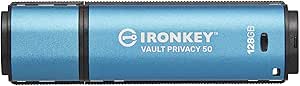 | Best for Managed Security Controls | Storage capacity: 128 GB | Encryption: FIPS 197-certified AES-256 hardware encryption in XTS mode | Interface: USB 3.2 Gen 1 | VIEW ON AMAZON | See Our Full Breakdown |
| Integral Crypto-197 4GB Encrypted USB 3.0 Flash Drive | | Best for Small, Sensitive Files | Storage capacity: 4 GB | Interface: USB 3.0 | Encryption: FIPS 197-certified 256-bit AES hardware encryption | VIEW ON AMAZON | See Our Full Breakdown |
| Apricorn Aegis Padlock 1TB USB 3.0 Hardware-Encrypted External Hard Drive |  | Best for Encrypted Bulk Storage | Storage capacity: 1 TB (1024 GB) | Encryption: 256-bit AES-XTS hardware encryption | Interface: USB 3.0; backward compatible with USB 2.0 and 1.1 | VIEW ON AMAZON | See Our Full Breakdown |
| Apricorn Aegis Secure Key 3NX 8GB Encrypted USB 3.0 Flash Drive |  | Best for Keypad Access Across Devices | Storage capacity: 8 GB | Encryption: 256-bit AES XTS | Security validation: FIPS 140-2 Level 3 | VIEW ON AMAZON | See Our Full Breakdown |
| Kingston IronKey Keypad 200 16GB Encrypted USB Drive |  | Best for Keypad-Based PIN Security | Storage capacity: 16 GB | Interface: USB 3.2 Gen 1 | Encryption: XTS-AES 256-bit hardware encryption | VIEW ON AMAZON | See Our Full Breakdown |
| iStorage datAshur PRO 16GB Encrypted USB Flash Drive |  | Best for Rugged, Compliance-Focused Security | Capacity: 16 GB | Interface: USB 3.0 | Encryption: AES-XTS 256-bit | VIEW ON AMAZON | See Our Full Breakdown |
| encrypted usb drife | Encryption | Read speed | Storage capacity | Write speed |
|---|---|---|---|---|
| Integral Crypto-197 16GB USB 3 | AES 256-bit hardware encryption | 130 MB/s | 16 GB | 100 MB/s |
| Dohaeris 64GB Encrypted USB 3. | AES-256 hardware encryption | Listed as 5 gigabytes per second | 64 GB | — |
| INNÔPLUS 32GB Encrypted USB 3. | 256-bit AES XTS hardware encryption | Up to 480 MB/s | 32 GB | Up to 160 MB/s |
| Apricorn Aegis Secure Key 3 NX | 256-bit AES-XTS hardware encryption | 171 MB/s | 128 GB | 625 MB/s |
| Kingston IronKey Locker+ 50 G2 | 256-bit XTS-AES hardware encryption | Up to 145 MB/s | 128 GB | Up to 115 MB/s |
| Kingston IronKey Vault Privacy | FIPS 197-certified AES-256 hardware encryption in XTS mode | 250 MB/s | 128 GB | 250 MB/s |
| Integral Crypto-197 4GB Encryp | FIPS 197-certified 256-bit AES hardware encryption | 120 MB/s | 4 GB | — |
| Apricorn Aegis Padlock 1TB USB | 256-bit AES-XTS hardware encryption | 0.5 GB/s | 1 TB (1024 GB) | — |
| Apricorn Aegis Secure Key 3NX | 256-bit AES XTS | 77 MB/s | 8 GB | 72 MB/s |
| Kingston IronKey Keypad 200 16 | XTS-AES 256-bit hardware encryption | 145 MB/s | 16 GB | 115 MB/s |
| iStorage datAshur PRO 16GB Enc | AES-XTS 256-bit | 169 MB/s | — | 116 MB/s |
More Details on Our Top Picks
Integral Crypto-197 16GB USB 3.0 Hardware-Encrypted Flash Drive
The Integral Crypto-197 is a focused pick for buyers who value a clear response to repeated password guessing: after six failed attempts, it erases the stored data. Its FIPS 197-certified AES 256-bit hardware encryption and automatic locking when unplugged add protection without relying on computer software. Compared with the INNÔPLUS 32GB, it offers half the capacity and a lower stated write speed, but its shorter failed-attempt limit makes the security response more aggressive. A double-layer casing is designed to resist impacts and water, useful for a drive carried outside a desk. That protection comes with a real downside: a forgotten password or mistyped attempts can permanently erase files, and the required 8–16 character alphanumeric password may be less convenient than keypad entry.
Pros:- FIPS 197-certified AES 256-bit hardware encryption
- Automatically locks when disconnected
- Erases stored data after six incorrect access attempts
- Double-layer casing is designed to resist impacts and water
Cons:- Six failed attempts can erase files after accidental password-entry mistakes
- 16GB capacity is limited for large backups or media libraries
- Requires an 8–16 character alphanumeric password rather than keypad entry
Best for: People carrying a small set of sensitive files who want certified hardware encryption and an automatic data-erasure response to repeated guessing.
Not ideal for: Users storing large libraries or anyone likely to forget passwords, since it holds only 16GB and erases data after six failed entries.
- Storage capacity:16 GB
- Encryption:AES 256-bit hardware encryption
- Certification:FIPS 197
- Interface and connector:USB 3.0, USB Type-A
- Read speed:130 MB/s
- Write speed:100 MB/s
- Password requirement:8–16 alphanumeric characters
- Failed attempts before erasure:6
Our verdict“Choose the Integral Crypto-197 if a strict failed-attempt response and certified encryption matter more than capacity or forgiving password recovery.”
Dohaeris 64GB Encrypted USB 3.0 Flash Drive
The Dohaeris 64GB separates password entry from the host computer with an independent keypad, a useful distinction for buyers who want to enter credentials on the drive itself. It locks after 30 seconds or when unplugged, then erases data after ten incorrect attempts. Its capacity sits between the 16GB Integral Crypto-197 and 128GB options such as the Kingston IronKey Locker+ 50 G2, making it a middle-ground choice for work files. The aluminum alloy shell and keyring-friendly form support portable use, and the listed compatibility includes Windows and several Linux distributions. The tradeoff is its FAT32 file system, which can block individual files larger than 4GB. The claimed 5 gigabytes-per-second read speed is unusually high relative to the listed USB 3.0 interface, so buyers should verify real-world performance expectations.
Pros:- Independent keypad allows password entry on the drive
- Automatically locks after 30 seconds or when unplugged
- 64GB capacity offers more room than the 16GB Integral Crypto-197
- Aluminum alloy shell and compact form support portable carrying
Cons:- FAT32 may limit individual files to 4GB
- Ten incorrect entries erase stored data
- The stated 5 gigabytes-per-second read speed is unusually high for the listed USB 3.0 interface
Best for: Windows or listed Linux users who want keypad-based password entry and moderate storage for documents and smaller work files.
Not ideal for: People who regularly transfer single files larger than 4GB, or buyers who need a broadly verified high-speed drive for large transfers.
- Storage capacity:64 GB
- Encryption:AES-256 hardware encryption
- Interface and connector:USB 3.0, USB Type-A
- Unlock method:Independent keypad
- Automatic lock:After 30 seconds or when unplugged
- Incorrect password limit:10 attempts before data erasure
- File system:FAT32
- Compatible systems:Windows, CentOS 7, Red Hat 7.5, Windows Server 2012/2016
- Read speed:Listed as 5 gigabytes per second
Our verdict“Pick the Dohaeris if keypad entry and 64GB capacity suit your workflow, but skip it for large individual files or if its speed claim is central to your decision.”
INNÔPLUS 32GB Encrypted USB 3.0 Flash Drive
The INNÔPLUS 32GB is a practical fit for people moving protected files between Windows, Mac, Linux, and embedded systems without installing extra software. Its AES XTS hardware encryption and stated read speed of up to 480 MB/s give it a performance-oriented profile compared with the Integral Crypto-197, which lists 130 MB/s read speed and adds a double-layer casing designed for water and impact resistance. The zinc alloy shell keeps this model compact, while 32GB is enough for a working set of documents and selected media rather than a full backup. It resets and erases data after ten incorrect password attempts, so password mistakes carry a serious cost. The Type-A connector may also require an adapter for newer devices that lack a compatible port.
Pros:- 256-bit AES XTS hardware encryption
- Works with Windows, Mac, Linux, and embedded systems without extra software
- Stated read speeds up to 480 MB/s and write speeds up to 160 MB/s
- Compact zinc alloy shell
Cons:- Ten incorrect password attempts trigger factory reset and data erasure
- 32GB capacity is modest compared with the 128GB Apricorn Aegis Secure Key 3 NXC
- USB Type-A may require an adapter for devices without a matching port
Best for: People who share encrypted files across Windows, Mac, Linux, and embedded systems and need software-free compatibility in a compact drive.
Not ideal for: Owners of USB-C-only devices who do not want an adapter, or anyone needing higher capacity or a forgiving password-recovery process.
- Storage capacity:32 GB
- Encryption:256-bit AES XTS hardware encryption
- Interface and connector:USB 3.0, USB Type-A
- Read speed:Up to 480 MB/s
- Write speed:Up to 160 MB/s
- Compatibility:Windows, Mac, Linux, embedded systems, and USB-enabled devices
- Material:Zinc alloy
- Incorrect password limit:10 attempts before factory reset and data erasure
Our verdict“Choose the INNÔPLUS for cross-platform use and its stated speed, provided 32GB is enough and you can manage the password carefully.”
Apricorn Aegis Secure Key 3 NXC 128GB Hardware-Encrypted USB-C Flash Drive
For buyers whose devices already use USB-C, the Apricorn Aegis Secure Key 3 NXC combines 128GB capacity with FIPS 140-2 Level 3 validation and software-free authentication. Separate admin and user modes make it more suited to managed access than simpler drives such as the Integral Crypto-197, while the Type-C connector avoids the adapter issue faced by the Type-A Kingston IronKey Locker+ 50 G2 on USB-C-only hardware. Its AES-XTS encryption is built into the drive, and compatibility extends to supported computers, tablets, and smartphones. The listed read and write speeds are unusual: write speed is stated as 625 MB/s, far above the 171 MB/s read figure. Buyers should treat those figures cautiously and confirm device support, since USB-C and USB OTG compatibility are prerequisites.
Pros:- FIPS 140-2 Level 3 validated
- 256-bit AES-XTS hardware encryption with software-free authentication
- Separate administrator and user modes support managed access
- USB-C connector works with supported computers, tablets, and smartphones
Cons:- Requires a compatible USB-C port or USB OTG support
- Listed write speed of 625 MB/s is much higher than the listed 171 MB/s read speed
- USB-C may be less convenient than the Type-A connector on the Kingston IronKey Locker+ 50 G2 for older computers
Best for: USB-C device owners who need 128GB of encrypted storage, software-free authentication, and separate administrator and user modes.
Not ideal for: People using older USB-A-only computers or buyers who need predictable transfer-speed specifications before choosing a drive.
- Storage capacity:128 GB
- Encryption:256-bit AES-XTS hardware encryption
- Security validation:FIPS 140-2 Level 3
- Interface and connector:USB 3.2 Type-C
- Authentication:Software-free; separate admin and user modes
- Read speed:171 MB/s
- Write speed:625 MB/s
- Weight:22.68 g
- Warranty:3 years
Our verdict“Choose the Aegis Secure Key 3 NXC for validated security and admin/user controls on compatible USB-C devices, but check connectivity and speed expectations first.”
Kingston IronKey Locker+ 50 G2 128GB Encrypted USB Drive
The Kingston IronKey Locker+ 50 G2 is the most flexible password-focused option in this batch: it supports separate administrator and user passwords, with both complex-password and passphrase modes. That gives teams a choice between a conventional complex credential and a longer phrase, unlike the keypad-based Dohaeris 64GB, which focuses on entering a code on the drive. Its 128GB capacity matches the Apricorn Aegis Secure Key 3 NXC, but Kingston uses USB Type-A rather than USB-C, which may fit older computers more readily. FIPS 197 certification and 256-bit XTS-AES hardware encryption anchor its security credentials. The listed speeds—up to 145 MB/s read and 115 MB/s write—are more modest than the INNÔPLUS’s stated read figure, and its connector is less convenient for USB-C-only devices without an adapter.
Pros:- 256-bit XTS-AES hardware encryption with FIPS 197 certification
- Separate administrator and user passwords
- Complex-password and passphrase modes offer credential flexibility
- 128GB capacity with USB Type-A connectivity
Cons:- Listed speeds are modest compared with the INNÔPLUS 32GB’s stated read speed
- USB Type-A may require an adapter for USB-C-only devices
- Does not list the admin/user operating modes or USB-C connector offered by the Apricorn Aegis Secure Key 3 NXC
Best for: Individuals or small teams who need 128GB of encrypted storage and want separate administrator and user credentials with passphrase support.
Not ideal for: USB-C-only device owners who want a direct connection, or buyers prioritizing the fastest stated transfer speeds.
- Storage capacity:128 GB
- Encryption:256-bit XTS-AES hardware encryption
- Certification:FIPS 197
- Interface and connector:USB 3.2 Gen 1, USB Type-A
- Password options:Administrator and user passwords; complex and passphrase modes
- Read speed:Up to 145 MB/s
- Write speed:Up to 115 MB/s
- Warranty:5 years
Our verdict“Choose the Kingston IronKey Locker+ 50 G2 if flexible admin and user passwords matter more than USB-C convenience or higher stated transfer speeds.”
Kingston IronKey Vault Privacy 50 128GB Encrypted USB Drive
I’d choose the IronKey Vault Privacy 50 when protection settings matter as much as encryption. Its FIPS 197-certified AES-256 XTS hardware encryption is paired with brute-force and BadUSB protections, multiple password options, and write-protect settings. That gives security-conscious teams more control over how a drive is accessed and whether its contents can be changed. With 128GB capacity and listed read and write speeds of 250 MB/s, it also offers more room and faster transfers than the 8GB Apricorn Aegis Secure Key 3NX. The tradeoff is its USB Type-A connector, which may call for an adapter on newer devices, and its listed dimensions are bulky for a pocket drive. I’d pick it over smaller keypad models when capacity and configurable protections take priority.
Pros:- FIPS 197-certified AES-256 hardware encryption in XTS mode
- Brute-force and BadUSB protections
- Multiple password options and write-protect settings
- 128GB capacity with listed 250 MB/s read and write speeds
Cons:- USB Type-A connector may require an adapter for newer devices
- Listed dimensions are bulky compared with compact flash drives
- Password-based controls may be less convenient than an onboard keypad
Best for: IT teams and professionals carrying larger files who want hardware encryption plus configurable password and write-protect controls.
Not ideal for: People who need a compact drive or regularly connect to USB-C-only devices; its listed dimensions are bulky and it uses USB Type-A.
- Storage capacity:128 GB
- Encryption:FIPS 197-certified AES-256 hardware encryption in XTS mode
- Interface:USB 3.2 Gen 1
- Connector:USB Type-A
- Read speed:250 MB/s
- Write speed:250 MB/s
- Compliance:TAA compliant
- Model:IKVP50/128 GB
Our verdict“Choose the Vault Privacy 50 if you want a high-capacity Type-A drive with layered security controls and can accommodate its size.”
Integral Crypto-197 4GB Encrypted USB 3.0 Flash Drive
The Integral Crypto-197 is a focused option for carrying a small set of sensitive documents, not a general-purpose storage drive. Its FIPS 197-certified 256-bit AES hardware encryption needs no installed software or subscription, and it locks automatically when disconnected. A failed-password limit adds a firm safeguard: after six unsuccessful attempts, the drive erases its data. That policy may suit tightly controlled files, but it also makes careful PIN or password management essential. Compared with the 128GB Kingston IronKey Vault Privacy 50, this model gives up substantial capacity and listed speed, offering 4GB and up to 120 MB/s instead. Its dual-layer housing is designed to resist water and impacts, though the small capacity limits what it can carry. I’d select it for a few protected files rather than backups or large transfers.
Pros:- FIPS 197-certified 256-bit AES hardware encryption
- Locks automatically when disconnected
- Requires no software installation or subscription
- Dual-layer housing is designed to resist water and impacts
Cons:- 4GB capacity is restrictive for media, backups, and large documents
- Data is erased after six unsuccessful access attempts
- Listed read speed of 120 MB/s is lower than the Kingston IronKey Vault Privacy 50’s listed speed
Best for: People carrying a small collection of confidential documents who want hardware encryption without installing software.
Not ideal for: Photographers, students, or anyone moving large files; 4GB fills quickly, and six failed access attempts erase the data.
- Storage capacity:4 GB
- Interface:USB 3.0
- Encryption:FIPS 197-certified 256-bit AES hardware encryption
- Password length:8–16 characters
- Failed access protection:Data erased after 6 unsuccessful attempts
- Read speed:120 MB/s
- Housing:Dual-layer waterproof design
- Warranty:2 years
Our verdict“Pick the Crypto-197 for a few sensitive files and a no-software setup, but skip it if you need room for more than a modest document set.”
Apricorn Aegis Padlock 1TB USB 3.0 Hardware-Encrypted External Hard Drive
For encrypted storage measured in hundreds of gigabytes, the Apricorn Aegis Padlock 1TB serves a different need from the flash drives in this roundup. Its real-time AES-XTS hardware encryption and 1TB capacity suit large archives, work files, or backups, while the keypad and no-software setup make it usable across Windows, Mac, and Linux. The wear-resistant keypad and epoxy-sealed circuitry add physical safeguards, and a brute-force self-destruct feature addresses repeated access attempts. Compared with the 128GB Kingston IronKey Vault Privacy 50, this Apricorn offers far more space but uses a 2.5-inch hard-drive form factor rather than a compact thumb drive. The listed speed details are inconsistent, so I wouldn’t choose it based on a precise transfer-rate expectation. It is also constrained by older USB ports when connected through USB 2.0 or 1.1.
Pros:- 1TB capacity for large files and archives
- Real-time 256-bit AES-XTS hardware encryption without software installation
- Works with Windows, Mac, and Linux
- Wear-resistant keypad, epoxy-sealed circuitry, and brute-force self-destruct feature
Cons:- 2.5-inch hard-drive form factor is larger than a standard USB flash drive
- Listed transfer-rate and read-speed figures are inconsistent
- Older USB 2.0 or 1.1 ports can limit transfer performance
Best for: Users who need to carry large encrypted archives or backups and can accept a 2.5-inch external drive instead of a pocket-sized flash drive.
Not ideal for: People wanting a tiny everyday USB stick or predictable transfer-speed specifications; this is a larger hard drive and its listed speed figures conflict.
- Storage capacity:1 TB (1024 GB)
- Encryption:256-bit AES-XTS hardware encryption
- Interface:USB 3.0; backward compatible with USB 2.0 and 1.1
- Form factor:2.5 inches
- Compatibility:Windows, Mac, and Linux
- Data transfer rate:Up to 120 MB/s
- Read speed:0.5 GB/s
- Enclosure material:Aluminum/Glass
Our verdict“Choose the Aegis Padlock when encrypted bulk storage matters more than thumb-drive portability or clearly specified speeds.”
Apricorn Aegis Secure Key 3NX 8GB Encrypted USB 3.0 Flash Drive
The Apricorn Aegis Secure Key 3NX makes sense for buyers who want to enter a PIN on the drive itself rather than rely on host-device software. Its FIPS 140-2 Level 3 validation, 256-bit AES XTS encryption, and separate administrator and user modes give it a security-focused setup, while compatibility with Windows, iOS, Linux, Android, and Chrome supports use across a varied device collection. Epoxy-protected components and locked-down firmware add safeguards beyond the PIN. Against the Kingston IronKey Keypad 200, the 3NX has less storage at 8GB and lower listed read and write speeds, but it offers broad platform compatibility and a three-year warranty. The keypad means access requires deliberate PIN entry, and its capacity is better for documents than large media libraries.
Pros:- 256-bit AES XTS hardware encryption with FIPS 140-2 Level 3 validation
- Onboard keypad PIN authentication with administrator and user modes
- Compatibility includes Windows, iOS, Linux, Android, and Chrome
- Epoxy-protected components and locked-down firmware
Cons:- 8GB capacity is limited for media libraries and backups
- PIN must be entered on the onboard keypad
- Listed read and write speeds are 77 MB/s and 72 MB/s
Best for: Cross-platform users who want keypad PIN access and validated hardware encryption for a small set of work or personal files.
Not ideal for: People who frequently move large files or want a high-capacity drive; 8GB and the listed 77 MB/s read speed limit its usefulness for those tasks.
- Storage capacity:8 GB
- Encryption:256-bit AES XTS
- Security validation:FIPS 140-2 Level 3
- Interface:USB 3.0
- Read speed:77 MB/s
- Write speed:72 MB/s
- Compatibility:Windows, iOS, Linux, Android, and Chrome
- Warranty:3 years
Our verdict“Choose the Aegis Secure Key 3NX for keypad-based access across varied operating systems, provided 8GB is enough for your files.”
Kingston IronKey Keypad 200 16GB Encrypted USB Drive
The Kingston IronKey Keypad 200 is a strong fit for buyers who want to unlock a drive without typing a password into the connected computer. Its alphanumeric keypad supports separate Admin and User PINs, while XTS-AES 256-bit hardware encryption works alongside brute-force and BadUSB protections. Tamper-evident construction adds another layer for users handling sensitive files. Compared with the Apricorn Aegis Secure Key 3NX, the Keypad 200 provides 16GB rather than 8GB and lists faster read and write speeds, though its FIPS 140-3 Level 3 certification is pending, unlike the 3NX’s stated FIPS 140-2 Level 3 validation. Compatibility across Windows, macOS, Linux, Chrome OS, and Android makes it versatile, but the capacity remains modest for large collections. I’d favor it when keypad access and added protections outweigh certification status and storage needs.
Pros:- XTS-AES 256-bit hardware encryption
- Alphanumeric keypad with separate Admin and User PINs
- Brute-force and BadUSB protections with tamper-evident construction
- Compatible with Windows, macOS, Linux, Chrome OS, and Android
Cons:- FIPS 140-3 Level 3 certification is pending
- 16GB capacity is limited for large archives
- Keypad PIN entry adds a manual step each time the drive is accessed
Best for: Security-conscious professionals who want onboard Admin and User PIN entry, BadUSB protection, and compatibility across several operating systems.
Not ideal for: Buyers who require completed FIPS 140-3 Level 3 certification or need enough capacity for large backups and media collections.
- Storage capacity:16 GB
- Interface:USB 3.2 Gen 1
- Encryption:XTS-AES 256-bit hardware encryption
- Certification:FIPS 140-3 Level 3 (Pending)
- Access:Alphanumeric keypad; Admin and User PINs
- Read speed:145 MB/s
- Write speed:115 MB/s
- Compatible operating systems:Windows, macOS, Linux, Chrome OS, Android
Our verdict“Pick the Keypad 200 if you want onboard PIN access and broad compatibility, but choose a larger drive if 16GB will not hold your files.”
iStorage datAshur PRO 16GB Encrypted USB Flash Drive
I’d place the datAshur PRO high on the list for buyers who value independently certified, hardware-based protection over storage capacity. Its AES-XTS 256-bit encryption and PIN entry work without software, making it a practical fit for moving sensitive files between different operating systems. The FIPS 140-2 Level 3 certification gives it a clearer compliance-oriented case than the Dohaeris 64GB, while its IP57-rated dust and water resistance suits rougher travel.
The tradeoff is the fixed 16GB capacity: it holds far less than the 128GB Kingston IronKey models or the Apricorn Aegis Secure Key 3 NXC. PIN entry each time adds a deliberate access step, and the rugged security package may be more than casual file sharing requires. I’d choose it for sensitive, modest-sized files—not bulk backups.
Pros:- AES-XTS 256-bit hardware encryption with PIN authentication
- FIPS 140-2 Level 3 certification for compliance-focused use
- IP57 dust and water resistance for added physical protection
- No software installation required across multiple operating systems
Cons:- 16GB capacity is restrictive beside the 128GB Kingston IronKey options
- PIN entry is required each time the drive is accessed
- Security-focused hardware may cost more than a basic, unencrypted USB drive
Best for: IT staff and compliance-conscious professionals who carry sensitive documents across operating systems and need a rugged, hardware-encrypted drive.
Not ideal for: Photographers, frequent backup users, or anyone moving large files who needs more than 16GB; also a poor fit for people who want quick access without repeated PIN entry.
- Capacity:16 GB
- Interface:USB 3.0
- Encryption:AES-XTS 256-bit
- Certification:FIPS 140-2 Level 3
- Read speed:169 MB/s
- Write speed:116 MB/s
- Ingress protection:IP57 dust and water resistance
- Weight:25 g
- Warranty:3 years
Our verdict“Choose the datAshur PRO if certified hardware encryption and rugged protection matter more than capacity or one-step access.”

How We Picked
I ranked these drives by how well their security approach, capacity, connection, and day-to-day usability fit the buyers most likely to choose encrypted removable storage. I gave preference to options that make their role clear: a balanced everyday drive, a USB-C choice, a keypad model, a large-capacity storage option, or a compact low-capacity device. A hardware-encrypted design can reduce reliance on computer-side security software, but it does not remove the need to protect a PIN or recovery information.
The ranking also reflects practical tradeoffs rather than treating every encrypted drive as interchangeable. I weighed the stated capacity and interface against the likely portability and access routine, and separated a hard drive from flash drives because its storage format serves a different job. Where product names describe variants, I treated each listed capacity as a distinct configuration and recommend checking the exact model details before buying. The lineup does not provide enough shared performance or certification detail to make claims that one model is faster or has stronger protection than another.
| encrypted usb drife | Interface |
|---|---|
| Integral Crypto-197 16GB USB 3 | — |
| Dohaeris 64GB Encrypted USB 3. | — |
| INNÔPLUS 32GB Encrypted USB 3. | — |
| Apricorn Aegis Secure Key 3 NX | — |
| Kingston IronKey Locker+ 50 G2 | — |
| Kingston IronKey Vault Privacy | USB 3.2 Gen 1 |
| Integral Crypto-197 4GB Encryp | USB 3.0 |
| Apricorn Aegis Padlock 1TB USB | USB 3.0; backward compatible with USB 2.0 and 1.1 |
| Apricorn Aegis Secure Key 3NX | USB 3.0 |
| Kingston IronKey Keypad 200 16 | USB 3.2 Gen 1 |
| iStorage datAshur PRO 16GB Enc | USB 3.0 |
Factors to Consider When Choosing 11 Best Encrypted Usb Drives
Encrypted drives can look similar in a list but ask different things of their owners. I would start with how you will connect, what you need to carry, and how you expect to unlock the drive; those choices often matter more day to day than a headline security label.
Match the connector to the devices you actually use
Check the ports on every computer or tablet that will access the drive, not just your main machine. A USB-C model can be convenient with newer devices, while a USB 3.0 drive may require an adapter on a laptop without a matching port. Adapters add another item to carry and can be easy to leave behind, so include them in your portability decision. Also check whether the drive’s unlocking process works with your operating system and any managed work devices. A compatible connector is not enough if company restrictions prevent you from using the device as intended. If several people will share the drive, choose the connection most likely to be available across their equipment.
Choose capacity with room for how files change
Estimate the amount of data you need today, then allow for new files, revisions, and backups. Small-capacity options can be sensible for a limited set of sensitive documents, but may become cramped when projects include photos, video, or multiple versions. A larger device can reduce the need to split files across drives, though carrying more data also means there is more information to protect if the device is lost. Do not assume every gigabyte will be available for files; formatting and device software can use some space. For long-term archives, plan how you will make a separate backup, since encryption does not protect against loss, damage, or accidental deletion. Match capacity to the task rather than choosing the largest figure by default.
Decide whether a keypad fits your access routine
A keypad lets you enter a PIN on the device, which can be useful when you want to unlock it without relying on a computer-side app. That convenience depends on your routine: frequent access may make physical entry feel straightforward, while occasional use can make a forgotten PIN more likely. Before buying, read how PIN setup, recovery, and lockout behavior work for the exact model. Consider whether you can enter the code comfortably and privately wherever you plan to use the drive. A keypad also adds physical controls that may affect size and handling compared with a plain flash drive. Choose this style for the access method, not just because it looks more secure.
Understand what happens when credentials are lost
Encryption helps protect files from unauthorized access, but it can also leave you without access if you forget the credential or lose recovery information. Read the manufacturer’s instructions for failed attempts, resets, and recovery before storing important data. Keep any recovery details separate from the drive, and avoid putting the PIN in an unprotected file on the same device. For work use, check whether your organization has a process for credential recovery or device replacement. Personal buyers should test setup with nonessential files before relying on the drive as the only copy of anything important. A security feature is useful only when its recovery rules fit your tolerance for risk.
Treat flash drives and external hard drives as different tools
A flash drive is usually the more natural choice for files you carry between locations and connect for short sessions. An external hard drive can provide much more capacity, which may suit larger collections or archives, but it is less like a small everyday USB stick. Consider how often the data needs to travel, how much space the files occupy, and whether the drive will remain connected for longer periods. Do not choose a high-capacity device without planning a backup: one encrypted drive is still one point of failure. Think about where it will be stored when not in use, since size and handling affect the chance of loss or accidental damage. The right storage type follows the job, not the product category label alone.
Check the exact model and security documentation
Product families often include several capacities, connectors, and generations, and similar names do not guarantee identical features. Confirm the model number, capacity, interface, supported systems, and included accessories on the listing and manufacturer documentation. Look for clear instructions on encryption, authentication, firmware or software requirements, and any relevant security certifications if your organization requires them. Avoid assuming that a feature advertised for one model carries over to another version in the same family. This matters in this roundup, where the Integral Crypto-197 and Apricorn Secure Key names each appear in more than one configuration. A quick model check can prevent buying a drive that does not fit your port, storage needs, or policy.
Frequently Asked Questions
Which drive in this roundup makes the best everyday choice?
I would start with the Kingston IronKey Vault Privacy 50 if you want a 128GB encrypted flash drive for regular file carrying and do not have a specific need for USB-C or a keypad-first design. Its role in this roundup is the balanced option rather than the highest-capacity or most specialized pick. If your devices mainly use USB-C, the Apricorn Aegis Secure Key 3 NXC is a more targeted match. If you want to enter a PIN directly on the device, compare the keypad models instead. Check your port and credential-recovery needs before settling on any one option.
Should I choose a keypad drive or one that unlocks another way?
Choose a keypad model if entering a PIN on the drive fits your routine and you want access to happen through physical controls. The Apricorn Aegis Secure Key and Padlock models, Kingston IronKey Keypad 200, and iStorage datAshur PRO are the keypad-oriented choices listed here. A keypad may feel less convenient if you connect the drive often, have difficulty entering small buttons, or expect to unlock it in a rushed setting. Check the exact model’s setup and recovery instructions before buying, since forgotten credentials can create a serious access problem. The best method is the one you can use reliably without weakening your PIN habits.
Is the 1TB Apricorn Aegis Padlock a better choice than a flash drive?
Not for every buyer: the Aegis Padlock is an external hard drive, while the other listed options are flash drives. Its 1TB capacity makes it a better fit when you need to keep a larger collection together, but a compact flash drive is generally a more natural choice for carrying a small set of files. Think about how often you travel with the data and whether the drive will be stored or connected in one place. Also plan a separate backup, since capacity does not protect against hardware failure or loss. Choose the Padlock for the storage task, not simply because its capacity is the largest in the roundup.
Are the 4GB and 16GB Integral Crypto-197 models interchangeable?
No; the listed models have different capacities, so they suit different amounts of data even though they share the Crypto-197 name. The 4GB version is a narrow-use option for a small collection of files, while the 16GB version leaves more room for documents and future additions. Confirm the exact capacity and product variant on the listing before ordering. Also check whether the drive’s connection and supported systems fit your devices. If your data set is likely to grow, a larger option in this roundup may save you from moving files to a replacement drive later.
Can I use one encrypted USB drive as my only backup?
I would not rely on a single USB drive as the only copy of important files. Encryption helps limit access if the device is lost, but it cannot prevent damage, failure, accidental deletion, or forgotten credentials. Keep another copy on a separate device or storage service, and protect that copy with security suited to its location. Test that you can open your files and follow the drive’s recovery instructions before an emergency. For work data, follow your organization’s approved backup and device policies rather than creating an informal extra copy.
Conclusion
For most buyers seeking a balanced encrypted flash drive, I recommend the Kingston IronKey Vault Privacy 50 as the best overall pick. The Integral Crypto-197 16GB is the best value-style choice for modest file sets, while the Apricorn Aegis Padlock 1TB is the premium capacity pick for buyers who need an external hard drive rather than a pocket flash drive. Beginners should choose the model whose setup and recovery instructions they can follow confidently; a keypad is not automatically simpler if PIN management feels unfamiliar. For USB-C, the Apricorn Aegis Secure Key 3 NXC is the specific fit, and for keypad access, compare the Kingston IronKey Keypad 200 with the Apricorn and iStorage options. Check the exact configuration, connector, and recovery process before buying, then keep a separate backup of files you cannot afford to lose.