Matching your smart lock setup to your daily routine makes your home more convenient and secure. By integrating voice commands, automation, and temporary access codes, you can open or secure your door effortlessly, even when hands are full. Scheduling automatic lock/unlock times and creating routines help your home adapt seamlessly to your habits. This alignment reduces stress and enhances safety—keep exploring to discover how to optimize your smart lock for your lifestyle.
Key Takeaways
- Automating lock/unlock schedules ensures security aligns with your daily arrival and departure times.
- Voice assistant integration allows hands-free access, fitting naturally into busy routines.
- Managing temporary codes simplifies guest access without compromising security or requiring manual lock changes.
- Creating routines and scenes customizes lock behavior to match specific daily habits and preferences.
- Seamless automation reduces stress, saves time, and enhances overall home security by adapting to your lifestyle.
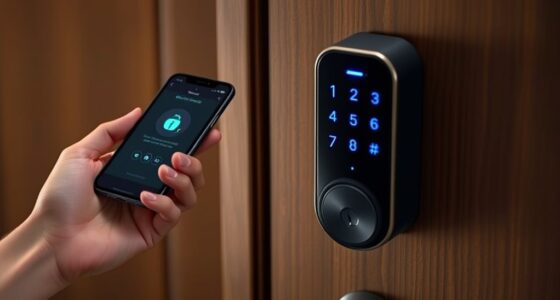
Setting up a smart lock can simplify your daily routine by providing keyless access and enhanced security. When your smart lock aligns with your daily habits, it becomes a seamless part of your life rather than an extra step to remember. You might start by linking your smart lock with your voice assistant. Voice assistant integration makes unlocking your door as easy as saying, “Hey Siri” or “Alexa, unlock the front door.” This hands-free approach is especially useful when your hands are full or you’re rushing out the door. It creates a natural flow that fits into your routine, reducing the chance of forgetting keys or fumbling for them.
Link your smart lock with your voice assistant for hands-free, effortless access fitting seamlessly into your routine
Another key aspect is managing temporary access codes. If you frequently have guests, service providers, or delivery people coming over, temporary codes can be a game-changer. You can generate a unique code for each visitor or service visit, then set an expiration time. This way, you don’t have to worry about changing locks or giving out spare keys that might get lost or copied. Plus, you get a record of who entered and when, which adds an extra layer of security. When your daily routine involves regular visitors or deliveries, these codes make access straightforward without compromising safety. Incorporating smart security features can further enhance your home’s safety and ease of access.
Your routine also influences how you set up automated features. For instance, if you usually leave the house early in the morning, you can program your smart lock to unlock automatically when you arrive home, or lock after a certain time. This saves you the hassle of manually securing your home every time. If you work irregular hours, scheduling lock and unlock times ensures your home stays secure without requiring constant manual intervention. By tailoring these settings to your schedule, you avoid the frustration of remembering to lock up or worrying about door security when you’re out. Incorporating home automation concepts can help you leverage these features more effectively. Additionally, understanding how connected devices interact within your home ecosystem can improve the overall efficiency of your security setup. Being aware of smart home integrations allows you to create more comprehensive and responsive security routines.
Your smart lock setup should also consider your habits for granting access. For example, if you often come and go at specific times, setting up routines or scenes with your voice assistant makes it easy to control the lock without extra steps. You can even create routines that adjust the lock’s settings based on your location or time of day, making your home smarter and more responsive. Understanding home automation concepts can help you leverage these features more effectively, ensuring your smart lock works seamlessly within your connected home ecosystem.
Ultimately, when your smart lock aligns with your daily routine, it enhances convenience while maintaining security. It becomes a natural extension of your lifestyle, reducing stress and saving time. Whether through voice commands, temporary access codes, or automation, your setup should reflect how you live so that your smart lock works with you, not against you.

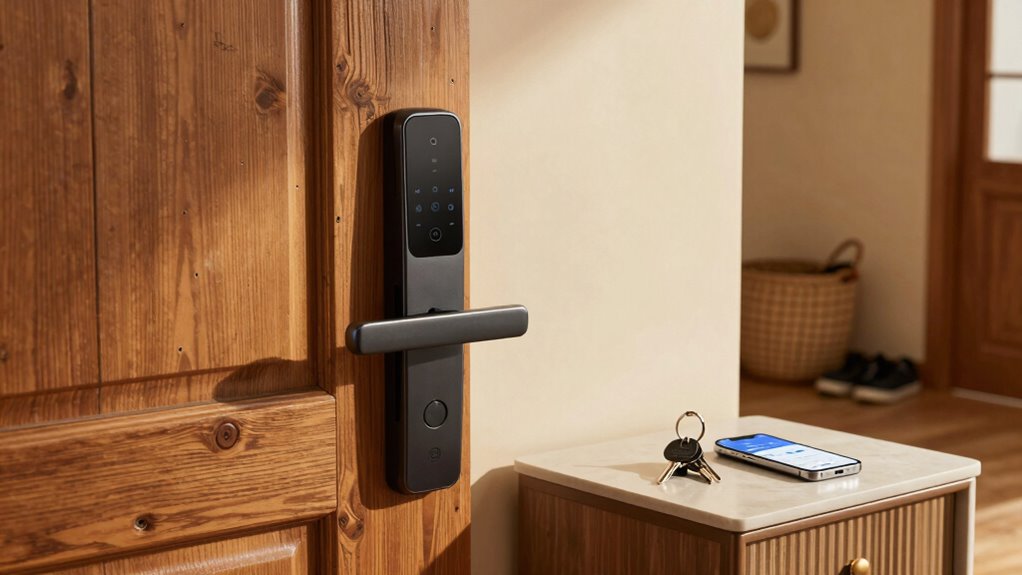
Philips WiFi Keypad Door Lock with Handle, Built-in WiFi, APP Remote Control, Voice & Fingerprint Unlock, Smart Locks for Front Door with Auto Lock, Digital Front Door Lock Set, Keyless Entry Deadbolt
- WiFi Connectivity: Connects directly to 2.4GHz WiFi without hub
- Remote App Control: Manage lock remotely via Philips Home Access App
- Real-Time Access Monitoring: Check lock status and access history anytime
As an affiliate, we earn on qualifying purchases.
As an affiliate, we earn on qualifying purchases.
Frequently Asked Questions
How Do I Update Access Permissions Remotely?
To update access permissions remotely, open your smart lock app and navigate to the access control section. Here, you can change or revoke access codes for specific users. Use the remote override feature if you need to disable or enable access instantly. Make sure your lock is connected to Wi-Fi, so any changes you make are synchronized immediately. This way, you maintain control without needing to be physically present.
Can Smart Locks Detect When I Leave or Arrive?
Did you know that smart locks with access detection can recognize when you leave or arrive? Yes, they use routine integration and sensors to automatically unlock or lock doors based on your proximity. This feature offers convenience and enhances security, reducing the risk of lockouts or forgetting to lock up. By aligning your smart lock with your daily routine, you guarantee seamless access while maintaining control over your home’s security.
What Should I Do if My Smart Lock Loses Connection?
If your smart lock loses connection, you should first use the manual override to unlock your door. Then, check the lock’s settings or app to troubleshoot the issue. Consider granting temporary access to trusted friends or family if needed. To prevent future problems, make sure your lock supports reliable connectivity and keep a backup key nearby. Regularly update the lock’s firmware to maintain smooth operation and avoid connection issues.
Are Smart Locks Compatible With All Smart Home Systems?
Smart locks aren’t compatible with all smart home systems, but many are designed for key compatibility and system integration. You should check if your smart lock works with popular platforms like Alexa, Google Assistant, or Apple HomeKit. When choosing a lock, verify it seamlessly integrates with your existing system to avoid compatibility issues. This way, you can control your lock effortlessly and enjoy a cohesive smart home experience.
How Secure Are Smart Locks Against Hacking?
Smart locks are like fortresses—generally secure but not invulnerable. They use encryption protocols to keep hackers at bay, making unauthorized access difficult. However, physical vulnerabilities, like weak batteries or exposed wiring, can be exploited. To stay safe, regularly update your firmware and choose models with robust security features. While no system is 100% foolproof, smart locks provide a strong layer of protection when properly maintained.
Philips WiFi Keypad Door Lock with Handle, Built-in WiFi, APP Remote Control, Voice & Fingerprint Unlock, Smart Locks for Front Door with Auto Lock, Digital Front Door Lock Set, Keyless Entry Deadbolt
- WiFi Connectivity: Connects directly to 2.4GHz WiFi without hub
- Remote App Control: Manage lock remotely via Philips Home Access App
- Real-Time Access Monitoring: Check lock status and access history anytime
As an affiliate, we earn on qualifying purchases.
As an affiliate, we earn on qualifying purchases.
Conclusion
When your smart lock setup aligns with your daily routine, it becomes more than just a gadget—it’s a seamless part of your day. Imagine the peace of knowing your door opens effortlessly as you arrive, contrasting with the chaos of forgotten keys. Just as your routine shapes your day, your smart lock can shape your security—simple, intuitive, and reliable. Embrace this harmony, and let technology work quietly in the background, making your life smoother and safer.
Philips WiFi Keypad Door Lock with Handle, Built-in WiFi, APP Remote Control, Voice & Fingerprint Unlock, Smart Locks for Front Door with Auto Lock, Digital Front Door Lock Set, Keyless Entry Deadbolt
- WiFi Connectivity: Connects directly to 2.4GHz WiFi without hub
- Remote App Control: Manage lock remotely via Philips Home Access App
- Real-Time Access Monitoring: Check lock status and access history anytime
As an affiliate, we earn on qualifying purchases.
As an affiliate, we earn on qualifying purchases.
Philips WiFi Keypad Door Lock with Handle, Built-in WiFi, APP Remote Control, Voice & Fingerprint Unlock, Smart Locks for Front Door with Auto Lock, Digital Front Door Lock Set, Keyless Entry Deadbolt
- WiFi Connectivity: Connects directly to 2.4GHz WiFi without hub
- Remote App Control: Manage lock remotely via Philips Home Access App
- Real-Time Access Monitoring: Check lock status and access history anytime
As an affiliate, we earn on qualifying purchases.
As an affiliate, we earn on qualifying purchases.