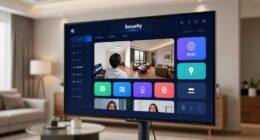
To link your smoke alarms to smart speakers, first verify your alarms are compatible with Wi-Fi or Zigbee and connect them to your home network using the manufacturer’s app. Then, enable the corresponding skill or service in your smart speaker’s app, like Alexa or Google Home. Authorize the connection and add the device to your smart platform. Finally, test the setup to confirm alerts and voice commands work smoothly—continue for detailed steps to maximize your safety.
Key Takeaways
- Verify your smoke alarm’s compatibility with Wi-Fi, Zigbee, or smart home platforms like Alexa, Google Assistant, or Apple HomeKit.
- Connect the alarm to your home network following manufacturer instructions and add it via the dedicated app.
- Enable the relevant smart speaker skill or service, then authorize permissions for alerts and communication.
- Link the alarm to your smart speaker platform, ensuring proper recognition and testing voice commands.
- Configure notifications and voice alerts for specific detections, then test the setup with simulated alarms for reliability.

Connecting your smoke alarms to smart speakers can markedly enhance your home’s safety by providing immediate alerts. When smoke is detected, your smart speaker can notify you instantly, even if you’re not near the alarm itself. To make this happen, you need to set up voice commands and guarantee proper alarm integration. This setup allows your smart speaker to recognize specific commands and relay alarm notifications effectively.
Enhance safety by linking smoke alarms to smart speakers for instant alerts and voice-activated notifications.
First, check if your smoke alarm is compatible with your smart speaker platform. Many modern smoke alarms come with smart features, including Wi-Fi or Zigbee connections, designed to integrate with popular smart home ecosystems like Amazon Alexa, Google Assistant, or Apple HomeKit. Once you’ve confirmed compatibility, follow the manufacturer’s instructions to connect your alarm to your Wi-Fi network. This step often involves installing an app, creating an account, and adding the device through the app’s device setup feature.
After your smoke alarm is connected to your network, you can proceed with alarm integration. This typically involves linking your alarm to your smart speaker’s app or platform. For example, in the Alexa app, you’d enable the skill associated with your smoke alarm and authorize permissions for the device to send alerts. Similarly, with Google Assistant, you add the alarm as a compatible device within the Google Home app. Once linked, your smart speaker can recognize voice commands such as “Hey Google, check the smoke alarm status” or “Alexa, is there any smoke detected?” These voice commands allow you to query your smoke alarms directly, giving you peace of mind.
Additionally, ensure your smoke alarms are part of a vetted safety system, which guarantees their effectiveness and compliance with safety standards. The real advantage lies in automating alerts. When the smoke alarm detects smoke or fire, it can trigger a notification to your smart speaker and other connected devices. Some systems allow you to customize these alerts, so your smart speaker announces, “Fire detected in the kitchen,” or sends a push notification to your phone. This alarm integration makes it easier to respond promptly, especially when you’re away or asleep. You don’t need to be near the alarm to be alerted — your smart speaker becomes an active part of your safety network.
To maximize the benefit, test the system after setup. Simulate a smoke alarm trigger if possible, and ensure your smart speaker responds with the correct alerts. Adjust your voice commands and notification settings as needed for clarity and responsiveness. With proper integration, your smart speaker becomes a crucial tool, providing instant, voice-activated alerts that enhance your home’s safety and your peace of mind.
Frequently Asked Questions
Can I Connect Multiple Smoke Alarms to One Smart Speaker?
Yes, you can connect multiple smoke alarms to one smart speaker if they support multi alarm systems. Make certain each alarm is compatible and properly linked via your smart home app. Once connected, you can set voice announcement settings to alert you from the smart speaker when any alarm detects smoke. This setup provides thorough coverage, making it easier to stay safe with synchronized alerts across all your alarms.
What if My Smoke Alarm Isn’t Compatible With Smart Speaker Integration?
Imagine a house where the smoke alarm is silent, yet your smart speaker warns you instantly. When your smoke alarm isn’t compatible with smart speaker integration, compatibility issues can be frustrating. But don’t worry—alternative solutions like standalone smart alarms or external alerts can help. You can also consider upgrading to compatible devices or using third-party hubs that bridge the gap, ensuring you stay protected and informed regardless of compatibility challenges.
How Do I Troubleshoot if Alerts Aren’t Being Announced?
If alerts aren’t being announced, first check your alarm volume to make certain it’s loud enough. Next, verify your smart speaker is placed where it can clearly hear notifications. Make sure your devices are connected to the same Wi-Fi network and that the integration settings are properly configured. Also, restart both your smoke alarm and smart speaker to refresh their connection. These steps can often resolve alert notification issues.
Are There Privacy Concerns With Linking Smoke Alarms to Smart Speakers?
While it might seem like sharing your smoke alarm alerts with smart speakers could invite privacy risks, rest assured, reputable brands prioritize data security. They implement encryption and privacy controls to limit data access. Still, it’s wise to review privacy policies and customize settings to minimize data sharing. Being cautious helps you enjoy the convenience of smart alerts while safeguarding your personal information.
Can I Customize Alert Notifications for Different Types of Hazards?
Yes, you can customize alert notifications for different hazards. Many smart alarm systems support custom alert customization, allowing you to set hazard-specific notifications. You can choose to receive distinct alerts for smoke, carbon monoxide, or other dangers, ensuring you’re informed promptly and accurately. This feature helps you prioritize responses and enhances your safety by providing clear, tailored hazard-specific notifications directly through your smart speaker or connected device.
Conclusion
By linking your smoke alarms to smart speakers, you create a reliable alert system that keeps you safe. Even if you’re away or asleep, you’ll be instantly notified of any danger. Some worry about false alarms, but you can customize alerts to reduce unnecessary alerts. So, go ahead—set up your smart system today. It’s a simple step that offers peace of mind, knowing help is just a voice command or a sound away whenever you need it.