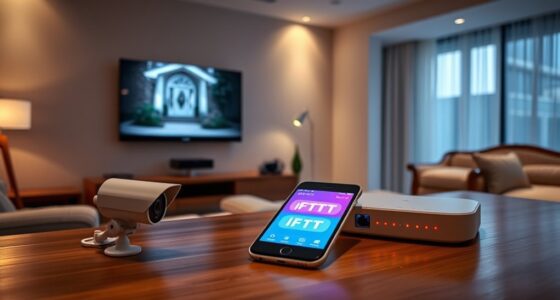
To create reliable custom automations based on sensor data, you need to ensure your sensors are correctly calibrated and functioning well. Proper calibration helps your sensors deliver accurate readings, which are vital for automations to trigger correctly. Regularly check sensor placement, update firmware, and recalibrate when needed to prevent false triggers. Keep monitoring performance to maintain consistency. Continuing will show you detailed steps to optimize your sensor-driven automations effectively.
Key Takeaways
- Define specific sensor triggers and conditions within your automation platform to initiate custom actions.
- Ensure sensors are properly calibrated and positioned for accurate data collection before creating automations.
- Use sensor data thresholds or patterns to set precise automation responses tailored to your environment.
- Incorporate logic such as delays, multiple sensor inputs, or conditional statements for more advanced automations.
- Regularly monitor and adjust sensor calibration and automation parameters to maintain accuracy and reliability.

Sensor data has become a powerful tool for creating personalized automations that enhance your smart home experience. When you harness the data from motion detectors, temperature sensors, light sensors, and other devices, you can tailor your home environment to fit your routines perfectly. To make these automations reliable, proper sensor calibration is vital. Calibration ensures that sensors provide accurate readings, which is essential because inaccurate data can lead to frustrating automation failures. For example, if your motion sensor is misaligned or not calibrated correctly, it might trigger lights or alarms at undesired times. Regularly checking and calibrating your sensors helps prevent these issues, keeping your automations running smoothly.
Getting your sensors calibrated involves understanding their specific requirements. Some devices might need manual adjustment, while others calibrate automatically through the app or firmware updates. Always follow the manufacturer’s instructions to fine-tune your sensors. Proper calibration minimizes false positives or negatives, so your automation responds precisely when it should. For instance, a temperature sensor that’s off by a few degrees might turn on the heater unnecessarily or fail to turn it on when needed. Taking the time to calibrate can save you from these annoyances and improve the overall reliability of your system. Building resilience into your automation setup by understanding how sensors respond under different conditions further enhances system stability.
Understanding your sensor’s requirements and following manufacturer instructions ensures accurate calibration and reliable automation performance.
Despite best efforts, automation troubleshooting may still be necessary. Sometimes, sensors can become unresponsive or produce inconsistent data, disrupting your routines. When troubleshooting, start by checking the sensor’s calibration status. Recalibrating might resolve some issues, especially if the readings have drifted over time. If recalibration doesn’t fix the problem, verify that the sensor has a clear line of sight or isn’t obstructed, as physical interference can cause inaccurate readings. Also, ensure the sensor’s firmware and your home automation hub are up to date, as outdated software can cause compatibility problems. Resetting the sensor or re-adding it to your system can also clear glitches.
Always keep an eye on sensor performance in your automation dashboard. If you notice frequent false triggers or inconsistent behavior, it’s time to investigate further. Automation troubleshooting is a process of elimination—checking calibration, physical placement, and software updates. This proactive approach helps you maintain a seamless smart home experience. Remember, sensors are the backbone of your custom automations, so investing time in calibration and troubleshooting ensures your system remains responsive and precise. Proper management of sensor data ultimately creates a more intuitive, energy-efficient, and comfortable home environment tailored exactly to your needs. Recognizing the importance of ongoing sensor maintenance can prevent future issues and keep your home automation running smoothly.
Frequently Asked Questions
How Do I Troubleshoot Automation Failures?
To troubleshoot automation failures, start by checking your sensor calibration to guarantee data accuracy. Next, perform automation testing to identify where the process breaks down. Review the sensor inputs and automation rules in your system, looking for errors or misconfigurations. Also, verify that all connections are secure and update your software if needed. Addressing these areas helps you pinpoint issues and get your automations running smoothly again.
Can I Integrate Multiple Sensors for Complex Automations?
Yes, you can integrate multiple sensors for complex automations. Imagine a smart home where temperature, humidity, and motion sensors work together to optimize comfort. You’ll need to guarantee proper sensor calibration so data is accurate. Use automation templates that support multiple inputs; these make combining sensor data easier. With careful setup, your system can trigger sophisticated actions, like adjusting climate control based on combined sensor readings automatically.
What Security Measures Protect Sensor Data?
You should guarantee your sensor data is protected through strong security measures like sensor encryption, which secures data during transmission and storage. Additionally, data anonymization helps protect your privacy by removing identifiable information. Regularly update your security protocols, use secure networks, and implement access controls to prevent unauthorized access. These steps help keep your sensor data safe from breaches and misuse, giving you peace of mind.
How Do I Update or Modify Existing Automations?
To update or modify existing automations, you simply perform automation editing within your automation platform. Start by selecting the specific automation you want to change, then adjust the triggers, conditions, or actions as needed. Since it involves sensor integration, make certain your sensors are properly connected and configured. Save your changes, and your automation will run with the updated parameters, allowing seamless adjustments based on sensor data.
Are There Best Practices for Naming and Organizing Automations?
Think of your automations as a well-organized library. Use clear naming conventions that describe their function, like “Morning Lights On” or “Temperature Alert.” Implement organizational strategies such as categorizing automations by room or purpose. Keep names consistent and concise, making them easy to find. Regularly review and update your system to prevent chaos, ensuring your automations stay efficient and easy to manage over time.
Conclusion
Now, as you set up these custom automations, it’s almost like the sensors are silently watching out for you, just waiting to surprise you with their insights. It’s incredible how a simple change in data can lead to a smarter, more comfortable home. Sometimes, the tiniest coincidence—like your lights adjusting just as you walk in—reminds you how connected and intuitive your space has become. Embrace these moments; they’re the magic of smart automation working seamlessly for you.