
Multi-factor authentication (MFA) is essential for securing your alarm app because it adds an extra layer of protection beyond just passwords. It makes it much harder for hackers to gain unauthorized access, protecting your sensitive data and privacy. MFA also helps prevent intruders from disabling or tampering with your alarm system. If you want to learn how MFA can strengthen your security and give you peace of mind, keep exploring these essential benefits.
Key Takeaways
- MFA adds an extra security layer, making unauthorized access to alarm apps significantly harder.
- It prevents hackers from disabling alarms or altering settings even if passwords are compromised.
- MFA protects sensitive user data and access logs stored within the alarm system.
- Implementing MFA deters potential intruders and enhances overall system resilience.
- It aligns with security standards, ensuring robust protection against evolving cyber threats.
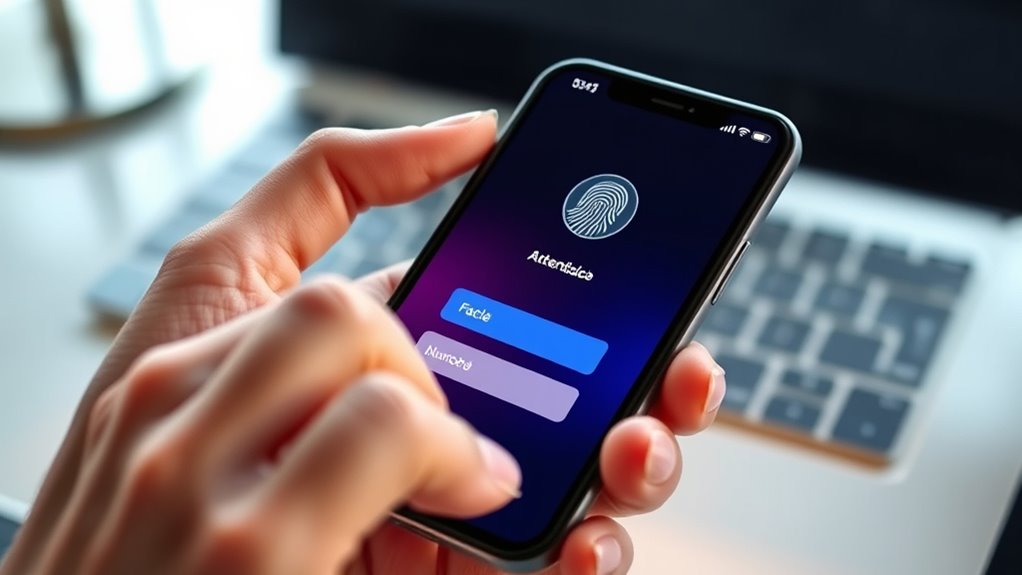
In an era where security breaches are increasingly common, implementing multi-factor authentication (MFA) for alarm apps is crucial to protect your home or business. MFA adds an extra layer of defense beyond just a password, making it considerably harder for unauthorized individuals to gain access. When you enable MFA, you’re not only safeguarding your physical space but also prioritizing user privacy by limiting access to trusted users only. This means that even if someone manages to steal or guess your password, they still need to pass an additional verification step—like a code sent to your phone or biometric confirmation—before they can disable or manipulate your alarm system.
App security is a critical aspect of using alarm systems, especially with the increasing sophistication of cyber threats. MFA acts as an indispensable security measure that dramatically reduces the risk of hacking attempts or malicious intrusions. Without MFA, a compromised password can give hackers full control over your alarm app, potentially disabling alarms, changing settings, or even accessing sensitive user data stored within the system. By implementing MFA, you create a barrier that requires attackers to overcome multiple hurdles, making unauthorized access far less likely. This not only protects your property but also preserves the integrity of your alarm app’s overall security framework.
User privacy takes center stage when considering MFA. Alarm apps often contain personal information, access logs, and sometimes even sensitive video footage. If hackers or unauthorized users gain access, your privacy could be compromised, leading to unwanted surveillance or data theft. MFA helps guarantee that only trusted users can access this information, safeguarding your privacy and maintaining control over who can view or modify your alarm settings. Furthermore, by enforcing MFA, you demonstrate a commitment to responsible data handling, reassuring you and your trusted users that their privacy remains protected.
In addition to bolstering app security and protecting user privacy, MFA also provides peace of mind. Knowing that your alarm system is fortified with multiple verification layers means you can rest easier, confident that your property is well-protected. It discourages potential intruders who might otherwise attempt to exploit weak security measures. As cyber threats evolve, relying solely on passwords becomes increasingly risky. MFA offers a proactive approach that adapts to these threats, ensuring your alarm system remains resilient.
Implementing robust authentication methods such as MFA is also supported by modern security standards, further strengthening your defenses against digital threats. Ultimately, integrating MFA into your alarm app isn’t just a technical upgrade; it’s a strategic choice to protect your privacy, secure your property, and maintain control over your security system in a digital age where threats are constantly evolving.
Frequently Asked Questions
Can MFA Completely Prevent Unauthorized Alarm Deactivation?
MFA substantially reduces the risk of unauthorized alarm deactivation, but it can’t completely prevent it due to alarm app vulnerabilities. Hackers might exploit these weaknesses or bypass MFA through social engineering. Additionally, if MFA fallback procedures aren’t secure or get triggered, they can be exploited. To enhance security, verify your alarm app employs strong MFA, and regularly review fallback procedures to prevent unauthorized access.
What Are the Common Challenges in Implementing MFA for Alarm Apps?
You’ll face challenges like user education and technical compatibility when implementing MFA for alarm apps. Users might resist or struggle with new security steps, so clear instructions are essential. Additionally, ensuring your alarm app’s hardware and software support MFA methods can be tricky. You need to balance security with usability, making sure the system’s compatible across devices while guiding users through the setup process effectively.
How Does MFA Impact User Convenience and Accessibility?
Think of MFA as a sturdy gatekeeper that guards your alarm app. It adds a step, but this improves your user experience by making your account more secure. While it might seem like a hurdle, MFA actually enhances accessibility by preventing unauthorized access, ensuring you can trust your alarm system anytime. Ultimately, it balances security with convenience, giving you peace of mind without sacrificing ease of use.
Are There Specific MFA Methods More Secure for Alarm Apps?
Biometric options and hardware tokens are among the most secure MFA methods for alarm apps. Biometric options, like fingerprint or facial recognition, offer quick, difficult-to-duplicate security, making them highly effective. Hardware tokens generate unique codes and are resistant to hacking. Using both can provide layered protection, so you should prioritize these methods for stronger security, especially if your alarm app safeguards sensitive information or critical access.
What Are the Legal or Privacy Concerns With MFA Data Collection?
You might worry about privacy implications when using MFA, but remember, data security is key. While collecting authentication data helps protect your alarm, it also raises concerns about sensitive info falling into the wrong hands or misuse. You should guarantee the alarm app complies with privacy laws and uses strong encryption. Being informed helps you balance security benefits with potential privacy risks, keeping your data safer.
Conclusion
By enabling multi-factor authentication on your alarm app, you’re not just adding a layer of security—you’re building a digital fortress around your peace of mind. Imagine your alarm app as an impenetrable vault guarded by an army of security gates; without MFA, it’s like leaving your front door wide open to burglars. Don’t let hackers turn your mornings into chaos. Activate MFA now and turn your alarm app into an unstoppable shield protecting your most precious sleep.