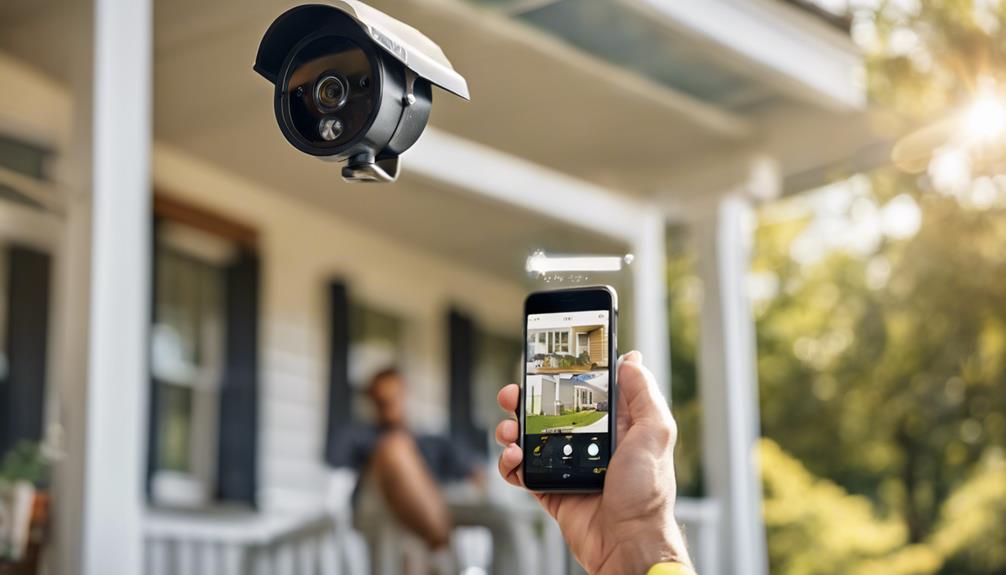

To build a better “Stay” mode for overnight security, start by calibrating sensors for accurate detection and reducing false alarms. Guarantee all devices like sensors, cameras, and alarm panels work seamlessly together by updating firmware and maintaining system compatibility. Customize sensor zones to keep entry points armed while avoiding false triggers in bedrooms. Regular testing and ongoing maintenance help keep your system responsive. Keep fine-tuning these elements to make your overnight security more reliable — more tips follow to help perfect your setup.
Key Takeaways
- Calibrate sensors accurately to distinguish between normal activity and potential threats during “Stay” mode.
- Integrate all security devices seamlessly to ensure reliable communication and reduce false alarms.
- Customize sensor zones to keep entry points armed while allowing movement in non-critical areas.
- Regularly test and maintain the system to ensure sensors respond correctly and stay calibrated.
- Update firmware and perform system checks to maintain compatibility and optimal security performance.

When it comes to overnight security, having a reliable “Stay” mode on your security system is vital, but many setups fall short in providing thorough coverage without causing false alarms or missing critical alerts. To improve your “Stay” mode, you need to focus on proper alarm integration and sensor calibration. These steps guarantee your system responds accurately to potential threats while minimizing false triggers.
Alarm integration is essential because your security system relies on multiple components working together seamlessly. If your sensors, cameras, and alarm panels aren’t properly integrated, you risk gaps in coverage or delayed responses. Check that all devices are compatible with your central security system and update their firmware if necessary. Proper alarm integration also means setting up your system so that alerts are synchronized across devices, allowing you to receive real-time updates on any suspicious activity. This coordination helps prevent false alarms caused by miscommunication between devices. Ensuring device compatibility is crucial to maintaining a cohesive security network and avoiding potential system malfunctions.
Ensuring seamless device integration and synchronized alerts enhances security and reduces false alarms.
Sensor calibration is equally vital. Sensors that aren’t calibrated correctly can either be overly sensitive or not sensitive enough, leading to false alarms or missed detections. Take the time to calibrate motion detectors, door/window sensors, and glass-break sensors according to manufacturer instructions. This process often involves adjusting sensitivity settings and testing the sensors’ responses in different conditions. For example, if a motion sensor triggers whenever a pet moves nearby, you’ll want to calibrate it to ignore small, harmless movements. Regularly testing and recalibrating sensors ensure they function at their best, especially after any system updates or device replacements. Additionally, maintaining proper calibration helps uphold the overall system reliability and effectiveness of your security setup. Incorporating sensor placement best practices can further enhance detection accuracy and minimize false alarms. Proper calibration also helps optimize sensor sensitivity, ensuring that your security system responds appropriately without unnecessary alerts.
When configuring your “Stay” mode, consider customizing sensor zones. You might want to deactivate sensors covering areas like bedrooms or living rooms where you expect movement during the night, while keeping entry points like doors and windows armed. Proper alarm integration allows you to set these zones precisely, so you don’t wake up to false alarms while still maintaining security. Also, make sure to test your system after making adjustments. Walk through your typical nightly routine and verify that all sensors respond appropriately. If any sensor trips unexpectedly or fails to trigger when it should, revisit its calibration and integration settings.
Ultimately, building a better “Stay” mode involves continuous attention to how your security components work together. By guaranteeing alarm integration is seamless, sensors are finely calibrated, and system compatibility is maintained, you drastically reduce false alarms and increase your system’s reliability. This proactive approach gives you peace of mind, knowing your overnight security setup is both thorough and responsive to real threats.
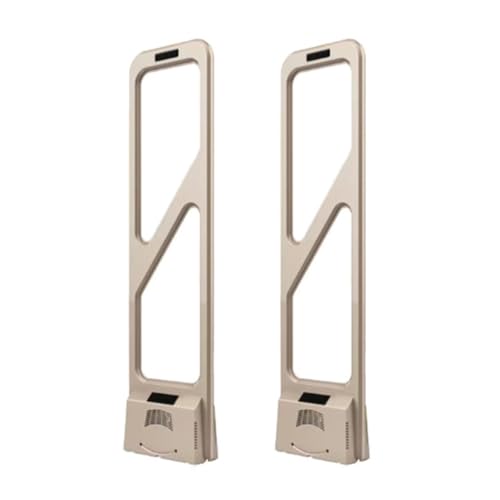
AM 58KHZ EAS Security System, Retail Anti-Theft Equipment Sensor Kit, High-Sensitivity Anti-Theft System, Security Tags Tower Anti-Interference Alarm for Clothing, Shoes, Stores(Gold)
- Working Principle: 58KHz intelligent induction detection
- Alarm Sound Level: 110dB siren alerts thieves
- Adjustable Detection Range: Flexible from feet to meters
As an affiliate, we earn on qualifying purchases.
As an affiliate, we earn on qualifying purchases.
Frequently Asked Questions
What Are the Best Sensors to Include in a “stay” Mode System?
You should include a mix of sensor types like motion detectors, door/window sensors, and glass break sensors for your “stay” mode system. Place motion detectors strategically in hallways and common areas, and position door/window sensors on entry points. This sensor placement ensures thorough coverage while minimizing false alarms. Combining these sensors creates a reliable security layer, helping you detect intrusions without disturbing you during the night.
How Can I Prevent False Alarms During “stay” Mode?
False alarm prevention becomes easier when you fine-tune your sensors through proper calibration, ensuring they respond accurately to real threats. You should also set zones carefully, avoiding areas prone to false triggers like vents or pets. Regularly testing your system helps identify and correct sensitivities, while integrating dual sensors adds an extra layer of accuracy. By combining calibration with strategic placement, you substantially reduce false alarms during your “stay” mode.
Is Professional Installation Necessary for an Effective “stay” Mode?
Professional installation isn’t strictly necessary for an effective “stay” mode, but it can greatly reduce security vulnerabilities. Experts guarantee sensors are ideally placed, minimizing false alarms and boosting reliability. They also configure settings to protect your user privacy, preventing unauthorized access. Doing it yourself might save money but could leave gaps that compromise security and privacy. For peace of mind, professional setup often proves worth the investment.
How Often Should I Update or Test My Security System?
Think of your security system as a garden—you need to tend it regularly. You should update or test your system at least twice a year to keep it reliable. Don’t buy into security myths that alarm customization isn’t important; personalized settings guarantee better protection. Regular testing catches issues early, keeping your “stay” mode effective. Stay proactive, and your security system will serve you better, night after night.
Can “stay” Mode Security Systems Integrate With Smart Home Devices?
Yes, “stay” mode security systems can often integrate with smart home devices. You’ll find options with security integration and smart device compatibility that let you control alarms, cameras, and lighting through a single app or voice commands. This seamless integration enhances your security by allowing you to customize and monitor your system easily, giving you peace of mind while you’re at home but away or asleep.

2026 Enhanced 2K UHD Security Cameras Wireless Outdoor – Free Cloud & SD Storage, Dual-Band WiFi 2.4G/5G, Full-Color Night Vision, 6-Month Battery, Motion Alerts, IP66 Weatherproof, 2-Way Talk
- Trusted Home Security: Reliable, easy setup, long-lasting battery
- 2K UHD Full-Color Night Vision: Clear details day and night
- Dual Storage Options: Cloud and SD card support
As an affiliate, we earn on qualifying purchases.
As an affiliate, we earn on qualifying purchases.
Conclusion
Implementing a more effective “stay” mode can substantially enhance your overnight security, giving you peace of mind. Remember, studies show that homes with advanced security systems are 300% less likely to be burglarized. By customizing your security setup and staying vigilant, you create a safer environment for you and your loved ones. Don’t wait for an incident—take action now to upgrade your security and sleep soundly knowing you’re protected.

WiFi Door Alarm System, 8-Piece DIY Wireless Alarm Kit with Door Sensors
- WiFi Compatibility: Works on 2.4GHz WiFi only
- Home Security Control: Manage alarms via smartphone with instant alerts
- Expandable System: Supports up to 20 sensors and 5 remotes
As an affiliate, we earn on qualifying purchases.
As an affiliate, we earn on qualifying purchases.
WiFi Door Alarm System, 8-Piece DIY Wireless Alarm Kit with Door Sensors
- WiFi Compatibility: Works on 2.4GHz WiFi only
- Home Security Control: Manage alarms via smartphone with instant alerts
- Expandable System: Supports up to 20 sensors and 5 remotes
As an affiliate, we earn on qualifying purchases.
As an affiliate, we earn on qualifying purchases.