
TL;DR

Get privacy and security gear delivered free — and shop member deals
- Fast, free delivery on millions of items
- Access to Prime Big Deal Days deals on October 6–7
- Prime Video, Amazon Music and more included
The decision to build or buy an AI workstation now hinges on cost, time-to-deploy, and workload needs. Prebuilts save time and offer validated thermals, but custom builds provide control and upgradeability. The best choice depends on your specific AI tasks and long-term plans.
Imagine this: you’re ready to run your first AI model locally. The hardware? A beast of a machine, but the question is—do you build it yourself, or buy a preconfigured system that’s ready to roll? The old rule was simple: build if you want control and save money; buy if you want speed and simplicity. But in 2026, that’s no longer the full story.
The AI boom has shifted the landscape. Component prices have spiked, and prebuilt vendors have secured bulk discounts, making ready-to-go systems surprisingly competitive. This article breaks down the real tradeoffs—cost, time, performance, and control—so you can choose the route that aligns with your workload and goals. Learn more about build vs buy decisions.
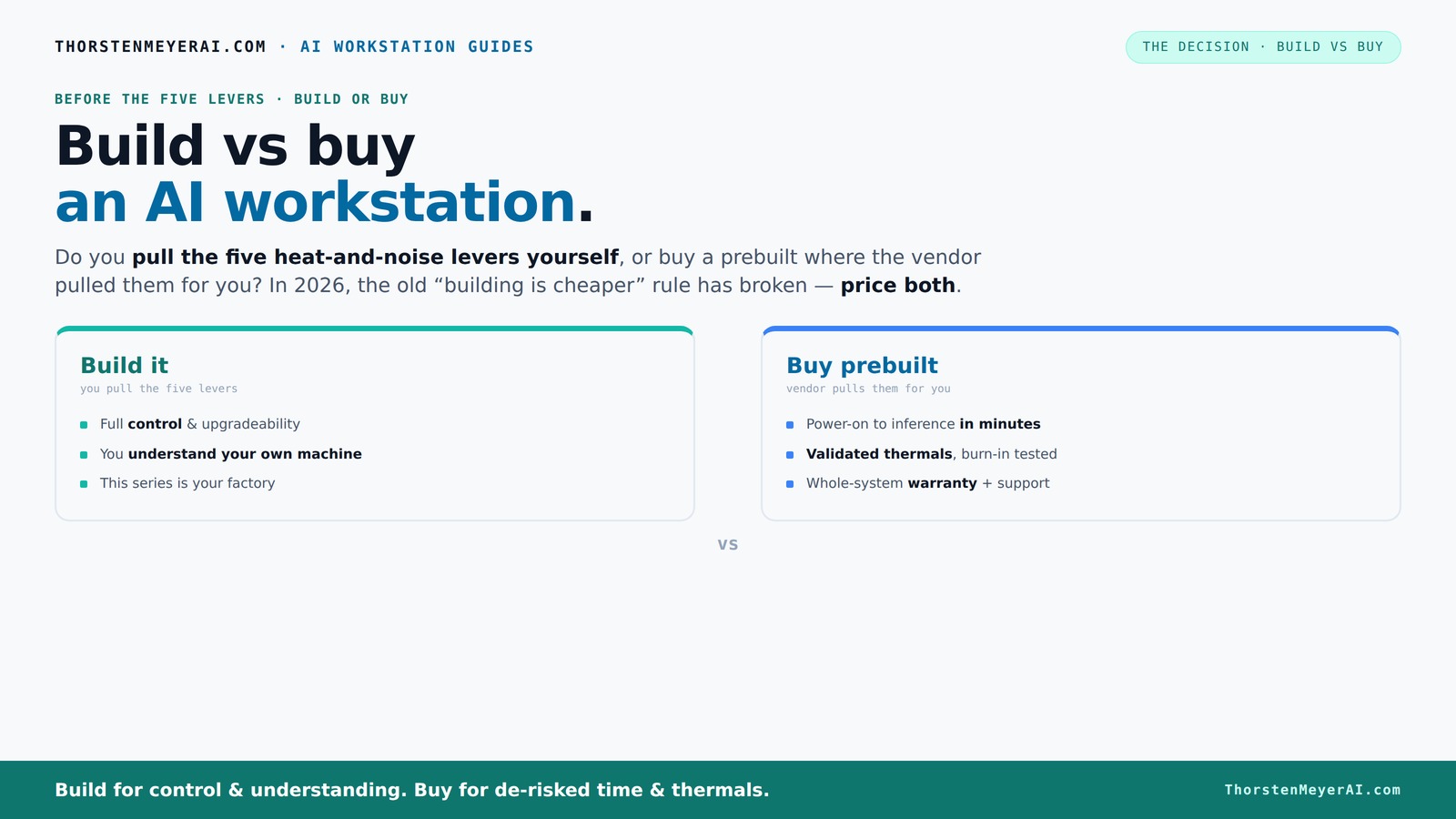
Build vs buy
an AI workstation.
The real question behind this whole series: do you pull the five heat-and-noise levers yourself, or buy a prebuilt where the vendor pulled them for you? And in 2026, the old “building is cheaper” rule has broken. Match your situation in Part 3.
Key Takeaways
- Component shortages and bulk purchasing have made prebuilt AI workstations often more cost-effective than DIY builds in 2026.
- Prebuilts save time with validated thermals, pre-installed software, and support, ideal for quick deployment.
- Building your own offers maximum control over hardware choices, cooling, and future upgrades, perfect for niche or evolving workloads.
- Total ownership costs—including support, troubleshooting, and downtime—often favor prebuilt systems over a three-year span.
- A hybrid approach—buying a base system and customizing key parts—can offer a strategic middle ground for flexibility and speed.
high performance AI workstation prebuilt
As an affiliate, we earn on qualifying purchases.
As an affiliate, we earn on qualifying purchases.
Why the old rule — 'Build is Cheaper' — No Longer Holds in 2026
Building your own AI workstation used to be the clear winner on cost. Now? Not so much. The surge in AI hardware demand has driven up prices for GPUs, DDR5 RAM, and SSDs—components you’d buy for a DIY build. A system that cost less than $1,000 two years ago now exceeds $1,250 before you even add software licenses. Explore build vs buy options.
Meanwhile, big vendors like Lambda, Puget, and BIZON bought components in bulk before prices spiked. They can offer prebuilt systems at prices that are hard to beat—sometimes cheaper than sourcing parts separately. This shift is significant because it alters the traditional cost calculus. When component prices rise sharply, the advantage of building your own diminishes, especially considering the time and effort involved. You need to perform a detailed cost comparison tailored to your specific configuration, factoring in not just hardware costs but also the value of time and the support services that come with prebuilt systems.
This change implies that for many users, especially those who prioritize quick deployment or lack technical expertise, prebuilts now offer a better balance of cost and convenience, fundamentally changing the decision-making process.
custom gaming PC with high-end GPU
As an affiliate, we earn on qualifying purchases.
As an affiliate, we earn on qualifying purchases.
The Real Heat and Noise Battle: Who Pulls the Levers?
High-performance AI workstations are like furnaces: heat, noise, and thermal management matter. When you buy a prebuilt, the vendor pulls the five levers—undervolt the GPU, match cooling, optimize airflow, tune fans, and position the system for cooling. They run extensive tests, often with water-cooling, to ensure the system stays cool and quiet under load.
If you build your own, you’re the one pulling those levers. You choose a quiet GPU, undervolt it ([see how here](https://thorstenmeyerai.com/undervolt-gpu-local-inference/)), pick a high-quality cooler ([like this](https://thorstenmeyerai.com/quiet-cpu-coolers-ai-workstation/)), and carefully set up airflow ([see tips here](https://thorstenmeyerai.com/quiet-case-fans-airflow-setup/)).
Understanding these thermal and acoustic levers is crucial because they directly impact your productivity and comfort. Poor thermal management can lead to thermal throttling, reducing performance, and excessive noise can become a distraction or even cause fatigue over long working sessions. Achieving the right balance requires understanding the tradeoffs—more aggressive cooling may increase noise and cost, while quieter solutions might limit thermal headroom. When you choose to build, you gain the flexibility to tune these parameters precisely to your environment, but it demands time, knowledge, and testing to get it right. Learn about thermal tuning.
In essence, how you manage heat and noise influences not just the longevity of your hardware but also your workflow efficiency and comfort. This makes thermal tuning a critical aspect of workstation choice, especially for those working long hours or in shared spaces.
As an affiliate, we earn on qualifying purchases.
Defining Your Workload and Future Needs
Before deciding whether to build or buy, it’s essential to clearly define your workload and future requirements. Are you running large-scale training jobs that demand maximum GPU power? Or are you focusing on inference and data preprocessing, where CPU and RAM might be more critical? Understanding your workload helps determine the hardware priorities and whether a custom build or prebuilt system better suits your needs. See how workload impacts build choices.
Additionally, consider your plans for future expansion. Will you need to upgrade components down the line? If so, building your own system might give you more flexibility to swap out parts as technology evolves. Conversely, if you prefer a hassle-free setup with minimal maintenance, a prebuilt system with support and warranty might be more appropriate.
By aligning your workload and future plans with your hardware decision, you ensure that your investment is optimized for both current performance and long-term adaptability.
prebuilt AI workstation with RTX 4090
As an affiliate, we earn on qualifying purchases.
As an affiliate, we earn on qualifying purchases.
The Cost of Flexibility: Applying Your Knowledge
Once you’ve defined your workload and future needs, apply that knowledge to your build or buy decision. If your work involves experimenting with different models or scaling up your infrastructure, a custom build might be worth the initial time and effort for future upgradeability. You can select high-end components tailored to your tasks, and upgrade them incrementally as your needs grow.
On the other hand, if your priority is quick deployment with reliable performance, a prebuilt system with proven thermal and stability profiles can save you valuable time. These systems often come with software support, warranties, and easier troubleshooting, reducing downtime and allowing you to focus on your work rather than hardware issues.
In essence, this step involves balancing your immediate workload requirements with your long-term growth plans, ensuring your system can adapt without costly overhauls.
The Bottom Line: Choosing What Fits Best
Choosing between build and buy isn’t just about initial costs anymore. It’s about what you value most—speed, control, or flexibility. In 2026, a smart hybrid often delivers the best balance, letting you start fast while keeping future options open. Discover hybrid build strategies.
Remember: your AI workload, timeline, and long-term plans should guide your decision. The right system is the one that makes your AI journey smoother, faster, and more aligned with your goals. So, ask yourself—what’s your priority today?
Frequently Asked Questions
Is it cheaper to build or buy a prebuilt AI workstation?
In 2026, component costs and bulk discounts mean prebuilts can be as cheap or cheaper than DIY builds, especially when factoring in time and support costs. Always compare specific configurations before deciding.Which option offers better performance for local training or inference?
Performance depends on the components you choose. Prebuilts often come optimized and tested for thermal management, ensuring consistent performance without extensive tuning. Building your own allows for tailored configurations, but it requires a good understanding of hardware tuning and thermal management. For most users, prebuilts provide reliable, ready-to-run power with less hassle, while custom builds are better suited for those with specific or niche performance requirements.How much more does a custom build really cost over three years?
While initial costs might be similar, supporting and upgrading a DIY system can add up—parts may fail, cooling might need adjustments, and troubleshooting can require significant time. Support and warranty coverage included with prebuilts can reduce downtime and maintenance hassles, often balancing out or surpassing the cost savings of a DIY approach over a three-year span.What hardware matters most for AI workloads?
GPU and VRAM are critical for AI inference and training because they directly impact processing speed and the ability to handle large models. CPU, RAM, and fast SSDs are also important, especially for data loading, preprocessing, and pipeline efficiency. The optimal hardware configuration depends on your specific workload—whether you're focusing on training large models, running inference, or data management. Tailoring your build or buy decision to these priorities ensures you get the most value and performance.How easy is it to upgrade a prebuilt workstation later?
Most prebuilts are designed with limited upgrade paths—adding RAM or storage is straightforward, but swapping out GPUs or other major components can be more complex due to proprietary layouts or cooling solutions. Custom builds, on the other hand, typically offer more accessible upgrade points, making it easier to adapt your system to evolving needs over time without replacing the entire machine. This flexibility can be crucial if you anticipate expanding your AI workload in the coming years.Conclusion
Choosing between build and buy isn’t just about initial cost anymore. It’s about what you value most—speed, control, or flexibility. In 2026, a smart hybrid often delivers the best balance, letting you start fast while keeping future options open.
Remember: your AI workload, timeline, and long-term plans should guide your decision. The right system is the one that makes your AI journey smoother, faster, and more aligned with your goals. So, ask yourself—what’s your priority today?
Fall Picks
fall essentials
As an affiliate, we earn on qualifying purchases.