A Ring doorbell WiFi extender can help when a doorbell struggles to stay connected to a router through walls or across a large home. My best overall pick is the TP-Link AC1200 RE315, a dual-band option that balances useful coverage with a familiar brand and straightforward setup. The Ring Chime Pro is a more Ring-focused choice, while the TP-Link AC1900 RE550 suits buyers who want more capacity for a broader area. The main tradeoffs are placement, compatibility, and whether you need a Ring-specific device or a general-purpose extender; advertised coverage alone cannot predict signal at your door. Read on for the full comparison and guidance on choosing the right fit.

Get privacy and security gear delivered free with Prime
- Fast, free delivery on millions of items
- Prime Video, Amazon Music and more included
- Member-only deals all year
Key Takeaways
- The TP-Link RE315 is my overall pick because dual-band support offers a practical balance for a Ring doorbell connection without making the choice depend on oversized coverage claims.
- Ring Chime Pro is the lineup’s Ring-specific option, while most other picks are general WiFi extenders; choose based on whether Ring-focused functionality or broader home networking matters more.
- TP-Link RE550 is the higher-capacity alternative for buyers who want an extender that can serve more than the doorbell, while a larger device may be unnecessary for one weak entryway.
- NETGEAR EX5000 and EX6120 share similar stated coverage and speed figures, so buyers should compare their form factor and feature needs rather than assume a large difference from the headline specifications.
- Several generic 2026 models make very large coverage or device-count claims; those figures are not directly comparable across brands and should not outweigh verified dual-band support, Ethernet availability, placement, and clear setup information.
| NETGEAR WiFi Extender EX5000, Up to 1,500 sq ft, 1.2 Gbps |  | Best Overall for a Ring Doorbell | Wireless compatibility: 802.11ac | Maximum data transfer rate: 1200 Mbps | Frequency band: Dual-band | VIEW ON AMAZON | See Our Full Breakdown |
| 2026 WiFi Extender Signal Booster for Home, 4X Faster, Covers Up to 16,899 sq.ft, Wi-Fi Repeater with Ethernet Port, Easy Setup |  | Best for Basic 2.4 GHz Coverage | Frequency: 2.4 GHz | Wireless standards: IEEE 802.11b/g/n | Listed coverage: Up to 16,899 sq ft | VIEW ON AMAZON | See Our Full Breakdown |
| TP-Link AC1200 WiFi Extender Dual Band (RE315) |  | Best for Router Compatibility and Mesh Flexibility | Wireless compatibility: 802.11a/b/g/n/ac | Maximum data transfer rate: 1200 Mbps | Frequency bands: 2.4 GHz and 5 GHz | VIEW ON AMAZON | See Our Full Breakdown |
| 2026 WiFi Extender, Repeater, Booster with Ethernet Port, Covers Up to 10,000 sq.ft and 80 Devices |  | Best for Many Connected Devices | Listed coverage area: Up to 10,000 sq ft | Device capacity: Up to 80 devices | Antennas: Two external high-gain antennas | VIEW ON AMAZON | See Our Full Breakdown |
| TP-Link WiFi Extender with Ethernet Port, Dual Band 5GHz/2.4GHz, Up to 1200 sq ft Coverage, Supports 30 Devices | 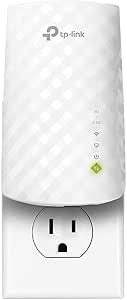 | Best Value for a Small Coverage Gap | WiFi bands: 2.4 GHz and 5 GHz | 2.4 GHz maximum speed: 300 Mbps | 5 GHz maximum speed: 433 Mbps | VIEW ON AMAZON | See Our Full Breakdown |
| WiFi Extender, 2.4GHz WiFi Signal Booster, Up to 12880 Sq.ft Coverage |  | Best for Simple 2.4GHz Coverage | Frequency band: 2.4GHz, single-band | Data transfer rate: Up to 300Mbps | Advertised coverage: Up to 12,880 sq. ft. | VIEW ON AMAZON | See Our Full Breakdown |
| Ring Chime Pro (Like-New, Refurbished) |  | Best Ring-Specific Pick | Condition: Certified like-new refurbished | Advertised extender range: Up to 2,000 sq. ft. | WiFi standards: 802.11b/g/n | VIEW ON AMAZON | See Our Full Breakdown |
| TP-Link N300 WiFi Extender RE105 |  | Best for App-Guided Setup | WiFi class: N300 | Antennas: 2 external antennas | Ethernet: Fast Ethernet port | VIEW ON AMAZON | See Our Full Breakdown |
| 2026 WiFi Extender Internet Booster, Long Range Repeater, Mesh Wi-Fi, 80% Faster, Supports Multiple Devices, 1-Tap Setup |  | Best for Many Connected Devices | Advertised coverage: Up to 10,000 sq. ft. | Antennas: 4 external antennas | Processor: 2.4GHz ultra-core | VIEW ON AMAZON | See Our Full Breakdown |
| WiFi Extender Signal Booster for Home 5G 1200Mbps Dual Band WiFi Booster |  | Best Dual-Band Option | WiFi bands: 2.4GHz and 5GHz | Maximum listed 2.4GHz rate: Up to 300Mbps | Maximum listed 5GHz rate: Up to 867Mbps | VIEW ON AMAZON | See Our Full Breakdown |
| WiFi Signal Extender Booster 2026 Wireless Internet Repeater – Long Range Coverage for Home, Apartment, Basement, and Office |  | Best for Simple Setup and Flexible Placement | Maximum speed: 300 Mbps | Coverage area: 8,470 sq. ft. | Modes: Repeater, Access Point | VIEW ON AMAZON | See Our Full Breakdown |
| TP-Link AC1900 WiFi Range Extender RE550 |  | Best Feature-Rich Pick | WiFi bands: Dual-band | Total bandwidth: 1.9 Gbps | Listed band speeds: Up to 1,300 Mbps on 5 GHz and 600 Mbps on 2.4 GHz | VIEW ON AMAZON | See Our Full Breakdown |
| WiFi Extender Signal Booster, AC1900 Dual Band WiFi Repeater, Long Range WiFi Range Extender for Home, Up to 13,880 Sq Ft Coverage, Supports 105 Devices, Ethernet Port, Works with Any Router |  | Best for Large Properties | Wireless compatibility: 802.11a/b/g/n/ac | Data transfer rate: 1,900 Mbps | Frequency bands: Dual-band, 2.4 GHz and 5 GHz | VIEW ON AMAZON | See Our Full Breakdown |
| NETGEAR WiFi Extender EX6120, Up to 1,500 sq ft, 1.2 Gbps |  | Best for a Small Dead Zone | Coverage area: Up to 1,500 sq. ft. | Maximum speed: 1.2 Gbps | Device support: Up to 25 devices | VIEW ON AMAZON | See Our Full Breakdown |
| WiFi Extender Signal Booster for Home Up to 5000 sq.ft and 50 Devices, Dual Band, Long Range, Ethernet Port, Easy Setup, Alexa Compatible |  | Best Compact Budget-Spec Pick | Coverage: Up to 5,000 sq. ft. | Device support: Up to 50 devices | Frequency listed: 2.4 GHz | VIEW ON AMAZON | See Our Full Breakdown |
| ring doorbell wifi extender | Setup |
|---|---|
| NETGEAR WiFi Extender EX5000 | — |
| 2026 WiFi Extender Signal Boos | WPS button or web browser |
| TP-Link AC1200 WiFi Extender D | — |
| 2026 WiFi Extender | WPS button or smartphone setup |
| TP-Link WiFi Extender with Eth | — |
| WiFi Extender | WPS button or web browser |
| Ring Chime Pro | Plug in and connect via WiFi |
| TP-Link N300 WiFi Extender RE1 | TP-Link Tether app for Android and iOS |
| 2026 WiFi Extender Internet Bo | One-tap WPS |
| WiFi Extender Signal Booster f | WPS button or browser |
| WiFi Signal Extender Booster 2 | Via phone, laptop, or PC |
| TP-Link AC1900 WiFi Range Exte | TP-Link Tether app |
| WiFi Extender Signal Booster | 1-tap setup |
| NETGEAR WiFi Extender EX6120 | App or WPS button |
| WiFi Extender Signal Booster f | — |
More Details on Our Top Picks
NETGEAR WiFi Extender EX5000, Up to 1,500 sq ft, 1.2 Gbps
For a Ring doorbell that loses connection at the edge of a typical home network, I favor the NETGEAR EX5000 because it pairs dual-band WiFi 5 with straightforward app or WPS setup. Its listed coverage and 1.2 Gbps maximum rate give it a more balanced spec profile than the single-band 2026 WiFi Extender Signal Booster, though real doorbell performance depends on placement, walls, and the existing router. I would put it between the router and the doorbell, where it can still receive a solid signal and pass coverage onward. The tradeoff is that it does not support WiFi 6, and the stated range is an estimate, not a guarantee for every floor plan. Its outlet-mounted design also uses a wall socket.
Pros:- Dual-band WiFi 5 offers more flexibility than a 2.4 GHz-only extender.
- App and WPS setup provide accessible installation options.
- RJ45 port supports a wired connection for compatible devices.
- Compact outlet-mounted body is easy to fit near a useful signal point.
Cons:- Does not support WiFi 6.
- Coverage claims vary with walls, interference, and placement.
- Occupies a wall outlet where installed.
Best for: Ring owners who want a familiar dual-band extender with app or WPS setup for a doorbell just outside reliable router coverage.
Not ideal for: Homes needing a WiFi 6 upgrade, or doorbells separated from the router by several dense walls where extender placement is difficult.
- Wireless compatibility:802.11ac
- Maximum data transfer rate:1200 Mbps
- Frequency band:Dual-band
- Listed range:1000 sq ft
- Connector:RJ45
- Dimensions:2.55 x 2.85 x 2.85 in
- Weight:5.44 oz
Our verdict“Choose the EX5000 for a practical dual-band balance and simple setup, but not if WiFi 6 or a guaranteed long-range link is your priority.”
2026 WiFi Extender Signal Booster for Home, 4X Faster, Covers Up to 16,899 sq.ft, Wi-Fi Repeater with Ethernet Port, Easy Setup
I would consider this repeater only when the Ring doorbell and router need a simple 2.4 GHz coverage link, rather than a feature-rich network upgrade. WPS and browser setup keep installation approachable, while the listed router compatibility is broad. But its stated 16,899-square-foot coverage is far larger than the supplied technical detail can substantiate, so I would not choose it based on that headline figure alone. Unlike the dual-band NETGEAR EX5000 or TP-Link RE315, this listing specifies 2.4 GHz and 802.11b/g/n standards, with no stated 5 GHz support or maximum throughput. That makes it less flexible for a busy household, even if a doorbell’s coverage needs are modest. Placement still matters: the repeater must receive a usable router signal before it can extend one.
Pros:- Supports WPS-button and web-browser setup.
- Lists compatibility with standard routers and internet providers.
- 2.4 GHz operation can suit a basic doorbell coverage extension.
- Includes WPA/WPA2 security protocol support.
Cons:- No 5 GHz band or maximum data rate is specified.
- The very large coverage claim is not supported by detailed performance specifications.
- Performance can fall with interference, walls, and poor placement.
Best for: Ring owners with a basic 2.4 GHz network who want WPS or browser setup and do not need specified dual-band performance.
Not ideal for: Households seeking a clearly documented speed, dual-band operation, or dependable coverage across a large or obstructed property.
- Frequency:2.4 GHz
- Wireless standards:IEEE 802.11b/g/n
- Listed coverage:Up to 16,899 sq ft
- Security protocols:WPA/WPA2
- Setup:WPS button or web browser
- Compatibility:All internet providers and routers, per listing
Our verdict“Pick this for a simple 2.4 GHz coverage attempt, but choose the documented dual-band RE315 or EX5000 if you want clearer network specifications.”
TP-Link AC1200 WiFi Extender Dual Band (RE315)
The TP-Link RE315 is my pick for Ring owners who want a clearly specified dual-band extender and may later build out compatible mesh coverage. Its EasyMesh support gives it a path beyond a single extended zone, while the TP-Link Tether app makes setup more guided than the less-documented 2026 WiFi Extender with 10,000 sq ft claims. The RE315 also lists support for up to 32 devices, useful when the doorbell shares the network with phones and smart-home gear. Its Ethernet port adds a wired option for compatible equipment. The limitation is compatibility: the listing says it does not work with Deco mesh systems, and it extends coverage rather than increasing the internet speed coming into the home. For one distant doorbell, that flexibility may be more than needed.
Pros:- Dual-band support includes both 2.4 GHz and 5 GHz.
- Tether app supports guided setup.
- EasyMesh support can help extend compatible network coverage.
- Ethernet port and support for up to 32 devices add flexibility.
Cons:- Not compatible with TP-Link Deco mesh systems, according to the listing.
- Does not increase the speed supplied by the internet connection.
- Coverage still depends on signal strength and placement.
Best for: Ring owners with a compatible router who want dual-band coverage, guided app setup, and potential EasyMesh expansion.
Not ideal for: Deco mesh owners, or buyers expecting an extender to raise their internet plan speed rather than improve signal reach.
- Wireless compatibility:802.11a/b/g/n/ac
- Maximum data transfer rate:1200 Mbps
- Frequency bands:2.4 GHz and 5 GHz
- Listed range:1500 sq ft
- Device support:Up to 32 devices
- Ethernet port:Yes
- Dimensions:3.5 x 1.4 x 4.9 in
Our verdict“Choose the RE315 when dual-band support and compatible EasyMesh expansion matter more than having the simplest single-doorbell setup.”
2026 WiFi Extender, Repeater, Booster with Ethernet Port, Covers Up to 10,000 sq.ft and 80 Devices
This extender’s strongest case is its stated capacity for up to 80 devices, not a documented speed advantage for a Ring doorbell. If a busy household has cameras, phones, and smart-home devices competing for coverage, that device count may make it more appealing than the TP-Link AC1200 RE315, which lists support for 32 devices. Two external antennas and WPS or smartphone setup are useful practical touches, but the listing gives no maximum throughput, WiFi generation, or frequency bands. That makes it hard to judge how well it will handle mixed network demands, and I would not read the 10,000-square-foot claim as a promise of doorbell reliability through walls. Buyers who need known dual-band performance have a clearer choice in the RE315; this one trades specification detail for a high stated device capacity.
Pros:- Lists support for up to 80 devices.
- Two external high-gain antennas are aimed at improving signal reach.
- Offers WPS-button and smartphone setup.
- Includes an Ethernet port.
Cons:- Maximum speed and wireless standards are not specified.
- Compatibility with router brands is not clearly stated.
- WPS quick setup may not suit routers without a WPS button.
Best for: Households with many connected devices that want an extender with external antennas and a simple setup route.
Not ideal for: Ring owners who need verified dual-band support, a stated maximum speed, or clear compatibility details for a particular router.
- Listed coverage area:Up to 10,000 sq ft
- Device capacity:Up to 80 devices
- Antennas:Two external high-gain antennas
- Setup:WPS button or smartphone setup
- Ethernet port:Yes
Our verdict“Consider it for a device-heavy home, but choose the RE315 instead if documented dual-band performance matters more than the high device-count claim.”
TP-Link WiFi Extender with Ethernet Port, Dual Band 5GHz/2.4GHz, Up to 1200 sq ft Coverage, Supports 30 Devices
For a modest dead zone near the front door, this TP-Link offers the essentials without leaning on outsized coverage claims: dual-band WiFi, an Ethernet port, and support for up to 30 devices. Its listed 1200-square-foot coverage is smaller than the RE315’s 1500-square-foot figure, making this the more focused choice when the Ring doorbell is only just beyond the router’s reliable reach. The stated band rates—300 Mbps on 2.4 GHz and 433 Mbps on 5 GHz—also set clearer expectations than the 2026 80-device extender, which does not give a maximum speed. The tradeoff is lower listed throughput than the AC1200 RE315, and setup may take more effort for some users. Placement remains key: an extender cannot help if it sits where the router signal is already weak.
Pros:- Supports both 2.4 GHz and 5 GHz bands.
- Includes an Ethernet port for compatible wired connections.
- Lists support for up to 30 devices.
- Specified band rates provide a clearer performance reference than products with no speed details.
Cons:- Listed coverage is 1200 sq ft, less than the RE315’s stated 1500 sq ft.
- Maximum listed rates are lower than the RE315’s 1200 Mbps figure.
- Setup may be complex for some users, and performance depends on the router.
Best for: Ring owners with a small-to-moderate coverage gap who want dual-band support and an Ethernet port without a large listed coverage target.
Not ideal for: Large homes, buyers prioritizing higher stated throughput, or users who want the most clearly described guided setup.
- WiFi bands:2.4 GHz and 5 GHz
- 2.4 GHz maximum speed:300 Mbps
- 5 GHz maximum speed:433 Mbps
- Listed coverage:Up to 1200 sq ft
- Device support:Up to 30 devices
- Bandwidth claim:Up to 44% more than single-band extenders
- Ethernet port:Yes
Our verdict“Choose this TP-Link for a small Ring-doorbell coverage gap and practical dual-band basics, but step up to the RE315 for higher listed throughput and broader stated coverage.”
WiFi Extender, 2.4GHz WiFi Signal Booster, Up to 12880 Sq.ft Coverage
For a Ring doorbell that needs a stronger connection without adding much setup complexity, this extender offers WPS pairing and a wall-plug design. Its 2.4GHz-only band is the main distinction: many Ring devices use 2.4GHz, so this can suit a doorbell at the edge of a home network, but it will not provide a 5GHz option for other devices. The advertised coverage is unusually expansive, yet actual reach depends on the router signal and walls between the extender and the doorbell. Compared with the Ring Chime Pro, it works with standard WiFi devices rather than only Ring products, but lacks the Chime Pro’s doorbell chime and nightlight. I’d choose it for basic compatibility and flexible AP use, not for buyers seeking proven, high-throughput whole-home coverage.
Pros:- 2.4GHz support suits many Ring doorbell connections
- WPS or browser-based setup gives two pairing options
- Ethernet port and access-point mode support wired network setups
- Works with standard routers and a range of WiFi devices
Cons:- Single-band 2.4GHz design offers no 5GHz connectivity
- 300Mbps maximum is modest for demanding shared network use
- Advertised coverage may not reflect performance in a real home
Best for: Ring owners whose doorbell uses 2.4GHz and who want a plug-in extender with WPS setup and a wired access-point option.
Not ideal for: Households that need 5GHz support, high-speed performance, or a coverage estimate they can treat as guaranteed across thick walls.
- Frequency band:2.4GHz, single-band
- Data transfer rate:Up to 300Mbps
- Advertised coverage:Up to 12,880 sq. ft.
- Wireless compatibility:802.11b/g/n
- Modes:Repeater, access point, router
- Ethernet port:Yes
- Setup:WPS button or web browser
- Security:WPA/WPA2
Our verdict“Pick this for straightforward 2.4GHz Ring coverage and flexible setup, but skip it if you need dual-band WiFi or stronger speed capacity.”
Ring Chime Pro (Like-New, Refurbished)
If the goal is specifically to improve a Ring doorbell connection, the Ring Chime Pro is the most purpose-built choice here. It combines a WiFi extender with doorbell notifications and an automatic nightlight, so one outlet can serve several jobs. Setup is designed around the Ring app, and chime tones, volume, and snoozing can be adjusted there. Its advertised range is smaller than the broad claims attached to the 2026 WiFi Extender Internet Booster, but the Chime Pro’s appeal is its direct Ring integration rather than maximum claimed coverage or general-purpose versatility. The tradeoff is clear: it only supports Ring devices, and this unit is refurbished, even though it is certified like-new and carries the same limited warranty as a new device. Choose it for a Ring-focused setup; skip it if you need an extender for mixed-brand devices.
Pros:- Combines Ring WiFi extension, chime alerts, and nightlight
- Ring app offers adjustable tones, volume, and alert snoozing
- Plugs into a standard outlet for a simple installation
- Certified refurbished unit includes the same limited warranty as new
Cons:- Compatible only with Ring devices
- Advertised coverage is 2,000 sq. ft., below several broad-coverage alternatives
- Refurbished condition may mean generic packaging
Best for: Ring households that want a compatible WiFi extender and an indoor notification chime with adjustable alerts and a nightlight.
Not ideal for: Buyers who need one extender for non-Ring smart devices or prefer a new, general-purpose networking unit.
- Condition:Certified like-new refurbished
- Advertised extender range:Up to 2,000 sq. ft.
- WiFi standards:802.11b/g/n
- Frequency bands:2.4GHz and 5.0GHz
- Functions:WiFi extender, chime, automatic nightlight
- Setup:Plug in and connect via WiFi
- Controls:Ring app chime tones, volume, and snooze
- Warranty:Same limited warranty as new device
Our verdict“Choose the Chime Pro if you want Ring-specific signal extension plus audible alerts, and skip it if you need a universal extender.”
TP-Link N300 WiFi Extender RE105
The TP-Link RE105 suits Ring owners who would rather configure an extender through a familiar mobile app than rely on a one-button setup. Its Tether app, two external antennas, and repeater or access-point modes make placement and network setup more approachable than the basic WPS-led option from the 2.4GHz WiFi Signal Booster. The Ethernet port can also help when a wired connection is available near the spot where you want to extend WiFi. The main compromise is capacity: this is an N300-class extender, and the product data describes it as extending coverage rather than increasing internet speed. Compared with the dual-band WiFi Extender Signal Booster for Home, it is the more modest choice, but its app-based setup and named TP-Link model make its role clearer. It is best for a single weak-signal area, not a demanding whole-home upgrade.
Pros:- TP-Link Tether app supports mobile setup
- Two external antennas aid signal coverage
- Repeater and access-point modes suit different network layouts
- Fast Ethernet port supports a wired connection
Cons:- N300-class capability is limited compared with dual-band alternatives
- Extends coverage but does not increase the source internet speed
- Performance depends on placement and the existing router signal
Best for: Ring owners who want app-guided setup and need to extend an existing network into one nearby weak-signal area.
Not ideal for: Households seeking dual-band performance, higher network capacity, or a speed upgrade for multiple demanding devices.
- WiFi class:N300
- Antennas:2 external antennas
- Ethernet:Fast Ethernet port
- Setup:TP-Link Tether app for Android and iOS
- Operating modes:Repeater and access point
- Function:Extends existing WiFi coverage
Our verdict“Choose the RE105 for app-guided setup in a modest coverage gap, not for dual-band reach or a faster network.”
2026 WiFi Extender Internet Booster, Long Range Repeater, Mesh Wi-Fi, 80% Faster, Supports Multiple Devices, 1-Tap Setup
With claimed support for 65+ devices and four external antennas, this extender is aimed at homes where a Ring doorbell shares WiFi with many other connected products. The listed repeater, client, access-point, bridge, and router modes also offer more setup flexibility than the TP-Link N300 RE105, which has a narrower feature set. Its one-tap WPS setup may simplify pairing, though the product description also warns that setup can be challenging for non-technical users—so I would not treat the button as a guarantee of a painless installation. The headline 10,000 sq. ft. coverage is a claim, not a promise that a doorbell will receive a strong signal through every wall or across every yard. Choose this for a device-heavy network and flexible modes; skip it if you want a Ring-specific extender or clearer, established setup guidance.
Pros:- Claims support for more than 65 connected devices
- Four external antennas are designed to support broad coverage
- Multiple operating modes suit varied network configurations
- One-tap WPS setup can simplify router pairing
Cons:- Actual coverage and performance vary with router compatibility, walls, and interference
- Setup may be challenging for less technical users
- No Ring-specific chime or app integration is listed
Best for: Households with a Ring doorbell and many other WiFi devices that want multiple network modes in one extender.
Not ideal for: Buyers who want Ring-specific features, straightforward setup guidance, or guaranteed coverage through difficult building layouts.
- Advertised coverage:Up to 10,000 sq. ft.
- Antennas:4 external antennas
- Processor:2.4GHz ultra-core
- Device support:More than 65 devices
- Setup:One-tap WPS
- Modes:Repeater, client, access point, bridge, router
- Security:WPA/WPA2
Our verdict“Consider it for a device-heavy home needing flexible modes, but choose the Ring Chime Pro for Ring-specific functions.”
WiFi Extender Signal Booster for Home 5G 1200Mbps Dual Band WiFi Booster
For a Ring doorbell that needs 2.4GHz while other household devices benefit from a faster band, this model’s dual-band design is its key advantage. It lists up to 300Mbps on 2.4GHz and 867Mbps on 5GHz, with an Ethernet port and repeater or access-point modes for different setups. That makes it more flexible for a mixed-device home than the TP-Link N300 RE105, which is limited to N300-class WiFi. The 5GHz band is useful for nearby compatible devices, but it is not a substitute for checking that the doorbell can connect to the band you plan to extend; many Ring doorbells rely on 2.4GHz. The advertised 5,000 sq. ft. reach also depends on placement and the source router signal. I’d choose this over a single-band booster for mixed use, while treating its coverage figure as a claim rather than a guarantee.
Pros:- Dual-band WiFi includes 2.4GHz and 5GHz support
- Listed combined transfer rate reaches up to 1,200Mbps
- Repeater and access-point modes add network flexibility
- Ethernet port supports wired devices or access-point setups
Cons:- Advertised 5,000 sq. ft. coverage depends on placement and home construction
- 5GHz support may not help a Ring doorbell that requires 2.4GHz
- WPS or browser setup offers less app-guided direction than the TP-Link RE105
Best for: Ring households that want 2.4GHz coverage for a doorbell alongside 5GHz support for compatible phones, computers, or streaming devices.
Not ideal for: Buyers who need a Ring-specific chime, want exceptionally simple guided setup, or expect guaranteed coverage across a large property.
- WiFi bands:2.4GHz and 5GHz
- Maximum listed 2.4GHz rate:Up to 300Mbps
- Maximum listed 5GHz rate:Up to 867Mbps
- Combined listed rate:About 1,200Mbps
- Advertised coverage:Up to 5,000 sq. ft.
- Modes:Repeater and access point
- Ethernet port:Yes
- Setup:WPS button or browser
- Router compatibility:802.11b/g/n/a/ac
Our verdict“Choose this dual-band model for a mixed household network, but confirm your Ring doorbell’s WiFi band and placement needs first.”
WiFi Signal Extender Booster 2026 Wireless Internet Repeater – Long Range Coverage for Home, Apartment, Basement, and Office
For a Ring doorbell that struggles at a distant entrance, this extender’s claimed 8,470-square-foot coverage and straightforward setup make it a flexible option to evaluate. Its Repeater and Access Point modes let you extend an existing wireless network or use a wired connection to create a WiFi access point, though the product data does not specify an Ethernet port. Compared with the NETGEAR EX6120, it advertises much broader coverage, but its 300 Mbps maximum is a lower ceiling than the NETGEAR’s listed 1.2 Gbps. That speed figure does not guarantee a stronger Ring connection: placement and the signal reaching the extender matter. I’d shortlist it for a doorbell in a detached or far corner of a home, but skip it if you need clear evidence of router compatibility details or high throughput.
Pros:- Advertises coverage up to 8,470 sq. ft. for reaching far areas of a property
- Offers both Repeater and Access Point modes
- Setup can be completed with a phone, laptop, or PC
- Lists WPA/WPA2 security
Cons:- 300 Mbps maximum is a lower listed ceiling than the NETGEAR EX6120’s 1.2 Gbps
- Coverage claims do not establish the signal strength a Ring doorbell will receive
- Requires a compatible existing WiFi network for best performance
Best for: Buyers trying to extend an existing router’s signal toward a distant Ring doorbell who value simple setup and repeater/access point modes.
Not ideal for: Households needing high-throughput connections or detailed compatibility assurances; the listed maximum is 300 Mbps and the source gives no specific router compatibility list.
- Maximum speed:300 Mbps
- Coverage area:8,470 sq. ft.
- Modes:Repeater, Access Point
- Security:WPA/WPA2
- Setup:Via phone, laptop, or PC
- Network requirement:Compatible existing WiFi network
Our verdict“Choose this if simple setup and broad advertised coverage matter more than a high speed ceiling or detailed compatibility information.”
TP-Link AC1900 WiFi Range Extender RE550
The RE550 is the most feature-complete choice here for someone who wants to improve WiFi reach toward a Ring doorbell without giving up options for other devices. Its three adjustable antennas provide room to direct coverage, while the Gigabit Ethernet port can serve a wired device or a wired access-point arrangement. The Tether app also gives setup and management a more guided path than the basic setup details supplied for the 300 Mbps extenders in this group. Its stated coverage is up to 2,100 sq. ft., well below the broad claims for the B0HGHGJLXY and B0HK3RYFFL, so it is a better fit for a typical home dead zone than a very large property. It extends coverage, not the speed of the incoming connection, and may cut available speeds while repeating.
Pros:- Three adjustable external antennas allow flexible coverage direction
- Tether app supports setup and network management
- Gigabit Ethernet port supports wired connections
- Dual-band operation provides 2.4 GHz and 5 GHz network options
Cons:- Listed coverage of up to 2,100 sq. ft. is lower than the large-area claims of several alternatives
- Repeater use can reduce available WiFi speeds
- Not compatible with mesh systems such as Deco, according to the supplied data
Best for: Ring owners with a moderate-sized coverage gap who want adjustable antennas, app management, and a Gigabit Ethernet connection for other equipment.
Not ideal for: People with Deco mesh systems or a very large property; the listing excludes Deco compatibility and gives less coverage than several alternatives here.
- WiFi bands:Dual-band
- Total bandwidth:1.9 Gbps
- Listed band speeds:Up to 1,300 Mbps on 5 GHz and 600 Mbps on 2.4 GHz
- Coverage:Up to 2,100 sq. ft.
- External antennas:3 adjustable antennas
- Ethernet:1 Gigabit Ethernet port
- Compatibility:EasyMesh-compatible; not compatible with mesh systems like Deco
- Setup:TP-Link Tether app
Our verdict“Pick the RE550 for a moderate dead zone and useful setup features, but choose a broader-coverage model for a large property.”
WiFi Extender Signal Booster, AC1900 Dual Band WiFi Repeater, Long Range WiFi Range Extender for Home, Up to 13,880 Sq Ft Coverage, Supports 105 Devices, Ethernet Port, Works with Any Router
Among these five, this model makes the strongest large-property case on paper: it lists 13,880 sq. ft. of range and support for up to 105 devices. That combination may appeal if a Ring doorbell sits far from the router and many other household devices also need coverage. Its dual-band AC1900 specification and Ethernet port add flexibility beyond the 300 Mbps single-band B0CKGTP16M, while the 1-tap setup and 360-degree antenna are meant to simplify placement and connection. Still, a large advertised coverage figure does not tell me how well the extender will perform through walls or how much signal it receives from the router. Compared with the TP-Link RE550, it claims a much wider reach, but provides fewer detailed management and security particulars in the supplied data.
Pros:- Lists coverage up to 13,880 sq. ft.
- Supports up to 105 devices according to the product data
- Dual-band AC1900 operation offers both 2.4 GHz and 5 GHz
- Includes an Ethernet port and 1-tap setup
Cons:- The stated coverage does not establish performance through walls or at a specific doorbell location
- The supplied details do not specify security protocols or app-based management
- Requires a compatible router for best performance
Best for: Owners of large homes or properties with many connected devices who want an extender with dual-band WiFi and a broad stated coverage area.
Not ideal for: Buyers who need detailed security, app-management, or installation information before purchase, or whose Ring doorbell is already close to the router.
- Wireless compatibility:802.11a/b/g/n/ac
- Data transfer rate:1,900 Mbps
- Frequency bands:Dual-band, 2.4 GHz and 5 GHz
- Listed range:13,880 sq. ft.
- Supported devices:Up to 105
- Setup:1-tap setup
- Antenna:360-degree antenna
- Ethernet:Ethernet port
- Warranty:3 years
Our verdict“Consider this for a large property with many devices, provided its broad coverage claim matters more to you than detailed management and security information.”
NETGEAR WiFi Extender EX6120, Up to 1,500 sq ft, 1.2 Gbps
The EX6120 suits a more contained problem: a Ring doorbell just beyond the router’s reliable reach, rather than a far-flung outbuilding or sprawling property. Its 1,500-square-foot coverage claim is the smallest listed here, but its compact scope may be enough for a nearby porch or entryway. NETGEAR lists speeds up to 1.2 Gbps and support for 25 devices, giving it a higher stated speed ceiling than the 300 Mbps options from B0HK3RYFFL and B0CKGTP16M. It also offers app or WPS setup and WPA3 security. The tradeoff is the Fast Ethernet port, which is not Gigabit, and limited device capacity compared with the B0HGHGJLXY. I’d favor it for a modest coverage gap, not as a whole-property solution.
Pros:- WPA3 security is specified
- Setup is available through an app or WPS button
- Lists speeds up to 1.2 Gbps
- Includes an Ethernet port for a wired connection
Cons:- Listed coverage of 1,500 sq. ft. is the lowest among these five products
- Supports up to 25 devices, fewer than the large-capacity B0HGHGJLXY
- Fast Ethernet port is not Gigabit
Best for: Ring owners whose doorbell is in a nearby weak-signal spot and who want a compact extender with WPA3 security and simple setup.
Not ideal for: Large-property owners or households with many connected devices; its listed coverage is limited to 1,500 sq. ft. and device support to 25.
- Coverage area:Up to 1,500 sq. ft.
- Maximum speed:1.2 Gbps
- Device support:Up to 25 devices
- Ethernet:1 Fast Ethernet port
- Security:WPA3
- Setup:App or WPS button
Our verdict“Choose the EX6120 for a nearby Ring doorbell dead zone, but look to a broader-coverage model for a large home.”
WiFi Extender Signal Booster for Home Up to 5000 sq.ft and 50 Devices, Dual Band, Long Range, Ethernet Port, Easy Setup, Alexa Compatible
This plug-in extender targets buyers who want a basic way to carry WiFi toward a Ring doorbell without choosing a more feature-heavy unit. Its stated 5,000-square-foot coverage and support for up to 50 devices place it between the compact NETGEAR EX6120 and the large-capacity B0HGHGJLXY on reach and device count. The listed dimensions are small, and plug-and-play setup may suit someone who does not want a complicated installation. However, the specification data lists 2.4 GHz and 300 Mbps, despite the title describing it as dual-band; I would verify the band details before buying if 5 GHz matters. Compared with the TP-Link RE550, it lacks specified adjustable antennas and app management, and its WEP/WPA/WPA2 security listing is less current than the NETGEAR’s WPA3.
Pros:- Lists coverage up to 5,000 sq. ft.
- Supports up to 50 devices according to the product data
- Compact listed dimensions and plug-and-play setup
- Includes an Ethernet port
Cons:- Maximum listed data rate is 300 Mbps
- Specs list 2.4 GHz only, despite the title’s dual-band claim
- WEP/WPA/WPA2 security listing is less current than the NETGEAR EX6120’s WPA3
Best for: Buyers seeking a small, simple extender for a moderate Ring doorbell coverage gap and who can confirm that its listed band and security details suit their network.
Not ideal for: Shoppers who need confirmed dual-band performance, 5 GHz support, advanced security, or high throughput; the supplied specs list 2.4 GHz and 300 Mbps.
- Coverage:Up to 5,000 sq. ft.
- Device support:Up to 50 devices
- Frequency listed:2.4 GHz
- Data transfer rate:300 Mbps
- Wireless compatibility:802.11a/b/g/n/ac
- Security protocols:WEP, WPA/WPA2
- Ethernet:Ethernet port
- Dimensions:2.3 × 2.1 × 3.3 in.
- Color:White
Our verdict“Pick this for a small, straightforward setup only after confirming its band support, since the supplied specifications conflict with the dual-band title.”

How We Picked
I ranked these options for the specific job of improving a Ring doorbell’s WiFi connection, not for whole-home networking in the abstract. The main criteria were whether the listing identifies useful band support, whether it offers setup or placement flexibility, whether its design and stated capabilities suit a doorbell connection, and whether the product has a clear brand or Ring-specific role. I treated coverage, speed, and device-count figures as claims rather than guaranteed real-world results, since walls, distance, and interference affect the signal reaching the doorbell.
The order favors options with clearer product identities and more practical tradeoffs: the TP-Link RE315 leads as a balanced dual-band pick, Ring Chime Pro stands out for Ring-focused use, and the RE550 ranks for buyers who also need broader capacity. NETGEAR and the other TP-Link models provide recognizable alternatives for different budgets and network setups, while generic extenders rank lower when their listings rely heavily on broad claims without equally clear distinctions. A model lower in the list may still suit a specific home, but I would verify compatibility and return terms before choosing one on a headline range figure alone.
Factors to Consider When Choosing Ring Doorbell Wifi Extender
Choosing a WiFi extender for a Ring doorbell is less about buying the device with the largest stated coverage and more about fixing the weak link between router and entryway. I would start with the doorbell’s connection needs, then check where the extender can sit and what other devices it must support.
Start by locating the weak link
Before buying an extender, check whether the problem is limited to the doorbell or affects other devices near the front of the home. If several nearby devices lose signal, an extender placed between the router and entryway may help; if only the doorbell struggles, local interference, exterior construction, or the doorbell’s mounting position may be involved. An extender cannot improve a weak connection if it is placed where the router signal is already poor. This is a common reason buyers see little change after setup. I would identify a spot that receives a stable signal from the router and still sits close enough to serve the doorbell. If that location does not exist, moving the router or considering a mesh system may be a better fix.
Choose dual-band or single-band for the actual network
Dual-band extenders can work across 2.4GHz and 5GHz, while single-band models have fewer options for matching network conditions. A 2.4GHz connection often reaches farther through a home, while 5GHz can offer more capacity at shorter distances; the better choice depends on the doorbell’s supported network and the signal at its mounting point. Check the exact Ring model’s WiFi requirements before purchasing, rather than assuming every extender’s bands will suit it. A dual-band device gives more flexibility for other household devices, but it does not automatically make the doorbell connection stronger. Buyers focused on one distant entryway should prioritize a stable compatible signal over a higher advertised speed. Also check whether the extender’s setup preserves a network name and password arrangement your devices can use easily.
Treat coverage numbers as rough claims, not a floor plan
Advertised square footage cannot account for brick, metal, multiple floors, or neighboring WiFi networks. A home with a modest footprint but thick exterior walls can be harder to cover than a larger open-plan space. Extra-large range claims on generic models should not be treated as directly comparable to figures from NETGEAR or TP-Link. I would use product specifications to narrow the options, then focus on placement and the route from router to doorbell. If the extender must pass through several walls, a strategically placed second access point or mesh node may work better than a high-numbered range claim. Avoid placing the device directly beside the router or at the far end of the dead zone; it needs a usable signal to repeat.
Decide whether a Ring-specific device is worth the narrower role
Ring Chime Pro is the lineup’s purpose-built Ring option, while general extenders can also support phones, laptops, and other connected devices. A Ring-focused device may appeal if you prefer an accessory associated with the same ecosystem, but it is not automatically the best answer for every network problem. A general dual-band extender can make more sense when the weak area includes several devices or when you want a broader networking role. The tradeoff is that generic models may require more attention to network setup and positioning. Before choosing a Ring-specific option, confirm its fit with your doorbell model and your home’s existing setup. Pay extra for ecosystem convenience only if that role addresses a real need in your household.
Check Ethernet and setup details before paying for extra capacity
An Ethernet port can add flexibility if you want a wired connection to a nearby device or another networking component, but it does not make a wireless link to the doorbell inherently stronger. Setup clarity matters too: an app or guided pairing process can reduce friction, especially if you are unfamiliar with extender settings. Large device-count claims may matter in a busy home, yet a Ring doorbell alone does not require capacity for dozens of clients. For one doorbell, a straightforward model with suitable bands and dependable placement may be a better fit than a feature-heavy extender. Compare the instructions, supported security standards, and any limits on router compatibility before buying. If you are unsure about configuration, favor a clearly documented product over a listing built around ambitious speed or coverage claims.
Frequently Asked Questions
Will any WiFi extender work with my Ring doorbell?
Not automatically. The extender must work with your router and provide a network compatible with your specific Ring doorbell model. Check the doorbell’s supported WiFi bands and the extender’s setup requirements before buying. Also confirm whether the extender creates a separate network name, since that can affect how the doorbell connects and how you manage devices. If the product listing is vague about compatibility, verify the details with the manufacturer before relying on it.
Should I buy Ring Chime Pro or a general WiFi extender?
Choose Ring Chime Pro if a Ring-focused accessory is your priority and its supported functions suit your doorbell setup. A general extender is a stronger fit when you also want to improve WiFi for other devices in the same area. The general models in this roundup vary in bands, Ethernet ports, and stated capacity, so compare those features against your home’s needs rather than choosing by name alone. Neither type can compensate for a poor signal at its own location. Check compatibility and placement before deciding that an ecosystem-specific device is the right fix.
Where should I place an extender to help a front-door Ring doorbell?
Place it between the router and the doorbell, at a spot where it still receives a stable signal from the router. Putting it beside the doorbell may fail if the connection reaching that point is already weak, while placing it next to the router leaves the entryway problem unresolved. Try an outlet with fewer obstructions and avoid enclosing the extender behind furniture or inside a cabinet. After setup, check the doorbell’s connection status rather than relying on the extender’s advertised range. If no midpoint has a usable signal, consider changing router placement or using a mesh system.
Is a high advertised square-foot coverage figure a good reason to choose a generic extender?
Not on its own. Coverage figures do not reflect the walls, interference, layout, and distance between your router and doorbell, and different listings may calculate them differently. Several generic products in this roundup advertise very large coverage areas, but those numbers do not establish that one will outperform a clearer dual-band option in your home. Compare bands, setup details, Ethernet availability, and compatibility as well. If possible, buy from a seller with a practical return policy so you can check performance at the actual mounting location.
Do I need an Ethernet port if I only want to improve a Ring doorbell connection?
Usually, the port is not the feature that determines whether a wireless Ring doorbell gets a better signal. It can be useful if you plan to connect another nearby device by cable or use the extender in a setup that benefits from wired networking. For a doorbell-only need, prioritize a compatible WiFi band, suitable placement, and clear setup instructions. Paying for an Ethernet port may be worthwhile for flexibility, but it should not outweigh the basics. Check the product’s documentation to see exactly how its port can be used.
Conclusion
For most buyers, I would start with the TP-Link AC1200 RE315 as the best overall balance for a Ring doorbell connection. The best Ring-focused choice is Ring Chime Pro, while the best higher-capacity pick is TP-Link RE550 for homes that also need broader extender support. If you want a familiar, straightforward alternative, compare the NETGEAR EX5000 and EX6120; for a lower-complexity entry point, the TP-Link RE105 is the basic option, with the tradeoff of less flexibility than dual-band models. Buyers drawn to generic extenders should choose by verified compatibility and placement options, not the largest coverage claim. My short version: select the RE315 for a balanced starting point, Ring Chime Pro for a Ring-specific role, and RE550 when the doorbell is only one part of a larger coverage gap.
Fall Picks

eufy Security Essential 7-Piece Alarm System with HomeBase Mini
As an affiliate, we earn on qualifying purchases.