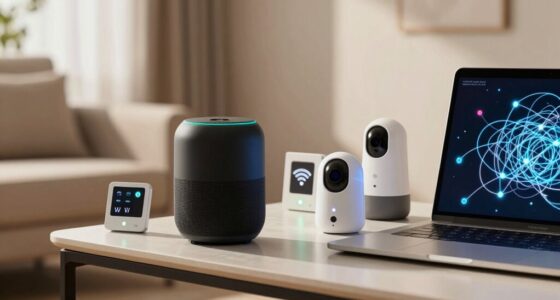
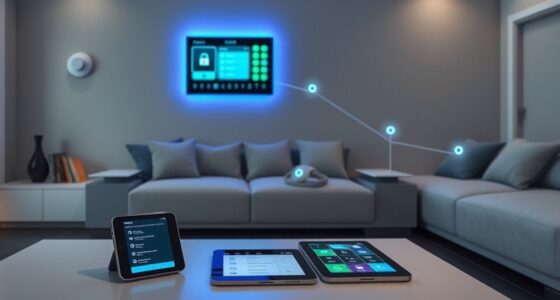
Your smart home backups can leak more data than you think because cloud storage isn’t always perfectly secure. Hackers can exploit vulnerabilities in cloud servers or intercept data transmissions. Poorly secured backups, weak encryption, or weak access controls increase the risk. Voice recordings, personal routines, and device settings stored remotely could be exposed if security isn’t up to date. Keep in mind that understanding these risks helps you better protect your smart home—discover how to shield your data effectively.
Listen free for 30 days with Audible
Thousands of audiobooks and originals — cancel anytime.
As an affiliate, we earn on qualifying purchases.
Key Takeaways
- Cloud backups may have weak encryption, increasing the risk of unauthorized data access.
- Improper security settings can expose sensitive smart device data during transfer or storage.
- Voice recordings stored remotely can be intercepted or accessed by hackers if not properly protected.
- Regular firmware and security updates are essential to prevent vulnerabilities in backup systems.
- Over-reliance on cloud storage without additional local backups heightens the risk of data leaks.

Have you ever considered what would happen to your smart home if your devices suddenly lost power or experienced a failure? It’s a scenario that highlights the significance of backups, but it also reveals potential risks you might not have anticipated. When you rely heavily on cloud storage for your smart device data, it’s easy to assume your information is safe. However, cloud storage privacy isn’t always foolproof. If your backup services aren’t properly secured, sensitive data could be vulnerable to breaches. Hackers might exploit vulnerabilities in cloud servers or intercept data transmissions, gaining access to your personal routines, voice commands, or security settings. This exposure can turn a simple backup into a security liability.
Additionally, voice assistant vulnerabilities add another layer to the concern. Voice-controlled devices are increasingly integrated into smart homes, making daily life more convenient. Still, they can also be a weak point. Malicious actors can manipulate or hijack voice assistants if they exploit software bugs or use sophisticated hacking techniques. Once compromised, these devices can leak private conversations or be used to gain control over other connected systems. When backups are involved, any stored voice data in the cloud might be accessible to unauthorized parties, especially if encryption isn’t robust or if access controls are lax. Recognizing the importance of security best practices can help mitigate these risks.
Your backup strategy needs to account for these vulnerabilities. Relying solely on cloud storage without encryption or proper access restrictions can inadvertently open doors for data leaks. It’s crucial to understand the security implications of your backup practices and ensure that your backups are encrypted both during transfer and at rest. Using strong, unique passwords and enabling multi-factor authentication can prevent unauthorized access. Furthermore, understanding what data is being stored in the cloud and how it’s protected helps you assess the true privacy of your backup. Don’t assume that cloud providers are infallible—always review their security policies and consider additional local backups for sensitive information. Implementing encryption practices and staying aware of potential security flaws in cloud services can significantly reduce your risk.
Power failures or device malfunctions might seem like minor inconveniences, but the way you handle backups can turn them into major security issues. If you’re not cautious, your backup data—especially voice recordings and personal settings—can become a target for cyberattacks. Think critically about where and how your data is stored. Implement encryption, restrict access, and stay informed about vulnerabilities related to your devices and cloud services. Regularly updating your device firmware and security settings is vital to patch known vulnerabilities and maintain a secure backup environment. Being aware of cloud storage privacy concerns is essential to prevent unintended leaks of sensitive information, especially when backups are stored remotely. In addition, adopting comprehensive security measures can help shield your data from emerging threats and safeguard your smart home from unexpected failures that could leak more than you ever imagined.
smart home backup encryption device
As an affiliate, we earn on qualifying purchases.
As an affiliate, we earn on qualifying purchases.
Frequently Asked Questions
Can Backup Data Be Accessed Remotely Without Permission?
Yes, backup data can be accessed remotely without permission if third-party vulnerabilities exist. Hackers often exploit weak security measures, such as outdated software or poor password protection, to gain unauthorized access. When backups are stored in cloud services or connected devices, they become targets for cyberattacks. You should regularly update security settings, use strong passwords, and enable multi-factor authentication to prevent unauthorized access and protect your backup data from potential breaches.
Are Backups Encrypted Automatically by Smart Home Devices?
Most smart home devices don’t encrypt backups automatically, leaving your data vulnerable. Encryption protocols vary, and some devices may lack robust protection, risking data privacy. It’s essential to check your device’s settings or manufacturer’s documentation to verify backups are encrypted before storing sensitive information. Taking these steps helps prevent unauthorized access and keeps your smart home data secure against potential breaches.
How Often Should Backups Be Updated for Security?
You should update your backups at least weekly to keep your smart home secure—think of it as shielding your digital fortress from relentless attacks. Regular backup frequency is essential for security best practices because it minimizes data loss and reduces vulnerability exposure. Don’t wait for a breach; proactively updating backups helps guarantee your devices and personal info stay protected against evolving threats. Stay vigilant, stay secure.
What Types of Data Are Typically Stored in Backups?
You typically store sensitive data like device configurations, user settings, and access logs in backups. This data is vital for restoring your smart home system quickly. However, be aware of data privacy concerns and storage vulnerabilities, as backups can expose personal information if not properly secured. Always encrypt backups and restrict access to prevent leaks, ensuring your smart home data stays private and protected from potential threats.
Do All Smart Home Devices Support Secure Backup Options?
Like a fragile glass, not all smart home devices support secure backup options. You find that device compatibility varies, and some devices lack encryption or robust security features. Backup retention policies differ too—some store data indefinitely, increasing risk. To protect your privacy, always check if your devices offer secure backups and understand their retention settings. This way, you can minimize potential leaks and keep your smart home safer.
secure cloud storage for smart home data
As an affiliate, we earn on qualifying purchases.
As an affiliate, we earn on qualifying purchases.
Conclusion
Just like a leaking faucet slowly drips away your savings, backing up your smart home data without proper security measures can quietly expose more than you realize. Be cautious and stay vigilant—think of your backups as a treasure chest. Keep them locked tight, or you might find your private world open to prying eyes. Protect your digital home as fiercely as you would your physical one; otherwise, the risks will keep flowing unnoticed.
local backup device for smart home
As an affiliate, we earn on qualifying purchases.
As an affiliate, we earn on qualifying purchases.
smart home security camera with local storage
As an affiliate, we earn on qualifying purchases.
As an affiliate, we earn on qualifying purchases.
NFL season / tailgating Picks
team gear
As an affiliate, we earn on qualifying purchases.