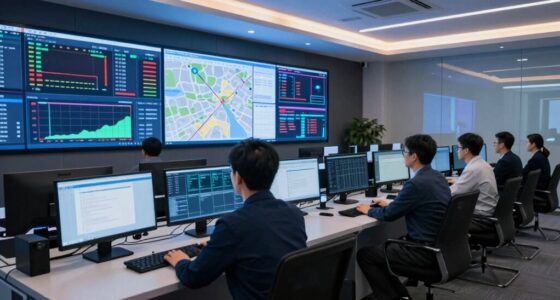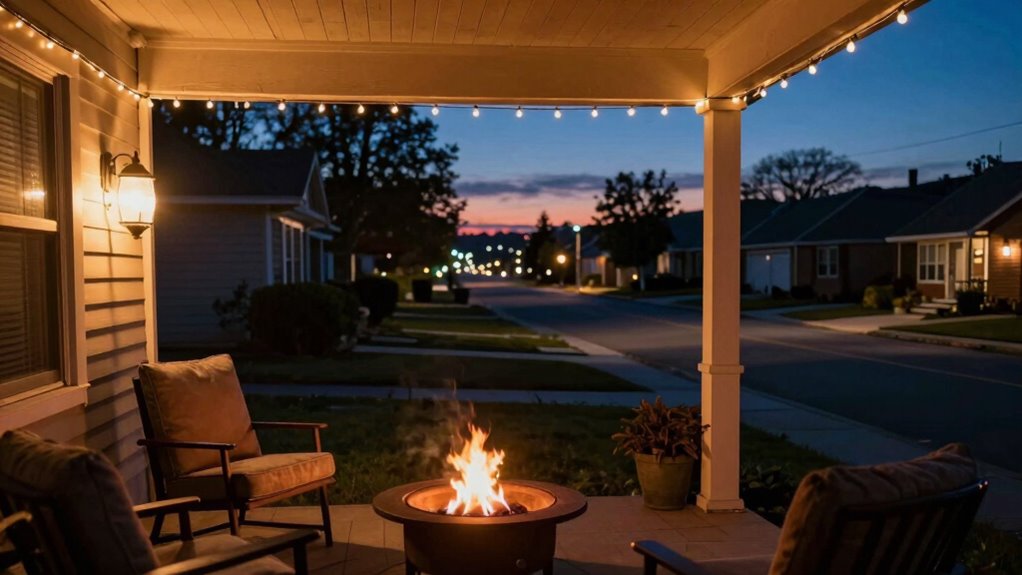

Think of “Home,” “Night,” and “Away” modes as your smart home’s way of automatically adapting to your routines. “Home” keeps your comfort and easy access, “Night” creates a restful and secure environment, and “Away” focuses on energy savings and security when you’re not there. Properly understanding and utilizing these modes guarantees your home runs efficiently and safely. Keep exploring to discover how to customize these modes for even better home management.

Get privacy and security gear delivered free with Prime
- Fast, free delivery on millions of items
- Prime Video, Amazon Music and more included
- Member-only deals all year
Key Takeaways
- View modes as personalized settings that optimize comfort, security, and energy efficiency based on your daily routines.
- Use “Home” mode for active daily use, “Night” mode for restful sleep, and “Away” mode for security and energy savings when absent.
- Automate mode transitions based on schedules or location to ensure seamless home management.
- Regularly review and adjust mode settings to align with changing routines and preferences.
- Think of modes as communication tools among smart devices to create a responsive, efficient, and secure home environment.

Have you ever wondered what “Home,” “Night,” and “Away” modes really mean for your smart devices? These modes are more than just labels—they’re the foundation of effective smart home automation, designed to simplify your life and optimize energy efficiency strategies. When you understand how each mode functions, you can tailor your automation system to suit your routines, preferences, and even save money on energy bills.
“Home” mode is your default setting when you’re actively using your house. It’s configured to keep your environment comfortable and convenient. Lights stay on or are set to turn on automatically when you enter a room, thermostats adjust to your preferred temperature, and security systems relax their monitoring, assuming everyone is inside. Your smart devices communicate seamlessly, creating a cozy atmosphere without you lifting a finger. This mode emphasizes comfort and accessibility but also provides opportunities for energy management strategies. For example, you might set lights to turn off in unoccupied rooms or adjust the thermostat slightly lower when the house is still occupied but not actively in use.
When it’s time to wind down, “Night” mode takes over. This mode is all about comfort and safety, while also promoting energy efficiency strategies. You might set your smart lights to dim or turn off in certain areas, lock doors, and lower the thermostat to reduce heating or cooling costs overnight. Your smart security system can activate sensors, ensuring your home is protected while you sleep. The goal here is to create a restful environment that minimizes unnecessary energy use while maximizing safety. Automating these routines means you don’t have to think about turning off lights or adjusting thermostats manually, reducing waste and saving money over time.
“Away” mode is your home’s security blanket when nobody’s around. When you leave, your smart devices switch into this mode automatically, or you can activate it manually. Lights turn off, doors lock, thermostats lower or raise to an energy-efficient setting, and security systems become fully active. This mode is essential for smart home automation because it helps prevent energy waste—no lights left on, no heating or cooling running needlessly—and keeps your home safe from intruders. Plus, with remote access, you can always check or adjust these settings on the go, giving you peace of mind whether you’re at work or on vacation. Understanding smart device synchronization is key to making these modes work smoothly and effectively.
In essence, understanding these modes empowers you to use your smart devices intentionally, aligning your routines with energy efficiency strategies. Each mode serves a specific purpose, helping you save energy, enhance security, and increase comfort—making your home smarter and more responsive to your lifestyle.
As an affiliate, we earn on qualifying purchases.
Frequently Asked Questions
Can I Customize Modes for Different Days or Events?
Yes, you can customize modes for different days or events using custom mode scheduling and event-specific automation. You can set your system to automatically switch modes based on your schedule, like weekends or special events, ensuring your home adapts to your lifestyle. This flexibility lets you personalize your environment, making sure your home responds appropriately whether you’re hosting guests, relaxing, or away.
How Do Modes Affect Smart Device Automation?
Modes dramatically shape your smart device automation, acting like a conductor for your home’s symphony. They influence device scheduling and align with your user preferences, ensuring everything operates smoothly. When you switch to “Night” mode, lighting dims, and security activates—creating a fortress of peace. “Home” mode adjusts thermostat and music, reflecting your preferences. These modes streamline your routines, making your smart home feel intuitive and effortlessly responsive, like magic.
Are There Security Concerns With Switching Modes Remotely?
Yes, there are security concerns with remote access to switch modes. When you control your smart devices remotely, hackers could potentially gain access if your system isn’t secure. This raises privacy implications, as sensitive data might be exposed. To stay safe, guarantee your network has strong passwords, enable two-factor authentication, and keep your device software updated. Always be cautious when giving remote access to safeguard your privacy and security.
How Do I Troubleshoot Mode Conflicts or Errors?
To troubleshoot mode conflicts or errors, start by checking your system’s logs for clues. Use mode conflict resolution strategies like resetting devices or updating firmware. Make certain all automation rules don’t overlap or contradict each other. Test each mode individually to identify specific issues. If errors persist, perform error troubleshooting by rebooting your hub or controller, and verify your settings match your intended automation. This helps keep your modes working smoothly.
Can Modes Be Synchronized Across Multiple Locations?
Yes, modes can be synchronized across multiple locations through multi-location control systems. You set up mode synchronization by linking your devices or smart systems, allowing you to change modes simultaneously everywhere. This feature is especially useful for maintaining consistency, like ensuring all your homes or offices switch to “Night” mode at the same time. Just make sure your system supports multi-location control, and you’ll enjoy seamless mode synchronization across all sites.
As an affiliate, we earn on qualifying purchases.
Conclusion
Think of “home,” “night,” and “away” modes as your personal Ariadne’s thread, guiding you through the labyrinth of daily life. Each mode acts as a trusted guide, seamlessly adjusting your environment to suit your needs—whether you’re lounging, sleeping, or out exploring. Embrace these modes as your modern Minotaur’s maze, simplifying your routines and ensuring peace of mind. With them, you’re never lost in the chaos, but always finding your way home.
As an affiliate, we earn on qualifying purchases.
As an affiliate, we earn on qualifying purchases.
Halloween Picks
halloween
As an affiliate, we earn on qualifying purchases.