
To safeguard your network, you should revoke guest access immediately when they leave. Leaving permissions active can expose sensitive data, make your network vulnerable to malware or hacking, and lead to security breaches. Many overlook this step or rely on manual updates, increasing risk. Automating the process ensures swift revocation and enhances security. Keep your network safe—continue exploring ways to effectively manage guest access and prevent vulnerabilities.
Key Takeaways
- Automate access revocation with expiry timers to remove guest permissions immediately after departure.
- Use access management tools or scripts to streamline and speed up revocation processes.
- Configure alerts for access changes to ensure prompt action when guests leave.
- Regularly audit guest access permissions to identify and revoke lingering permissions swiftly.
- Implement strict policies and procedures emphasizing immediate revocation to prevent security gaps.

Jonard Tools UUT-425 Ubiquiti WiFi Access Point Base Unlock & Reset Tool
UBIQUITI ACCESS POINTS: Quickly releases the locking tab on Ubiquiti Wifi Access Points to unlock the base in…
As an affiliate, we earn on qualifying purchases.
As an affiliate, we earn on qualifying purchases.
Why Leaving Guest Access Open Is a Security Risk
Leaving guest access open after someone leaves can pose serious security risks. If you don’t revoke the guest password or disconnect the guest network, unauthorized users could access your sensitive data or network resources. A guest network is meant for temporary use, but leaving it active allows new devices to connect without your knowledge. This oversight can lead to potential breaches, especially if the guest password remains unchanged. Hackers or malicious individuals might exploit the open access, gaining entry to your network and spreading malware or stealing information. Always revoke the guest password and disable the guest network once your guest departs. Doing so protects your network, maintains privacy, and prevents unauthorized access from lingering or forgotten credentials. Additionally, smart-home integrations can help automate and simplify this process, ensuring your network remains secure when not in use. Implementing network security protocols can further safeguard your devices from unauthorized access and potential threats, especially by monitoring network activity for unusual behavior. Regularly updating firmware and employing automatic security updates can also enhance your network’s resilience against emerging threats. Maintaining awareness of security best practices is essential to keep your network safe and secure.

Keep Connect Router Wi-Fi Reset Device. Automatic Router Rebooter. If You Enter a Phone Number it Will Send Texts Upon resets.
Automatic Router Rebooter – Stop manually rebooting your router and let Keep Connect automate the process. Keep Connect…
As an affiliate, we earn on qualifying purchases.
As an affiliate, we earn on qualifying purchases.
How Immediate Revocation Protects Your Network

Revoking guest access immediately after a guest leaves is essential for maintaining your network’s security. When you do this, you prevent unauthorized individuals from lingering and accessing sensitive information. Implementing strict access protocols ensures that once a guest’s session ends, their permissions are rescinded without delay. A clear guest access policy communicates expectations and responsibilities, helping to prevent accidental or malicious breaches. This policy should be regularly reviewed and enforced consistently to ensure compliance. Establishing access control procedures is vital for maintaining a secure environment. This practice also relies on clear communication to inform guests about access policies and expectations. Effective network management practices further minimize the risk of accidental or malicious data breaches. This minimizes the risk of accidental or malicious data breaches. Network segmentation further enhances protection by isolating guest networks from your core systems, limiting potential damage if access isn’t revoked promptly. By acting swiftly, you control who can connect and what they can access, reducing vulnerabilities. Immediate revocation is a simple yet effective practice that keeps your network secure, fosters trust, and ensures that only authorized users maintain access at any given time.

Tenda AC1200 Smart WiFi Router, High Speed Dual Band Wireless Internet Router with Smart APP, 4 x 100 Mbps Fast Ethernet Ports, Supports Guest WiFi, Access Point Mode, IPv6 and Parental Controls(AC6)
𝐀𝐂𝟏𝟐𝟎𝟎 𝐃𝐮𝐚𝐥-𝐁𝐚𝐧𝐝 𝐖𝐢𝐅𝐢 𝐑𝐨𝐮𝐭𝐞𝐫 𝐟𝐨𝐫 𝐇𝐨𝐦𝐞 — Ideal for gaming, 4K streaming, downloading and more with Wi-Fi speeds…
As an affiliate, we earn on qualifying purchases.
As an affiliate, we earn on qualifying purchases.
Common Mistakes That Keep Your Access Vulnerable
Many organizations fall into security pitfalls because they overlook simple mistakes that leave their access points vulnerable. One common error is poorly managing guest onboarding, which often results in outdated or unnecessary access permissions lingering long after a guest’s visit. Failing to conduct regular access auditing compounds this problem, making it easier for unauthorized individuals to gain entry. You might assume that once access is granted, it’s safe indefinitely, but this complacency creates security gaps. To avoid these mistakes, you need a clear process for guest onboarding that includes timely revocation and consistent access auditing. Implementing access management protocols ensures your network stays secure, even when guests come and go. Regular permissions review helps identify and remove unnecessary access rights before they can be exploited. Incorporating security best practices related to access control can further strengthen your defenses. Additionally, employing automated access controls can help streamline and secure the revocation process, reducing human error.
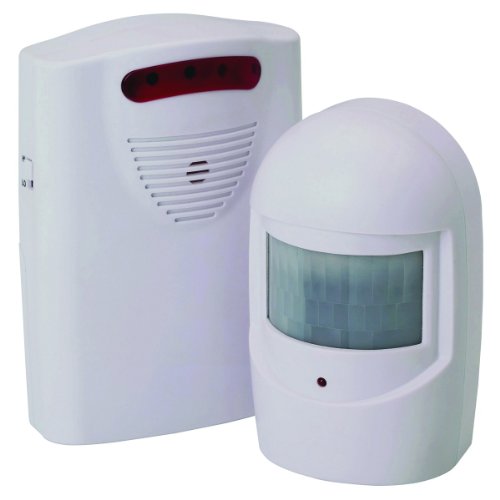
Wireless Driveway Alert System 400 Feet Range by Bunker Hill Security
Completely wireless installation
As an affiliate, we earn on qualifying purchases.
As an affiliate, we earn on qualifying purchases.
Easy Ways to Automate Guest Access Removal
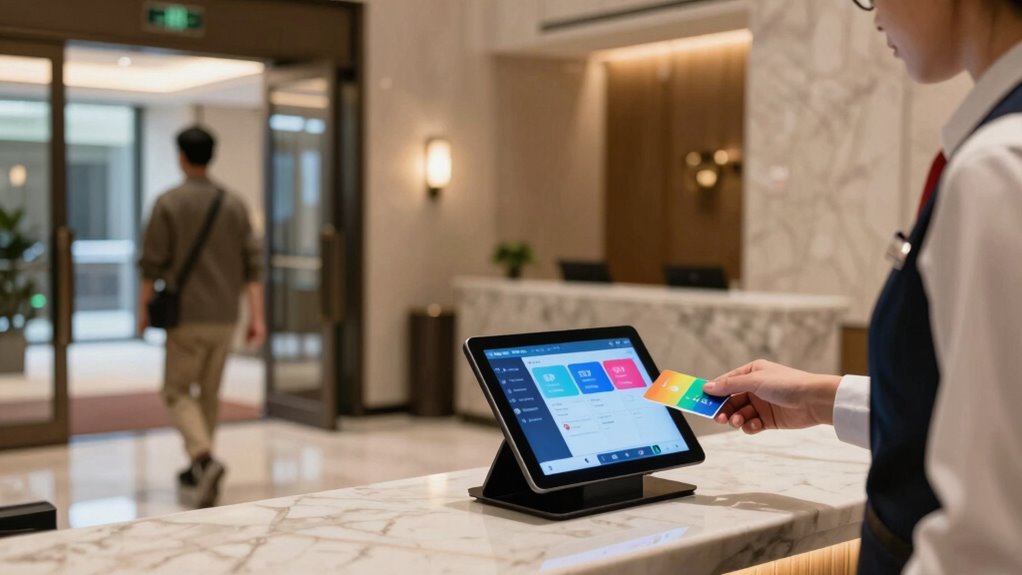
You can simplify guest access management by setting expiry timers that automatically revoke access after a specific period. Using access management tools makes it easier to control permissions and remove guests when needed, without manual effort. Automating with scripts further streamlines the process, ensuring access is revoked promptly when a guest leaves. Implementing proper craftsmanship in your access protocols ensures a reliable and secure system. Incorporating access control best practices helps prevent unauthorized entry and enhances overall security in your system.
Set Expiry Timers
Setting expiry timers for guest access is one of the simplest ways to automate their removal. By configuring expiry timers, you ensure that a guest session ends automatically after a set period, reducing manual oversight. This approach minimizes security risks, especially when guests forget to log out. You can customize timers based on visit duration, such as hours or days, depending on the guest’s needs. To illustrate, here’s a quick overview:
| Feature | Benefit |
|---|---|
| Automatic expiry | Guest session ends without intervention |
| Custom duration | Flexibility based on guest access requirements |
Using expiry timers streamlines guest management, providing peace of mind and enhanced security through timely access revocation.
Use Access Management Tools
Access management tools provide an efficient way to automate the removal of guest access, eliminating the need for manual intervention. With these tools, you can streamline guest onboarding by setting specific access levels for each visitor from the start. When a guest’s role or visit duration changes, the system automatically adjusts their permissions or revokes access once their time expires. This automation reduces errors and guarantees that access is revoked promptly when a guest leaves or no longer needs entry. You can also configure these tools to send alerts or logs when access is modified, helping you stay on top of security. Additionally, understanding the power of electric bikes and their capabilities can assist in designing more secure and efficient access systems for bike-sharing or electric vehicle programs. Incorporating access control best practices ensures your network remains protected while simplifying management. Furthermore, integrating trusted security protocols can enhance the reliability of your access management system. Overall, access management tools simplify controlling guest permissions, ensuring your network remains secure without constant oversight, especially when integrated with security protocols that continually monitor access points.
Automate With Scripts
Automating guest access removal with scripts offers a straightforward and customizable solution that can save time and reduce errors. By scripting the process, you can streamline guest onboarding and ensure access is revoked promptly when a guest leaves. This approach allows you to set up automated workflows that trigger access removal based on specific events or timeframes, minimizing manual effort. Regular access auditing becomes easier since scripts can log and review access changes automatically, helping you spot any discrepancies or lingering permissions. With scripting, you maintain tighter control over your network, ensuring guests only have access during their designated period. Incorporating security best practices into your scripts can further enhance your network protection. Automating these processes also helps prevent free floating access, which can be a security risk if not properly managed. Implementing access control policies ensures your access management aligns with industry regulations. Additionally, implementing compliance standards ensures your access management aligns with industry regulations. Utilizing guest management systems can further optimize the automation process, ensuring seamless access control. Ultimately, this method promotes security, efficiency, and peace of mind, making it an essential tool for modern access management.
What Happens When You Delay Revoking Permissions

When you delay revoking permissions, security risks increase because unauthorized users might access sensitive data. This delay can lead to accidental data exposure or misuse, putting your organization at risk. Plus, losing control over who has access makes it harder to protect your information effectively.
Increased Security Risks
Delaying the revocation of a guest’s permissions can considerably increase security risks for your organization. When access isn’t revoked promptly, guests may access sensitive information, jeopardizing guest privacy. This lingering access can also bypass network segmentation, allowing unauthorized movement across your network. An unrevoked guest account might be exploited by malicious actors to introduce malware or conduct insider threats. Additionally, delayed revocation creates vulnerabilities that could be exploited if a guest’s device is compromised or if they intentionally misuse their access. The longer permissions remain active, the higher the chance of security breaches. To protect your organization, it’s essential to revoke access immediately after a guest leaves, minimizing these risks and maintaining robust security protocols.
Data Exposure Potential
Leaving guest permissions active after their departure substantially increases the risk of data exposure. When permissions aren’t revoked promptly, guest data remains accessible, which could lead to unintended sharing or leaks. This delayed action also heightens network exposure, making sensitive information vulnerable to malicious actors.
Consider these risks:
- Unauthorized access to confidential guest data
- Increased chances of data breaches
- Accidental deletion or modification of files
- Exposure of internal documents to outsiders
- Potential for malicious activities on your network
Loss of Control
If you don’t revoke guest permissions promptly, you lose critical control over your network and data. Delaying access oversight allows guests to continue accessing sensitive information longer than necessary, increasing the risk of accidental or malicious data mishandling. Without immediate revocation, accountability becomes vague, making it harder to track who accessed what and when. This loss of control hampers your ability to enforce security policies effectively. Guests may inadvertently or intentionally misuse resources, jeopardizing your network’s integrity. Furthermore, delayed revocation can create gaps in your security posture, leaving your organization vulnerable to breaches. To maintain proper guest accountability and ensure tight access oversight, you must revoke permissions instantly when a guest leaves. This proactive approach keeps your network safe and under your control.
Simple Steps to Revoke Guest Access as Soon as They Leave
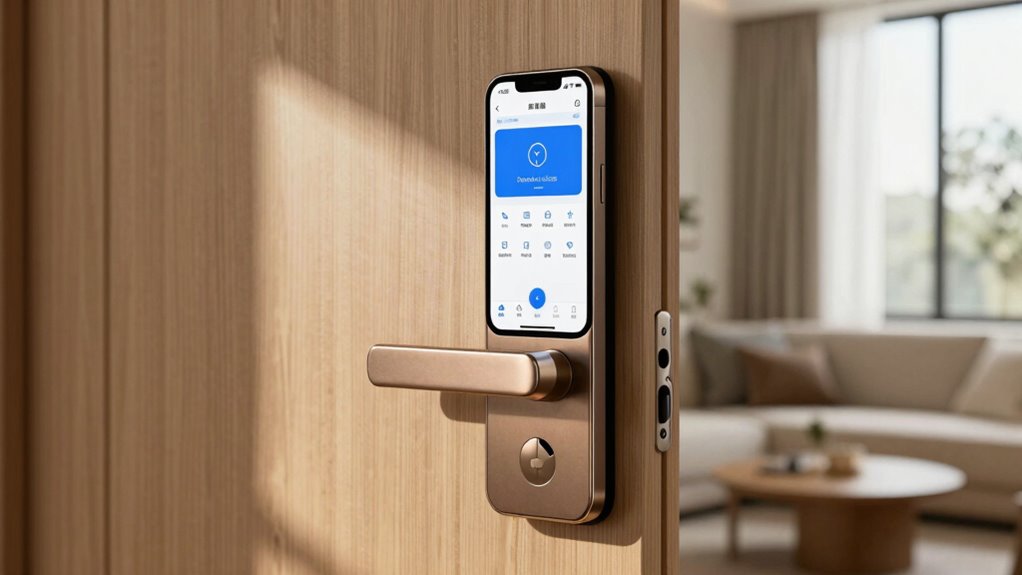
Once a guest has finished their visit, promptly revoking their access is essential to maintaining your security. Start by notifying the guest that their access has been revoked through guest notification, ensuring clarity. Next, review your access monitoring logs to confirm their departure. Then, disable or remove their credentials immediately, whether it’s a key card or digital access. Consider updating your security system or access codes to prevent future entry. Finally, document the revocation for your records. Implementing these simple steps minimizes risk and keeps your space secure. Remember, swift action combined with good access monitoring and guest notification practices helps prevent unauthorized access and maintains control over who enters your premises.
Frequently Asked Questions
How Can I Track Guest Access in Real-Time Effectively?
You can track guest access in real-time effectively by setting up access logs that record every entry and exit. Enable real-time alerts to notify you instantly whenever someone accesses the premises. This combination helps you monitor who’s inside at all times and respond quickly if unauthorized access occurs. Regularly reviewing access logs and adjusting alert settings guarantees you stay informed and maintain security effortlessly.
What Tools Are Best for Automating Guest Access Removal?
Imagine a digital gatekeeper swiftly closing behind a guest once they leave. To achieve this, you should use tools like Envoy or Proxyclick, which automate access and streamline guest management. These systems instantly revoke access, providing real-time control. By integrating automated access tools, you guarantee security and efficiency, effortlessly managing guest entries and exits without manual intervention, keeping your premises safe and operations smooth.
How Often Should I Review Guest Access Permissions?
You should conduct an access review and permission auditing at least quarterly to keep your system secure. Regularly reviewing who has access guarantees no unnecessary permissions linger, reducing security risks. Make it a routine part of your security process, especially after guest visits or changes in team members. Consistent permission auditing helps you catch and revoke outdated access quickly, maintaining tight control over your system’s security.
Can Revoking Access Impact Guest Experience Negatively?
Revoking access can impact guest trust if not handled transparently, but most guests appreciate quick, clear actions. About 85% of users value access transparency, which fosters trust and confidence. If you communicate promptly and explain the reasons for revoking access, you maintain a positive guest experience. Ensuring that access is revoked only when necessary, and doing so respectfully, helps balance security with a smooth, trusting guest journey.
What Legal Issues Could Arise From Delayed Access Revocation?
If you delay revoking access, you could face legal compliance issues, especially if privacy laws require prompt action to protect personal data. Privacy concerns also arise if unauthorized individuals access sensitive information or areas, causing potential legal liabilities. Ensuring immediate access revocation helps you stay compliant with regulations and demonstrates a commitment to safeguarding guest privacy, avoiding penalties and reputational damage.
Conclusion
Did you know that 60% of businesses experience security breaches due to outdated guest access? By revoking permissions immediately when someone leaves, you drastically reduce this risk. Don’t wait or assume they’ll disconnect on their own—it’s your network’s safety at stake. Automate the process and stay ahead of potential threats. Taking quick action not only protects your data but also keeps your network secure and trustworthy. Stay vigilant and revoke access instantly every time.