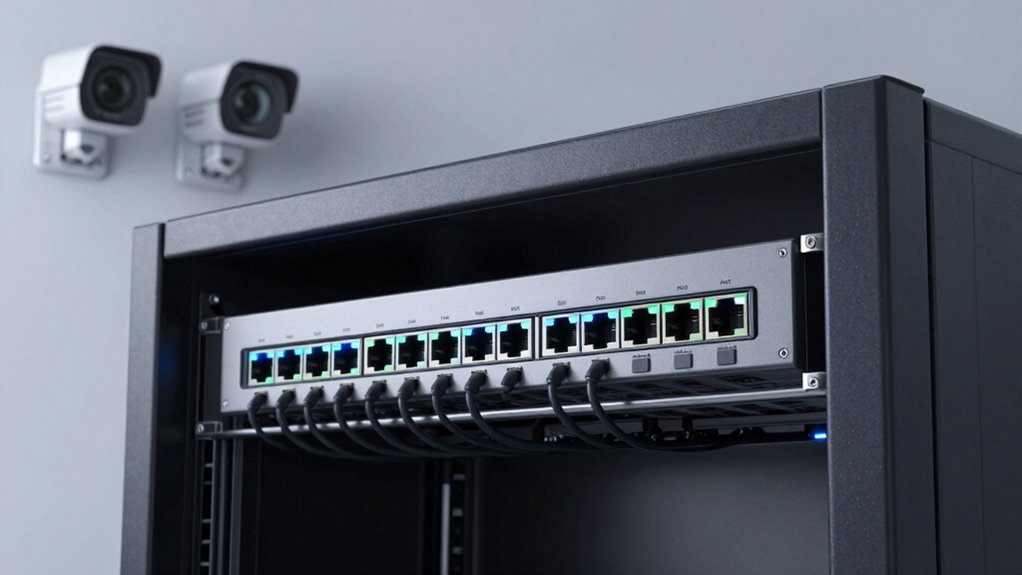

For most small businesses adding several IP cameras, I’d start with the TP-Link Omada SG2428LP: its 24 ports and managed controls leave room to grow without jumping to a high-power, more complex switch. The TP-Link TL-SG1428PE is another strong fit when a larger camera network needs PoE+ and practical management, while the NETGEAR GS305EP suits a small installation that benefits from basic smart controls. The main tradeoffs are port count, total PoE budget, and management depth; a switch can have enough ports but still lack power for every connected device. I compare all 13 options by how well they match real camera deployments, including their limits and likely use cases. Read on for the full breakdown and help choosing a switch that fits your camera count today and your expansion plans.

Get privacy and security gear delivered free with Prime
- Fast, free delivery on millions of items
- Prime Video, Amazon Music and more included
- Member-only deals all year
Key Takeaways
- The SG2428LP is the most balanced larger-network pick in this lineup: it combines 24-port capacity with managed PoE+ without the 240W emphasis of the biggest-power models.
- The TL-SG1428PE and SG2428LP serve different 24-port needs. Compare their stated PoE capacity and management requirements rather than treating port count alone as the deciding factor.
- Small deployments have several distinct paths: the 5-port TL-SG1005P is a simple PoE switch, while the GS305EP adds easy-smart management for buyers who want more control.
- Power budget changes the ranking as camera counts rise. The 240W Goalake 16-port options suit installations that need more aggregate power, but buyers should check real device draw and management fit.
- Compact switches trade room to grow for simpler placement. The 6-port model adds VLAN/QoS and an SFP option, while 8-port picks vary in cloud, smart, or managed controls rather than being interchangeable.


| managed poe switch for small business camera | Management | PoE ports | Total ports |
|---|---|---|---|
| TP-Link TL-SG1428PE 24-Port Gi | — | 24 PoE+ | — |
| Omada ES220GP 16-Port Gigabit | — | — | — |
| TP-Link TL-SG1005P 5-Port Giga | Unmanaged | 4 PoE+ | 5 Gigabit Ethernet |
| 6-Port Gigabit PoE Switch for | — | 4 | 6 |
| Goalake 16-Port Gigabit PoE+ S | — | 16 PoE+ | 19 |
| TP-Link LS108GP 8-Port PoE Gig | Unmanaged | — | — |
| STEAMEMO 16 Port Managed PoE+ | Web, desktop, and mobile interfaces; managed or unmanaged mode | — | — |
| TP-Link Omada SG2428LP 24-Port | Managed with centralized cloud management | — | 28 |
| Goalake 8 Ports Gigabit PoE Sw | Cloud managed via app or web interface | 8 Gigabit | — |
| Omada ES208GP 8 Port Gigabit M | Managed with Omada cloud management | — | — |
| NETGEAR 5 Port PoE Gigabit Eth | Easy Smart, web-based GUI | 4 PoE+ | 5 |
| NETGEAR 8 Port PoE Gigabit Eth | Smart Managed | 8 PoE+ | 8 |
| Tenveo 8 Port Full Gigabit PoE | Managed, with VLAN support | — | 10 |
More Details on Our Top Picks
TP-Link TL-SG1428PE 24-Port Gigabit Easy Smart Managed PoE+ Switch
For a small business expecting its camera system to grow, the TL-SG1428PE offers the most PoE ports in this group: 24 PoE+ ports, backed by a 250W power budget. That gives an installer room to add cameras without immediately needing another switch. Its VLAN, QoS, IGMP, and auto-recovery options also provide more camera-network control than the unmanaged TP-Link TL-SG1005P. Two SFP slots add flexibility for fiber uplinks, though they do not add PoE capacity. The tradeoff is size and setup: this rack-mountable metal unit is a bigger commitment than the compact 6-Port Gigabit PoE Switch, and auto recovery needs configuration. Choose it for a camera-heavy office with a rack and someone comfortable managing switch settings; skip it for a handful of cameras where its port count and management overhead go unused.
Pros:- 24 PoE+ ports let a growing camera system connect to one switch.
- 250W total PoE budget supports multiple powered devices.
- VLAN, QoS, IGMP, and auto-recovery features give administrators useful network controls.
- Two SFP slots and rack-mountable metal construction suit structured installations.
Cons:- Auto recovery requires configuration rather than working as a set-and-forget feature.
- Its 24-port size and management capabilities are excessive for a small camera count.
- Easy Smart management does not provide the advanced routing capabilities of a full Layer 3 switch.
Best for: Small businesses planning for up to 24 PoE cameras or other PoE devices, especially those with a rack and an administrator who can configure VLANs and recovery settings.
Not ideal for: Shops or small offices with only a few cameras, limited rack space, or no one available to manage smart-switch settings.
- PoE ports:24 PoE+
- Additional ports:2 non-PoE ports
- PoE power budget:250W
- Data rate:Gigabit, up to 1 Gbps
- SFP slots:2
- Management features:VLAN, QoS, IGMP, PoE auto recovery
- Dimensions:17.3 × 8.7 × 1.73 inches
- Construction:Metal case; rack-mountable
Our verdict“Choose the TL-SG1428PE when a rack-based business needs substantial PoE camera capacity and smart network controls in one switch.”
Omada ES220GP 16-Port Gigabit Easy Managed PoE Switch
The Omada ES220GP is the strongest fit here when camera placement stretches beyond a typical office footprint. Its Extend Mode reaches up to 250 meters, which can help connect a distant outbuilding or perimeter camera without placing a powered switch midway; actual results depend on cable and device conditions. It has 16 PoE+ ports and a 150W budget, fewer ports and less total power than the TP-Link TL-SG1428PE, but it brings a fanless design and Omada SDN management for centralized control. VLAN and loop prevention add practical safeguards for a camera network. The lower port count makes expansion less generous than the TP-Link, and the listed feature set does not include advanced Layer 3 routing. I’d pick it for a quiet office with long camera runs, not for a large deployment needing maximum port capacity.
Pros:- Extend Mode supports PoE connections up to 250 meters for distant camera locations.
- Fanless operation avoids adding switch-fan noise to a quiet workspace.
- Omada SDN provides centralized management alongside VLAN and loop-prevention features.
- 150W budget and up to 30W per port support PoE+ devices.
Cons:- 16 PoE ports provide less room for expansion than the 24-port TL-SG1428PE.
- No advanced Layer 3 routing features are specified.
- No built-in battery backup or UPS support is listed.
Best for: Small businesses connecting cameras across long cable runs that want centralized Omada management and a silent switch for an office or reception area.
Not ideal for: Camera installations needing more than 16 PoE ports, advanced Layer 3 routing, or a built-in backup power source.
- Ports:16
- PoE standard:802.3af/at (PoE+)
- Total PoE budget:150W
- Maximum PoE per port:30W
- Extended PoE distance:Up to 250 meters in Extend Mode
- Uplink slots:2 SFP
- Management features:Omada SDN, VLAN, loop prevention
- Design:Fanless metal; 11.6 × 7.1 × 1.7 inches
Our verdict“Pick the ES220GP for a quiet, centrally managed camera network where long cable reach matters more than having 24 PoE ports.”
TP-Link TL-SG1005P 5-Port Gigabit PoE Switch with 4 PoE+ Ports
The TL-SG1005P is the straightforward choice for a very small camera setup: connect the switch, attach up to four PoE cameras, and avoid configuring a management interface. Its 65W budget and Gigabit ports suit basic installations, while fanless operation keeps it quiet near a desk or recorder. QoS and IGMP Snooping are listed, but this is still an unmanaged switch; it lacks the VLAN controls and remote management offered by the 6-Port Gigabit PoE Switch. That distinction matters if you want to separate camera traffic or check switch settings remotely. The compact metal case is easy to place, but the four-camera ceiling and limited power headroom make this a starter, not a growth platform. The product information also says no power adapter is included, so verify the power-supply requirements before buying.
Pros:- Plug-and-play setup avoids management configuration.
- Four PoE+ ports support a small camera installation.
- Fanless metal construction is compact and quiet.
- Gigabit ports, QoS, and IGMP Snooping support camera traffic handling.
Cons:- Unmanaged design lacks VLAN and remote management controls available on the 6-port managed option.
- Four PoE ports leave little room for adding cameras.
- 65W power budget may limit combinations of higher-power devices, and no power adapter is included according to the product details.
Best for: A small shop or office installing up to four PoE cameras on a simple network, with no need for VLAN configuration or remote switch management.
Not ideal for: Businesses planning camera expansion or needing managed VLANs, remote administration, or a larger PoE power reserve.
- Total ports:5 Gigabit Ethernet
- PoE ports:4 PoE+
- PoE power budget:65W
- Maximum PoE per port:Up to 30W
- Port speed:10/100/1000 Mbps
- Management:Unmanaged
- Construction:Metal, fanless
- Dimensions and weight:3.94 × 3.86 × 0.98 inches; 0.8 kg
Our verdict“Choose the TL-SG1005P for a small, fixed camera setup where simple plug-and-play operation matters more than managed controls or future expansion.”
6-Port Gigabit PoE Switch for Small Business & Home Security (4 PoE Ports, 1 Uplink, 1 SFP) 52W Power, Managed VLAN/QoS, Fanless Metal Design
For a small office with only a few cameras, this 6-port managed switch adds controls the unmanaged TL-SG1005P lacks without taking on the scale of the 16-port Omada ES220GP. It has four PoE ports, one Gigabit uplink, and an SFP slot, so the port layout works for a compact camera cluster with a separate network connection. VLAN and QoS give the administrator ways to organize and prioritize traffic, while cloud or web management is presented as an option. Its 52W budget is less than the TP-Link 5-port model’s 65W, so check the combined power needs of the cameras rather than relying on port count alone. Fanless construction and claimed 250-meter reach suit quiet or spread-out installations, but there’s no rack-mount option or included mounting hardware listed.
Pros:- Managed VLAN and QoS features offer more traffic control than the unmanaged TL-SG1005P.
- Cloud and web management options support remote administration.
- Fanless metal design suits quiet, compact installations.
- Extended-range mode is specified for runs up to 250 meters.
Cons:- Four PoE ports limit camera capacity and near-term expansion.
- 52W total power is lower than the TL-SG1005P’s 65W budget.
- No rack-mount option or mounting hardware is listed.
Best for: A small office or home-security installer with up to four PoE cameras who wants VLAN and remote management in a compact, silent unit.
Not ideal for: Businesses that need more than four PoE cameras, higher total PoE capacity, or rack mounting and a clearly established enterprise support ecosystem.
- Total ports:6
- PoE ports:4
- Uplink:1 Gigabit port
- SFP slot:1
- Total PoE power:52W
- Management features:Managed; VLAN and QoS; cloud or web interface
- Extended range:Up to 250 meters
- Design and dimensions:Fanless metal; 5 × 4.5 × 1.3 inches
Our verdict“Choose this compact model when four cameras are enough and you want managed network controls without moving up to a larger switch.”
Goalake 16-Port Gigabit PoE+ Switch for Small Business, Managed, 240W, Rack-mountable
The Goalake 16-port stands apart from the Omada ES220GP by pairing the same number of PoE ports with a much larger stated 240W power budget. That can suit a small business running many cameras alongside access points or phones, provided the connected devices’ combined draw fits the budget. Two Gigabit uplinks and an SFP port give the installer options for network connections, while VLAN support helps organize camera traffic. Its AI Extend feature is specified for runs up to 250 meters, and the fanless, rack-mountable metal design fits a quiet wiring area. The tradeoff is that the product description mixes plug-and-play claims with more advanced features, so I’d expect some configuration work for VLANs and extended modes. Compared with the TP-Link TL-SG1428PE, it has fewer PoE ports but more stated power per port capacity overall.
Pros:- 240W total PoE budget provides substantial capacity for a 16-port switch.
- Two Gigabit uplinks and one SFP port offer flexible network connections.
- VLAN support and AI Extend mode address camera traffic organization and long runs.
- Fanless metal, rack-mountable construction suits quiet wiring areas.
Cons:- Provides 16 PoE ports, fewer than the TL-SG1428PE’s 24.
- Advanced settings may require technical knowledge despite plug-and-play claims.
- The product details do not specify a particular cloud-management platform or provide extensive management detail.
Best for: Small and midsize businesses with up to 16 PoE cameras or mixed PoE devices that need a substantial shared power budget and rack installation.
Not ideal for: Organizations needing 24 PoE ports, a clearly documented enterprise management ecosystem, or a switch with a simple, fully specified configuration process.
- Total ports:19
- PoE ports:16 PoE+
- Total PoE budget:240W
- Data rate:Gigabit, up to 1 Gbps
- Uplink ports:2 Gigabit uplinks and 1 SFP
- Management feature:VLAN support
- AI Extend range:Up to 250 meters
- Design and protection:Rack-mountable fanless metal housing; short-circuit, overcurrent, overvoltage, and lightning protection
Our verdict“Pick the Goalake when 16 ports are enough but camera and accessory power demands make its 240W budget more useful than a larger port count.”
TP-Link LS108GP 8-Port PoE Gigabit Ethernet Switch
The LS108GP suits a small camera system where quiet operation and straightforward PoE matter more than network controls. Its eight PoE+ ports and 62W total budget can power several standard IP cameras, while the fanless metal housing avoids adding switch noise to an office or reception area. Compared with the Omada ES208GP, it offers a similar compact, silent setup but lacks managed features such as VLANs and cloud controls. Extend mode can help reach cameras farther from the switch, and auto recovery may bring a dropped device back online without a manual restart. The tradeoff is decisive for security buyers: this is unmanaged, so I would skip it if camera traffic needs VLAN separation or remote port troubleshooting. Its 62W budget also limits the mix of higher-draw devices.
Pros:- Eight PoE+ ports support a compact camera installation.
- Fanless operation suits quiet offices and reception areas.
- Metal case supports desktop or wall mounting.
- Extend mode and auto recovery can help with distant or intermittently dropped devices.
Cons:- Unmanaged operation provides no VLAN, QoS, or remote camera-port controls.
- The 62W total PoE budget can constrain higher-power cameras or added devices.
Best for: Small offices installing a handful of standard PoE cameras that need a quiet switch and do not need VLANs or remote management.
Not ideal for: Businesses that need camera-network segmentation, cloud monitoring, or centralized troubleshooting; this model has no built-in management.
- Ports:8
- PoE+ ports:8
- PoE budget:62W
- Maximum PoE per port:30W
- Switching capacity:16 Gbps
- Management:Unmanaged
- Enclosure:Fanless metal
- Mounting:Desktop or wall mount
Our verdict“Choose the LS108GP for a quiet, uncomplicated camera setup, but pick the managed Omada ES208GP if you need network controls.”
STEAMEMO 16 Port Managed PoE+ Ethernet Switch
For a camera installation that is growing beyond a few endpoints, the STEAMEMO combines 16 PoE+ ports with a stated 240W budget and management tools for separating camera traffic, prioritizing video, and checking ports. That gives it more expansion room than the Omada ES208GP, whose eight-port layout and 65W budget better fit smaller sites. VLAN, QoS, DHCP snooping, and port mirroring make this a more capable choice for an administrator who needs visibility and control. The main caveat is that the supplied specifications conflict: the marketing description claims a 240W PoE budget, while the spec list says maximum power is 200W and lists 19 ports despite the 16-port name. I would verify the actual power capacity and port layout before relying on it for a fully populated camera system.
Pros:- Sixteen advertised PoE+ ports offer room for a larger camera deployment.
- VLAN, QoS, DHCP snooping, and port mirroring support traffic control and troubleshooting.
- Fanless metal design operates quietly.
- Can be mounted on a wall or in a rack and used in managed or unmanaged mode.
Cons:- The advertised 240W PoE budget conflicts with the listed 200W maximum power rating.
- The product name and description say 16 PoE+ ports, while the specification list says 19 ports.
- Its management options may be more involved than needed for a small, fixed camera setup.
Best for: Small-business IT staff building a larger camera network who need managed controls, rack or wall mounting, and room to add powered devices.
Not ideal for: Buyers who need unambiguous published power and port specifications, or those who want a simple plug-and-play switch without configuration.
- Advertised PoE+ ports:16
- Advertised PoE budget:240W
- Listed maximum power:200W
- Uplink ports:2 Gigabit
- SFP:1 x 1.25G SFP
- Management:Web, desktop, and mobile interfaces; managed or unmanaged mode
- Management features:VLAN, QoS, DHCP snooping, and port mirroring
- Mounting:Wall or rack mount
Our verdict“Consider this switch for a managed, expanding camera system only after confirming its actual port count and PoE power budget.”
TP-Link Omada SG2428LP 24-Port Gigabit PoE+ Managed Switch
The SG2428LP is the lineup’s fit for a business that needs more than a dedicated camera switch: 16 PoE+ ports, eight non-PoE ports, and four SFP ports let cameras share a managed network with office equipment and fiber uplinks. Its 150W PoE budget is more than the Omada ES208GP offers, though the smaller model is easier to place when only a few cameras need power. Centralized Omada management and security controls such as 802.1X, IP-MAC binding, and storm control suit sites with someone responsible for network configuration. The fanless design is useful in noise-sensitive spaces, but the larger 17.3-inch chassis needs deliberate placement. I would also account for the stated 0–40°C operating range; this is a business-network switch, not a fit for unusually hot or uncontrolled locations.
Pros:- Sixteen PoE+ ports and a 150W budget support a larger set of powered devices.
- Eight non-PoE ports and four SFP ports provide flexible network connections.
- Omada centralized management and advanced security features aid network oversight.
- Fanless operation avoids switch-fan noise.
Cons:- The larger chassis takes more installation space than compact eight-port options.
- Advanced configuration may be excessive for a small camera-only network.
- The specified operating range ends at 40°C, limiting suitability for hot locations.
Best for: Small and midsize businesses combining multiple PoE cameras with office devices and needing centralized management, security controls, or SFP connectivity.
Not ideal for: A small office powering only a few cameras, or a site without technical support to configure a larger managed switch and its security features.
- Total ports:28
- PoE+ ports:16
- Non-PoE ports:8
- SFP ports:4
- PoE budget:150W
- Switching capacity:56 Gbps
- Management:Managed with centralized cloud management
- Operating temperature:0–40°C
- Dimensions:17.3 x 8.7 x 1.7 inches
Our verdict“Choose the SG2428LP when cameras are part of a larger managed business network; choose the ES208GP for a compact, low-port-count installation.”
Goalake 8 Ports Gigabit PoE Switch with 2 Gigabit Uplinks
Goalake’s clearest advantage for camera buyers is its stated 250-meter extension range, which can help when cameras sit far from the network closet. It also offers eight PoE Gigabit ports, a 120W budget, cloud management, and VLAN and QoS controls—more power and management than the unmanaged TP-Link LS108GP. That extra reach is useful for outbuildings or large premises, but it should not replace checking cable quality, camera requirements, and the product’s operating conditions before installation. Two Gigabit uplinks give the switch separate paths back to the network, while port mirroring and storm control add basic troubleshooting and traffic tools. The tradeoff is that a cloud-managed feature set takes more setup than the LS108GP, and eight PoE ports leave little room if the camera count grows beyond the switch’s capacity.
Pros:- Stated 250-meter extension range may suit cameras far from the switch.
- Eight PoE ports share a 120W budget, exceeding the LS108GP’s stated total budget.
- Cloud management includes VLAN, QoS, port mirroring, and storm control.
- Fanless metal housing and built-in industrial power supply support a quiet installation.
Cons:- Management features may require configuration that basic camera installations do not need.
- Eight PoE ports limit expansion without adding another switch.
- Passive PoE devices require an active PoE splitter.
Best for: Small businesses with up to eight PoE cameras spread across a large floor plan or remote areas where extended cable reach is a priority.
Not ideal for: Organizations planning more than eight powered devices, or buyers who prefer a simple unmanaged switch and do not need cloud controls.
- PoE ports:8 Gigabit
- Uplink ports:2 Gigabit
- PoE budget:120W
- Maximum PoE per port:30W
- Stated extension range:Up to 250 meters
- Management:Cloud managed via app or web interface
- Management features:VLAN, QoS, port mirroring, and storm control
- Housing:Fanless metal
Our verdict“Pick Goalake when long camera runs and cloud controls matter more than the simple operation of the LS108GP.”
Omada ES208GP 8 Port Gigabit Managed PoE Switch
The ES208GP is the most compact managed option in this group: its eight Gigabit ports, 65W PoE budget, and small metal enclosure suit a modest camera installation where the switch must fit on a desk or in a tight utility space. Unlike the unmanaged TP-Link LS108GP, it adds VLAN, QoS, loop prevention, and Omada cloud management, giving a small business ways to separate camera traffic and monitor the network. Long-range PoE and auto recovery add practical flexibility for cameras that are not close to the switch. Its limitation is capacity: 65W and eight ports are a better match for a few standard cameras than a growing system with several power-hungry devices. The SG2428LP is a more suitable Omada choice when a business needs many more ports, higher aggregate PoE capacity, or SFP connections.
Pros:- Compact dimensions suit crowded desks, cabinets, or small network areas.
- Managed features include VLAN, QoS, and loop prevention.
- Omada cloud management adds centralized oversight compared with the unmanaged LS108GP.
- Fanless metal construction, long-range PoE, and auto recovery support quiet operation and camera uptime.
Cons:- The 65W PoE budget can restrict the number of higher-power cameras.
- Eight ports offer less room to expand than the SG2428LP.
- Full cloud-management benefits depend on a compatible Omada network setup.
Best for: Small offices with a few PoE cameras that want managed network controls and Omada cloud oversight in a compact, fanless switch.
Not ideal for: Businesses expecting a larger camera fleet, higher combined PoE demand, or multiple fiber uplinks; the eight-port layout and 65W budget are limiting.
- Ports:8
- Interface:RJ45, PoE+
- Data rate:1 Gbps
- PoE budget:65W
- Stated PoE range:Up to 250 meters
- Management:Managed with Omada cloud management
- Features:VLAN, QoS, loop prevention, and auto recovery
- Dimensions:6.2 x 4 x 1 inches
- Enclosure:Fanless metal
Our verdict“Choose the ES208GP for a compact, managed camera network with modest power needs, and move to the SG2428LP for a larger installation.”
NETGEAR 5 Port PoE Gigabit Ethernet Easy Smart Managed Switch (GS305EP)
The GS305EP is the compact choice for a small shop or office adding a few wired cameras without needing a larger switch. Its four PoE+ ports and 63W budget can power several cameras, while VLAN and QoS controls offer more traffic management than a basic unmanaged switch. Compared with the eight-port NETGEAR GS308EP, it takes less room and has a slightly larger stated power budget, but leaves little room to add cameras or other PoE devices. The web interface is aimed at straightforward setup rather than advanced network administration, so businesses needing deeper controls should look to a larger managed option in this roundup. Its fanless, energy-conscious design and desktop or wall-mount flexibility suit quiet work areas, though the plastic case and five-port limit make it a focused small-network pick.
Pros:- Four PoE+ ports support cameras and other powered devices.
- 63W PoE budget provides a little more stated capacity than the GS308EP.
- Web-based management includes VLAN and QoS features.
- Silent operation and desktop or wall mounting suit small work areas.
Cons:- Only five total ports leave little room for expansion.
- Management features are basic compared with more advanced managed switches.
- Plastic enclosure offers less ruggedness than a metal-cased option such as the Tenveo.
Best for: Small offices or retail sites powering up to four PoE cameras and needing basic VLAN or QoS controls in a quiet, compact installation.
Not ideal for: Businesses planning camera growth or needing advanced enterprise management; four PoE ports and basic smart features may quickly become limiting.
- Total ports:5
- PoE ports:4 PoE+
- PoE power budget:63W
- Data rate:1000 Mbps
- Management:Easy Smart, web-based GUI
- Mounting:Desktop or wall mount
- Dimensions:6.2 × 4 × 1.1 in
- Case material:Plastic
Our verdict“Choose the GS305EP for a quiet, small installation with up to four PoE cameras, but skip it if you expect the system to grow.”
NETGEAR 8 Port PoE Gigabit Ethernet Smart Managed Switch (GS308EP)
The GS308EP is a sensible step up when four camera ports are not enough, but a high-capacity or rack-focused switch would be excessive. It supplies eight PoE+ ports and VLAN and QoS configuration, letting a small business connect cameras alongside devices such as access points or VoIP phones. Its fanless design suits offices where switch noise would be distracting. Compared with the five-port NETGEAR GS305EP, it gives you more connections but a slightly smaller stated PoE budget at 62W, so port count alone does not mean it can power every device at full load simultaneously. The Tenveo offers nearly twice the listed PoE budget and a metal case, but the GS308EP keeps the setup simple with desktop or wall mounting. Skip it if you need Layer 3 routing or substantial room for future expansion.
Pros:- Eight PoE+ ports accommodate more cameras and devices than the GS305EP.
- Fanless operation keeps noise down in office and customer-facing spaces.
- VLAN and QoS controls support basic traffic separation and prioritization.
- Desktop and wall-mount options allow flexible placement.
Cons:- 62W total PoE budget can constrain simultaneous use of higher-draw devices.
- No advanced Layer 3 routing features.
- Plastic construction is less rugged than the Tenveo’s metal housing.
Best for: Small businesses connecting several PoE cameras plus a few network devices, especially where a silent desktop or wall-mounted switch is preferred.
Not ideal for: Sites with high-draw cameras or a large expansion plan; the 62W budget and lack of Layer 3 routing may not meet those needs.
- Total ports:8
- PoE ports:8 PoE+
- PoE power budget:62W
- Switching capacity:16 Gbps
- Management:Smart Managed
- Mounting:Desktop or wall mount
- Dimensions:10.2 × 10.2 × 2.2 in
- Material:Plastic
Our verdict“Pick the GS308EP when you need eight quiet, managed PoE+ connections for a small office and do not need a large power reserve.”
Tenveo 8 Port Full Gigabit PoE Switch, 8 PoE+ Ports @120W, 2 Uplink Ports, Managed Ethernet Switch for Streaming and Security
The Tenveo stands apart for small businesses whose camera plan needs more power headroom than the NETGEAR GS308EP provides. Its 120W PoE budget across eight PoE+ ports can better accommodate a group of cameras with higher power demands, while two dedicated uplink ports leave connections available for the wider network. VLAN support helps separate camera traffic, and the fanless metal housing suits quiet offices or studios where a more robust enclosure is welcome. Compared with the GS308EP, this switch offers nearly double the listed power budget and a metal case, but asks more of the person configuring it: the description calls out basic network knowledge for advanced features, and mounting hardware is not included. Its ten-port total is still a bounded setup, not a substitute for the 16- or 24-port switches elsewhere in this roundup.
Pros:- 120W total PoE budget gives more headroom than the NETGEAR GS308EP.
- Eight PoE+ ports and two uplinks suit camera networks with separate upstream connections.
- VLAN support enables basic camera-network segmentation.
- Fanless metal housing combines quiet operation with a more durable case.
Cons:- Advanced configuration may require basic networking knowledge.
- Mounting hardware is not included.
- Eight PoE ports limit growth compared with larger 16- and 24-port options.
Best for: Small businesses running several PoE cameras with higher power needs, plus a recorder or network uplink, that want VLAN support and a fanless metal enclosure.
Not ideal for: Beginners seeking the simplest guided setup, or larger sites that need more than eight PoE ports or a rack-scale installation.
- Total ports:10
- PoE+ ports:8
- Uplink ports:2
- PoE power budget:120W
- Power per port:Up to 30W
- Data rate:1 Gbps
- Management:Managed, with VLAN support
- Dimensions:7.95 × 5.5 × 1.77 in
- Housing:Fanless metal
Our verdict“Choose the Tenveo when eight PoE+ camera connections need a larger power reserve and you are comfortable handling basic managed-switch setup.”

How We Picked
I ranked these switches for small-business camera deployments, weighing usable PoE capacity, port count, and management features together. Camera networks benefit from the ability to separate traffic, prioritize services where supported, and identify which devices are connected; a large port count alone does not provide those controls. I also distinguished full managed, smart managed, and easy managed products rather than assuming those labels promise the same configuration options.
For the top positions, I favored options with a useful mix of camera capacity and practical management, then placed smaller or less feature-focused models according to the needs they serve. High-power 16-port models rank well for installations with greater PoE demand, but power headroom matters only when the cameras actually need it. Compact and entry-level switches remain relevant for small sites, though limited ports, power, or management scope can make them a poor fit for expansion. Product details supplied for this roundup do not specify every feature or limit, so I avoid assuming unlisted functions and recommend checking the manufacturer’s documentation before purchase.
Factors to Consider When Choosing Managed Poe Switch For Small Business Cameras
Choosing a camera switch is less about finding the biggest number on a product page and more about matching the switch to the full installation. I’d map the camera locations, cable runs, power needs, and network plan before comparing individual models. These broader checks help avoid a switch that technically connects the cameras but leaves too little capacity or control for the business.
Count Ports With Expansion in Mind
Count every device that will connect directly to the switch, not just cameras: an uplink, access point, or other powered device may also use a port. Then leave room for likely additions, since filling every port on day one can force an early replacement. A compact 5- or 6-port model can suit a single small area, while 8-port and 16-port switches provide more flexibility for separate locations or future cameras. A 24-port switch may be excessive for a handful of cameras, but it can simplify wiring when a business is consolidating network equipment. Check whether listed uplink ports are included in the advertised port count and how they are intended to connect to the rest of the network.
Calculate PoE Budget From Device Draw
PoE power is shared across the switch, so the number of PoE ports does not tell you how many demanding devices it can power at once. Add the expected draw of every camera, including higher-use modes such as infrared illumination, and compare that total with the switch’s stated budget. Keep some headroom rather than planning to use the full budget continuously; this reduces the chance that a future camera addition exceeds capacity. A 240W model can be a sensible match for a larger deployment, but it is unnecessary if the cameras draw little power. Verify the camera’s PoE standard and power requirements against the exact switch documentation before ordering.
Choose Management Based on the Network You Need
Labels such as easy managed, smart managed, and managed do not guarantee identical controls. Decide whether you need VLANs to separate cameras from office devices, QoS controls, remote or cloud administration, or only basic monitoring and configuration. A simple switch can reduce setup effort, but it may not offer the network separation a business expects from a managed camera system. On the other hand, paying for management features that nobody will configure adds complexity without improving the installation. Check the management interface and supported features in the product documentation, especially if the switch must work with an existing network or controller.
Plan Uplinks and Network Capacity
Camera streams share the path from the switch to the recorder or main network, so uplink design matters alongside camera ports. Check the switch’s uplink speed and count, then compare that with the expected combined traffic and the connection to the NVR or core switch. An SFP slot can offer a fiber connection option, which may help when the wiring route or distance makes copper less suitable, but confirm the compatible transceiver and topology. Do not assume that more PoE ports automatically mean faster uplinks. For multi-switch installations, plan how each switch reaches the recorder and network before selecting models.
Match Installation Style to the Site
A rack-mountable switch can keep a larger installation organized, while a compact or fanless model may fit better in a small office or a quiet work area. Placement still affects reliability: avoid cramped cabinets that trap heat, and keep equipment accessible for cable changes and troubleshooting. Metal construction and fanless operation can be useful traits, but neither substitutes for checking the manufacturer’s environmental and mounting guidance. Also consider where power outlets and cable routes are available before choosing a wall or rack location. The best physical fit is the one that supports service access as well as a tidy installation.
Check the Camera System Before You Buy
Switch selection should follow the camera and recorder requirements, not precede them. Confirm that each camera supports the switch’s PoE standard, that the recorder or network can accept the planned traffic, and that any VLAN setup works with the business’s existing router. If remote viewing is part of the system, verify that the network design supports it rather than expecting the switch alone to provide access. For a mixed installation, list non-camera devices that may share the switch and account for their power and bandwidth too. This check can prevent buying a high-port-count model that still does not fit the full system.
Frequently Asked Questions
Is a 24-port switch excessive for a small business with only a few cameras?
It can be, especially if the site has no plans to add cameras or other network devices. A smaller switch may be easier to place and simpler to manage when the installation is limited to one area. A 24-port model makes more sense when the business expects growth, wants to consolidate several wired devices, or needs one central switch for multiple camera locations. Compare the total PoE budget and management features too, since unused ports do not compensate for an unsuitable power budget or feature set. Plan for likely additions rather than buying capacity solely because it is available.
How much PoE power should I leave unused for future cameras?
There is no single reserve amount that fits every camera system, because device draw varies by model and operating mode. Start with the manufacturer’s power figures for each camera, including any higher-draw features, and add the devices you expect to install during the switch’s service life. Keep a practical buffer rather than designing around the switch’s full stated budget. If the planned total is close to the limit, choose a switch with more available PoE capacity or split the load across switches. Confirm how the switch reports or allocates PoE power before relying on a specific headroom figure.
Do I need VLAN support for a small camera network?
VLANs can separate camera traffic from staff computers and other business devices, which can make a network easier to organize and manage. They are most useful when the router, recorder, and other network equipment can be configured to support the same design. A VLAN-capable switch alone does not create a complete security setup; the rest of the network must be configured correctly. For a small, isolated camera system, basic connectivity may be enough, but buyers who want separation should confirm the switch offers the specific VLAN controls they need. Check the product’s actual management feature list rather than relying on a broad “managed” label.
Will any PoE switch work with my existing IP cameras?
Not automatically: check the PoE standard and power draw required by every camera, then compare them with the switch’s supported PoE output and total budget. Also confirm the camera’s network speed and the switch’s port capabilities. If the cameras connect to an NVR, review the recorder’s network layout and whether it expects cameras on a separate interface or subnet. Compatibility can depend on the full system, not just whether a cable fits. When documentation is unclear, ask the camera or switch manufacturer to confirm the exact combination.
Should I choose cloud-managed, smart-managed, or easy-managed for camera monitoring?
Choose based on who will maintain the network and where they need to manage it from. Cloud management may help an administrator oversee equipment remotely, while smart or easy management can be enough for local setup and basic controls. These labels are not standardized guarantees of a particular feature set, so check the supported configuration options and any account or controller requirements. A simpler interface may suit a small site without dedicated IT staff, but it can limit network controls needed later. Decide which tasks matter—such as VLAN setup, troubleshooting, or remote administration—before comparing management labels.
Conclusion
For a balanced larger installation, my best overall pick is the TP-Link Omada SG2428LP, while the TP-Link TL-SG1428PE is a strong alternative for buyers comparing 24-port PoE+ options. For best value by fit, I’d look at the TP-Link TL-SG1005P when only a few cameras need straightforward PoE, or the NETGEAR GS305EP if easy-smart controls matter more. The Goalake 16-port 240W models are the best candidates for buyers prioritizing higher power capacity in a larger camera setup; confirm the exact management features before choosing between them. For beginners, a smaller switch with only the controls they plan to use can keep setup manageable, while the 6-port VLAN/QoS model suits a compact installation that specifically needs those controls and an SFP option. Match the final choice to camera count, total power draw, uplink needs, and the management features you will actually maintain.
Halloween Picks
halloween
As an affiliate, we earn on qualifying purchases.