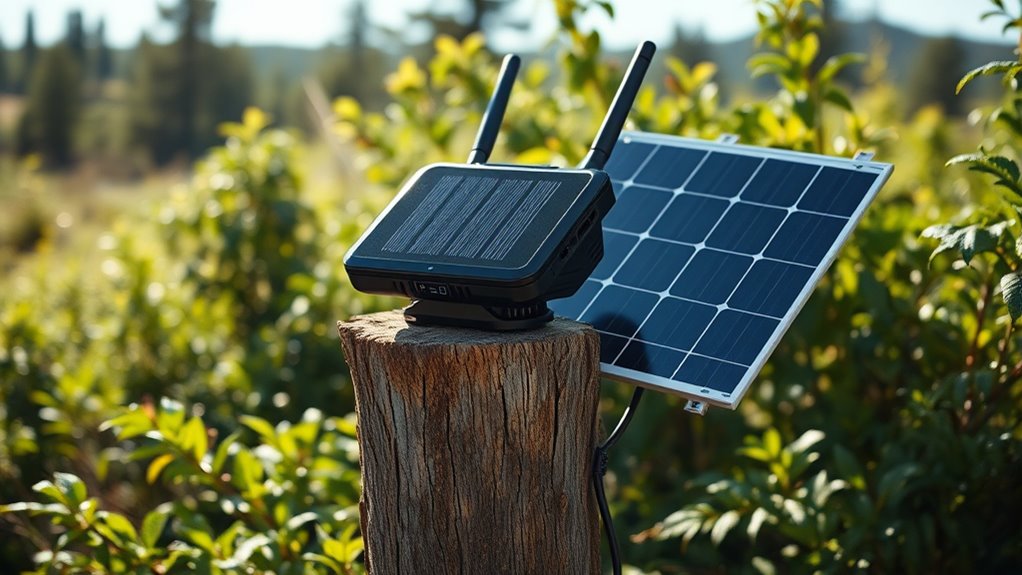
Choosing a solar powered LTE camera router means balancing solar input, battery reserves, mobile coverage, and weather protection—not simply picking the biggest speed figure. I rank the Zonkasion 30W router first for its IP66 housing, four antennas, and broader Wi-Fi standards; the 30W 30,000mAh router is my flexible alternative with Nano SIM or virtual SIM support and a long stated open-area range. For a camera installation that needs a wired connection, the SECUEYE L8 stands apart with an RJ45 port, though its smaller solar panel and lower stated LTE speed limit its appeal.

Get privacy and security gear delivered free with Prime
- Fast, free delivery on millions of items
- Prime Video, Amazon Music and more included
- Member-only deals all year
All three use single-band 2.4 GHz Wi-Fi, so they suit many outdoor cameras better than devices that require 5 GHz, but they are not substitutes for a high-capacity home router. The practical choice depends on whether you value antenna and weather specifications, SIM flexibility, or a wired camera connection—and whether local cellular service is reliable where the router will be mounted.
Key Takeaways
- Zonkasion has the strongest paper specification mix here: a 30W panel, 30,000mAh battery, IP66 rating, and four external antennas.
- The 30W 30,000mAh router offers both Nano SIM and built-in virtual SIM connectivity, but its 200MB virtual SIM trial is not a continuing data plan.
- SECUEYE L8 is the only listed model with an RJ45 port, making it the clearest match for a camera that needs wired Ethernet.
- Solar hardware does not guarantee uninterrupted service; shade, seasonal sunlight, camera traffic, and cellular signal all affect real-world operation.
- Each option uses 2.4 GHz Wi-Fi; check camera compatibility and carrier coverage before choosing based on advertised maximum speeds.
| Zonkasion 30W Solar-Powered 4G LTE Outdoor Router |  | Best Overall | Cellular: 4G LTE | Maximum transfer rate: 300 Mbps listed | Wi-Fi: 2.4 GHz; 802.11a/b/g/n/ac | VIEW ON AMAZON | See Our Full Breakdown |
| Solar-Powered 4G LTE Outdoor Router with 30W Panel and 30,000mAh Battery |  | Best for SIM Flexibility and Stated Wi-Fi Reach | Cellular: 4G LTE | Maximum transfer rate: 150 Mbps | Wi-Fi: 2.4 GHz; 802.11g | VIEW ON AMAZON | See Our Full Breakdown |
| SECUEYE L8 Solar 4G LTE Outdoor Wi-Fi Router | 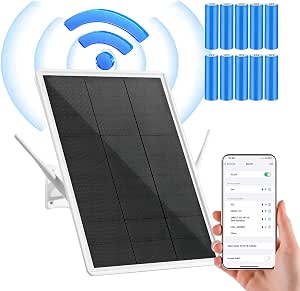 | Best for Wired Camera Connections | Cellular: 4G LTE; advertised up to 50 Mbps | Maximum transfer rate: 150 Mbps | Wi-Fi: 2.4 GHz; 802.11b/g/n | VIEW ON AMAZON | See Our Full Breakdown |
| solar powered lte camera router | Cellular | Maximum transfer rate | Wi-Fi | Solar panel |
|---|---|---|---|---|
| Zonkasion 30W Solar-Powered 4G | 4G LTE | 300 Mbps listed | 2.4 GHz; 802.11a/b/g/n/ac | 30 W |
| Solar-Powered 4G LTE Outdoor R | 4G LTE | 150 Mbps | 2.4 GHz; 802.11g | 30 W |
| SECUEYE L8 Solar 4G LTE Outdoo | 4G LTE; advertised up to 50 Mbps | 150 Mbps | 2.4 GHz; 802.11b/g/n | 15 W |
More Details on Our Top Picks
Zonkasion 30W Solar-Powered 4G LTE Outdoor Router
I put the Zonkasion first because it combines the lineup’s more protective stated enclosure rating with the shared 30W panel and 30,000mAh battery. Its IP66 rating and four external 5 dBi antennas make it the most persuasive all-round candidate for an exposed camera site, particularly when cellular reception deserves attention. The listed 300 Mbps maximum transfer rate is also higher than the 150 Mbps figures supplied for the other two, though I would treat that as a product specification rather than a promised field result.
Compared with the other 30W model, Zonkasion lists support for 802.11a/b/g/n/ac, while the other router is listed as 802.11g. Both are still single-band 2.4 GHz, so neither gives a camera a 5 GHz network. The other 30W option may suit buyers who want a choice between a Nano SIM and built-in virtual SIM, and it claims up to 984 feet of open-area Wi-Fi coverage. Zonkasion instead emphasizes its four antennas and weather rating, but gives no comparable range figure in the supplied specifications.
That distinction matters for setup: antenna count and Wi-Fi range are not interchangeable, and walls, terrain, mounting height, and interference can all shape the connection. The router requires a compatible SIM and a mobile data plan after its 200MB activation trial. I would choose it when the camera needs a weather-conscious, off-grid network hub and carrier compatibility checks out; I would skip it if the camera needs Ethernet, 5 GHz Wi-Fi, or a guaranteed coverage radius.
Pros:- 30W solar panel paired with a 30,000mAh rechargeable battery.
- IP66 weather-resistance rating.
- Four external 5 dBi antennas are designed to support reception.
- Lists 2.4 GHz Wi-Fi and 802.11a/b/g/n/ac standards.
Cons:- A compatible SIM and paid mobile data plan are needed after the 200MB trial.
- Wi-Fi is single-band 2.4 GHz, and no specific range is supplied here.
- The 300 Mbps maximum is not a guarantee of actual cellular throughput.
Best for: Outdoor camera owners who want a 30W solar panel, a 30,000mAh battery, IP66-rated housing, and four external antennas in one setup.
Not ideal for: Buyers whose camera requires a wired Ethernet connection, 5 GHz Wi-Fi, or an assured Wi-Fi range figure.
- Cellular:4G LTE
- Maximum transfer rate:300 Mbps listed
- Wi-Fi:2.4 GHz; 802.11a/b/g/n/ac
- Solar panel:30 W
- Battery:30,000 mAh
- Antennas:4 × 5 dBi external antennas
- Trial data:200 MB upon activation
Our verdict“I rank Zonkasion first for its strong combination of solar capacity, battery reserve, IP66 protection, and external antennas, provided its carrier and 2.4 GHz limits suit the camera.”
Solar-Powered 4G LTE Outdoor Router with 30W Panel and 30,000mAh Battery
This model earns second place by matching Zonkasion’s 30W panel and 30,000mAh battery while offering two ways to get online: a Nano SIM or built-in virtual SIM. That choice may help when a physical SIM is inconvenient, but the supplied 200MB virtual SIM trial is only a small starting allowance. I would plan on arranging a suitable continuing data service rather than treating the trial as part of a long-term camera plan.
Its clearest differentiator is a stated Wi-Fi range of up to 984 feet in open areas. That can be useful when the router and camera cannot sit close together, but the figure is explicitly tied to open conditions; buildings, trees, elevation changes, and interference can reduce practical reach. Zonkasion, by contrast, lists four external antennas and IP66 protection, while this model is rated IP65 and supplies no antenna configuration. For an exposed location, I give Zonkasion the advantage on the listed weather rating and antenna detail.
The 150 Mbps maximum transfer rate and 802.11g listing make this a more modest specification choice than Zonkasion on paper. It remains a plausible fit for a camera that needs basic 2.4 GHz connectivity rather than high throughput, and its app control may appeal to owners who want device management from a phone. Compared with SECUEYE, it has a larger solar panel and battery, but lacks the RJ45 port that can make a wired camera installation simpler. I would choose it for SIM flexibility and a long open-air link claim, not for a guarantee of all-weather coverage or speed.
Pros:- 30W solar panel and 30,000mAh battery support off-grid placement.
- Supports Nano SIM or built-in virtual SIM connectivity.
- IP65-rated outdoor housing and app control.
- Lists up to 984 feet of Wi-Fi range in open areas.
Cons:- The 200MB virtual SIM trial is limited and does not replace a continuing data plan.
- IP65 is a lower stated protection rating than Zonkasion’s IP66.
- The listed 802.11g and 150 Mbps specifications are more modest than Zonkasion’s.
Best for: Buyers who value Nano SIM or virtual SIM options and want a stated long-range 2.4 GHz connection for a camera in open terrain.
Not ideal for: Installations needing the stronger listed IP66 rating, external antenna details, Ethernet, or higher stated transfer capacity.
- Cellular:4G LTE
- Maximum transfer rate:150 Mbps
- Wi-Fi:2.4 GHz; 802.11g
- Solar panel:30 W
- Battery:30,000 mAh
- SIM options:Nano SIM or built-in virtual SIM
- Wi-Fi range:Up to 984 ft (300 m) in open areas
Our verdict“I recommend this router when SIM choice and the stated open-area Wi-Fi reach matter more than IP66 protection, Ethernet, or the lineup’s highest listed speed.”
SECUEYE L8 Solar 4G LTE Outdoor Wi-Fi Router
The SECUEYE L8 is third overall, but it has the most distinct camera-installation advantage: an RJ45 port. If a camera supports Ethernet and a wired link is preferable to relying on Wi-Fi, that port can make this the better match than either 30W rival. It also supports up to eight connected devices, which may be enough for a small camera site with a few additional networked devices.
Its off-grid hardware is a step down on paper. The 15W solar panel and 26,000mAh battery are both smaller than the 30W and 30,000mAh combinations offered by the other two routers. That does not prove it will run for less time in every installation, since sunlight and device load matter, but it gives the other models more listed solar input and stored capacity to work with. Its LTE speed is advertised up to 50 Mbps, and its maximum transfer rate is listed at 150 Mbps, so I would not select it for a data-heavy setup based on speed expectations.
SECUEYE counters with an IP66 housing, vSIM and Nano SIM connectivity, and carrier support listed for AT&T and T-Mobile. That carrier information is useful, but buyers should verify local coverage and current service compatibility before mounting the router. Compared with the second-place model, it trades the larger solar system and stated long Wi-Fi reach for Ethernet and a stated device limit. Compared with Zonkasion, it offers the wired port but less solar capacity and no four-antenna specification. I see it as a purpose-built choice for modest, wired outdoor camera systems—not the best general pick for installations relying on wireless range or maximum solar reserve.
Pros:- RJ45 port supports a wired connection to a compatible camera.
- IP66-rated housing is designed for harsh outdoor conditions.
- Supports vSIM and Nano SIM connectivity.
- Lists support for up to eight devices and a 2.4 GHz Wi-Fi network.
Cons:- 15W solar panel and 26,000mAh battery are smaller than the other two models’ listed systems.
- Advertised LTE speed is up to 50 Mbps.
- Carrier support is listed for AT&T and T-Mobile, so coverage and compatibility need checking.
Best for: Owners of compatible outdoor cameras that can connect over Ethernet and need an IP66-rated cellular router for a small installation.
Not ideal for: Buyers needing the largest listed solar panel and battery, a long stated Wi-Fi range, or higher advertised LTE throughput.
- Cellular:4G LTE; advertised up to 50 Mbps
- Maximum transfer rate:150 Mbps
- Wi-Fi:2.4 GHz; 802.11b/g/n
- Solar panel:15 W
- Battery:26,000 mAh
- Connections:vSIM, Nano SIM, RJ45
- Maximum devices:8
Our verdict“I would choose the SECUEYE L8 over the higher-ranked models when Ethernet is the deciding need, while accepting its smaller solar system and lower advertised LTE speed.”

How We Picked
I ranked these products for the specific job implied by the title: bringing cellular internet to an outdoor camera location where mains power or wired broadband may be unavailable. My comparison gives weight to the solar panel and battery together, since either figure alone gives an incomplete picture of off-grid suitability. A larger panel can replenish the battery more readily when sunlight is available, while a larger battery provides a reserve for cloudy periods; neither spec promises a particular runtime without details about exposure and power draw.
I also compared weather protection, SIM choices, and camera connectivity. IP66 is a stronger stated weather-resistance rating than IP65, but installation still matters: mounting, cable entry, and exposure can affect reliability. SIM flexibility matters because a router is only useful where it can connect to a supported carrier and data plan. I treated the trial data as temporary activation data, not as an ongoing service benefit.
Finally, I looked at the differences that can change a camera setup: antenna count, Wi-Fi standards and range claims, supported device count, and the SECUEYE’s Ethernet port. Advertised throughput figures are not guarantees of actual LTE performance; reception, network congestion, carrier support, and plan restrictions can all reduce speeds. The Zonkasion ranks first for its balanced listed specifications, the 30W router ranks second for SIM flexibility and stated range, and SECUEYE ranks third overall while serving a distinct wired-camera use case.
Factors to Consider When Choosing Solar Powered Lte Camera Router
I would start with the camera and location, then match the router to the actual connection problem. Solar LTE hardware can provide a network where power and broadband are absent, but it cannot compensate for a camera that uses an unsupported Wi-Fi band or a site with weak cellular reception.Check cellular service before comparing speed claims
A router’s LTE category or maximum transfer figure is only one part of performance. Carrier coverage at the mounting point, network congestion, antenna placement, and the data plan affect what the camera can send. Check which carriers the router supports and test signal availability at the intended location before installation. SECUEYE lists AT&T and T-Mobile support; Zonkasion requires a compatible SIM; the 30W model lists Nano SIM and virtual SIM options. The virtual SIM trial is limited data, not a substitute for an ongoing plan.
For camera use, also account for upload needs. Motion alerts and occasional clips usually place different demands on a connection than continuous cloud recording or several high-resolution streams. A maximum transfer rate does not tell you how much data a plan includes or how well the router handles sustained uploads. Match the data plan to the camera’s recording settings and confirm that the carrier permits the intended use.
Treat panel wattage and battery capacity as a pair
The two 30W models pair their panels with 30,000mAh batteries, while SECUEYE lists a 15W panel and a 26,000mAh battery. Those figures make the larger systems stronger candidates when solar input and reserve are priorities, but they do not establish a fixed runtime. Cloud cover, winter daylight, shade, panel orientation, camera traffic, and router consumption all affect the energy balance.
Mount the panel where it can receive useful sunlight and where the router remains within reach of the camera and cellular signal. A shaded panel can undermine the advantage of a larger battery over time. For sites with long cloudy spells or continuous camera traffic, plan for the system’s operating limits rather than assuming the advertised battery capacity guarantees uninterrupted service.
Match Wi-Fi or Ethernet to the camera
All three choices list single-band 2.4 GHz Wi-Fi. Many outdoor cameras support that band, but some require a specific setup method or network security configuration. Check the camera’s requirements before buying, especially if it needs 5 GHz or cannot connect to a single-band network. The 30W router’s claim of up to 984 feet applies to open areas, not a typical route through walls, trees, or metal structures.
For a wired installation, SECUEYE’s RJ45 port is the standout feature. Ethernet can remove the router-to-camera Wi-Fi link from the equation, although the camera and cable run must suit the location. If wireless is required, compare placement and obstacles rather than assuming antenna count or an open-area range claim will determine the result by itself.
Read weather ratings as part of installation planning
Zonkasion and SECUEYE list IP66 protection, while the other 30W router lists IP65. These ratings help distinguish stated dust and water resistance, with IP66 the stronger listed rating here. They do not remove the need to follow mounting instructions or protect connectors and cable entry points. Wind exposure, direct sun, temperature, and water pooling can also affect an outdoor installation.
Think about service access before mounting the equipment high or far from the camera. SIM changes, resets, app setup, and cable inspection may require physical access. A secure, sheltered position that still receives cellular signal and solar exposure can be more useful than a location chosen only for an unobstructed Wi-Fi path.
Plan for data use and connected devices
Each option needs an appropriate cellular data arrangement for ongoing use. The 200MB trials listed with the first two products should be treated as activation allowances, not durable monthly service. Estimate camera data consumption from its recording mode, resolution, and upload frequency, then confirm plan limits and carrier rules. A camera that uploads continuously can consume data much faster than one that sends short event clips.
SECUEYE lists a maximum of eight connected devices. The other product descriptions do not provide a comparable device limit, so avoid assuming that every router will support the same number of cameras and phones. For a single camera, the distinction may not matter; for a multi-camera site, verify the device capacity, data plan, and expected simultaneous traffic before selecting a model.
Frequently Asked Questions
Can these routers power a camera directly from the solar panel?
The supplied descriptions present the solar panel and battery as power support for the router, not as a direct camera power output. A camera will generally need its own power source unless its specifications explicitly confirm compatible power delivery from the router. Check voltage, connector type, and power requirements for both devices before planning a shared power arrangement.
Which of the three is the strongest choice for a camera far from the router?
The 30W 30,000mAh router lists Wi-Fi coverage of up to 984 feet in open areas, so it has the clearest stated range claim. That figure can fall in real conditions because of buildings, trees, terrain, interference, and antenna placement. If the camera supports Ethernet, SECUEYE’s RJ45 port may be a more dependable fit for a suitable wired run; otherwise, check the actual route and camera requirements before relying on a range estimate.
Does the 200MB trial provide ongoing cellular service?
No. The supplied descriptions identify 200MB as trial or activation data, not as a continuing allowance. After it is used, a compatible SIM and mobile data plan are needed for the products that rely on that arrangement. Confirm the carrier, coverage, plan terms, and expected camera data use before installing the router at a remote site.
Is IP66 necessary for an outdoor camera router?
Not every installation has the same exposure, but IP66 is the stronger weather-resistance rating listed by two of these options, compared with IP65 for the other. The rating is one selection factor, not a promise that every mount, connector, or cable entry is protected in every condition. Follow installation guidance and choose a position that limits unnecessary exposure while still allowing solar charging and cellular reception.
Which router should I choose for a camera that needs Ethernet?
The SECUEYE L8 is the only model in this comparison that lists an RJ45 port, so it is the natural starting point for a compatible wired camera. Its tradeoffs are a smaller 15W panel, a 26,000mAh battery, and an advertised LTE speed of up to 50 Mbps. If Ethernet is not required, Zonkasion has a larger listed solar system and four external antennas, while the other 30W model offers a Nano SIM or virtual SIM choice.
Conclusion
For the broadest balance of off-grid hardware and stated weather protection, I recommend the Zonkasion 30W router, especially for buyers who value its four external antennas and IP66 rating. Choose the 30W 30,000mAh model if Nano SIM or virtual SIM flexibility and its open-area range claim better match the installation. Pick the SECUEYE L8 when a wired camera connection is the deciding requirement, and accept the smaller solar panel and battery as the tradeoff.
Before ordering, I would verify cellular coverage, SIM compatibility, the camera’s Wi-Fi or Ethernet requirements, and the expected data plan. These checks matter more than a headline speed figure: the right router is the one that can keep the specific camera connected at the specific site.