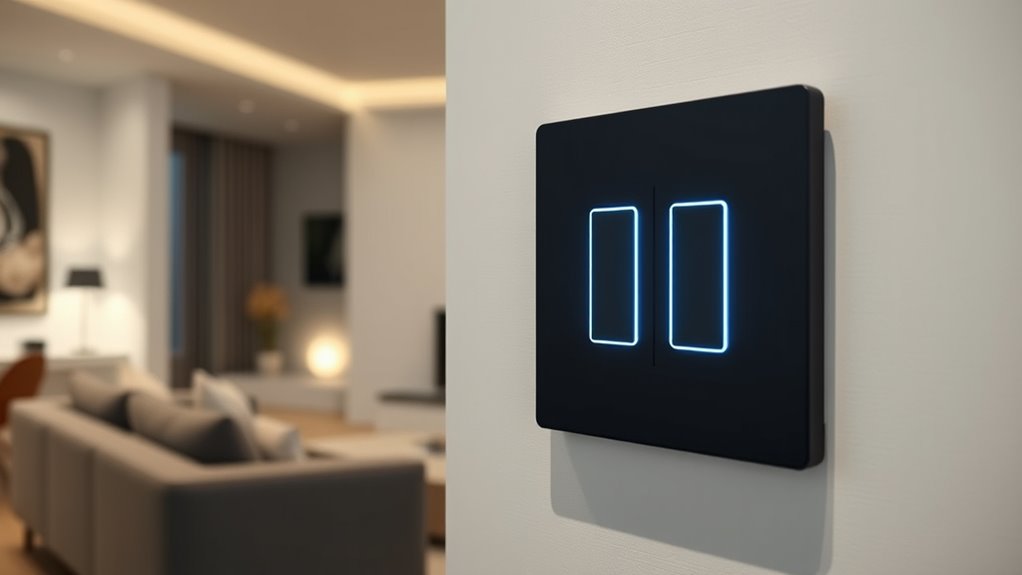
A smart light switch with no neutral wire can add app and voice control to older wiring, but the right choice depends on bulb compatibility, installation requirements, and whether you want a hub. My best overall pick is the Leviton DN15S-1RW for a familiar wall-switch format, while the Leviton DN6HD-1RW stands out for dimming and the Aqara Single Rocker for a hub-based setup. Some models need a bypass capacitor or a separate bridge, and others rely on a compatible hub rather than direct Wi-Fi. Dimming and multi-way wiring can narrow your options further. Read on for the full comparison and a guide to matching a switch to your wiring and lighting.

Get privacy and security gear delivered free with Prime
- Fast, free delivery on millions of items
- Prime Video, Amazon Music and more included
- Member-only deals all year
Key Takeaways
- Leviton offers two distinct paths: the DN15S-1RW is an on/off switch, while the DN6HD-1RW adds dimming; neither should be treated as interchangeable.
- Some no-neutral switches need extra hardware: the MOES Wi-Fi options may require capacitors, and Leviton‘s DNKIT-1RW bundles a dimmer with a Wi-Fi bridge.
- Hub choice changes the setup: Aqara, SONOFF, and several Zigbee options depend on a compatible hub, unlike direct Wi-Fi models.
- Wireless kits solve a different problem: SURAIELEC and the wireless three-way option are better suited to particular control layouts than a standard smart wall switch.
- Do not assume dimming or multi-way compatibility: check the switch’s stated circuit type, bulb support, and wiring requirements before buying.
| Leviton No-Neutral Decora Smart Switch DN15S-1RW, White |  | Best for Multi-Assistant Flexibility | Model: DN15S-1RW | Wiring: No neutral wire required | Operating voltage: 120 volts | VIEW ON AMAZON | See Our Full Breakdown |
| MOES WiFi Smart Light Switches, No Neutral Needed, Require Capacitors |  | Best for Direct Wi-Fi Control | Wiring: No neutral wire required; capacitors required | Connectivity: 2.4GHz Wi-Fi | Switch type: Toggle; on/off | VIEW ON AMAZON | See Our Full Breakdown |
| SURAIELEC Wireless Light Switch Receiver Kit, No Neutral Wire for Old Homes |  | Best for Adding a Switch Without Wall Wiring | Wiring at added switch location: No new wiring or neutral wire required | Connectivity: 433.92MHz RF | Listed range: Up to 100 feet | VIEW ON AMAZON | See Our Full Breakdown |
| MOES Smart Touch Light Switch, No Neutral Wire Needed, WiFi, White, 3 Gang |  | Best for Controlling Three Circuits at One Location | Gang count: 3 | Wiring: No neutral wire required | Operating voltage: 100V AC | VIEW ON AMAZON | See Our Full Breakdown |
| Aqara Smart Light Switch (No Neutral, Single Rocker) – Requires Aqara Hub |  | Best for Zigbee and HomeKit Households | Wiring: No neutral wire required | Operating voltage: 120V AC | Connectivity: Zigbee | VIEW ON AMAZON | See Our Full Breakdown |
| SONOFF Zigbee Smart Light Switch, Requires Zigbee Hub, No Neutral or Neutral Wire, Voice Control with Alexa and Google Home |  | Best for Home Assistant and Zigbee Setups | Model: ZBM5-1C-120W | Wiring: With or without neutral wire | Connectivity: Zigbee | VIEW ON AMAZON | See Our Full Breakdown |
| Leviton No-Neutral Decora Smart Dimmer Switch, DN6HD-1RW, White |  | Best for Multi-Location Dimming | Model: DN6HD-1RW | Wiring: No neutral required; line, load, and ground connections required | Operating voltage: 120 V AC | VIEW ON AMAZON | See Our Full Breakdown |
| GE CYNC Smart Dimmer Light Switch, No Neutral Wire Required, White |  | Best for Wi-Fi Dimming Without a Neutral | Model: CSWDMBLBWF1NN/ST1P | Wiring: No neutral wire required | Connectivity: Wi-Fi | VIEW ON AMAZON | See Our Full Breakdown |
| Cync Smart Light Switch On/Off Button Style, No Neutral Wire Required, 2.4 GHz WiFi, Works with Alexa and Google Home, White |  | Best for Simple Single-Pole Switching | Model: CSWONBLBWF1NN/ST1P | Wiring: No neutral wire required; ground required | Operating voltage: 120 volts | VIEW ON AMAZON | See Our Full Breakdown |
| Zigbee Smart Switch – No Neutral Required, 1‑Channel Rocker Paddle Light Switch (Alexa, SmartThings, Google Home compatible) – 1 Pack |  | Best for a Built-In Night Light | Model: RP-ZB-S01 | Wiring: Single-pole, no neutral required | Connectivity: Zigbee 3.0 | VIEW ON AMAZON | See Our Full Breakdown |
| YoLink FlexSwitch Smart Light Switch, No Neutral Wire, YS5709 |  | Best for Long-Range, Battery-Powered Control | Power: Two AA batteries | Connectivity: YoLink proprietary LoRa-based protocol | Wireless range: Up to 2,034 feet | VIEW ON AMAZON | See Our Full Breakdown |
| Leviton Decora Smart No-Neutral Dimmer & Wi-Fi Bridge Kit, DNKIT-1RW, White |  | Best for No-Neutral Dimming | Switch type: Dimmer | Wiring: No neutral; requires line, load, and ground | Voltage: 120 V | VIEW ON AMAZON | See Our Full Breakdown |
| MOES 2nd Generation Smart Touch Wall Switch, 2.4GHz Wi-Fi Single Fire Single Pole Switch, No Neutral Wire Required, Compatible with Alexa and Google Home, 110V, White, 1 Gang |  | Best for App-Based Single-Pole Control | Wiring: No neutral required | Voltage: 120 V | Connectivity: 2.4 GHz Wi-Fi | VIEW ON AMAZON | See Our Full Breakdown |
| Smart Wi-Fi Light Switch, RF433, No Neutral Wire Required, Compatible with Alexa, Google Home, Smart Life App (1-Gang) |  | Best for Plug-In, Multi-Method Control | Product format: Plug-in Wi-Fi smart socket | Wiring: No neutral wire required | Voltage: 110 V | VIEW ON AMAZON | See Our Full Breakdown |
| Smart Light Switch, Wireless 3-Way Light Switch, No Neutral Required, Alexa |  | Best for Hub-Free 3-Way Control | Wiring: No neutral required | Circuit: 3-way | Voltage: 120 V | VIEW ON AMAZON | See Our Full Breakdown |
| smart light switch with no neutral wire | Connectivity | Wiring | Operating voltage |
|---|---|---|---|
| Leviton No-Neutral Decora Smar | Wi-Fi; bridge required for full functionality | No neutral wire required | 120 volts |
| MOES WiFi Smart Light Switches | 2.4GHz Wi-Fi | No neutral wire required; capacitors required | — |
| SURAIELEC Wireless Light Switc | 433.92MHz RF | — | — |
| MOES Smart Touch Light Switch | 2.4GHz Wi-Fi | No neutral wire required | 100V AC |
| Aqara Smart Light Switch | Zigbee | No neutral wire required | 120V AC |
| SONOFF Zigbee Smart Light Swit | Zigbee | With or without neutral wire | 120 volts |
| Leviton No-Neutral Decora Smar | Wi-Fi through optional MLWSB bridge | No neutral required; line, load, and ground connections required | 120 V AC |
| GE CYNC Smart Dimmer Light Swi | Wi-Fi | No neutral wire required | 120 volts |
| Cync Smart Light Switch On/Off | Bluetooth and Wi-Fi | No neutral wire required; ground required | 120 volts |
| Zigbee Smart Switch | Zigbee 3.0 | Single-pole, no neutral required | 120 V AC |
| YoLink FlexSwitch Smart Light | YoLink proprietary LoRa-based protocol | — | — |
| Leviton Decora Smart No-Neutra | Wi-Fi via included bridge | No neutral; requires line, load, and ground | — |
| MOES 2nd Generation Smart Touc | 2.4 GHz Wi-Fi | No neutral required | — |
| Smart Wi-Fi Light Switch | Wi-Fi and RF433 remote control | No neutral wire required | — |
| Smart Light Switch | Wi-Fi | No neutral required | — |
More Details on Our Top Picks
Leviton No-Neutral Decora Smart Switch DN15S-1RW, White
The Leviton DN15S is a strong fit for older homes where neutral wiring is absent and the household uses more than one voice platform. Its listed compatibility spans Alexa, Google Assistant, and Apple Siri, though full smart control requires a separate Wi-Fi Bridge. That extra component makes setup less self-contained than the MOES WiFi switch, which connects directly over 2.4GHz Wi-Fi, but Leviton offers a broader assistant mix and an option for wireless multi-location control with compatible accessories. The product data lists a 3-way circuit and support for lighting up to 1500W; buyers should confirm the intended load and any accessory needs before installation. It is a wired wall-switch replacement, not a no-wiring remote kit, so installation involves electrical connections.
Pros:- Designed for installations without a neutral wire
- Supports Alexa, Google Assistant, and Apple Siri when paired with the required bridge
- Listed 3-way circuit support allows multi-location control with compatible accessories
- Product data lists support for lighting loads up to 1500W
Cons:- A separate Wi-Fi Bridge is required for full smart functionality
- Wall wiring connections are part of installation
- 3-way setups may require additional compatible accessories
Best for: Homeowners with no-neutral wiring who want one wired switch to work with Alexa, Google Assistant, or Apple Siri and are willing to add the required bridge.
Not ideal for: Buyers seeking a complete, bridge-free Wi-Fi setup or a switch they can add without working with wall wiring.
- Model:DN15S-1RW
- Wiring:No neutral wire required
- Operating voltage:120 volts
- Switch type:Dimmer
- Circuit type:3-way
- Connectivity:Wi-Fi; bridge required for full functionality
- Voice assistants:Amazon Alexa, Google Assistant, Apple Siri
- Listed wattage:1500 watts
Our verdict“Choose the DN15S if broad voice-assistant compatibility matters more than avoiding a separate bridge and wired installation.”
MOES WiFi Smart Light Switches, No Neutral Needed, Require Capacitors
For buyers who want app and voice control without first adding a hub, this MOES switch takes the more direct route: it connects over 2.4GHz Wi-Fi and supports the MOES/Tuya app, Alexa, and Google Assistant. Compared with the Aqara rocker, it avoids a separate Zigbee hub, but its no-neutral setup calls for capacitors, adding a wiring step that should be checked against the installation instructions and lighting circuit. The shallow design may help in crowded wall boxes, although actual fit still depends on the box and wiring. This is an on/off switch rather than a dimmer, and the product data says it does not support smart bulbs. That makes it a practical choice for ordinary lights, but a poor match for adjustable brightness or smart-bulb control.
Pros:- No neutral wire required, with capacitors included for the wiring setup
- App, remote, and voice-control options are listed
- Works with Alexa and Google Assistant
- Shallow design may suit wall boxes with limited space
Cons:- Capacitors add an installation step
- Supports 2.4GHz Wi-Fi only
- Does not provide dimming or support smart bulbs
Best for: DIY renovators with a 2.4GHz Wi-Fi network who want app or voice control of standard on/off lighting and can accommodate the required capacitors.
Not ideal for: Buyers who need dimming, use smart bulbs on the switched circuit, or have only a 5GHz Wi-Fi network.
- Wiring:No neutral wire required; capacitors required
- Connectivity:2.4GHz Wi-Fi
- Switch type:Toggle; on/off
- Circuit type:2-way
- Control methods:App, remote, touch, voice
- App compatibility:MOES/Tuya Smart app
- Voice compatibility:Alexa, Google Assistant
- Connector:Screw terminals
Our verdict“Pick this MOES model for straightforward Wi-Fi on/off control if you have 2.4GHz service and are comfortable fitting the capacitors.”
SURAIELEC Wireless Light Switch Receiver Kit, No Neutral Wire for Old Homes
Unlike the Leviton DN15S, which replaces a wired wall switch, the SURAIELEC kit uses a 433.92MHz RF receiver and remote to add or relocate a control point without running new switch wiring or a neutral conductor to that location. Its stated range is up to 100 feet, making it useful for outbuildings or rooms where pulling cable is difficult, though walls and layout can affect real-world reach. The tradeoff is that this is not a Wi-Fi smart switch: the listed control method is a compatible RF remote, not an app or voice assistant. Load limits also matter—product information lists up to 100W LED or 200W tungsten—and the receiver needs a suitable installation location. Choose it for simple wireless switching, not connected-home automation.
Pros:- Adds a wireless control point without running new wall-switch wiring
- 433.92MHz RF control is listed with a range of up to 100 feet
- Supports multiple remote controls and system expansion
- Receiver is compatible with standard Decora wall plates
Cons:- Requires a compatible RF remote and does not list app or voice control
- Load is limited to 100W LED or 200W tungsten
- IP20 protection is not suited to damp locations
Best for: Owners of older homes who need to add or relocate a basic wall control without running switch wiring or adding a neutral wire at the new control location.
Not ideal for: Buyers who want app-based control, voice-assistant integration, dimming, or support for higher lighting loads.
- Wiring at added switch location:No new wiring or neutral wire required
- Connectivity:433.92MHz RF
- Listed range:Up to 100 feet
- Control method:Compatible remote
- Switch type:Rocker
- Circuit type:1-way
- Load limit:100W LED or 200W tungsten
- Warranty:1-year limited
Our verdict“Choose SURAIELEC when avoiding new wiring matters more than getting Wi-Fi, app, or voice control.”
MOES Smart Touch Light Switch, No Neutral Wire Needed, WiFi, White, 3 Gang
The defining advantage here is the three-gang touch layout: one wall plate can control three lighting circuits, which is more space-efficient than installing three separate single-gang switches. It suits a single-pole setup and offers app and voice control over 2.4GHz Wi-Fi, along with timing functions and relay-state memory. Compared with the single-rocker Aqara, it consolidates more controls, but it is limited to single-pole circuits and does not serve as a multi-way replacement. The tempered-glass panel gives it a different feel from the MOES toggle switch, though touch controls may be less familiar to people who prefer physical buttons. An RF remote is mentioned as a control option, but it is not included, so plan around app or voice control unless you buy one separately.
Pros:- Three touch controls combine three circuits on one wall plate
- No neutral wire required
- Supports app and voice control over Wi-Fi
- Includes timing functions, relay-state memory, and a tempered-glass panel
Cons:- Limited to single-pole circuits
- Requires a 2.4GHz Wi-Fi network
- RF remote is not included
Best for: Households with three separate single-pole lighting circuits at one location that want a consolidated touch panel and app or voice control.
Not ideal for: Buyers with multi-way wiring, a non-2.4GHz network, or a preference for tactile switches and an included remote.
- Gang count:3
- Wiring:No neutral wire required
- Operating voltage:100V AC
- Circuit type:1-way, single-pole
- Switch type:Touch
- Connectivity:2.4GHz Wi-Fi
- Voice compatibility:Amazon Alexa, Google Assistant
- Panel material:Tempered glass
Our verdict“Choose this MOES panel if you need three single-pole controls in one location and are comfortable with touch operation.”
Aqara Smart Light Switch (No Neutral, Single Rocker) – Requires Aqara Hub
The Aqara is the clearest fit for buyers building around Zigbee and Apple HomeKit, with listed compatibility also covering Alexa, Google Assistant, and SmartThings. Because it requires an Aqara Hub, it is less self-contained than the direct-Wi-Fi MOES toggle; the hub adds another device and a setup dependency, but Zigbee-based control may suit a home already using Aqara equipment. Its single rocker handles one circuit, so it cannot replace the three-circuit MOES touch panel or provide multi-way switching. A listed load capacity of up to 600W for incandescent bulbs gives it a defined use case, while the built-in temperature-triggered shutoff adds an extra safety measure. Buyers should confirm bulb type, circuit compatibility, and hub requirements before choosing it.
Pros:- No neutral wire required
- Zigbee connectivity supports integration with a compatible Aqara Hub
- Listed compatibility includes Apple HomeKit, Alexa, Google Assistant, and SmartThings
- Temperature-triggered shutoff and a listed 600W incandescent load capacity
Cons:- Requires a separate Aqara Hub
- Single-rocker design does not provide multi-way switching
- Hub setup depends on a secured 2.4GHz Wi-Fi network
Best for: Aqara or Zigbee households that need a single no-neutral rocker and want listed HomeKit, Alexa, or Google Assistant integration through a hub.
Not ideal for: Buyers who do not want a hub, need multi-way control, or want one panel to operate several circuits.
- Wiring:No neutral wire required
- Operating voltage:120V AC
- Connectivity:Zigbee
- Hub requirement:Aqara Hub required
- Switch type:Single rocker
- Circuit type:1-way
- Listed load:Up to 600W for incandescent bulbs
- Compatible platforms:Apple HomeKit, Google Assistant, Alexa, SmartThings
- Safety feature:Temperature-triggered shutoff
Our verdict“Choose the Aqara rocker if you already have, or plan to add, an Aqara Hub and want Zigbee control for one circuit.”
SONOFF Zigbee Smart Light Switch, Requires Zigbee Hub, No Neutral or Neutral Wire, Voice Control with Alexa and Google Home
The SONOFF ZBM5 is a practical fit for buyers already using Zigbee, especially those who want to bring a no-neutral switch into a broader setup that may include Home Assistant. It supports wiring with or without a neutral and offers app, voice, and scheduled control. Compared with the Wi-Fi-based Cync Smart Dimmer, it relies on a Zigbee hub rather than connecting directly over Wi-Fi; that can suit a hub-centered home, but adds hardware and setup requirements. This is an on/off switch, not a dimmer, so it is less flexible for rooms where adjustable light levels matter. Its stated 120-watt capacity also calls for checking the connected lighting load before choosing it. I’d pick it for platform flexibility, not for a hub-free installation.
Pros:- Supports wiring with or without a neutral wire.
- Zigbee connectivity and stated Home Assistant integration suit hub-based systems.
- Offers app, voice, and scheduled control.
- Works with Alexa and Google Home.
Cons:- Requires a separate Zigbee hub to operate.
- On/off operation does not provide dimming.
- The stated 120-watt capacity may rule it out for some lighting loads.
Best for: Zigbee users who want a no-neutral on/off switch that can join a hub-based smart home, including a Home Assistant setup.
Not ideal for: Buyers without a Zigbee hub, anyone seeking built-in dimming, or homes with lighting loads above the stated 120-watt capacity.
- Model:ZBM5-1C-120W
- Wiring:With or without neutral wire
- Connectivity:Zigbee
- Operating voltage:120 volts
- Wattage:120 watts
- Operation:On/off
- Control methods:App, touch, and voice
- Mounting:Wall mount
Our verdict“Choose the SONOFF ZBM5 if you already have a Zigbee hub and want a flexible no-neutral on/off switch rather than a dimmer.”
Leviton No-Neutral Decora Smart Dimmer Switch, DN6HD-1RW, White
The Leviton DN6HD-1RW suits buyers who need a genuine dimmer in an older home and may want to control the same lights from more than one location. It supports a range of bulb types, while optional wireless companions can add wire-free multi-location control. That gives it a different role from the on/off-only SONOFF ZBM5 and Cync On/Off Switch. The tradeoff is that smart connectivity depends on the separately purchased MLWSB bridge; this is not a standalone Wi-Fi switch. Installation also requires line, load, and ground connections, so “no neutral” does not mean it works with every wall-box wiring situation. I’d favor it when dimming and expandable control matter more than avoiding extra hardware.
Pros:- Works without a neutral wire.
- Provides full-range dimming for LED, CFL, incandescent, and MLV bulbs within stated limits.
- Optional wireless companions can add multi-location control.
- Supports My Leviton app and major voice assistants.
Cons:- Requires a separate MLWSB bridge for connectivity.
- Installation still needs line, load, and ground connections.
- The listed wattage limits vary by bulb type, so the lighting load needs checking.
Best for: Homeowners with no-neutral wiring who want dimming across supported bulb types and the option to add wireless companion controls.
Not ideal for: Buyers who want a complete, direct-to-Wi-Fi switch or whose wall box lacks the required line, load, or ground connections.
- Model:DN6HD-1RW
- Wiring:No neutral required; line, load, and ground connections required
- Operating voltage:120 V AC
- Connectivity:Wi-Fi through optional MLWSB bridge
- Dimming:Full-range dimming
- Capacity:150 W rated; up to 300 W LED/CFL or 600 W incandescent/MLV
- Control:My Leviton app and voice assistants
- Warranty:2-year limited
Our verdict“Choose this Leviton when no-neutral dimming and optional multi-location control are worth adding a separate bridge.”
GE CYNC Smart Dimmer Light Switch, No Neutral Wire Required, White
The GE CYNC Smart Dimmer is the clearest choice here for someone who wants dimming and app-based Wi-Fi control without adding a separate Zigbee hub or the Leviton bridge. It supports schedules, remote control, and voice commands through Alexa and Google Home, making everyday adjustments straightforward. Unlike the Cync On/Off Switch, this model can dim lights, and its listed 600-watt capacity gives it a different load profile from the SONOFF ZBM5. The key limitation is a 15-watt minimum load, which can make it unsuitable for low-wattage LED setups; its stated 3-way circuit data may help in compatible layouts, but wiring should be confirmed before purchase. I’d shortlist it for ordinary Wi-Fi homes, then verify bulb load and installation fit.
Pros:- No neutral wire required.
- Wi-Fi supports remote control and scheduling through the CYNC app.
- Dimming offers more control than the on/off Cync model.
- Compatible with Alexa and Google Home.
Cons:- Requires a minimum 15-watt load.
- The stated 600-watt capacity limits the total connected load.
- Wi-Fi connectivity may be less suitable for buyers building a hub-centered Zigbee system.
Best for: Wi-Fi households seeking no-neutral dimming, app scheduling, and voice control for a compatible lighting load.
Not ideal for: Buyers with low-wattage lighting below the 15-watt minimum, those wanting Zigbee, or anyone who has not confirmed compatibility with their 3-way wiring.
- Model:CSWDMBLBWF1NN/ST1P
- Wiring:No neutral wire required
- Connectivity:Wi-Fi
- Operating voltage:120 volts
- Wattage:600 watts
- Minimum load:15 watts
- Circuit type:3-way
- Warranty:2-year limited
Our verdict“Pick the GE CYNC dimmer if you want no-neutral Wi-Fi dimming and your bulbs meet its minimum load requirement.”
Cync Smart Light Switch On/Off Button Style, No Neutral Wire Required, 2.4 GHz WiFi, Works with Alexa and Google Home, White
For a straightforward single-pole circuit, the Cync On/Off Switch keeps the feature set focused: Wi-Fi app control, scheduling, and Alexa or Google Home voice commands, with no neutral wire required. Compared with the GE CYNC Smart Dimmer, it gives up adjustable brightness but avoids choosing a dimmer when simple switching is all a room needs. Its stated 1-way-only design is the main boundary: it is not the right fit for controlling a light from two switch locations, unlike the multi-location option offered by the Leviton dimmer with companions. A ground wire is still required, so buyers should check the box wiring rather than treating “no neutral” as a complete installation guarantee. I’d choose it for a basic circuit, not for complex switching or dimming.
Pros:- No neutral wire required.
- Supports app-based remote control and scheduling.
- Works with Alexa and Google Home.
- Single-pole on/off operation keeps the function simple.
Cons:- Requires a ground wire for installation.
- Limited to 1-way switching and does not support 3-way setups.
- On/off control does not offer dimming.
Best for: Buyers replacing a conventional single-pole switch who want app scheduling and voice control without a neutral wire.
Not ideal for: Homes with 3-way switching, wall boxes without a ground wire, or rooms where dimming is wanted.
- Model:CSWONBLBWF1NN/ST1P
- Wiring:No neutral wire required; ground required
- Operating voltage:120 volts
- Connectivity:Bluetooth and Wi-Fi
- Circuit type:1-way
- Operation:On/off
- Control:App and voice
- Warranty:2-year limited
Our verdict“Choose the Cync On/Off Switch for a grounded, single-pole circuit where Wi-Fi control matters more than dimming or multi-location operation.”
Zigbee Smart Switch – No Neutral Required, 1‑Channel Rocker Paddle Light Switch (Alexa, SmartThings, Google Home compatible) – 1 Pack
This Rocker Paddle Zigbee Switch stands out for adding an adjustable night light to a no-neutral, single-pole on/off switch. That small feature may help buyers orient themselves in a dark hallway without adding a separate plug-in light, and it can be controlled through the SmartLife app. Its Zigbee 3.0 compatibility spans several named platforms, including SmartThings and Hubitat, making it an alternative to the SONOFF when a buyer is comparing hub ecosystems. Both require a hub, though, and neither offers dimming; the GE CYNC model is the better fit when direct Wi-Fi and adjustable brightness matter more. This switch’s limits are clear: it does not support 3-way wiring, and changing the night-light brightness requires the app. I’d select it for a hub-ready single-pole location where the guide light is useful.
Pros:- No neutral wire required for the listed single-pole wiring.
- Zigbee 3.0 supports several named smart-home platforms.
- Built-in night light has app-adjustable brightness.
- Rocker paddle design fits a familiar wall-switch format.
Cons:- Requires an external Zigbee hub.
- Does not support 3-way wiring.
- Night-light brightness can only be changed through the app.
Best for: Zigbee users who want a no-neutral single-pole switch with a built-in adjustable night light for a hallway or bedroom.
Not ideal for: Buyers without a Zigbee hub, anyone needing 3-way wiring, or those who want to adjust the night light only at the switch.
- Model:RP-ZB-S01
- Wiring:Single-pole, no neutral required
- Connectivity:Zigbee 3.0
- Operating voltage:120 V AC
- Frequency:60 Hz
- Operation:On/off
- Night-light power:5 W
- Compatible platforms:Alexa, Google Home, Samsung SmartThings, Hubitat, and SmartLife
- Dimensions:4.1 x 1.7 x 2.3 inches
Our verdict“Choose this switch if you already have a compatible Zigbee hub and want a built-in night light on a single-pole circuit.”
YoLink FlexSwitch Smart Light Switch, No Neutral Wire, YS5709
The YoLink FlexSwitch takes a different route from wall switches that depend on Wi-Fi: it runs on two AA batteries and uses YoLink’s LoRa-based protocol, with a stated wireless range of up to 2,034 feet. That can suit outbuildings or distant rooms where Wi-Fi coverage is unreliable. Unlike the Leviton Decora Smart DNKIT-1RW, it avoids a Wi-Fi bridge and mains power at the switch, but it does require a YoLink Hub for full smart-home integration. Scheduling, timers, and device-to-device control add useful automation, while over-temperature protection is a practical safety feature. The tradeoff is a 5 A current limit, so this is not a pick for heavier loads; battery life also varies with use. Check that the controlled lighting and installation match its electrical limits before choosing it.
Pros:- Battery-powered design avoids a neutral-wire connection at the switch.
- LoRa protocol offers a stated range of up to 2,034 feet.
- Supports schedules, timers, and device-to-device control.
- Works with Alexa and Google Assistant through the YoLink ecosystem.
Cons:- Requires a YoLink Hub for full smart-home integration.
- Battery life varies with usage and adds ongoing battery maintenance.
- 5 A current rating limits which loads it can control.
Best for: Homeowners who need to control lighting in a detached garage, outbuilding, or other area beyond dependable Wi-Fi range and are willing to add a YoLink Hub.
Not ideal for: Buyers who want a conventional hardwired wall switch, do not want to manage batteries or a hub, or need to control loads above the 5 A limit.
- Power:Two AA batteries
- Connectivity:YoLink proprietary LoRa-based protocol
- Wireless range:Up to 2,034 feet
- Hub requirement:YoLink Hub for full smart-home integration
- Load limit:5 A
- Voltage:120 V
- Circuit:1-way
- Voice assistants:Amazon Alexa and Google Assistant
Our verdict“Choose the YoLink FlexSwitch for battery-powered control across long distances, provided its hub requirement and 5 A limit suit your setup.”
Leviton Decora Smart No-Neutral Dimmer & Wi-Fi Bridge Kit, DNKIT-1RW, White
For buyers whose main goal is adjustable light rather than simple on/off control, the Leviton Decora Smart DNKIT-1RW is the strongest fit in this group. Its full-range dimming gives more control over room brightness than the on/off-focused MOES 2nd Generation Smart Touch Wall Switch, and the included Wi-Fi bridge supports remote access and scheduling. Alexa, Google Assistant, and Apple HomeKit compatibility also make it a more flexible choice across voice ecosystems. The kit is not a wiring-free shortcut: installation requires line, load, and ground, and the bridge needs a nearby outlet, with Leviton recommending placement within 50 feet for coverage. Its 600 W maximum also sets a firm load ceiling. Choose it for dimmable lighting and broad assistant support, not for the simplest or least hardware-dependent setup.
Pros:- Provides full-range dimming rather than on/off control alone.
- Includes a Wi-Fi bridge for remote control and scheduling.
- Supports Alexa, Google Assistant, and Apple HomeKit.
- Can add wireless multi-location control.
Cons:- Installation still requires line, load, and ground wiring.
- The bridge needs an outlet within the recommended 50-foot coverage range.
- 600 W load capacity may not suit larger lighting circuits.
Best for: Homeowners replacing a no-neutral switch who want adjustable brightness, scheduling, and compatibility with Alexa, Google Assistant, or Apple HomeKit.
Not ideal for: Renters or DIY buyers who cannot confirm line, load, and ground wiring, lack a suitable outlet for the bridge, or need to control more than 600 W.
- Switch type:Dimmer
- Wiring:No neutral; requires line, load, and ground
- Voltage:120 V
- Maximum load:600 W
- Circuit:3-way
- Connectivity:Wi-Fi via included bridge
- Bridge placement:Recommended within 50 feet for coverage
- Voice assistants:Amazon Alexa, Google Assistant, and Apple HomeKit
Our verdict“Pick this kit if no-neutral wiring is paired with a real need for dimming and you can accommodate its wiring and bridge requirements.”
MOES 2nd Generation Smart Touch Wall Switch, 2.4GHz Wi-Fi Single Fire Single Pole Switch, No Neutral Wire Required, Compatible with Alexa and Google Home, 110V, White, 1 Gang
The MOES 2nd Generation is a straightforward choice for a single-pole circuit when the aim is app, touch, and voice control without adding a hub. Schedules and timers can automate routine lighting, while its 2.4 GHz Wi-Fi connection puts setup on the home network rather than the proprietary hub used by the YoLink FlexSwitch. It is an on/off switch, not a dimmer like the Leviton DNKIT-1RW, so it makes more sense for lights that do not need brightness adjustment. The listed 5 W minimum control power may also rule out some low-power lighting setups; check bulb compatibility rather than assuming every LED load will work. It supports only single-pole switching, so buyers replacing a 3-way setup should choose another option. A 2.4 GHz network is required.
Pros:- Designed for installation without a neutral wire.
- Offers app, touch, and voice control with scheduling and timers.
- Works with Alexa and Google Home over 2.4 GHz Wi-Fi.
- Uses fire-retardant materials and no-electric-arc technology, according to the product description.
Cons:- Requires a 2.4 GHz Wi-Fi network.
- The 5 W minimum control power can limit bulb compatibility.
- Supports single-pole switching only and does not provide dimming.
Best for: Homeowners with a single-pole lighting circuit, a 2.4 GHz Wi-Fi network, and bulbs that meet the 5 W minimum control-power requirement.
Not ideal for: Buyers with 3-way wiring, low-power lighting below the stated minimum, or a need for dimming or operation without Wi-Fi.
- Wiring:No neutral required
- Voltage:120 V
- Connectivity:2.4 GHz Wi-Fi
- Circuit:Single-pole, 1-way
- Minimum control power:5 W
- Control methods:App, touch, and voice
- Voice assistants:Amazon Alexa and Google Assistant
- Terminals:Screw terminals
Our verdict“Choose the MOES when you want hub-free app and voice control for a compatible single-pole circuit, not dimming or 3-way support.”
Smart Wi-Fi Light Switch, RF433, No Neutral Wire Required, Compatible with Alexa, Google Home, Smart Life App (1-Gang)
This product is listed as a plug-in smart socket, not a conventional wall-mounted in-wall switch, making it a different kind of no-neutral option from the hardwired MOES 2nd Generation. Its stated controls span touch, app, voice, and an RF433 remote, which may suit someone who wants several ways to operate a connected load without altering wall wiring. Smart Life and Tuya app compatibility, plus Alexa and Google Assistant support, broaden its control options. But buyers should read the product type carefully: the supplied component is described as a Wi-Fi smart socket, so it may not replace an existing wall switch in the way a title alone suggests. It is also rated IP20 and limited to 10 A, making it unsuitable for damp locations and loads beyond that rating. Compared with the Leviton DNKIT-1RW, it offers no listed dimming or multi-location wall-switch function.
Pros:- Offers app, voice, touch, and RF433 remote control options.
- Compatible with Alexa, Google Assistant, Smart Life, and Tuya apps.
- Plug-in format avoids neutral-wire installation at a wall box.
- Compact listed dimensions of 1.34 × 2.83 × 4.72 inches.
Cons:- Product data identifies it as a smart socket, not a standard in-wall wall switch.
- IP20 protection is not suited to damp or outdoor locations.
- 10 A current limit restricts compatible loads; dimming is not listed.
Best for: Buyers seeking a plug-in smart socket with app, voice, and RF433 remote control for a compatible indoor load, rather than an in-wall switch replacement.
Not ideal for: Anyone needing a hardwired wall switch, dimming, outdoor or damp-area use, or control of a load above 10 A.
- Product format:Plug-in Wi-Fi smart socket
- Wiring:No neutral wire required
- Voltage:110 V
- Current limit:10 A
- Connectivity:Wi-Fi and RF433 remote control
- Compatible apps and assistants:Smart Life, Tuya, Amazon Alexa, and Google Assistant
- Dimensions:1.34 × 2.83 × 4.72 inches
Our verdict“Consider this only if a plug-in socket meets your needs; skip it if you are replacing an in-wall switch or need dimming.”
Smart Light Switch, Wireless 3-Way Light Switch, No Neutral Required, Alexa
For a buyer replacing or extending control on a 3-way lighting circuit, this switch’s hub-free Wi-Fi approach is its main distinction. It supports app and voice operation with Alexa and Google Assistant, while the no-neutral design may fit older wiring where a neutral is absent. Compared with the MOES 2nd Generation, which is limited to single-pole use, the 3-way designation makes this the more relevant candidate for multi-location control. The product information, however, does not spell out the full wiring arrangement or clearly explain how its wireless 3-way setup is configured, so confirm compatibility before buying. It also lacks dimming and depends on Wi-Fi for smart operation. The 600 W limit rules out larger loads, and the stated 90-day warranty is shorter than many buyers may prefer.
Pros:- No-neutral design is intended for homes with older wiring.
- Listed for 3-way circuit use, unlike the single-pole MOES switch.
- Hub-free Wi-Fi setup supports app-based remote control.
- Compatible with Alexa and Google Assistant.
Cons:- Does not provide dimming or other listed advanced lighting controls.
- Smart operation depends on Wi-Fi.
- 600 W maximum load and 90-day manufacturer warranty may not suit every buyer.
Best for: Homeowners seeking app or voice control for a compatible 3-way lighting setup without adding a separate smart-home hub.
Not ideal for: Buyers who need dimming, want clearly documented wiring instructions, have loads above 600 W, or need smart control that continues without Wi-Fi.
- Wiring:No neutral required
- Circuit:3-way
- Voltage:120 V
- Maximum load:600 W
- Connectivity:Wi-Fi
- Hub requirement:No separate hub listed
- Voice assistants:Amazon Alexa and Google Assistant
- Warranty:90 days
Our verdict“Choose this for a compatible 3-way circuit when hub-free app and voice control matter more than dimming or offline smart operation.”

How We Picked
I ranked these switches around the main constraint in this roundup: working without a neutral wire. I weighed how clearly each listing defines that requirement, whether the device is an on/off switch, dimmer, or wireless receiver kit, and what additional equipment—such as a capacitor, hub, or bridge—the setup may need. I also considered practical fit: control style, single-pole versus multi-way use, platform compatibility, and how much a buyer must verify before installation.
The ranking favors options with a clear use case and a more direct path from wiring check to working setup; it does not assume every home or bulb will behave the same way. Products with a required hub or extra component can still rank well when that tradeoff enables a useful setup, but they are less flexible for someone seeking a simple Wi-Fi replacement. Because model specifications and regional wiring differ, confirm the manufacturer’s wiring diagram and compatibility information before purchase.
Factors to Consider When Choosing Smart Light Switch With No Neutral Wire
A no-neutral label is a starting point, not a guarantee that a switch fits your circuit. I would first identify what is in the wall box, how the light is controlled, and what type of bulbs are installed. Those details often matter more than the app or voice assistant listed on the package.
Confirm the Wiring at the Switch Box
Older homes may have different wiring arrangements from one room to another, so do not assume that one successful replacement means every box is suitable. Turn off power at the breaker and use the product’s wiring diagram to identify the conductors before choosing a model. A no-neutral switch may still need a ground, a particular line-and-load arrangement, or a minimum load. If the box contains unfamiliar wiring or the instructions do not match what you see, pause and ask a qualified electrician rather than experimenting. This check can prevent buying a switch that cannot be installed in the intended location.
Match the Switch to the Bulbs and Load
Smart dimmers can behave differently with LED bulbs than with incandescent lamps, and not every dimmable bulb is compatible with every dimmer. Check the switch’s approved bulb types and load range, especially if several low-wattage LEDs share one circuit. Some no-neutral designs pass a small amount of current through the lighting load, which can cause flicker or a faint glow with certain lamps. A bypass component may address that issue, but it adds installation work and may not suit every fixture. Choose an on/off model if you do not need dimming and want to avoid dimmer-specific bulb matching.
Decide Whether a Hub Is a Feature or a Burden
Direct Wi-Fi models can avoid buying a separate hub, but they still depend on a stable home network and the manufacturer’s app support. Zigbee-based options can suit buyers who already own a compatible hub or want connected devices on a separate network, but hub compatibility should be verified by exact model. A bridge bundled with a switch may simplify the shopping list while adding another device to place and maintain. Before choosing, check whether your preferred voice assistant connects directly or through a hub or app integration. If you want the fewest components, favor a clearly documented direct-connect setup.
Check the Circuit Type Before Choosing a Control Style
A single-pole switch controls a light from one location, while a three-way setup controls it from two locations; these are not automatically interchangeable. Wireless companion kits can provide a way to add another control point, but they may work differently from replacing both wired switches. Read the wiring and pairing instructions for the exact layout rather than relying only on a product title that mentions three-way use. Also check whether the switch supports the number of gangs and channels you need. A mismatch here can turn an otherwise compatible no-neutral switch into the wrong purchase.
Account for Capacitors, Bypasses, and Installation Space
Some no-neutral switches require a capacitor or bypass installed at the light fixture, often to support stable operation with a small LED load. That means the work may involve the ceiling fixture as well as the wall box, and access can be inconvenient. Check whether the component is included, sold separately, and suitable for the fixture before ordering. The wall box also needs enough room for the switch and its wiring; older boxes can be crowded. If the instructions call for work you are not comfortable performing, factor in professional installation rather than treating the switch as a simple swap.
Choose for Long-Term Control, Not Just Setup
Think about what happens if the internet, app, or hub is unavailable: will the wall control still operate the light, and can other household members use it easily? Touch panels, rocker paddles, and button-style controls offer different levels of familiarity and feedback. A wireless remote can add flexibility, but it may rely on batteries or proprietary pairing. Check the manufacturer’s app, platform, and support details before committing to a system with several switches. For a frequently used room, straightforward physical control can matter as much as remote access.
Frequently Asked Questions
How can I tell whether my switch box has a neutral wire?
Turn off the circuit at the breaker before inspecting the box, and do not touch conductors unless you know how to verify they are de-energized. A neutral is often a group of white wires connected together, but wire colors and installations can vary, and a white wire may serve another purpose. The switch’s wiring diagram and a suitable tester can help identify the circuit, but color alone is not proof. If you are unsure which wire is which, ask an electrician to check the box. Confirm the wiring at the exact switch location you plan to replace.
Will a no-neutral smart switch work with any LED bulb?
No. Compatibility can depend on the bulb’s design, total circuit load, and whether the switch is an on/off model or a dimmer. Some LEDs may flicker, glow when switched off, or fail to dim smoothly with a particular no-neutral switch. Check the manufacturer’s compatibility guidance and minimum-load requirements before buying, especially for fixtures with only one low-wattage bulb. A bypass may help in some installations, but it is not a universal fix. If dimming is not needed, an on/off switch can reduce one source of bulb-matching uncertainty.
Can I use a no-neutral smart switch in a three-way circuit?
Only if the specific switch or kit supports your three-way arrangement. Some products replace a wired switch, while wireless kits add a remote control point without using the same wiring method as a conventional pair of switches. Check the manufacturer’s diagram for the number of control locations and the wiring at each box. Do not assume a product is three-way compatible just because its title mentions wireless control or Alexa. When the existing circuit is unclear, get the wiring identified before ordering.
Should I choose Wi-Fi or a hub-based no-neutral switch?
Choose based on the system you already have and how much extra hardware you are willing to manage. Wi-Fi can be simpler if the switch connects directly to your network, though setup still depends on the app and network requirements. Hub-based models can fit better if you already own a compatible hub, but compatibility varies by exact model and platform. A bridge bundled with a switch may simplify pairing while adding a device that needs a place and connection. Verify the hub, app, and voice-assistant path before buying rather than relying on a broad compatibility label.
When should I choose a wireless receiver kit instead of replacing the wall switch?
A wireless receiver kit may make sense when the goal is adding a control point or working around a difficult wall-box situation, rather than replacing a conventional switch with a smart paddle. The receiver and remote can use a different installation and control arrangement, so check where each component goes and how the existing light circuit is handled. Compare that with a standard wall switch if familiar physical operation is a priority. Also check battery needs, pairing steps, and whether the kit supports your intended multi-way layout. If you want an app-connected wall control, confirm that the receiver kit provides that function rather than assuming it from the word wireless.
Conclusion
For a straightforward smart wall-switch upgrade, I would start with the Leviton DN15S-1RW as the best overall option in this lineup, provided its wiring and connected-home requirements match your setup. The MOES Wi-Fi switches are the best value direction for shoppers comfortable checking capacitor requirements and installation details, while the Leviton DNKIT-1RW is the best premium choice for buyers who want a dimmer and bridge bundled together. Beginners should favor the option whose wiring instructions, app setup, and required accessories are clearest for their exact circuit, rather than choosing by appearance alone. For hub owners, compare the Aqara and SONOFF Zigbee choices; for an added control point or specialized layout, look at the SURAIELEC or wireless three-way kits. Match the switch to your wiring, bulb load, and control layout before making the final choice.
Evergreen bestsellers Picks

LG StanbyME 2 Max 32-Inch 4K Portable Smart Touchscreen TV

Bose QuietComfort Wireless Over-Ear Noise-Cancelling Headphones, Sandstone

Bose QuietComfort True Wireless Earbuds with Active Noise Cancellation, Bluetooth 5.3, USB-C Charging, and IPX4 Water Resistance
As an affiliate, we earn on qualifying purchases.