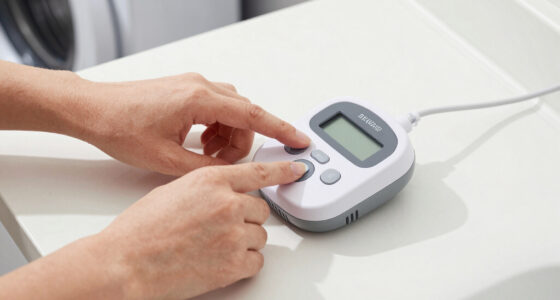
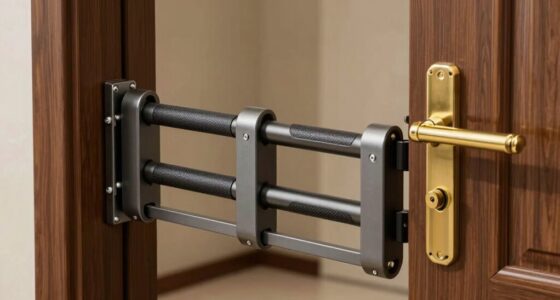
A home panic button system for a bedroom can call a nearby caregiver, sound a local alarm, send an app alert, or trigger a compatible security system. My best overall pick is the CallToU Caregiver Pager with two wireless call buttons, since two buttons can cover more than one place in the home while a receiver provides a direct local alert. The FullHouse wristband pager stands out for wearable access, while the SimpliSafe Panic Button suits homes already using SimpliSafe and seeking a security-system alert. The main tradeoffs are local versus remote notification, wearable convenience versus a bedside button, and simple setup versus integration and subscription requirements. Read on for the full comparison and guidance on choosing a system that fits the bedroom, the person using it, and the response plan.

Get privacy and security gear delivered free with Prime
- Fast, free delivery on millions of items
- Prime Video, Amazon Music and more included
- Member-only deals all year
Key Takeaways
- Two-button caregiver kits lead this roundup for flexible in-home coverage: the CallToU two-button pager can place call points in separate locations, unlike single-button kits that cover only one spot out of the box.
- A wearable button can matter more than extra range: the FullHouse wristband model is a better match for someone who may need help after leaving the bed, while a fixed bedside button is simpler to keep in a known place.
- Local receivers and app alerts solve different problems: caregiver pagers can alert someone nearby directly, while Wi-Fi options such as the Tuya-compatible button and PILSAMAS models depend on a network and phone setup.
- A loud siren is not the same as contacting help: the 130dB alarm and remote siren options can draw attention nearby, but buyers should not treat a local sounder as a monitored emergency response service.
- Security-system compatibility changes the buying decision: SimpliSafe and Ring buttons make the most sense for households already invested in their ecosystems; standalone caregiver pager kits avoid that dependency but offer a different alert path.
| CallToU Caregiver Pager with 2 Wireless Call Button for Elderly at Home |  | Best Overall for Two Bedroom Call Points | Call buttons: 2 | Receivers: 2 | Maximum range: 500+ feet, as stated | VIEW ON AMAZON | See Our Full Breakdown |
| FullHouse Caregiver Pager Wireless Call Button Emergency Wristband |  | Best for Long-Range Home Coverage | Maximum range: 1,000 feet open air; 500 feet with walls | Water resistance: IP55 splash-proof | Melodies: 52 | VIEW ON AMAZON | See Our Full Breakdown |
| Wireless Panic Button Alarm System with 130dB Volume and 350ft Range |  | Best for a Standalone Loud Alarm | Call buttons: 2 | Maximum range: 350 feet | Alarm volume: 130 dB | VIEW ON AMAZON | See Our Full Breakdown |
| Life Alert System No Monthly Fee, Caregiver Pager Call Button for Elderly at Home, Medical Alert System with App, Panic Button Alarm, 2.4GHz WiFi Receiver, Necklace, Bracelet |  | Best for Smartphone Notifications | Maximum range: 656 feet | Compatible device: Smartphone | Control methods: App and push button | VIEW ON AMAZON | See Our Full Breakdown |
| CallToU Caregiver Pager Wireless Call Button Nurse Alert System Home Care |  | Best Simple Single-Button Pick | Call buttons: 1 | Range: 500+ feet | Water resistance: Waterproof; dustproof | VIEW ON AMAZON | See Our Full Breakdown |
| WiFi Panic Button for Seniors – No Monthly Fee, Compatible with Tuya Smart/Smart Life APP (Supports 2.4GHz Wi-Fi) |  | Best for App-Based Bedroom Alerts | Model: CF103 | Power: Battery powered | Battery: One included lithium polymer battery | VIEW ON AMAZON | See Our Full Breakdown |
| PILSAMAS WiFi Caregiver Pager Wireless Call Button with App Alert |  | Best Multi-Button Bedroom Kit | Model: CF100-3P | Included controls: Two call buttons and one wearable panic button | Power: Battery powered | VIEW ON AMAZON | See Our Full Breakdown |
| SimpliSafe Panic Button – Built-in Silent Panic Feature – Compatible with SimpliSafe Home Security System – Latest Gen |  | Best for Existing SimpliSafe Homes | Compatibility: Latest-generation SimpliSafe Gen 3 home security system | Power: Battery powered | Battery cell: Lithium metal | VIEW ON AMAZON | See Our Full Breakdown |
| Wireless Caregiver Pager, 1 Call Button + 1 Receiver for Elderly at Home |  | Best for Wi-Fi-Free Bedroom Alerts | Included components: One call button and one receiver | Power: Battery powered | Battery description: Lithium | VIEW ON AMAZON | See Our Full Breakdown |
| PILSAMAS 3-Pack WiFi Wireless Caregiver Call Button for Elderly at Home |  | Best for Multi-Location Coverage | Included call buttons: Three | Connectivity: 2.4GHz Wi-Fi and 433MHz wireless | Maximum range: 230 feet | VIEW ON AMAZON | See Our Full Breakdown |
| Caregiver Pager with 2 Wireless Call Buttons for Home Care |  | Best for Two Bedside Call Points | Included components: 2 wireless call buttons and 1 portable pager | Maximum stated range: 500 feet in open area | Alert modes: Chime and continuous alarm | VIEW ON AMAZON | See Our Full Breakdown |
| Panic Alarm Button for House Remote Control Alarm Siren for Office |  | Best for a Loud Local Alarm | Connectivity: Wireless | Maximum stated range: 500 feet | Audible alarm: 120 dB | VIEW ON AMAZON | See Our Full Breakdown |
| Ring Panic Button for Emergency Help, Wireless, Battery-Powered |  | Best for Ring App Emergency Contacts | Dimensions: 2.42 x 0.81 inches | Color: White | Power: 2 CR2032 coin-cell batteries included | VIEW ON AMAZON | See Our Full Breakdown |
| FullHouse Caregiver Pager Wireless Emergency Call Button for Elderly |  | Best for Range and Adjustable Alerts | Maximum stated range: 1,000 feet in open air; 500 feet through walls | Maximum audible level: 110 dB | Volume settings: 5 levels, from 0 dB to 110 dB | VIEW ON AMAZON | See Our Full Breakdown |
| home panic button system for bedroom | Dimensions | Power | Maximum range |
|---|---|---|---|
| CallToU Caregiver Pager with 2 | — | — | 500+ feet, as stated |
| FullHouse Caregiver Pager Wire | 6.06 x 4.57 x 2.91 inches | — | 1,000 feet open air; 500 feet with walls |
| Wireless Panic Button Alarm Sy | 2.95 x 3.81 x 2.3 inches | — | 350 feet |
| Life Alert System No Monthly F | — | — | 656 feet |
| CallToU Caregiver Pager Wirele | 1.97 x 1.97 x 1.97 inches | — | — |
| WiFi Panic Button for Seniors | 9.5 x 1.8 x 0.6 inches | Battery powered | — |
| PILSAMAS WiFi Caregiver Pager | — | Battery powered | 230 feet |
| SimpliSafe Panic Button | 1.12 x 0.13 x 2.1 inches | Battery powered | — |
| Wireless Caregiver Pager | — | Battery powered | 1500 feet |
| PILSAMAS 3-Pack WiFi Wireless | 3.1 x 0.8 x 3.1 inches | Battery powered | 230 feet |
| Caregiver Pager with 2 Wireles | — | Battery powered | — |
| Panic Alarm Button for House R | 7.87 x 4.72 x 2.76 inches | Hybrid battery and external power | — |
| Ring Panic Button for Emergenc | 2.42 x 0.81 inches | 2 CR2032 coin-cell batteries included | — |
| FullHouse Caregiver Pager Wire | — | — | — |
More Details on Our Top Picks
CallToU Caregiver Pager with 2 Wireless Call Button for Elderly at Home
For a bedroom setup where a resident may need to call from more than one spot, I rank the CallToU 2-button system ahead of the single-button CallToU B078BQKT23. Two buttons can be placed by the bed and elsewhere, while two plug-in receivers give caregivers more than one listening point. The claimed 500+ foot range and receiver volume up to 110 dB suit larger homes, though walls and household interference can reduce real coverage. A choice of 55 tones and five volume levels helps tailor the alert to a noisy or quiet home. The buttons are described as waterproof and dustproof, a useful fit near a bathroom, but the receivers still need outlets. This is a local chime system, not a monitored medical alarm or an app-based notification service.
Pros:- Two call buttons allow separate bedroom and bathroom or living-area placements.
- Two receivers can alert caregivers from more than one outlet location.
- Up to 55 tones and five volume levels, with listed volume up to 110 dB.
- Buttons and receivers are described as waterproof and dustproof.
Cons:- Receivers require electrical outlets, limiting placement during outages or away from sockets.
- The system sounds local alerts rather than providing app notifications or professional monitoring.
- The 500+ foot range is a stated maximum and may be reduced by walls or interference.
Best for: Households supporting a bedroom-bound resident who needs call buttons at the bedside and another nearby location, with caregivers listening in multiple rooms.
Not ideal for: People who need alerts sent to a phone, emergency-service monitoring, or a receiver that works without an outlet.
- Call buttons:2
- Receivers:2
- Maximum range:500+ feet, as stated
- Maximum volume:110 dB
- Volume levels:5
- Ringtones:55
- Receiver power:Plug-in electrical outlet
- Call button batteries:Two 12V alkaline batteries, included
Our verdict“Choose this CallToU set if two call points and multiple plug-in listening locations matter more than phone alerts or monitored response.”
FullHouse Caregiver Pager Wireless Call Button Emergency Wristband
The FullHouse Caregiver Pager is the strongest fit here when the caregiver may be far from the bedroom: its stated range reaches 1,000 feet in open air and 500 feet with walls. That gives it a longer listed reach than either CallToU option, though actual coverage still depends on the home layout. LED alerts add a visual cue alongside sound, which can help when a caregiver cannot hear a chime clearly. It offers 52 melodies and five volume levels up to 110 dB, but that flexibility is still a local receiver alert, not a phone-based escalation path like the Life Alert System with App. The button is IP55 splash-proof, not designed for immersion, and the receiver uses two C batteries. I would pick it for range and straightforward household alerts, not for app connectivity.
Pros:- Listed range of 1,000 feet in open air and 500 feet with walls.
- LED alerts provide a visual signal in addition to audible notification.
- Five volume levels reach up to 110 dB, with 52 melody choices.
- IP55 splash protection suits ordinary splashes around the home.
Cons:- The call button is splash-proof rather than submersible.
- The receiver requires two C batteries, which need monitoring and replacement.
- Unlike the Life Alert System with App, the supplied details do not describe smartphone notifications.
Best for: Caregivers in larger homes who need a bedroom call button to reach a receiver across several rooms or a broad open area.
Not ideal for: Buyers who need a button safe for submersion, smartphone alerts, or a system that does not rely on batteries.
- Maximum range:1,000 feet open air; 500 feet with walls
- Water resistance:IP55 splash-proof
- Melodies:52
- Volume levels:5
- Maximum volume:110 dB
- Receiver power:Two C batteries, included
- Dimensions:6.06 x 4.57 x 2.91 inches
- Weight:8.1 ounces
Our verdict“Pick FullHouse for a longer stated wireless reach and visual alerts, provided splash resistance and local notifications meet your needs.”
Wireless Panic Button Alarm System with 130dB Volume and 350ft Range
This system prioritizes a very loud local alarm over caregiver-style conveniences. Its listed 130 dB output is higher than the 110 dB ceiling on the CallToU and FullHouse pagers, so it may suit a bedroom where a caregiver needs a forceful audible signal nearby. The tradeoff is a shorter stated range of 350 feet, compared with the 500-foot wall range listed for the FullHouse system. It includes two push buttons and supports adjustable volume and alarm duration, giving more flexibility than a single fixed alert. Wall mounting can keep a button accessible, but this is a basic battery-powered alarm without app notifications or professional monitoring. I would not treat its loud siren as a substitute for a monitored medical alert, especially when the caregiver may be outside hearing range.
Pros:- Listed alarm output reaches 130 dB, louder than the pager systems in this batch.
- Includes two call buttons for placement at separate points.
- Adjustable alarm volume and duration allow some control over the alert.
- Wireless, wall-mountable design supports fixed placement near a bed or bathroom.
Cons:- The 350-foot stated range is shorter than the FullHouse and CallToU systems.
- A loud siren may be disruptive and is not a discreet bedroom alert.
- Basic battery-powered operation lacks app connectivity and advanced escalation features.
Best for: Households that want a wall-mounted bedroom or bathroom button to trigger a loud local siren for a caregiver nearby.
Not ideal for: People who need long-distance coverage, quiet or discreet alerts, smartphone notifications, or monitored emergency response.
- Call buttons:2
- Maximum range:350 feet
- Alarm volume:130 dB
- Power source:Battery powered
- Battery:One 12V alkaline battery, included
- Control method:Push button
- Mounting type:Wall mount
- Dimensions:2.95 x 3.81 x 2.3 inches
Our verdict“Choose this system when a nearby caregiver needs a loud siren, but skip it if range or discreet phone alerts matter more.”
Life Alert System No Monthly Fee, Caregiver Pager Call Button for Elderly at Home, Medical Alert System with App, Panic Button Alarm, 2.4GHz WiFi Receiver, Necklace, Bracelet
Among these five, this is the clearest choice for a caregiver who wants alerts beyond an in-home chime: the app notification feature adds a phone-based route that the CallToU and FullHouse pagers do not list. The system includes buttons worn as a necklace or bracelet, which can keep the call option with the resident rather than fixed beside the bed. Its stated 656-foot range sits between the FullHouse system’s 1,000-foot open-air claim and the CallToU systems’ 500+ foot claims. App alerts depend on a compatible setup, and the description notes that phone-call or SMS alerts may require a paid app service. Despite its Life Alert name, this is not described as fall detection or professional medical monitoring. I’d choose it for connected household notifications, not as a replacement for a monitored response service.
Pros:- App notifications add a phone-based alert path beyond a local receiver.
- Includes waterproof necklace and bracelet button options.
- Stated maximum range is 656 feet.
- The supplied description says there is no monthly fee for app notifications.
Cons:- Phone-call and SMS alerts may require a paid app service.
- The product is not described as providing fall detection or medical monitoring.
- Wireless range may fall with walls or interference.
Best for: Caregivers who want a bedroom call button to notify a smartphone as well as support wearable use around the home.
Not ideal for: Anyone seeking professional monitoring, fall detection, or a system that can send calls or texts without possible app-service fees.
- Maximum range:656 feet
- Compatible device:Smartphone
- Control methods:App and push button
- Button formats:Necklace and bracelet
- Water resistance:Buttons described as waterproof
- Receiver network:2.4GHz Wi-Fi
- Battery:One lithium-ion battery, included
- Monitoring:No fall detection or medical monitoring described
Our verdict“Choose this system if smartphone alerts and wearable buttons suit your care routine, but not if you need monitored emergency response.”
CallToU Caregiver Pager Wireless Call Button Nurse Alert System Home Care
For a bedroom where one reachable call point is enough, the CallToU B078BQKT23 keeps the setup simple: one button sends an alert to a plug-in receiver, with no app or multi-button arrangement to manage. Its stated 500+ foot range, five volume levels, and 55 ringtones are similar to the larger CallToU B077SYPD5K set, but that model includes two buttons and two receivers. This version makes more sense when the resident only needs a bedside button and the caregiver can hear the receiver from its chosen outlet. The button is listed as waterproof and dustproof, while the receiver must stay near power. Its main limitation is also its defining simplicity: one button means no second call point for a bathroom or another room, and alerts remain local rather than phone-based.
Pros:- Simple one-button setup suits a dedicated bedside call point.
- Stated range exceeds 500 feet.
- Five volume levels and 55 ringtones allow alert adjustment.
- Waterproof and dustproof design is suited to home use near damp areas.
Cons:- Only one call button is included, unlike the two-button CallToU B077SYPD5K.
- The receiver requires an electrical outlet.
- No smartphone notification or professional monitoring is listed.
Best for: A caregiver supporting one resident who needs a single bedside call button and a receiver placed within hearing range.
Not ideal for: Households needing multiple call points, several receiver locations, app alerts, or a receiver that operates without an outlet.
- Call buttons:1
- Range:500+ feet
- Water resistance:Waterproof; dustproof
- Volume levels:5
- Ringtones:55
- Receiver power:Plug-in electrical outlet
- Call button battery:12V battery
- Weight:6.3 ounces
- Dimensions:1.97 x 1.97 x 1.97 inches
Our verdict“Pick this CallToU when one bedside button and a nearby plug-in receiver are sufficient, rather than paying for extra call points you will not use.”
WiFi Panic Button for Seniors – No Monthly Fee, Compatible with Tuya Smart/Smart Life APP (Supports 2.4GHz Wi-Fi)
This is a better fit for someone who wants a bedside button to send alerts to family phones than a receiver that only sounds in the home. Its Tuya Smart and Smart Life support allows shared app access, so caregivers can receive notifications without relying on a separate pager receiver. Compared with the PILSAMAS 3-Pack, it is a simpler, lighter option, but it does not offer multiple physical call buttons or a stated receiver range. The portable, waterproof design and standby life of up to six months suit daily use, although the product is specified for indoor operation and depends on a working 2.4GHz Wi-Fi network. That makes it less reassuring during internet or power disruptions than a self-contained receiver-and-button system.
Pros:- Sends emergency notifications through Tuya Smart or Smart Life
- Supports sharing app access with multiple users
- Portable, waterproof design for everyday use
- Battery standby is specified for up to six months
Cons:- Depends on 2.4GHz Wi-Fi and app connectivity
- Indoor use only, limiting alerts away from the home network
- Does not include a separate receiver or multiple call buttons
Best for: A senior or caregiver who wants a compact bedroom button that sends app alerts to multiple family members over home Wi-Fi.
Not ideal for: People who need alerts to sound locally without internet, want outdoor coverage, or use a network that lacks 2.4GHz Wi-Fi.
- Model:CF103
- Power:Battery powered
- Battery:One included lithium polymer battery
- Compatible apps:Tuya Smart and Smart Life
- Network:2.4GHz Wi-Fi
- Control:App
- Dimensions:9.5 x 1.8 x 0.6 inches
- Weight:0.07 kg
Our verdict“Choose this for shared smartphone alerts from a bedroom button, but pick the PILSAMAS 3-Pack if you also need several physical buttons and a local hub.”
PILSAMAS WiFi Caregiver Pager Wireless Call Button with App Alert
For a bedroom where the user may need to reach a button from more than one spot, this kit’s two call buttons and wearable button are more useful than a single-button setup. Its 230-foot stated wireless range through walls gives the included receiver room to serve nearby areas, while Wi-Fi adds app alerts for caregivers who are elsewhere. Compared with the WiFi Panic Button for Seniors, this package offers a local audible receiver as well as app notifications; the tradeoff is more equipment to place and configure. The 95 dB alarm, adjustable tones and volume, and pre-paired devices make everyday setup approachable, but the alarm may be hard to hear through closed doors or in a noisy home. It also relies on 2.4GHz Wi-Fi, so it is not a standalone solution when network access fails.
Pros:- Includes two call buttons and one wearable panic button
- Stated 230-foot wireless range through walls
- Pre-paired devices and versatile mounting options simplify setup
- Offers customizable tones, volume, and app alerts without a monthly fee
Cons:- Requires 2.4GHz Wi-Fi for app-based alerts
- 95 dB alarm may not carry well through a noisy or closed-off home
- More components to place and manage than a single-button system
Best for: Households that want a bedside call button, a wearable backup, and a receiver that can alert someone elsewhere in the home.
Not ideal for: Buyers who need a system independent of Wi-Fi or an especially loud local alarm for a large or noisy home.
- Model:CF100-3P
- Included controls:Two call buttons and one wearable panic button
- Power:Battery powered
- Battery description:12-volt
- Maximum range:230 feet
- Audible alarm:95 dB
- Mounting:Wall mount
- Control methods:App, remote, and touch
- Connectivity:2.4GHz Wi-Fi and wireless link
Our verdict“Pick this when button placement flexibility and a local receiver matter more than a louder alarm or Wi-Fi-independent operation.”
SimpliSafe Panic Button – Built-in Silent Panic Feature – Compatible with SimpliSafe Home Security System – Latest Gen
This is the most integrated choice here for a household already using a Gen 3 SimpliSafe system. A bedroom button can trigger either an audible or silent response, which is useful when the person calling for help needs discretion rather than a loud local alarm. Peel-and-stick installation keeps placement simple, and the stated battery life of up to five years means fewer battery changes than the PILSAMAS Wi-Fi options. The difference is system dependence: unlike the Wireless Caregiver Pager, it is not a self-contained button-and-receiver kit. Alarm and alert features require a professionally monitored plan, and it only works with compatible SimpliSafe equipment. That makes it a polished add-on for an existing setup, not a sensible standalone purchase for someone starting from scratch.
Pros:- Offers both silent and audible panic activation
- Supports medical and fire notifications with a professionally monitored plan
- Peel-and-stick or hardware installation options
- Battery life is specified for up to five years
Cons:- Requires a compatible SimpliSafe Gen 3 system
- Alarm and alert features depend on a professionally monitored plan
- Does not provide a standalone receiver-and-button arrangement
Best for: SimpliSafe Gen 3 households that want a discreet or audible panic button within their existing home-security system.
Not ideal for: People without compatible SimpliSafe equipment, or buyers who want a standalone caregiver pager without a monitoring plan.
- Compatibility:Latest-generation SimpliSafe Gen 3 home security system
- Power:Battery powered
- Battery cell:Lithium metal
- Battery life:Up to five years
- Control methods:App and touch
- Dimensions:1.12 x 0.13 x 2.1 inches
- Weight:0.08 kg
- Warranty:3 years
Our verdict“Choose this as a discreet bedroom control if you already have compatible SimpliSafe equipment and monitoring; otherwise, a standalone caregiver pager is a better fit.”
Wireless Caregiver Pager, 1 Call Button + 1 Receiver for Elderly at Home
For a bedroom where someone nearby needs to hear a call, this button-and-receiver pair is the simplest option here: pressing the button triggers a local alert without relying on an app or home Wi-Fi. The claimed 1500-foot wireless range and receiver volume up to 120 dB make it more suited to reaching a caregiver elsewhere in the house than the PILSAMAS WiFi Caregiver Pager, whose stated range is 230 feet and alarm is 95 dB. Its IP55 water- and dust-resistance rating also gives the call button more flexibility around everyday household conditions. The tradeoff is that this is a local alert system, not a remote smartphone-notification service. Its supplied setup is one button and one receiver, so wider bedroom or household coverage means adding compatible units.
Pros:- Local button-to-receiver alerts do not depend on Wi-Fi
- Stated wireless range is up to 1500 feet
- Receiver offers five volume levels up to 120 dB
- IP55 water- and dust-resistant design
Cons:- Does not provide app-based remote alerts
- The listed package includes only one call button and one receiver
- Actual range may vary with walls and household layout
Best for: Households that need a straightforward local call from a bedroom to a caregiver nearby, especially where Wi-Fi alerts are not wanted.
Not ideal for: Caregivers who need notifications while away from home or buyers who want several buttons included in the initial kit.
- Included components:One call button and one receiver
- Power:Battery powered
- Battery description:Lithium
- Maximum range:1500 feet
- Receiver volume:Five levels, up to 120 dB
- Water and dust resistance:IP55
- Expandable capacity:Up to 30 call buttons and multiple receivers
- Operating temperature:-4°F to 140°F
- Warranty:18 months
Our verdict“Choose this for a simple, loud local bedroom-to-caregiver alert; choose the PILSAMAS WiFi Caregiver Pager if app notifications and multiple included buttons matter more.”
PILSAMAS 3-Pack WiFi Wireless Caregiver Call Button for Elderly at Home
Three call buttons make this a practical choice when one bedroom button is not enough: a caregiver can place controls by the bed, in the bathroom, and in another frequently used area while keeping the hub connected to Wi-Fi for remote alerts. Its 433MHz link and stated 230-foot range handle communication between buttons and hub, while app notifications add a route to caregivers outside the house. Compared with the single-button Wireless Caregiver Pager, it covers more locations out of the box, though that simpler pager does not require Wi-Fi for local alerts. The PILSAMAS kit also offers customizable ringtones and IP65 water resistance, but app setup can be less direct and it requires 2.4GHz Wi-Fi. C-battery replacement is another practical detail to plan around.
Pros:- Includes three call buttons for coverage in multiple rooms
- 433MHz wireless connection has a stated range of 230 feet
- Wi-Fi hub supports remote monitoring and app alerts
- IP65 water resistance and customizable ringtones
Cons:- Requires 2.4GHz Wi-Fi and does not support 5GHz-only networks
- App setup may be challenging for some households
- Uses C batteries, which require specific replacements
Best for: Families who want several call points around a home and remote app alerts from a shared caregiver hub.
Not ideal for: Buyers who need a Wi-Fi-independent system, use only 5GHz Wi-Fi, or prefer a one-button setup with minimal configuration.
- Included call buttons:Three
- Connectivity:2.4GHz Wi-Fi and 433MHz wireless
- Maximum range:230 feet
- Power:Battery powered
- Battery requirement:One included C battery
- Water resistance:IP65
- Dimensions:3.1 x 0.8 x 3.1 inches
- Item weight:8.8 ounces
Our verdict“Choose this when several rooms need call buttons and caregivers want app alerts, but prefer the Wireless Caregiver Pager for a simpler local system without Wi-Fi.”
Caregiver Pager with 2 Wireless Call Buttons for Home Care
For a bedroom setup that needs more than one easy-to-reach call point, this two-button caregiver pager is a practical fit: one button can stay by the bed and the other near a bathroom or another frequently used spot. The caregiver carries the portable receiver, which can alert with a chime or a continuous siren, rather than relying on an app or a smart-home connection. Compared with the FullHouse Caregiver Pager, this model has a shorter stated open-area range and fewer volume options, but it provides two call buttons in the listed kit. Its 500-foot range is specified for open areas, so walls and layout can reduce reach. It is best treated as an in-home alert to a nearby caregiver, not as a direct emergency-services connection.
Pros:- Two wireless call buttons allow alerts from the bedroom and a second location.
- Portable pager can be carried with a belt clip or placed on a surface.
- Buttons can be wall-mounted or worn with the included lanyard.
- Chime and continuous alarm modes offer different alert styles.
Cons:- The 500-foot range is an open-area figure and may be reduced by walls.
- The listed kit relies on a caregiver being close enough to hear or notice the pager.
- No app or emergency-response connection is specified.
Best for: Households where one caregiver carries a receiver and a resident needs separate call buttons at the bedside and another location.
Not ideal for: People who need a documented connection to emergency responders, or caregivers who cannot keep the portable receiver nearby and powered.
- Included components:2 wireless call buttons and 1 portable pager
- Maximum stated range:500 feet in open area
- Alert modes:Chime and continuous alarm
- Maximum audible level:90 dB
- Power:Battery powered
- Batteries:4 AA batteries included; call-button battery listed as 12V
- Mounting and carrying:Wall-mount brackets for buttons; pager belt clip; buttons can be worn with lanyard
- Pager dimensions:3.24 x 1.3 x 2.53 inches
Our verdict“Choose this kit if you want two simple call points and a caregiver-carried receiver rather than app-based alerts.”
Panic Alarm Button for House Remote Control Alarm Siren for Office
This kit takes a different approach from the caregiver pagers in this roundup: its main job is to make a loud, visible alert in the home, not quietly notify a caregiver carrying a receiver. The listed 120 dB siren and strobe may suit a bedroom where an alert needs to be noticed across a nearby room, while adjustable volume and alarm duration offer some control over how disruptive it is. Compared with the Ring Panic Button, it does not depend on a compatible subscription for app-based emergency response; instead, it is a local alarm system. The tradeoff is installation: the siren needs a chosen location and power arrangement, and the product data does not describe an outside monitoring service. Its waterproof button and 500-foot stated range add placement flexibility, but range can depend on the home layout.
Pros:- Siren reaches a listed 120 dB and is paired with a visible strobe.
- Volume and alarm duration are adjustable.
- Wireless remote has a stated maximum range of 500 feet.
- Dual battery and external-power options provide installation flexibility.
Cons:- The alarm unit requires installation and a suitable location.
- Battery life is listed as 30 days and may vary with use.
- The described system provides a local alert, with no monitoring or emergency-dispatch service specified.
Best for: People who want a conspicuous siren-and-strobe alert in or near a bedroom and can install the alarm unit where it will be heard.
Not ideal for: Anyone seeking a discreet alert, a caregiver pager they can carry around the home, or a confirmed connection to emergency responders.
- Connectivity:Wireless
- Maximum stated range:500 feet
- Audible alarm:120 dB
- Alert type:Manual trigger with siren and strobe
- Power:Hybrid battery and external power
- Battery type and stated life:Alkaline; average life listed as 30 days
- Connector:Micro USB
- Dimensions:7.87 x 4.72 x 2.76 inches
- Weight:0.52 kg
Our verdict“Pick this when a strong local siren and strobe matter more than a portable caregiver receiver or app-based response.”
Ring Panic Button for Emergency Help, Wireless, Battery-Powered
The Ring Panic Button is the most app-oriented option in this group: a press is intended to reach emergency contacts through the Ring app, rather than simply sounding a local pager like the SYNLETT or FullHouse systems. Its compact, battery-powered design can sit within reach of a bedroom user without a receiver to carry around the house, and the stated battery life of up to three years reduces routine battery changes. That convenience has a clear condition: emergency response requires a compatible Ring subscription. The product also relies on Amazon Sidewalk or Z-Wave connectivity, with Z-Wave requiring an alarm base station, so buyers should check their setup before choosing it. Compared with the siren-focused remote alarm, it favors contact-based assistance over a loud local warning.
Pros:- A single press can contact emergency contacts through the Ring app.
- Compact size makes it practical to place within reach of a bed.
- Battery life is stated as up to three years.
- No base station is needed when using Amazon Sidewalk connectivity.
Cons:- Emergency response requires a compatible Ring subscription.
- Z-Wave use requires an alarm base station, and connectivity must suit the home.
- Availability is limited to the United States and Canada, excluding Quebec.
Best for: Ring households in the United States or Canada that want a fixed, easy-to-reach bedroom button linked to emergency contacts through the Ring app.
Not ideal for: Buyers without a compatible Ring subscription or suitable connectivity, and people who need a standalone siren or a system available outside the stated service regions.
- Dimensions:2.42 x 0.81 inches
- Color:White
- Power:2 CR2032 coin-cell batteries included
- Stated battery life:Up to 3 years
- Connectivity:Amazon Sidewalk or Z-Wave
- Base station requirement:Not required for Amazon Sidewalk; required for Z-Wave
- Operating temperature:32°F to 120°F
- Emergency response condition:Compatible Ring subscription required
Our verdict“Choose this if your household already uses compatible Ring services and wants app-linked help from a bedroom button.”
FullHouse Caregiver Pager Wireless Emergency Call Button for Elderly
The FullHouse pager is a strong bedroom choice when a caregiver may be across the home: it lists up to 1,000 feet in open air, with the more realistic stated figure of 500 feet through walls. Unlike the SYNLETT two-button kit, the supplied description emphasizes a single call button, but adds five volume levels, silent LED mode, and 52 melodies. That range of alert settings is useful when a loud chime could disturb a light sleeper or other household members. The button can be worn, placed by the bed, or mounted on a wall, and it is splash-proof rather than suitable for immersion. This remains a caregiver-to-receiver alert, not a documented link to emergency services; the receiver must be within range and plugged in where the caregiver can notice it.
Pros:- Stated range reaches 1,000 feet in open air and 500 feet through walls.
- Five volume levels and LED-only silent mode suit different sleeping environments.
- Button can be wall-mounted, worn on a lanyard, or attached to a wheelchair.
- Splash-proof button can be placed near a bathroom when kept out of shower or bath water.
Cons:- The stated kit description centers on one call button, unlike the SYNLETT kit with two.
- The button is splash-proof but must not be immersed or left in a shower.
- The pager alerts a nearby caregiver; no emergency-services monitoring is specified.
Best for: Households needing a caregiver pager across rooms, with flexible alert volume and a silent visual option for bedroom use.
Not ideal for: Buyers who need multiple included call buttons, a fully waterproof button for bathing, or an app-based emergency-response connection.
- Maximum stated range:1,000 feet in open air; 500 feet through walls
- Maximum audible level:110 dB
- Volume settings:5 levels, from 0 dB to 110 dB
- Alert options:52 melodies and silent LED flash mode
- Button water protection:IP55 splash-proof; not for immersion
- Power source:Battery powered
- Button battery:1 CR2032 battery included
- Mounting and wear options:Wall mount, door mount, or worn on the neck
Our verdict“Choose FullHouse if you need long stated range and more control over bedroom alert volume, and one call button is enough.”

How We Picked
I ranked these systems around the job a bedroom panic button must do: make it possible to call for help quickly, with a control the user can reach or wear and an alert that reaches the intended responder. I compared alert method, button placement, receiver or network dependence, and stated range, giving more weight to straightforward in-home calling than to a siren alone. I also considered setup demands, whether a kit includes one or multiple call buttons, and the practical fit for a bedroom and nearby rooms.
The ranking favors clear, usable alerts for a caregiver or household member, followed by flexibility and ease of deployment. Wi-Fi and security-platform products can be a stronger fit when a household already relies on app notifications or a compatible alarm system, but they rank lower for buyers seeking a self-contained bedside call setup. Product names and stated features identify the options; buyers should verify current compatibility, coverage through walls, power requirements, and any monitoring terms before purchase.
Factors to Consider When Choosing Home Panic Button System For Bedroom
Choosing a bedroom panic button is less about collecting features and more about deciding who needs to receive the alert, where they will be, and what they can do next. These broader checks help avoid buying a button that sounds reassuring but does not fit the household’s response plan.
Decide Who Must Hear the Alert
Start by naming the person expected to respond: a caregiver in the next room, a family member elsewhere in the home, or someone monitoring a phone. A local receiver is often the most direct path when a responder is regularly home, while an app alert can help when that person may be away from the receiver. Neither path automatically means emergency services will be contacted. A common mistake is assuming that a loud alarm or phone notification guarantees a response. Match the system to a specific person, and agree on what they should do when it activates. If nobody can reliably hear or monitor alerts, look for a service that explicitly offers monitored response rather than relying on a basic pager or siren.
Choose Between a Bedside Button and a Wearable
A button fixed near the bed is easy to locate and can work well when the user stays in one area overnight. A wristband or pendant moves with the user, which may matter for trips to the bathroom or movement around the home. Wearables can be forgotten, removed, or uncomfortable during sleep; fixed buttons can be out of reach after a fall or when the user leaves the room. Think through the actual path from bed to bathroom and place call points along it if needed. More buttons only help when the user can identify and reach them without confusion. Prioritize a familiar, repeatable action over adding controls the user may not use.
Treat Range Claims as a Starting Point
Advertised wireless range is usually not a promise of identical coverage through bedroom walls, floors, appliances, or closed doors. The receiver’s location and the home’s layout can change whether a call gets through. Before relying on a system, test it from the bed, bathroom, and any other place where help may be needed, with doors in their usual positions. If the receiver cannot be placed where a caregiver will notice it, a strong range figure has little practical value. Wi-Fi buttons add a different dependency: a working network and app configuration. Ask how the system behaves during an internet or power interruption, and keep a backup plan that does not depend on the same connection.
Separate Local Alarms from Monitored Help
A siren can alert someone within earshot, but it does not by itself tell a remote caregiver who needs help or summon responders. An app alert can reach a phone, but only if notifications are enabled, the phone is charged, and someone checks it. A monitored system may offer a defined response path, but buyers should confirm what triggers service, whether a subscription is required, and who is contacted. Do not infer monitoring from terms such as “medical alert” or “panic button” alone. Write down the intended chain of response and check that every link is covered. This is especially important if the user lives alone or may be unable to speak after pressing the button.
Plan for Power, Placement, and Maintenance
Check how the button and receiver are powered, how battery status is shown, and what happens after a battery runs low. A bedside button that is easy to reach but routinely left uncharged is not dependable. Place receivers where they can be heard without creating constant noise in a shared home, and avoid hiding them behind furniture or closed doors. Test the system on a schedule and after moving a receiver or changing the Wi-Fi router. Keep instructions simple enough for the user and caregiver to follow under stress. If the system uses an app, decide who maintains the account and handles phone changes before the original setup becomes difficult to reproduce.
Pay for the Alert Path You Will Use
Extra buttons, app control, and compatibility with a security platform are useful only when they solve a real household need. A simple pager can be a better choice than a connected system if a caregiver is always nearby and wants a direct receiver alert. Conversely, an app-based option may be worth the added setup if the designated responder is often in another part of the home or away. A security-system button makes the most sense when the household already uses that platform and understands its alert behavior. Compare ongoing service requirements, network reliance, and replacement parts rather than judging value by the number of accessories in the box. The right spend is the one that supports a dependable response without adding features the user will not operate.
Frequently Asked Questions
Will a bedroom panic button automatically call emergency services?
Usually, a basic caregiver pager or wireless alarm only alerts its receiver or sounds locally; it does not automatically contact emergency services. App-connected devices may send a notification to chosen phones, but that still depends on network access, settings, and someone responding. A monitored service is a separate arrangement, so check the product and service terms for who receives an alert and what happens next. Do not rely on the word “panic” as proof of emergency dispatch. If direct emergency response is required, confirm that service explicitly before choosing a device.
Is a Wi-Fi panic button a good choice if the internet goes down?
A Wi-Fi button may lose app-based alerts when the home network or internet connection is unavailable, depending on how that model operates. A separate local receiver can provide a different alert path, but not every Wi-Fi product includes one. Check whether the device can still alert someone in the home without internet and whether it needs power from a router or hub. Test the expected failure case rather than assuming the system will switch modes. If reliable offline alerts matter, favor a setup with a direct local receiver or another independent backup.
Should I choose a wristband or leave a button beside the bed?
Choose based on where help may be needed, not just where the user sleeps. A fixed bedside button is easy to keep in a consistent location, while a wristband can travel with the user to other rooms. A wearable may be uncomfortable at night or removed and misplaced; a fixed button may be unreachable after the user gets out of bed. Consider mobility, sleep habits, and whether the person can press the control reliably. For users who move around overnight, a wearable plus a known bedside call point may offer more practical coverage than either alone.
How can I tell whether the wireless range will cover my bedroom?
Use the advertised range as a comparison point, not a guarantee for your home. Walls, floors, doors, and the receiver’s position can reduce practical coverage, so test from the bed and other likely call locations after installation. Keep the receiver where the intended caregiver can hear or notice it. If the signal is unreliable, try a different receiver location or choose a system designed for the home’s layout. Retest after renovations, moving equipment, or changing the room arrangement.
Can a panic button replace a phone or a monitored medical alert system?
A basic panic button is best treated as one part of a response plan, not an automatic substitute for a phone or monitored service. It may alert a nearby caregiver, sound a siren, or notify selected app users, but those options differ from a staffed monitoring service. Consider whether the user can speak, reach a phone, and wait for someone in the home to respond. If the user lives alone or needs round-the-clock response, verify monitoring, backup power, and dispatch procedures directly with the provider. Keeping another way to contact help can reduce reliance on a single device or connection.
Conclusion
For most households seeking a direct bedroom-to-caregiver alert, I would start with the CallToU two-button caregiver pager as the best overall, since separate call points can serve the bedroom and another area. The best value direction is a straightforward single-receiver caregiver pager, such as the Wireless Caregiver Pager with one call button and one receiver, when one bedside location is enough. For a best premium or ecosystem-focused choice, SimpliSafe’s panic button fits homes already using SimpliSafe; Ring’s button is aimed at households already committed to its compatible setup. The best choice for beginners is a simple local pager kit that avoids app and platform configuration. Choose the FullHouse wristband option for a user who needs a wearable call control, a Wi-Fi model when remote app alerts suit the household, or a siren-style alarm only when nearby sound is the intended response. My final check would be confirming who receives the alert, testing coverage from the bed, and making sure the user can reach and operate the button.