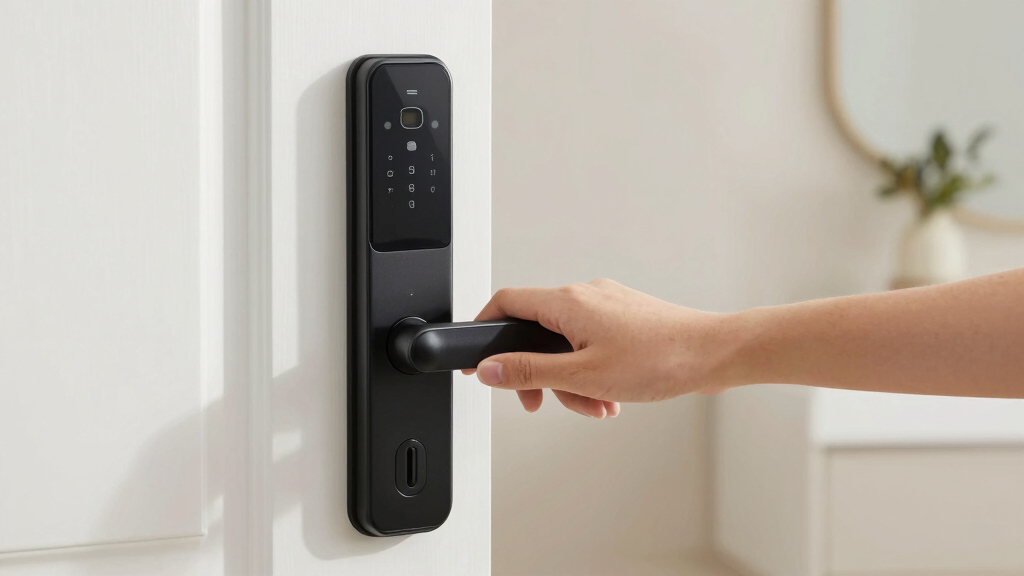

Choosing the best biometric smart lock for a rental property involves balancing security, ease of use, and durability. The Teeho TE012W WiFi Fingerprint Smart Door Lock stands out for its reliable WiFi connectivity, making remote management simple. The ULTRALOQ Latch 5 offers a versatile touchscreen keypad combined with fingerprint access, ideal for multi-tenant setups. Many options in this category face tradeoffs between advanced features and ease of installation or maintenance. Continue reading for a detailed breakdown of the top models and what makes each suitable for rental scenarios.

Get privacy and security gear delivered free with Prime
- Fast, free delivery on millions of items
- Prime Video, Amazon Music and more included
- Member-only deals all year
Key Takeaways
- Top-performing locks combine WiFi connectivity with reliable biometric authentication, essential for remote property management.
- Versatility in access methods—fingerprint, keypad, app—adds flexibility, especially for multiple tenants or short-term rentals.
- Build quality and weather resistance remain critical, even for indoor units, to ensure longevity with frequent use.
- Ease of installation and maintenance can vary widely; DIY-friendly options tend to be more suitable for rental owners managing multiple units.
- Higher-priced models often offer better integration with smart home ecosystems and more advanced security features, but may be overkill for simpler rental needs.
| Teeho TE012W WiFi Fingerprint Smart Door Lock for Front Door, Satin Nickel |  | Best Overall for Versatile Outdoor Security | Connectivity: WiFi 2.4GHz | Fingerprint Users: 20 | Passcodes: 100 | VIEW LATEST PRICE | See Our Full Breakdown |
| ULTRALOQ Latch 5 Smart Lock, WiFi Smart Lever Lock with Touchscreen Keypad and Fingerprint, Black |  | Best for DIY Installers and Basic WiFi Connectivity | Unlock Methods: App, Fingerprint, Code, Mechanical Key | Connectivity: WiFi (2.4 GHz only) | Material: Zinc alloy | VIEW LATEST PRICE | See Our Full Breakdown |
| LOCKSTAR Smart Door Lock – Keyless Entry Deadbolt with Multiple Access Methods |  | Best for Multifaceted Access and Security Monitoring | Access Methods: APP, Fingerprint Touch ID, Keypad Code, Card Fob, Traditional Key | Auto Lock: Yes | Event Notifications: Yes | VIEW LATEST PRICE | See Our Full Breakdown |
| Veise RZ07 Fingerprint Smart Door Lock Deadbolt, App Control, Satin Nickel |  | Best for High-Capacity, Remote Management | Unlock Methods: Fingerprint, App, Web portal, Fobs, Code, eKey sharing, Mechanical key | Fingerprint Recognition Speed: 0.2 seconds | Fingerprint Capacity: 50 | VIEW LATEST PRICE | See Our Full Breakdown |
| Wyze Palm Lock, Smart Door Lock with Palm Vein Recognition, Keyless Entry, Wi-Fi, Alexa & Google Compatibility |  | Best for Contactless Biometric Security | Biometric Technology: Palm Vein Recognition | Battery: Dual batteries with emergency USB-C charging | Auto Lock: Yes, detects door closure | VIEW LATEST PRICE | See Our Full Breakdown |
| Fingerprint Smart Door Lock with Handle & Keypad – Bluetooth Keyless Entry for Front Door, Home, Kids, Guests, Airbnb & Rental, App + Code Access, Compatible with Alexa & Google, Easy DIY Install |  | Best Overall for Flexibility and Security | Bluetooth Control: Yes | Fingerprint Recognition: Yes, 0.3 seconds | Security: Heavy-duty deadbolt knob | VIEW LATEST PRICE | See Our Full Breakdown |
| Fingerprint Smart Door Lock with Handle & Keypad |  | Best for Remote Management and Compatibility | Unlock Methods: Fingerprint, keypad, app, FOB, key | Compatibility: Alexa, Google Assistant | Installation: DIY, reversible handle | VIEW LATEST PRICE | See Our Full Breakdown |
| biometric smart lock for rental property | Unlock Methods | Installation |
|---|---|---|
| Teeho TE012W WiFi Fingerprint | — | — |
| ULTRALOQ Latch 5 Smart Lock | App, Fingerprint, Code, Mechanical Key | DIY, fits standard US doors |
| LOCKSTAR Smart Door Lock | — | DIY, includes screwdriver and drill bit |
| Veise RZ07 Fingerprint Smart D | Fingerprint, App, Web portal, Fobs, Code, eKey sharing, Mechanical key | — |
| Wyze Palm Lock | — | — |
| Fingerprint Smart Door Lock wi | Fingerprint, passcode, app, FOB, mechanical key | DIY |
| Fingerprint Smart Door Lock wi | Fingerprint, keypad, app, FOB, key | DIY, reversible handle |
More Details on Our Top Picks
Teeho TE012W WiFi Fingerprint Smart Door Lock for Front Door, Satin Nickel
The Teeho TE012W stands out for combining multiple access methods—fingerprint, passcode, app, and voice control—in a weather-resistant design, making it highly suitable for varied rental property environments. Compared with the ULTRALOQ Latch 5, it offers a broader range of security features like anti-peep passwords and break-in alerts, though it requires 8 AA batteries, which might need frequent replacement. Its easy installation and IP55 weather resistance make it a reliable choice for outdoor doors, but the reliance on a 2.4GHz WiFi network can limit connectivity stability. This option makes the most sense for landlords or property managers seeking a durable, feature-rich lock that can withstand outdoor conditions and offer multiple access options without complex setup.
Pros:- Multiple unlocking methods including fingerprint, passcode, app, and voice control
- Weather-resistant and durable for outdoor use
- Enhanced security features like anti-peep passwords and break-in alerts
Cons:- Requires 8 AA batteries, which may need frequent replacements
- No included screwdriver, complicating installation for some users
Best for: Property owners needing a weatherproof, multi-method smart lock for outdoor entrances
Not ideal for: Renters or users with limited WiFi bandwidth, due to connectivity restrictions
- Connectivity:WiFi 2.4GHz
- Fingerprint Users:20
- Passcodes:100
- Batteries:8 AA batteries
- Weather Resistance:IP55
- Auto-Lock:10-180 seconds adjustable
- Installation Time:10-15 minutes
- Supported Door Thickness:1-3/8″–2″
- Warranty:2 years
Our verdict“This lock is ideal for property owners needing a reliable, weatherproof solution with diverse access options.”
ULTRALOQ Latch 5 Smart Lock, WiFi Smart Lever Lock with Touchscreen Keypad and Fingerprint, Black
The ULTRALOQ Latch 5 offers multiple unlocking options—app, fingerprint, keypad, and mechanical key—in a sleek, easy-to-install package, making it suitable for landlords with DIY skills. Unlike the Teeho TE012W, it doesn’t support voice control but compensates with straightforward installation on standard US doors and a durable, weatherproof build. It relies solely on 2.4 GHz WiFi, which could limit compatibility with modern networks, and it lacks a dedicated gateway, restricting some advanced features. This pick makes the most sense for rental properties where simplicity and basic remote management suffice, especially for users comfortable with WiFi-only solutions.
Pros:- Multiple unlocking options including fingerprint and keypad
- Easy DIY installation with fit for standard US doors
- Weatherproof and durable for outdoor use
Cons:- Limited to 2.4 GHz WiFi, excluding 5 GHz networks
- No built-in gateway, which limits advanced smart features
Best for: DIY-savvy landlords seeking an easy-to-install, remote-controlled lock for interior or exterior doors
Not ideal for: Users needing voice control or 5 GHz WiFi compatibility for more robust connectivity
- Unlock Methods:App, Fingerprint, Code, Mechanical Key
- Connectivity:WiFi (2.4 GHz only)
- Material:Zinc alloy
- Installation:DIY, fits standard US doors
- Weatherproof:Yes
Our verdict“This lock suits property owners wanting an uncomplicated, DIY-friendly smart lock with reliable WiFi connectivity.”
LOCKSTAR Smart Door Lock – Keyless Entry Deadbolt with Multiple Access Methods
The LOCKSTAR offers a versatile array of access options—app, fingerprint, keypad, card fob, and traditional key—with real-time notifications, making it especially suited for busy rental properties or shared households. Unlike the ULTRALOQ Latch 5, it supports smart home integration and provides detailed security alerts, but it depends on Wi-Fi, which may complicate setup for non-technical users. Its auto-lock feature and multiple secure access methods make it ideal for landlords who want comprehensive security monitoring, yet the setup process can be complex if you’re unfamiliar with smart home tech.
Pros:- Multiple secure access options including app, fingerprint, keypad, and key
- Real-time event notifications for enhanced security
- Easy DIY installation with included tools
Cons:- Requires Wi-Fi connection, which can be complex for some users
- Setup may be challenging for non-technical users
Best for: Landlords managing busy rental properties needing extensive access options and security alerts
Not ideal for: Users seeking a simple, minimal setup lock without smart home integrations or notifications
- Access Methods:APP, Fingerprint Touch ID, Keypad Code, Card Fob, Traditional Key
- Auto Lock:Yes
- Event Notifications:Yes
- Installation:DIY, includes screwdriver and drill bit
- Compatibility:Works on virtually any door
Our verdict“This lock is best for property managers who want detailed security monitoring and multiple access methods in a single device.”
Veise RZ07 Fingerprint Smart Door Lock Deadbolt, App Control, Satin Nickel
The Veise RZ07 distinguishes itself with fast fingerprint recognition supporting up to 50 users, combined with app and web control for remote management, making it ideal for rental properties with multiple tenants. Compared with LOCKSTAR, it offers quicker biometric access and a higher capacity for user codes, but it requires a separate Veise G2 gateway for smart home integration—adding complexity and cost. Its weatherproof design and support for various unlocking methods provide flexibility, although battery life may vary based on usage. This lock fits well where high user capacity and fast biometric access are priorities, but requires some additional setup for full smart home features.
Pros:- Fast fingerprint recognition (0.2 seconds)
- Supports up to 50 fingerprints and 250+ user codes
- Weatherproof for outdoor use
Cons:- Requires separate Veise G2 gateway for smart home integration
- Battery life depends heavily on usage, potentially needing frequent replacements
Best for: Rental properties with multiple tenants needing fast biometric access and remote management
Not ideal for: Users who want an all-in-one integrated smart home system without extra gateways
- Unlock Methods:Fingerprint, App, Web portal, Fobs, Code, eKey sharing, Mechanical key
- Fingerprint Recognition Speed:0.2 seconds
- Fingerprint Capacity:50
- User Codes Support:250+
- Battery Life:Up to 12 months
- Weather Resistance:IP55
- Security Grade:BHMA & ANSI Grade 3
Our verdict“This lock is suited for property managers who need high user capacity and rapid biometric access, with flexible remote control capabilities.”
Wyze Palm Lock, Smart Door Lock with Palm Vein Recognition, Keyless Entry, Wi-Fi, Alexa & Google Compatibility
The Wyze Palm Lock introduces palm vein recognition for contactless, hygienic access, making it a standout for environments prioritizing touch-free entry. Its auto-lock feature, voice assistant compatibility, and remote control via Wi-Fi resemble the convenience offered by Veise RZ07 but with the added advantage of palm biometrics, which can be more consistent than fingerprint recognition, especially in high-traffic rental settings. However, it’s limited to 50 access codes and relies heavily on Wi-Fi, which could impact reliability if connectivity falters. Designed for durability and ease of use, it suits property managers seeking a touchless, high-tech solution, though it may require a stable Wi-Fi connection for full operation.
Pros:- Contactless palm vein recognition for hygienic access
- Auto-lock feature enhances security and convenience
- Supports voice commands via Alexa and Google Assistant
Cons:- Limited to 50 access codes, restricting large user groups
- Requires Wi-Fi for full functionality, impacting reliability
Best for: Rental properties prioritizing contactless, hygienic biometric access and voice control
Not ideal for: Users with unreliable Wi-Fi or those needing extensive access code management beyond 50 users
- Biometric Technology:Palm Vein Recognition
- Battery:Dual batteries with emergency USB-C charging
- Auto Lock:Yes, detects door closure
- Access Codes:Up to 50
- Connectivity:Wi-Fi
- Voice Control:Alexa & Google
- Weather Resistance:IP53
Our verdict“This lock is designed for property managers prioritizing hygienic, contactless entry combined with smart home voice control.”
Fingerprint Smart Door Lock with Handle & Keypad – Bluetooth Keyless Entry for Front Door, Home, Kids, Guests, Airbnb & Rental, App + Code Access, Compatible with Alexa & Google, Easy DIY Install
This lock stands out for its rapid biometric recognition, completing fingerprint scans in just 0.3 seconds, which makes it ideal for quick access in rental scenarios where speed matters. Compared with the ULTRALOQ Latch, it offers more diverse entry options—Bluetooth, keypad, app, or mechanical key—without requiring WiFi for basic operation, simplifying setup for many users. Its compatibility with Alexa and Google expands hands-free control, though it relies solely on Bluetooth, limiting remote management unless paired with additional hardware. The heavy-duty deadbolt adds confidence for rental properties needing robust security, but the absence of WiFi means remote monitoring isn’t seamless without extra equipment. Installation is straightforward as a DIY project, making it accessible for landlords or hosts without professional help. The main tradeoff involves monitoring battery life, as low-battery alerts are the only warning, and compatibility issues could arise with older smart home systems.Pros:- Fast fingerprint recognition reduces wait time at entry
- Multiple unlocking methods enhance convenience and security
- Voice assistant compatibility allows hands-free control
- Easy DIY installation suitable for non-technical users
Cons:- Bluetooth-only operation limits remote access without additional hardware
- Battery life requires proactive management to prevent lockouts
Best for: Property managers or hosts who prioritize quick biometric access and easy DIY installation with flexible control options.
Not ideal for: Renters or landlords seeking built-in WiFi for instant remote access without extra hardware or complex setups.
- Bluetooth Control:Yes
- Fingerprint Recognition:Yes, 0.3 seconds
- Security:Heavy-duty deadbolt knob
- App Compatibility:Yes, with Alexa & Google Assistant
- Unlock Methods:Fingerprint, passcode, app, FOB, mechanical key
- Auto-lock:Yes
- Low-battery alerts:Yes
- Installation:DIY
Our verdict“This lock is best suited for owners who want quick, reliable biometric access combined with multiple control options and are okay with limited remote management without extra hardware.”
Fingerprint Smart Door Lock with Handle & Keypad
This model makes the most sense for hosts or property owners who need flexible remote access, thanks to its optional WiFi Gateway that enables control from anywhere. Unlike the Bluetooth-only B098KMW17J, it relies on WiFi for remote management, but this feature requires an additional purchase, which can increase total cost and setup complexity. Its keyless options—fingerprint, keypad, app, FOB, or key—offer broad convenience, making it suitable for families or rental units with varied access needs. The DIY installation is straightforward, with a reversible handle that fits most standard doors, but some users may find the process less intuitive without prior experience. Compatibility with Alexa and Google is standard, supporting hands-free control, and remote access via the WiFi Gateway adds a layer of convenience for property managers overseeing multiple rentals. The main tradeoff involves the added cost and complexity of setting up the WiFi Gateway for remote access, which may be a barrier for some users.Pros:- Remote access capability via optional WiFi Gateway
- Multiple unlocking methods for maximum flexibility
- Reversible handle and straightforward DIY installation
- Compatibility with voice assistants for hands-free control
Cons:- Requires an extra purchase of WiFi Gateway for remote management
- Installation can be slightly more complex for less experienced users
Best for: Rental property owners or Airbnb hosts needing remote management and broad access options for tenants or guests.
Not ideal for: Owners seeking a straightforward, Bluetooth-only solution without the need for additional hardware or extra costs.
- Unlock Methods:Fingerprint, keypad, app, FOB, key
- Compatibility:Alexa, Google Assistant
- Installation:DIY, reversible handle
- Remote Access:Yes, with optional WiFi Gateway
- Suitable For:Home, Kids, Airbnb, Rentals
- Control Type:WiFi (with Gateway)
Our verdict“This lock is ideal for those who want versatile access methods combined with remote control capability, provided they’re willing to invest in the additional WiFi hardware.”

How We Picked
These locks were evaluated based on a combination of performance, security features, ease of installation, and value for rental property owners. We prioritized models with reliable biometric authentication—mainly fingerprint recognition—and robust connectivity options like WiFi or app control, which are vital for remote management. Durability and weather resistance were also key factors, especially for outdoor or exposed entrances. We ranked products by how well they balance security, usability, and cost, aiming to highlight options suitable for both single-unit landlords and multi-property managers.
| biometric smart lock for rental property | Unlock Methods | Installation |
|---|---|---|
| Teeho TE012W WiFi Fingerprint | — | — |
| ULTRALOQ Latch 5 Smart Lock | App, Fingerprint, Code, Mechanical Key | DIY, fits standard US doors |
| LOCKSTAR Smart Door Lock | — | DIY, includes screwdriver and drill bit |
| Veise RZ07 Fingerprint Smart D | Fingerprint, App, Web portal, Fobs, Code, eKey sharing, Mechanical key | — |
| Wyze Palm Lock | — | — |
| Fingerprint Smart Door Lock wi | Fingerprint, passcode, app, FOB, mechanical key | DIY |
| Fingerprint Smart Door Lock wi | Fingerprint, keypad, app, FOB, key | DIY, reversible handle |
Factors to Consider When Choosing Best Biometric Smart Lock For Rental Property
When selecting the best biometric smart lock for a rental property, it’s important to consider several key factors that influence real-world usability and security. Rental owners need locks that are reliable, easy to manage remotely, and durable enough to withstand frequent use. Understanding these factors helps avoid common pitfalls, such as choosing overly complex systems that tenants struggle with or opting for cheaper models that lack security features.Security and Authentication Methods
Biometric smart locks should prioritize accurate fingerprint recognition and multi-factor authentication options, such as PIN codes or app access. In rental settings, false rejections or security breaches can cause frustration or compromise safety, so look for models with proven biometric reliability and encryption. Avoid locks with overly simplistic security features if you manage multiple tenants or handle sensitive rental units.
Connectivity and Remote Management
WiFi-enabled locks with app control are a must for rental property owners who need to grant or revoke access remotely. This minimizes physical key exchanges and helps monitor entry activity. However, reliable internet is essential—if the property has poor WiFi, consider locks with local access options like keypad or key override. Over-reliance on cloud services can also pose security risks, so choose brands with strong encryption and update policies.
Installation and Maintenance
Ease of installation is critical for rental owners who may not have professional locksmith support. Many locks feature DIY installation, but some require more technical setup or frequent maintenance. Consider models with straightforward wiring or battery replacement processes. Also, check for manufacturer support and firmware updates to keep the lock secure over time.
Durability and Weather Resistance
Even if indoor units are common, outdoor or exposed entrances demand weather-resistant construction. Look for locks with corrosion-proof materials and IP ratings that indicate resistance to water and dust. A durable lock reduces the need for frequent replacements, which is vital for rental management efficiency.
Cost and Value
While premium models offer advanced features like integrated cameras or comprehensive smart home integration, they come with higher price tags. Balance your budget against the security needs and management complexity of your rental units. Sometimes, investing in a slightly more expensive, proven model saves costs long-term by reducing security risks and maintenance issues.
Frequently Asked Questions
Can I use a biometric smart lock for short-term rentals like Airbnb?
Yes, biometric smart locks are well-suited for short-term rentals because they allow quick, keyless access for guests without physical keys. Many models enable temporary or one-time access codes, which can be shared digitally, reducing the risk of lost keys or unauthorized entry. Just ensure the lock supports remote management and activity logs to monitor guest access effectively.
What happens if the biometric sensor stops working or gets dirty?
Most biometric locks include alternative access methods, such as keypad codes or smartphone apps, to bypass fingerprint recognition issues. Regular cleaning of the fingerprint sensor helps maintain accuracy. Choosing a model with multiple access options ensures that you won’t be locked out if the biometric component malfunctions or needs maintenance.
Are biometric locks secure enough for rental properties?
When properly implemented, biometric locks provide a high level of security due to their unique fingerprint recognition. The best models use encryption and tamper detection to prevent hacking. However, no system is entirely foolproof, so combining biometric locks with other security measures, like surveillance or alarms, can enhance overall safety for rental units.
How reliable are fingerprint recognition systems in humid or outdoor environments?
High-quality biometric locks are designed to work in various conditions, but humidity and dirt can sometimes impair sensor accuracy. Look for models with weatherproof features and high-resolution sensors that tolerate outdoor environments. Regular maintenance, such as cleaning the sensor, can also improve reliability, especially in humid climates.
Is it worth paying extra for a lock with smart home integration?
Investing in a lock with smart home compatibility can streamline property management, especially if you already use platforms like Alexa or Google Home. These integrations allow for seamless access control and activity monitoring. However, if your rental setup is simple, a standalone biometric lock might offer sufficient security without the additional cost.
Conclusion
For rental property owners seeking a reliable, easy-to-manage solution, the ULTRALOQ Latch 5 stands out as the best overall due to its versatile access options and remote management features. Those on a tighter budget may prefer the Fingerpint Smart Door Lock with Handle & Keypad for its affordability and straightforward setup. For owners managing multiple units or high-security needs, investing in premium options with smart home integration and weather resistance makes sense. Beginners should look for models with simple installation and user-friendly controls. Ultimately, selecting the right lock depends on your management style, security priorities, and property exposure.
Veterans Day Picks

Shark Matrix Plus 2-in-1 Robot Vacuum and Mop with 60-Day Self-Emptying Base
As an affiliate, we earn on qualifying purchases.