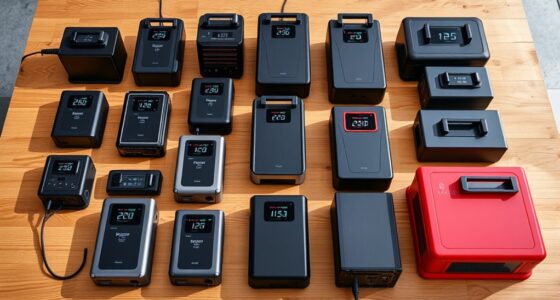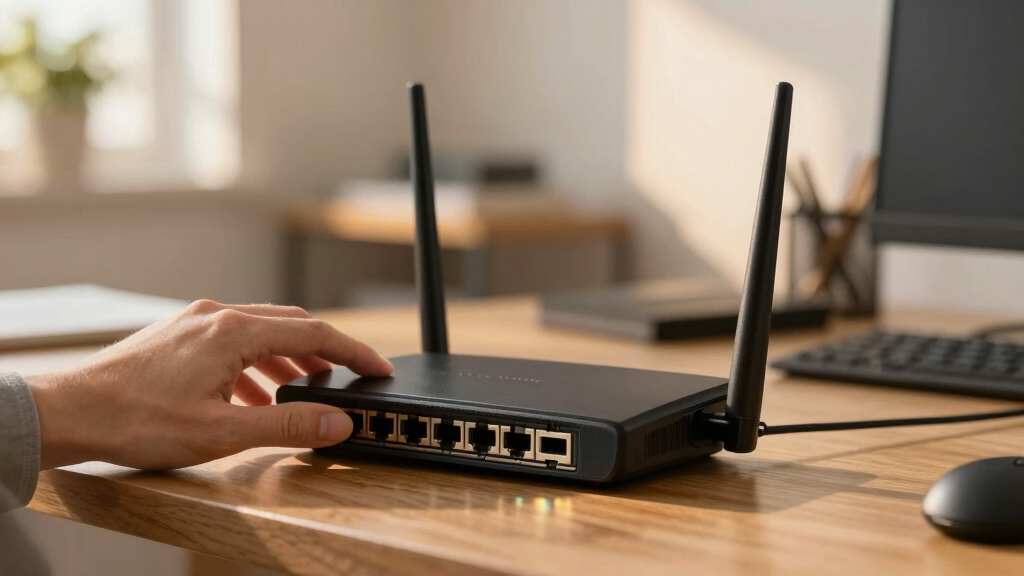

Choosing the best hardware firewall router for a small business involves balancing security, performance, and ease of management. The top pick, the SonicWall TZ370 Gen7 Firewall, stands out for its robust threat protection and user-friendly setup. Other notable options include the FortiGate 40F for its compact design and strong security features, and the Netgate 6100 MAX for high throughput and scalability. Each option presents tradeoffs: higher performance often comes with increased complexity or cost, while simpler models may lack advanced features. Continue reading for an in-depth comparison to find the best fit for your business needs.

Get privacy and security gear delivered free — and shop member deals
- Fast, free delivery on millions of items
- Access to Prime Big Deal Days deals on October 6–7
- Prime Video, Amazon Music and more included
Key Takeaways
- The SonicWall TZ370 offers a balanced mix of security features and usability, making it ideal for most small businesses.
- Netgate models excel in scalability and open-source flexibility but can be more complex to configure and maintain.
- FortiGate 40F provides a compact form factor with enterprise-grade security, suited for smaller setups with limited space.
- Price and feature set often correlate, with premium models delivering higher throughput and advanced threat protection.
- Ease of management varies; models with intuitive interfaces save time but may lack some customization options.
| SonicWall TZ370 Gen7 Firewall |  | Best Overall for Growing SMBs | Interfaces: Multi-Gigabit (2.5/5 G) | Features: SD-WAN, Real-Time Threat Defense, DPI-SSL inspection, IPS, anti-malware, Capture ATP sandboxing | Connections: Up to 1,000,000 concurrent connections | VIEW LATEST PRICE | See Our Full Breakdown |
| SonicWall TZ400 Network Security Appliance |  | Best Value for Comprehensive Security | VIEW LATEST PRICE | See Our Full Breakdown | |||
| TP-Link ER605 V2 Wired Gigabit VPN Router |  | Best for Wired Connectivity and Flexibility | Number of Ports: 5 Gigabit ports (1 WAN, 2 WAN/LAN, 2 LAN) | USB WAN Port: Yes | VPN Support: Up to 20 LAN-to-LAN IPsec, 16 OpenVPN, 16 L2TP, 16 PPTP | VIEW LATEST PRICE | See Our Full Breakdown |
| SonicWall TZ270W Wireless Gen7 Firewall |  | Best for Small Offices Needing Wi-Fi and Security | Firewall Speed: 2 Gbps | Wireless Standard: 802.11ac Wave 2 | Concurrent Connections: 750,000 | VIEW LATEST PRICE | See Our Full Breakdown |
| Netgate 2100 Base pfSense+ Security Gateway |  | Best for Tech-Savvy SMBs and AI Security | Processor: 1.2 GHz ARM Cortex-A53 | Routing Throughput: 2.20 Gbps | Firewall Throughput: 964 Mbps | VIEW LATEST PRICE | See Our Full Breakdown |
| Netgate 6100 MAX pfSense+ Security Gateway – Firewall, Router, VPN |  | Best Overall for High-Performance Edge Security | Processor: 2.2 GHz Quad Core Atom CPU | Memory: 8 GB DDR4 | Connectivity: 10 GbE ports, dual USB / RJ45 serial port | VIEW LATEST PRICE | See Our Full Breakdown |
| Netgate 1100 pfSense+ Security Gateway – Firewall, Router, VPN |  | Best for Small to Medium-Sized Networks with Compact Footprint | Processor: Dual-core ARM Cortex-A53 1.2 GHz | Ports: 3 x 1 GbE (WAN/LAN/OPT) | Throughput: Over 650 Mbps firewall | VIEW LATEST PRICE | See Our Full Breakdown |
| FortiGate 40F Firewall Appliance – 5 Gigabit Ethernet RJ45 Ports, Small Business Security |  | Best for Small to Mid-Sized Businesses Needing Integrated Threat Protection | Ports: 5 Gigabit Ethernet RJ45 | WAN Ports: 1 | Internal Ports: 4 | VIEW LATEST PRICE | See Our Full Breakdown |
| SonicWall TZ270 Network Security Firewall Appliance |  | Best for SD-Branch and Remote Secure Connectivity | Interfaces: 10/5/2.5/1 GbE | Form Factor: Desktop | Features: SD-Branch ready, Secure SD-WAN, Zero-Touch Deployment | VIEW LATEST PRICE | See Our Full Breakdown |
| Omada ER707-M2 Multi-Gigabit VPN Router |  | Best for High-Bandwidth, Remote Access, and Centralized Management | WAN Ports: 1 x 2.5Gbps, 1 x 2.5Gbps WAN/LAN, 4 x Gigabit WAN/LAN, 1 x SFP WAN/LAN | USB Port: 1 x USB 2.0 | Concurrent Sessions: 500,000 | VIEW LATEST PRICE | See Our Full Breakdown |
| SonicWall TZ280 2.5 Gbps Next-Gen Firewall Appliance |  | Best for Remote Branch Security and High-Throughput Needs | Performance: Up to 2.5 Gbps firewall inspection | Threat Prevention Throughput: 1 Gbps | IPSec VPN Throughput: 1.2 Gbps | VIEW LATEST PRICE | See Our Full Breakdown |
More Details on Our Top Picks
SonicWall TZ370 Gen7 Firewall
The SonicWall TZ370 Gen7 stands out for its high scalability, making it ideal for small businesses experiencing growth, especially those needing multi-gigabit speeds and SD-WAN capabilities. Unlike the TZ400, which offers similar security features, the TZ370’s real-time threat defense and DPI-SSL inspection provide more comprehensive security, supporting complex network environments. The main tradeoff is that it lacks included service subscriptions, meaning ongoing costs, and setup can be challenging without technical expertise. Its centralized management simplifies deployment across multiple sites, making it a strong choice for expanding SMBs that require robust security without sacrificing performance.
Pros:- High throughput and scalability for expanding SMBs
- Comprehensive security including sandboxing and DPI-SSL inspection
- Easy deployment with centralized management
Cons:- No included subscription services, adding ongoing costs
- Requires technical skill for initial setup
Best for: Small businesses with growing network demands, needing high throughput and advanced security features
Not ideal for: Very small offices or startups with limited IT support, as the setup and ongoing management may be complex
- Interfaces:Multi-Gigabit (2.5/5 G)
- Features:SD-WAN, Real-Time Threat Defense, DPI-SSL inspection, IPS, anti-malware, Capture ATP sandboxing
- Connections:Up to 1,000,000 concurrent connections
- Deployment:Zero-Touch, SonicExpress onboarding, centralized management
Our verdict“This device is best suited for SMBs ready for a scalable, high-performance security solution that can grow with them.”
SonicWall TZ400 Network Security Appliance
The SonicWall TZ400 offers robust threat prevention and VPN support, making it a solid choice for SMBs prioritizing security, especially when compared to less detailed models like the TP-Link ER605. While it may not feature the same advanced SD-WAN or sandboxing as the TZ370, it simplifies management and deployment. Its main tradeoff is limited detailed specs, which might leave some users wanting more insight into performance under heavy load. For small offices needing a reliable security backbone without complex features, the TZ400 balances cost and capability effectively.
Pros:- Robust network security features
- Easy to manage and deploy
- Supports VPN connectivity
Cons:- Limited detailed specifications available
- May require technical expertise to configure properly
Best for: SMBs requiring straightforward, reliable security with VPN support and easy management
Not ideal for: Organizations needing multi-gigabit throughput or advanced SD-WAN features, as the device is more basic
Our verdict“This device is well-suited for SMBs seeking a straightforward, secure network solution with reliable VPN support.”
TP-Link ER605 V2 Wired Gigabit VPN Router
The TP-Link ER605 V2 excels for small offices that rely on wired infrastructure, offering five gigabit ports and multiple WAN options for flexible bandwidth management. Compared with wireless options like the SonicWall TZ270W, this router lacks Wi-Fi, which might be a drawback for environments needing wireless access. Its VPN support and security features make it suitable for secure remote connectivity, but the complex setup could challenge users less familiar with networking. This model is ideal for organizations prioritizing wired stability and advanced VPN options over wireless flexibility.
Pros:- Multiple WAN ports for bandwidth management
- Supports mobile broadband via USB
- Robust security with firewall and VPN protocols
Cons:- No Wi-Fi capability, limiting mobility
- Setup complexity may be high for beginners
Best for: Small businesses with existing wired networks needing flexible bandwidth and VPN security
Not ideal for: Startups or small offices requiring integrated Wi-Fi or simple plug-and-play setup
- Number of Ports:5 Gigabit ports (1 WAN, 2 WAN/LAN, 2 LAN)
- USB WAN Port:Yes
- VPN Support:Up to 20 LAN-to-LAN IPsec, 16 OpenVPN, 16 L2TP, 16 PPTP
- Security Features:Firewall, DoS defense, filtering, ALG protocols
Our verdict“Ideal for wired-centric small offices that need flexible, secure internet connectivity without wireless features.”
SonicWall TZ270W Wireless Gen7 Firewall
The SonicWall TZ270W combines enterprise-grade firewalling with integrated Wi-Fi, making it perfect for small offices or clinics that need a space-saving, all-in-one device. Its 2 Gbps firewall speed and 750,000 concurrent connections support high-performance environments, but the absence of a service subscription could lead to extra costs for advanced features. Compared to the TZ370, the TZ270W offers less scalability but is easier to deploy in small spaces with Wi-Fi needs. Its limited management interface details may be a concern for some users seeking deep control.
Pros:- Combines firewall and Wi-Fi in one device, saving space
- High gigabit performance suitable for small environments
- Threat protection with sandboxing included
Cons:- No included service subscription, potential additional costs
- Limited to small office environments
Best for: Small offices or clinics requiring a compact device with integrated Wi-Fi and layered security
Not ideal for: Large or expanding SMBs needing high scalability and SD-WAN features
- Firewall Speed:2 Gbps
- Wireless Standard:802.11ac Wave 2
- Concurrent Connections:750,000
- Device Type:Security Appliance
- No Service Subscription:Yes
Our verdict“Best suited for small offices seeking an all-in-one device with Wi-Fi and enterprise-grade security in a compact form factor.”
Netgate 2100 Base pfSense+ Security Gateway
The Netgate 2100 delivers enterprise-level firewall, routing, and VPN capabilities with pfSense+ software, making it ideal for technically proficient small businesses focused on customizable, high-throughput security. In comparison with the SonicWall TZ370, it offers higher routing throughput and silent passive cooling but requires more setup effort and expertise. The hardware’s 1.2 GHz ARM Cortex-A53 processor ensures solid performance, especially for AI security applications. Its requirement for adult signature on delivery and limited to small business environments make it less suitable for less tech-savvy users or those needing plug-and-play solutions.
Pros:- Pre-loaded with pfSense+ for quick customization
- High routing and firewall throughput
- Passive cooling enables silent operation
- Enterprise-grade VPN support
Cons:- Requires technical expertise for setup
- Delivery requires adult signature
Best for: Small businesses with strong technical skills prioritizing customizable security and high-performance routing
Not ideal for: Less technical users or small offices without dedicated IT resources
- Processor:1.2 GHz ARM Cortex-A53
- Routing Throughput:2.20 Gbps
- Firewall Throughput:964 Mbps
- Cooling System:Passive
- Warranty:1 year
Our verdict“This device is ideal for SMBs with strong IT capabilities seeking enterprise-grade, customizable security infrastructure.”
Netgate 6100 MAX pfSense+ Security Gateway – Firewall, Router, VPN
The Netgate 6100 MAX stands out for its exceptional throughput and advanced routing features, making it ideal for businesses with demanding networking needs. Compared with the Netgate 1100, it offers significantly higher performance thanks to its 2.2 GHz quad-core CPU and 10 GbE ports, supporting heavy data loads and complex configurations. Its fanless, compact design suits professional environments where silence and space-saving are priorities. However, this level of power can be overkill for small or home offices with simpler needs, and its setup requires technical expertise. It’s best suited for small businesses requiring high reliability, advanced security, and future scalability.
Pros:- High-performance throughput with advanced routing and firewall capabilities
- Versatile 10 GbE connectivity suitable for edge networking
- Fanless, compact, and silent operation ideal for desktop or wall mounting
- Includes technical support and software updates for lifetime
Cons:- May be overkill for small or straightforward networks
- Requires technical knowledge for optimal setup and management
Best for: Small businesses with high data throughput needs, requiring robust security and flexible network control
Not ideal for: Small or home offices with basic internet needs, or users lacking technical skills for complex setup
- Processor:2.2 GHz Quad Core Atom CPU
- Memory:8 GB DDR4
- Connectivity:10 GbE ports, dual USB / RJ45 serial port
- Form Factor:Desktop appliance, wall-mountable
- Warranty:1 year hardware
- Support:pfSense+ updates, 24/7 TAC support
Our verdict“This pick makes the most sense for small businesses that need scalable, high-performance security with minimal noise and space constraints.”
Netgate 1100 pfSense+ Security Gateway – Firewall, Router, VPN
The Netgate 1100 offers a reliable, space-saving solution for smaller networks, with enough power for typical small business tasks. Its dual-core ARM Cortex-A53 processor and three 1 GbE ports make it suitable for offices that don’t require the massive throughput of the Netgate 6100 MAX. It’s easier to set up and manage, with software updates and 24/7 support included, making it a good fit for those with some technical knowledge. However, its limited port count and lower throughput of over 650 Mbps mean it may struggle with larger or heavily trafficked networks. It also requires a bit of expertise to optimize configuration. It’s best for small businesses or branch offices that prioritize simplicity and reliability over raw power.
Pros:- Pre-loaded with pfSense+ for quick, reliable setup
- Compact and silent operation fits small spaces
- Flexible port configuration for diverse network setups
- Includes software updates and technical support
Cons:- Limited to small and medium-sized networks
- Requires some technical knowledge for optimal setup
- Shipped with adult signature required
Best for: Small business environments needing dependable security with straightforward setup and moderate traffic loads
Not ideal for: Larger networks or businesses with high bandwidth demands, due to its limited throughput and port count
- Processor:Dual-core ARM Cortex-A53 1.2 GHz
- Ports:3 x 1 GbE (WAN/LAN/OPT)
- Throughput:Over 650 Mbps firewall
- Warranty:One year hardware
- Support:24/7/365 technical support
Our verdict“This model makes the most sense for smaller offices seeking a balance of performance, simplicity, and support without the complexity of larger devices.”
FortiGate 40F Firewall Appliance – 5 Gigabit Ethernet RJ45 Ports, Small Business Security
The FortiGate 40F combines compact design with high-performance security, making it suitable for small offices seeking robust threat protection. Its 5 GE RJ45 ports and 1 Gbps IPS throughput support typical small business environments, and the integrated AI-powered threat detection enhances security without adding complexity. Compared with the SonicWall TZ270, it offers similar interface flexibility but emphasizes security with a dedicated threat protection throughput of 600 Mbps. The fanless design keeps noise levels low, perfect for quiet office settings. A drawback is the lack of included subscription services, which could increase ongoing costs. It’s best for small businesses prioritizing security and ease of deployment over advanced customization or extensive networking features.
Pros:- Compact and quiet fanless design
- High-performance security with 1 Gbps IPS throughput
- Easy to deploy with user-friendly management
- Integrated AI threat protection
Cons:- No included subscription services, additional costs may apply
- Limited to small or mid-sized environments
Best for: Small to mid-sized businesses needing reliable security with minimal noise and straightforward management
Not ideal for: Organizations requiring extensive VPN or advanced networking features beyond basic threat protection
- Ports:5 Gigabit Ethernet RJ45
- WAN Ports:1
- Internal Ports:4
- Throughput:1 Gbps IPS
- Form Factor:Desktop, fanless
- Support:Included AI threat protection
Our verdict“This device is ideal for small businesses that want solid security without complex setup or noise issues.”
SonicWall TZ270 Network Security Firewall Appliance
The SonicWall TZ270 excels in environments where SD-Branch and SD-WAN capabilities are essential. Its multiple GbE interfaces and support for zero-touch deployment simplify remote management, making it suitable for distributed small business locations or branch offices. Compared with the FortiGate 40F, it offers more flexible SD-WAN options but lacks detailed specifications and customer ratings, which can be a concern for some buyers. Its focus on SD-Branch features makes it less ideal for small offices that primarily need straightforward firewall protection. This product is best for organizations with multiple remote sites needing simplified, secure connectivity and deployment.
Pros:- Multiple GbE interfaces for flexible connectivity
- Supports SD-Branch and Secure SD-WAN
- Zero-touch deployment for remote setup
- Easy onboarding via SonicExpress app
Cons:- Limited detailed specs and customer ratings
- Potentially complex for users unfamiliar with SD-WAN features
Best for: Small to medium-sized businesses with remote sites requiring SD-Branch and SD-WAN features
Not ideal for: Single-site small offices needing only basic firewall protection or users with limited technical support
- Interfaces:10/5/2.5/1 GbE
- Form Factor:Desktop
- Features:SD-Branch ready, Secure SD-WAN, Zero-Touch Deployment
Our verdict“This device suits remote or distributed businesses needing advanced SD-Branch and SD-WAN features with straightforward deployment.”
Omada ER707-M2 Multi-Gigabit VPN Router
The Omada ER707-M2 offers a robust solution for demanding networks requiring multiple high-speed ports and extensive VPN options. Its 2.5Gbps WAN ports and USB LTE backup support make it ideal for remote sites or offices with high security and bandwidth needs, especially when centralized cloud management is desired. Compared with the Netgate 6100 MAX, it emphasizes high speeds and VPN capacity over raw routing power, making it better suited for remote or multi-site setups. Setup can be complex for those unfamiliar with advanced networking, and the detailed feature set might be overwhelming for small teams. It’s best for organizations that need high bandwidth, VPN flexibility, and centralized control across multiple locations.
Pros:- High bandwidth with multiple Gigabit and 2.5Gbps ports
- Supports extensive VPN connections for remote access
- Cloud management for centralized control
- USB port for LTE backup
Cons:- Setup may require advanced networking knowledge
- Limited details on some advanced features
- No pricing info available
Best for: Businesses with demanding remote or multi-site networks needing high bandwidth and centralized VPN management
Not ideal for: Small single-site offices with minimal VPN or bandwidth requirements or limited technical expertise
- WAN Ports:1 x 2.5Gbps, 1 x 2.5Gbps WAN/LAN, 4 x Gigabit WAN/LAN, 1 x SFP WAN/LAN
- USB Port:1 x USB 2.0
- Concurrent Sessions:500,000
- Maximum Clients:1000+
- VPN Support:LAN-to-LAN IPsec, OpenVPN, L2TP, PPTP
- Warranty:5 years
Our verdict“This router is best for organizations needing high-speed connectivity, comprehensive VPN support, and centralized remote management across multiple sites.”
SonicWall TZ280 2.5 Gbps Next-Gen Firewall Appliance
The SonicWall TZ280 stands out for its impressive 2.5 Gbps inspection throughput, making it well-suited for small businesses with high network demands. Compared to the TZ370 Gen7, which offers more advanced features and higher throughput, the TZ280 delivers a balanced performance for smaller sites without overpaying. Its multiple connectivity options, including 8x1GbE ports and 2 SFP ports, provide flexibility for diverse network setups. However, security services are available via additional subscriptions, which can increase ongoing costs, and the device lacks included support or regular updates—factors to consider if ease of management is a priority. This pick makes the most sense for small offices or remote sites that require robust security without the complexity of enterprise-grade hardware.
Pros:- High-performance firewall inspection up to 2.5 Gbps
- Multiple connectivity options for diverse network setups
- Supports SD-WAN and VPN for remote site security
- Compact desktop form factor suitable for small spaces
Cons:- Security services require separate subscription, increasing total cost
- Hardware only, with no included support or firmware updates
- Limited to small business and branch office environments, not enterprise-scale
Best for: Small businesses or branch offices needing high-speed security with remote connectivity options
Not ideal for: Organizations seeking an all-in-one bundle with included support or those with limited budgets for ongoing subscriptions
- Performance:Up to 2.5 Gbps firewall inspection
- Threat Prevention Throughput:1 Gbps
- IPSec VPN Throughput:1.2 Gbps
- Connectivity:8x1GbE + 2x1G SFP
- Form Factor:Desktop
- Security Services:Available via subscription
- Managed Support:Not included
- Ideal Use Case:Small business and remote branch security
Our verdict“This device is ideal for small businesses prioritizing high throughput and remote site security without the need for extensive support packages.”

How We Picked
The products in this roundup were selected based on their core performance in security, throughput, ease of use, and scalability for small business environments. We prioritized models that offer a good balance of features versus price, ensuring they can handle typical business workloads without unnecessary complexity. Our evaluation considered vendor reputation, user reviews, and feature sets such as VPN support, threat detection, and management interfaces. The ranking reflects not just raw specifications but how well each product aligns with real-world small business needs—favoring reliable, easy-to-deploy solutions that deliver consistent performance.Factors to Consider When Choosing Best Hardware Firewall Router For Small Business
When choosing a hardware firewall router for small business, several key factors influence the value and suitability of a device. Beyond raw specs, understanding how these elements impact your day-to-day operations helps prevent costly mistakes and ensures your network stays secure and efficient.Performance and Throughput
Assess your expected network load and choose a device with sufficient throughput to handle peak traffic without bottlenecks. Higher performance models support more users and data-intensive tasks, but they often come at a higher cost. Overestimating needs can lead to unnecessary expenses, while underestimating can cause slowdowns and frustration. Consider your current and future needs carefully to select a device that scales with your business growth.
Security Features
Look for comprehensive security capabilities such as intrusion detection, VPN support, and advanced threat protection. Some models include integrated sandboxing or cloud-based threat intelligence, providing extra layers of defense. Failing to prioritize security features might leave your network vulnerable to evolving cyber threats, especially if your business handles sensitive data or remote workforces. Balance the security offered with ease of management to avoid overly complex setups.
Ease of Management
For small teams without dedicated IT staff, an intuitive management interface can save time and reduce errors. Some devices include cloud-based dashboards or mobile apps for quick adjustments, while others rely on more traditional, complex setups. Overly complicated management tools can overwhelm users, leading to misconfigurations. Prioritize solutions with straightforward interfaces and clear documentation if ease of use is a priority.
Scalability and Future Proofing
Consider whether the device can support additional users, sites, or advanced features as your business grows. Modular options or models with higher port counts and upgrade paths can be more cost-effective long-term. Failing to plan for scalability might mean replacing hardware sooner than expected, incurring additional costs and downtime.
Price and Total Cost of Ownership
While budget is always a concern, the cheapest option may lack key features or require costly upgrades later. Evaluate the total cost, including licensing, subscriptions, and maintenance. Sometimes investing a bit more upfront results in better security, longer lifespan, and lower maintenance costs, making it a more economical choice over time.
Frequently Asked Questions
Can I replace my existing router with a dedicated hardware firewall?
Yes, many small businesses opt to replace their consumer-grade routers with dedicated hardware firewalls to improve security and control. These devices often integrate routing capabilities with advanced security features, providing a more robust defense. However, compatibility and network complexity should be considered to ensure seamless integration. Proper configuration is key to avoid disruptions and maximize protection.
Is it necessary to buy a high-end model for my small business?
Not necessarily. For many small businesses, mid-range devices like the SonicWall TZ370 or FortiGate 40F provide sufficient security and performance. High-end models are better suited for businesses with high data loads, multiple remote sites, or complex security needs. Over-investing can lead to unnecessary expenses, so evaluate your current requirements versus future plans carefully.
How often should I update my firewall firmware?
Regular updates are vital for maintaining security and fixing vulnerabilities. Most vendors release firmware updates at least quarterly, with critical patches issued as needed. Automating updates or setting alerts can help ensure your device stays protected against emerging threats. Neglecting updates increases the risk of exploitation by cybercriminals.
What’s the difference between a hardware firewall and a software-based solution?
A hardware firewall provides dedicated, appliance-based security that typically offers higher performance and dedicated resources, making it suitable for protecting entire networks. Software firewalls are installed on individual devices and offer flexibility but may not scale well for larger networks. For small businesses, hardware solutions generally deliver more consistent, centralized protection, especially when combined with other security layers.
Should I prioritize throughput or security features?
Both are important, but the priority depends on your specific needs. If your business handles large volumes of data or relies on real-time applications, throughput becomes critical. Conversely, if your primary concern is protecting sensitive information, security features should take precedence. Ideally, choose a device that balances both, avoiding compromises that could leave you vulnerable or hinder performance.
Conclusion
For most small businesses, the SonicWall TZ370 Gen7 Firewall offers the best overall balance of security, performance, and ease of use, making it ideal for general purpose needs. If you’re seeking the best value, the TP-Link ER605 V2 provides solid security features at a more accessible price point. Small startups or those with limited IT resources will find the FortiGate 40F straightforward and secure, while larger or rapidly growing businesses should consider the Netgate 6100 MAX for scalability. Understand your specific security needs, network size, and budget to select the device that best supports your business in 2026.
As an affiliate, we earn on qualifying purchases.Fall Picks
fall essentials