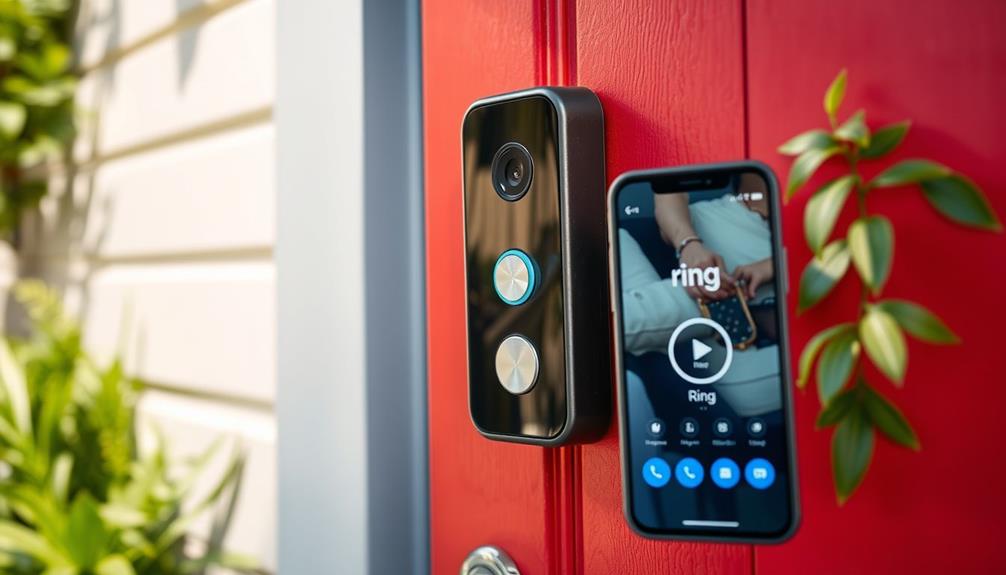

To integrate Ring cameras with your smart home routines, you’ll want to connect them to voice assistants like Alexa or Google Home for easy control and live viewing. You can set up automations using platforms like IFTTT to trigger lights or notifications based on motion. Managing access and customizing alerts help keep your system secure and efficient. For step-by-step details and tips, more information awaits to help you get the most out of your setup.
Key Takeaways
- Use IFTTT or native integrations to trigger routines based on Ring camera activity, like turning on lights or sending alerts.
- Customize notifications and motion zones to improve detection accuracy and reduce false alarms within smart routines.
- Connect Ring cameras with voice assistants (Alexa, Google Home) for voice-controlled live viewing and routine activation.
- Manage user permissions and access controls to restrict or grant device control within routines for family and guests.
- Regularly update firmware and troubleshoot connectivity issues to ensure reliable integration with smart home routines.
Understanding the Compatibility of Ring Cameras With Smart Home Platforms
To effectively integrate your Ring cameras into your smart home setup, it’s essential to understand their compatibility with various smart home platforms. Ring devices generally adhere to strict security standards, ensuring your data remains protected during transmission and storage. However, privacy concerns are common, especially with cameras that record sensitive areas. Before integration, verify that the platform you choose supports Ring’s security protocols and offers robust privacy controls. Some platforms may have limited compatibility or require specific firmware updates to work seamlessly. Ensuring your smart home ecosystem is secure involves checking these compatibility details and understanding how your data is handled. Additionally, reviewing privacy and security features helps you maintain control over your information while enjoying the convenience of your Ring cameras.
Connecting Ring Cameras to Amazon Alexa

Connecting your Ring cameras to Amazon Alexa allows you to easily view live feeds and control your devices through voice commands. With an active Ring subscription, you can access seamless video streaming and notifications via Alexa-enabled devices. To get started, confirm your Ring camera is properly placed for ideal coverage and visibility. Once connected, you can ask Alexa to show the camera’s live feed on Echo Show or Fire TV, making monitoring effortless. Keep in mind, a Ring subscription is essential for recording and storing footage, enhancing your security setup. Proper camera placement not only improves detection accuracy but also ensures you get the most benefit from your Ring-Alexa integration. Additionally, understanding security device integration can help you optimize your smart home setup for better safety and convenience. With this setup, managing your home security becomes more intuitive and hands-free.
Integrating Ring Devices With Google Home Ecosystem

Integrating your Ring devices with the Google Home ecosystem allows you to control and monitor your security cameras and doorbells seamlessly using voice commands and the Google Home app. This integration simplifies managing your smart home, enabling you to check camera feeds or receive alerts effortlessly. However, privacy concerns may arise because sharing data between Ring and Google could expose sensitive information. To address this, make certain that your devices support robust data encryption and review privacy settings regularly. Keep in mind that while integration offers convenience, it’s essential to stay informed about how your data is being used and stored. Additionally, understanding skincare patches can help you optimize your home routines for health and safety. By doing so, you can enjoy a smarter, more connected home while maintaining control over your privacy and security.
Creating Automated Routines Using Ring and IFTTT

Automating your Ring devices with IFTTT opens a new level of convenience by allowing you to create custom routines that trigger specific actions based on your preferences. You can set routines like turning on lights when motion is detected or receiving alerts when your camera spots movement. However, privacy concerns are important; make certain that your data encryption is robust to protect your information. When setting up routines, review IFTTT’s privacy policies and adjust permissions accordingly. By integrating Ring with IFTTT, you gain flexibility, but always stay mindful of how your data is managed. Proper setup ensures your routines work effectively without compromising your sensitive information. Additionally, understanding the 16PF personality traits can help tailor your automation preferences to suit your personal or household needs, enhancing the overall experience.
Using Ring Alarm With Other Smart Security Devices

Using Ring Alarm with other smart security devices enhances your home’s protection by creating an all-encompassing security system. Proper camera placement ensures critical areas are monitored, maximizing coverage and reducing blind spots. When integrating devices, adhere to security protocols to maintain system integrity and prevent unauthorized access. Combining Ring Alarm with door/window sensors, smart locks, and motion detectors creates layered defense, allowing you to respond swiftly to potential threats. Consistent device communication and synchronization ensure alerts are timely and accurate. By coordinating these devices, you improve overall security, making your home safer. Remember to regularly update firmware and check connections to keep the system functioning at its best. This integration provides comprehensive protection, giving you peace of mind knowing your property is monitored effectively.
Customizing Notifications and Alerts for Smarter Monitoring

Customizing notifications and alerts allows you to stay informed about your home’s security in real-time, guaranteeing you’re immediately aware of any potential threats. With alert customization, you can tailor notifications based on specific events, such as motion detection or doorbell presses. You can choose which alerts you receive and how you’re notified—via push notifications, emails, or sounds. This level of customization helps prevent alert fatigue, so you only get relevant updates. Setting up custom notifications assures you’re promptly alerted to critical activity while filtering out non-essential data. By fine-tuning your alert preferences, you maintain smarter monitoring, allowing you to respond quickly and confidently to anything happening at home. This proactive approach enhances your overall security and peace of mind. Vetted
Setting Up Motion Detection and Response Automations
After setting up personalized notifications, it’s time to configure motion detection and response automations. To do this effectively, focus on defining specific motion zones within your camera’s view to reduce false alarms. Proper camera placement is essential—position your cameras to cover high-traffic areas and entry points for maximum detection. Customize motion zones to target important areas and ignore irrelevant movement. Automations can be triggered by motion, such as turning on lights or recording clips. Test your settings to guarantee alerts are accurate and timely. Fine-tuning these parameters helps you respond swiftly and avoid unnecessary notifications. Remember, well-placed cameras with tailored motion zones make your smart home more secure and efficient. Additionally, understanding camera placement tips can further enhance detection accuracy and minimize false alarms.
Managing Access and Permissions for Family Members and Guests
Managing who can view your Ring cameras is vital for security and privacy. You can set different access levels for family members and guests, giving them appropriate permissions. By adjusting guest permission controls, you guarantee everyone has the right access without compromising your security. Implementing these controls is especially important when managing access to raw food preparation areas or storage, ensuring only authorized individuals can handle or view sensitive items.
Setting Access Levels
Setting access levels on your Ring cameras allows you to control who can view live footage, review recordings, or adjust settings. This is a key part of access control and managing user permissions effectively. By customizing access levels, you guarantee that family members or guests only see what they need to, enhancing security. Ensuring your device’s trustworthiness helps maintain the integrity of your security system.
- Assign different permissions for viewing, recording, or adjusting settings
- Limit access for guests without sharing sensitive data
- Grant full control to trusted family members
- Revoke or modify permissions anytime
- Keep track of user activity and access history
Using these strategies helps you maintain proper access control, ensuring your Ring cameras serve your security needs without compromising privacy. Clear user permissions simplify routine management and strengthen your smart home system.
Guest Permission Controls
Guest permission controls on your Ring cameras let you easily manage who can view live footage, review recordings, or adjust settings. This feature helps address privacy concerns by ensuring only authorized people access sensitive video feeds. You can grant or restrict access for family members and guests based on their needs, giving you control over shared footage. Proper device placement is key; position cameras where they capture necessary areas without infringing on neighbors’ or passersby’s privacy. Ring’s app allows you to set specific permissions for each user, making it simple to revoke access when needed. Managing electric dirt bike permissions thoughtfully can also help you understand which devices and users have access to different smart home features, ensuring a comprehensive approach to home security. By managing guest permissions thoughtfully, you maintain your privacy while allowing trusted individuals to monitor your home when appropriate.
Tips for Troubleshooting Common Integration Issues

When troubleshooting integration issues, start by checking your Wi-Fi connection to make sure it’s stable. Keep your device firmware up to date to prevent compatibility problems, and if issues persist, resetting and re-pairing your devices can often resolve them quickly. These simple steps can save you time and get your Ring cameras back online smoothly. Additionally, reviewing your network settings can help identify any underlying connectivity issues affecting device performance.
Check Wi-Fi Connectivity
Wi-Fi connectivity issues are a common obstacle when integrating Ring cameras, but many problems can be resolved with quick troubleshooting. Start by checking your Wi-Fi speed and signal strength—slow speeds or weak signals can cause camera disconnects or lag. Ensure your router is close enough to your camera and free from obstructions. Restart your router and reconnect your Ring device to refresh the connection. Avoid network congestion by limiting the number of devices using bandwidth simultaneously. If issues persist, consider upgrading your Wi-Fi plan or adding a Wi-Fi extender to improve coverage. Regularly monitor your connection quality to prevent future interruptions.
- Test your Wi-Fi speed using a speed test app
- Move your router closer to the camera
- Reduce interference from other electronic devices
- Reboot your router and reconnect the camera
- Use a Wi-Fi extender for stronger coverage
Update Firmware Regularly
Keeping your Ring camera’s firmware up to date is essential for smooth operation and reliable integration. Firmware updates often include security patches, performance improvements, and new features that enhance compatibility with your smart home system. Regularly check for firmware updates through the Ring app to ensure your device stays current. Performing a compatibility check after updates helps confirm that your camera works seamlessly with other smart devices. Outdated firmware can cause connection issues or prevent features from functioning properly, so staying current minimizes troubleshooting headaches. Make it a habit to review updates periodically, especially after system changes or new device installations. Keeping your firmware fresh ensures your Ring camera integrates smoothly and performs at its best within your smart home routines.
Reset and Re-pair Devices
If your Ring camera isn’t responding as expected or isn’t integrating properly with your smart home system, resetting and re-pairing the device can often resolve the issue. Performing a device reset clears temporary glitches, and following proper re-pair procedures guarantees a fresh connection. Here are key tips to troubleshoot:
- Power off your Ring camera before starting the reset process
- Use the physical reset button or follow the app instructions for a device reset
- Remove the device from your smart home app before re-pairing
- Ensure your Wi-Fi network is stable during re-pair procedures
- Follow the on-screen prompts carefully to complete re-pairing successfully
These steps can fix common integration issues and restore smooth operation.
Frequently Asked Questions
Can Ring Cameras Be Integrated With Non-Amazon and Non-Google Smart Systems?
Sure, you can connect your Ring cameras to non-Amazon and non-Google smart systems, but don’t expect a seamless party. Cross-platform compatibility is often a myth, and third-party integrations might require some tech wizardry—or a lot of patience. While it’s not impossible, be prepared for limited features, extra apps, and maybe a few headaches. Ultimately, if you love a challenge, integrating Ring outside big ecosystems can be a fun, if frustrating, adventure.
What Security Measures Ensure Privacy When Integrating Ring Cameras With Smart Routines?
You can guarantee privacy by relying on robust encryption protocols and strong user authentication. When you integrate Ring cameras with smart routines, make sure data is encrypted both in transit and at rest, preventing unauthorized access. Additionally, enable two-factor authentication and regularly update passwords to enhance security. These measures help protect your footage and personal information, giving you peace of mind while enjoying the convenience of integrated smart routines.
How Do I Update Firmware for Seamless Compatibility With Other Smart Home Devices?
Ever wonder if your devices are working together smoothly? To update your Ring camera’s firmware for better compatibility with other smart home devices, open the Ring app, go to device settings, and select “Check for Updates.” Regular firmware updates enhance compatibility and security. Make it a habit to check for updates periodically—this keeps your Ring camera running seamlessly with your smart routines and ensures you’re always up-to-date.
Are There Any Limitations on the Number of Devices I Can Connect Simultaneously?
You can connect multiple Ring devices, but device limitations depend on your network requirements. Typically, your Wi-Fi network can handle several cameras and smart devices, but too many may cause lag or connectivity issues. To avoid this, make certain your router supports enough bandwidth and has a strong signal. Check Ring’s official guidelines for specific device limits, and consider upgrading your network if you plan to add many devices simultaneously.
How Can I Customize Routines Based on Specific Ring Camera Activity?
Think of your Ring camera as a vigilant guardian, alerting you to specific threats. You can customize routines by setting motion detection parameters and defining activity zones, so the camera only triggers when activity occurs in vital areas. This way, your smart home responds precisely to what matters most, whether it’s a package delivery or an intruder. Adjust these settings in the Ring app to create tailored, responsive routines that keep your home secure.
Conclusion
By seamlessly integrating your Ring cameras with your smart home, you turn your house into a well-orchestrated symphony of security and convenience. With a few simple steps, you’ll have your devices working in harmony, like a team of trusted guardians watching over your home. Keep experimenting and customizing your routines—your smart home adventure is an exciting journey, not a destination. So, go ahead and activate the full potential of your Ring and smart home ecosystem!